

Matomo Analytics for WordPress
Full Matomo analytics platform running inside WordPress, with ecommerce, goals, tag manager and GDPR tools; premium plugins add heatmaps and more.
86

Minimal, open-source WordPress analytics that runs on your own server with a sub-1 KB script and no cookies; Pro adds events, geo and email reports.
Koko Analytics is a deliberately simple, open-source analytics plugin from ibericode, the developer behind Mailchimp for WordPress. It counts visitors and pageviews on your own server, stores only aggregated numbers and sends nothing to third parties, which makes it one of the lightest options in this category.
The tracking snippet adds less than 1 KB to each page, the collection endpoint bypasses WordPress for speed, and it works with any page cache. Cookies are optional: by default it can detect returning visitors without them. The free dashboard shows visitors, pageviews, top pages and referrers for any URL path, including archives and search results. You can exclude roles or IP addresses, prune old data automatically, show popular posts with a widget, block or shortcode, display a pageview counter, and import history from tools such as Jetpack Stats, Plausible and Burst.
Pro is a separate add-on that runs alongside the free plugin. It adds country statistics, browser/OS/device reports, custom event tracking (outbound clicks, form submissions and your own events), UTM campaign measurement, periodic email reports, traffic-spike alerts, CSV export, an admin-bar chart, a sortable pageviews column in post lists and a password-protected public dashboard. Plans are priced per month.
Koko is a strong pick for bloggers, developers and privacy-conscious sites that want honest traffic numbers with almost no performance cost, and do not need marketing attribution.
Best for: Bloggers and privacy-conscious sites that want simple, fast traffic counts with no cookies and no external service.
Koko Analytics does a small job very well: accurate, cache-friendly visitor and pageview counts with almost no front-end weight. It is not a marketing analytics suite, so stores and campaign-driven sites will outgrow it, but for content sites it is hard to beat on speed and privacy.
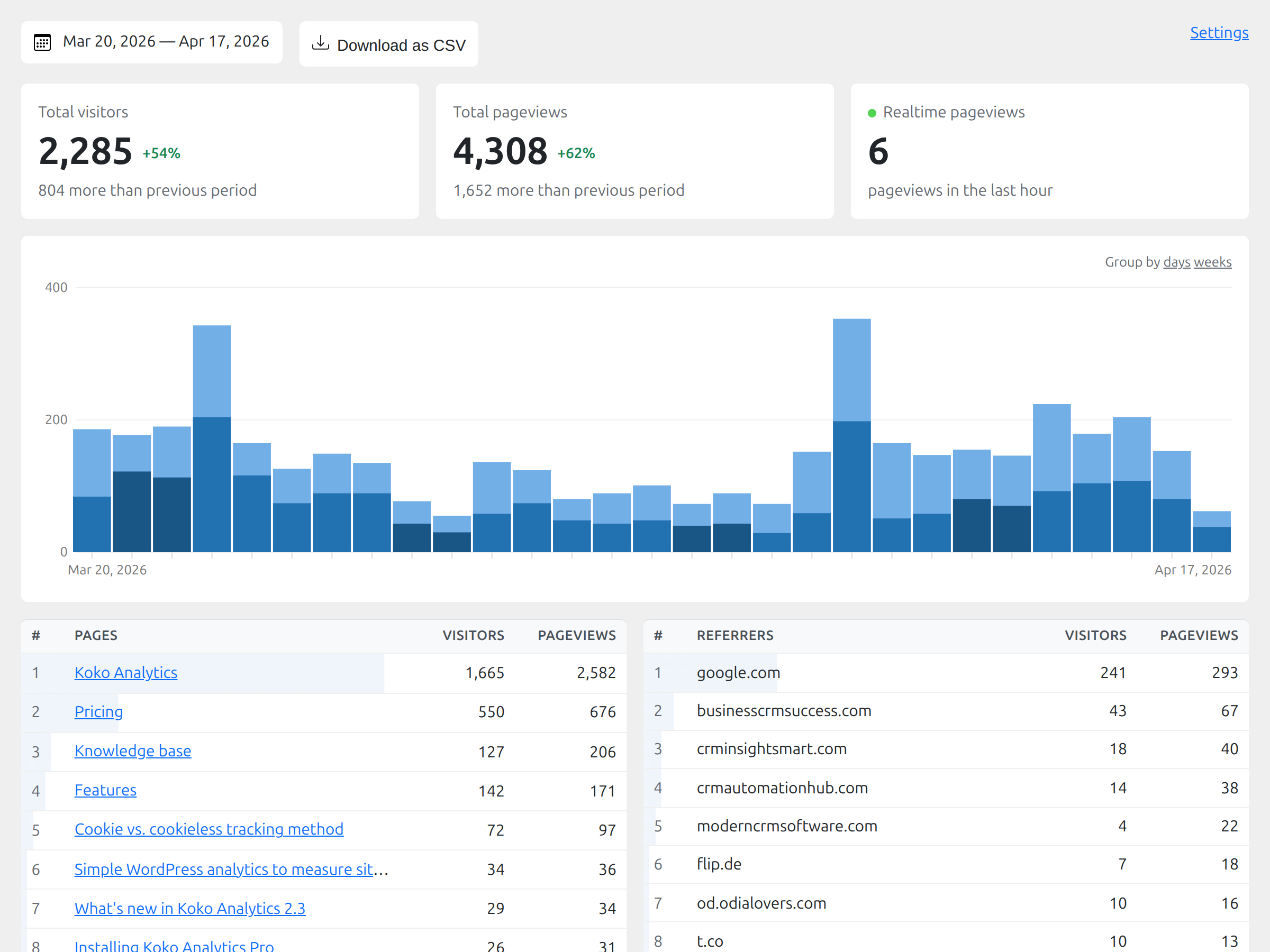
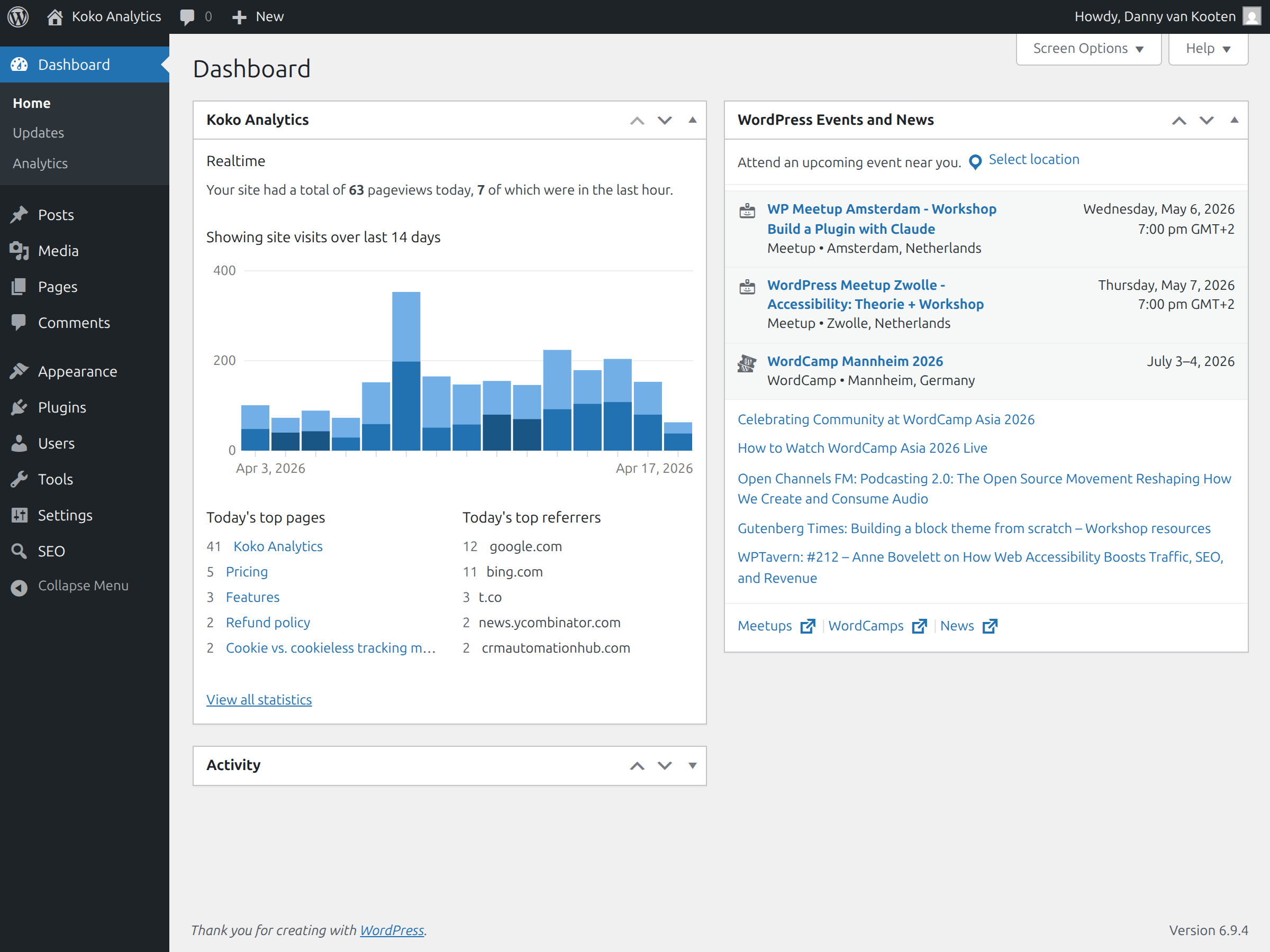
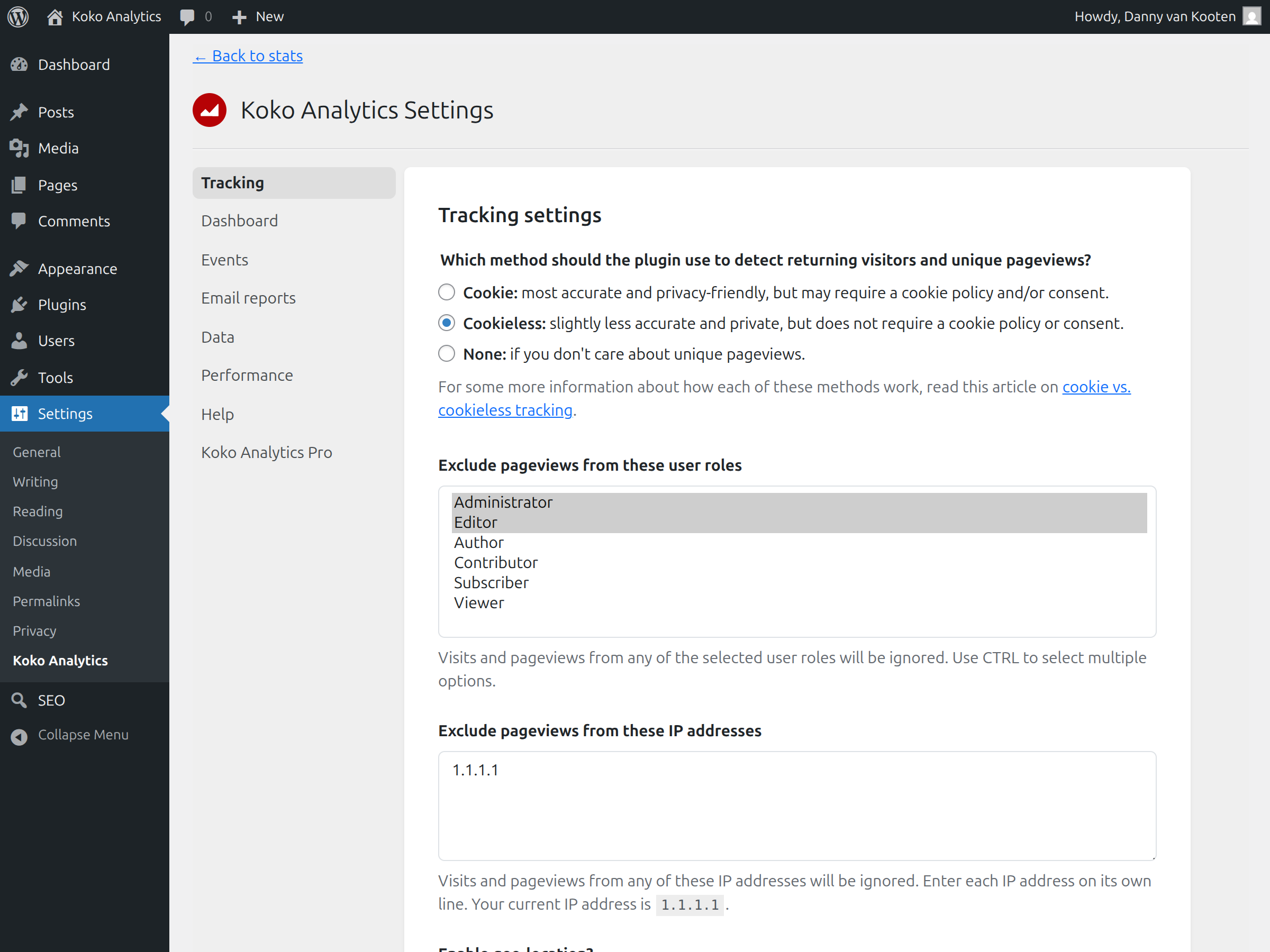


What Koko Analytics highlights on its WordPress.org page and its own website, split by version.
19 of 27 features we track in Analytics Plugins, feature score 69/100
Connects a GA4 property and adds the tracking code for you.
A Google Analytics alternative; it does not connect GA4.
Tracks visits itself and stores data in your WordPress database.
Runs on your own server and stores aggregated counts in your database.
Counts visits without setting tracking cookies.
Cookies are optional; returning visitors detected without them.
Shows who is on the site right now.
Dashboard has a realtime pageview component; no live visitor list.
Adds or works with Google Tag Manager containers.
No Google Tag Manager integration is offered.
Records hits on the server, unaffected by ad blockers.
Hits are sent by a small JS beacon to a fast local endpoint.
Small or no front-end script, so tracking does not slow pages.
Adds less than 1 KB to pages; endpoint bypasses WordPress.
Tracks outbound links, file downloads and button clicks.
Outbound link clicks and custom JS or class-based events.
Tracks form views and submissions.
Form submissions tracked as events.
Tracks orders, revenue and products from WooCommerce.
Pro events can count actions like add-to-cart; no order or revenue reports.
Reports on UTM campaigns, sources and mediums.
UTM campaign measurement.
Set goals and see conversion rates.
Event counts only; no goals or conversion rates.
Report by author, category, post type, user role and similar.
No author, category or role breakdowns.
Measures how far visitors scroll.
Scroll depth is not tracked.
Traffic reports in the WordPress admin, no need to open another tool.
Analytics dashboard under Dashboard > Analytics in wp-admin.
Shows which content gets the most visits.
Top posts and pages, plus a popular posts widget and block.
Where visitors come from.
Referrer statistics showing which sites send traffic.
Country, browser and device breakdowns.
Country plus browser, OS and device statistics.
Visit numbers shown on each post or in the editor.
Free pageview counter block/shortcode; Pro adds a post-list pageviews column.
Search queries and rankings from Google Search Console.
No Google Search Console integration.
Scheduled email reports with key stats.
Periodic email reports and traffic spike alerts.
Export to CSV or PDF.
Export dashboard data to CSV.
IP anonymisation, consent mode or cookie-banner integration.
No personal data stored, cookieless option, no third parties.
Leave admins or chosen roles out of the stats.
Exclude pageviews by user role or IP address.
Filters out bots and crawlers.
Bot filter lists exclude crawlers, expanded in recent releases.
Choose which user roles can view reports.
Grant view_koko_analytics capability via code or a role editor plugin.
Works across a WordPress multisite network.
Multisite support is not documented by the developer.
On WordPress.org
Unlimited
Open source (GPL); stays free.
1 site
Listed as $6/month excl. VAT; recurring subscription (README describes Pro as paid yearly).
10 sites
Listed as $18/month excl. VAT.
Unlimited
Listed as $30/month excl. VAT.
Prices are list prices from the vendor's site, checked 14 Oct 2026. Many vendors discount the first year.
Free installs from WordPress.org, the vendor's own claim, and our estimate of paid installs.
Active installations reported by WordPress.org.
The vendor does not publish a total.
Our estimate, see method below.
How we estimated this: About 75K free installs x 4% (the usual share of free sites that also run the paid version when most features are free) gives 3K. Likely range: 1.5K to 6K. This counts sites running the paid version, including sites whose licence has lapsed. Estimates are rough and based on public figures as of 14 Oct 2026.
4,095 downloads last week, 2.5M all time
| Version | 2.5.3 |
|---|---|
| Last updated | 24 Sep 2026 (40 days ago) |
| Tested up to | WordPress 7.1.4 |
| Requires | WordPress 6.2+, PHP 7.4+ |
| Support threads (2 months) | 1 of 1 resolved |
| On WordPress.org since | 5 Nov 2019 |
| Refund policy | 30-day money-back (source, 10 Oct 2026) |
|---|
Full Matomo analytics platform running inside WordPress, with ecommerce, goals, tag manager and GDPR tools; premium plugins add heatmaps and more.

Freemium Google Analytics plugin from Awesome Motive that adds GA4 tracking and in-dashboard reports, with eCommerce, forms and custom dimensions in paid…

Privacy-friendly, self-hosted WordPress analytics with cookieless tracking and reports in the admin; Pro adds real-time, campaigns, clicks, forms and sales.

Self-hosted, privacy-focused WordPress analytics with goals, real-time stats and optional cookieless tracking; Pro adds UTM, forms and WooCommerce.

Google's free official plugin that connects Analytics, Search Console, Tag Manager, AdSense and PageSpeed Insights and shows their data in WordPress.

Freemium Google Analytics dashboard plugin from Awesome Motive, a close sibling of MonsterInsights, adding GA4 tracking and reports to WordPress.
Yes. Koko Analytics has a free version on WordPress.org. Paid plans start at $6/mo.
WordPress.org reports 70K+ active installations of the free version. We estimate around 3K sites run the paid version.
No: not included. A Google Analytics alternative; it does not connect GA4.
Yes: included. Runs on your own server and stores aggregated counts in your database.
Yes: included. Cookies are optional; returning visitors detected without them.
Yes: paid version (Pro). Outbound link clicks and custom JS or class-based events.
Yes: partial. Pro events can count actions like add-to-cart; no order or revenue reports.
Yes: included. Analytics dashboard under Dashboard > Analytics in wp-admin.
Yes: paid version (Pro). Periodic email reports and traffic spike alerts.
Yes: included. No personal data stored, cookieless option, no third parties.
Cookies are optional. You can run it cookieless and it still detects returning visitors without them; it stores no personal data.
Pro is an add-on to the free plugin that adds country and device stats, event tracking, UTM campaigns, email reports, spike alerts, CSV export and post-list pageview columns.
Yes. Koko can import historical data from several plugins and services, including Jetpack Stats, Plausible and Burst Statistics.
It adds less than 1 KB to pages and its collection endpoint skips loading WordPress, so the performance impact is very small.
Last updated 10 Oct 2026. Spotted something wrong? Suggest an edit.