
MonsterInsights
Freemium Google Analytics plugin from Awesome Motive that adds GA4 tracking and in-dashboard reports, with eCommerce, forms and custom dimensions in paid…
84

Full Matomo analytics platform running inside WordPress, with ecommerce, goals, tag manager and GDPR tools; premium plugins add heatmaps and more.

Matomo Analytics for WordPress packages the open-source Matomo analytics platform (formerly Piwik) as a WordPress plugin. Instead of a lightweight counter, you get a full analytics suite installed inside your site, with data stored in your WordPress database and no data sampling.
The free plugin includes real-time reports and a visitor log, visitor profiles, segmentation, customisable dashboards, goals, event and campaign tracking, geolocation maps, row evolution and period comparisons, JavaScript error tracking and scheduled email reports. Ecommerce tracking works out of the box with WooCommerce, Easy Digital Downloads and MemberPress. A built-in Matomo Tag Manager is included (except on multisite), and historical data can be imported from Google Analytics or WP Statistics.
A GDPR manager handles data export and deletion, with IP anonymisation, data retention rules, an opt-out shortcode and the option to track without cookies. WordPress roles can be mapped to Matomo view, write or admin access, and roles, visitors and pages can be excluded from tracking. Multisite networks are supported, with each site keeping its own data.
Paid premium plugins, sold through the Matomo Marketplace or as a WordPress Premium Bundle with a 30-day trial, add heatmaps and session recordings, form analytics, media analytics, funnels, Search Engine Keywords Performance (Search Console data), SEO Web Vitals, custom reports, cohorts, users flow and multi-channel attribution. A/B testing, white label and roll-up reporting do not work in the WordPress version.
Matomo suits stores, marketers and organisations that want Google Analytics-level depth while keeping full data ownership.
Best for: Stores, marketers and organisations that want GA-level analytics depth while keeping all data on their own server.
Matomo is the most capable self-hosted option here, with ecommerce, goals, events and a tag manager in the free plugin. That depth comes with heavier server load and a more complex interface, so smaller blogs may prefer a lighter tool.
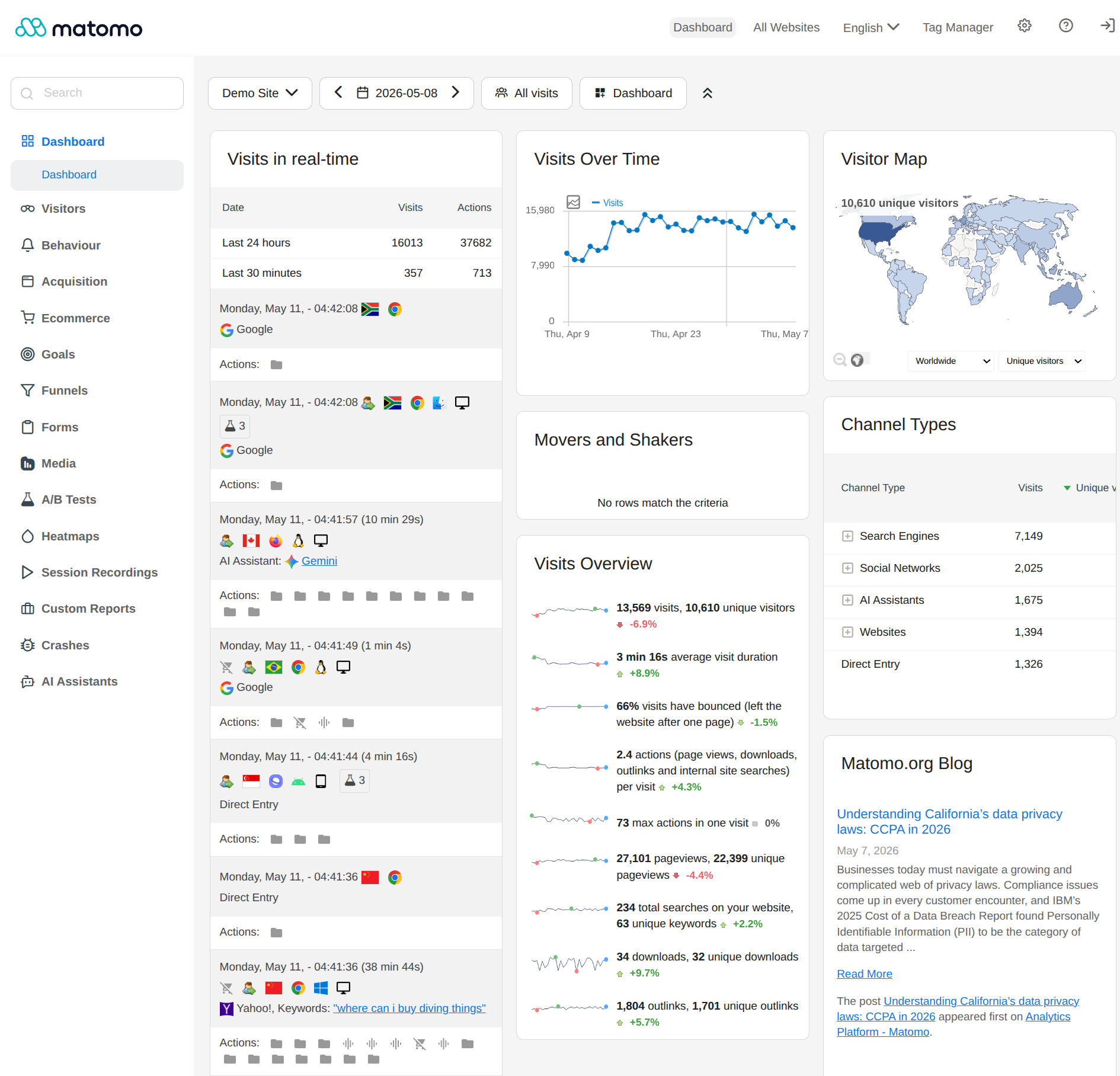
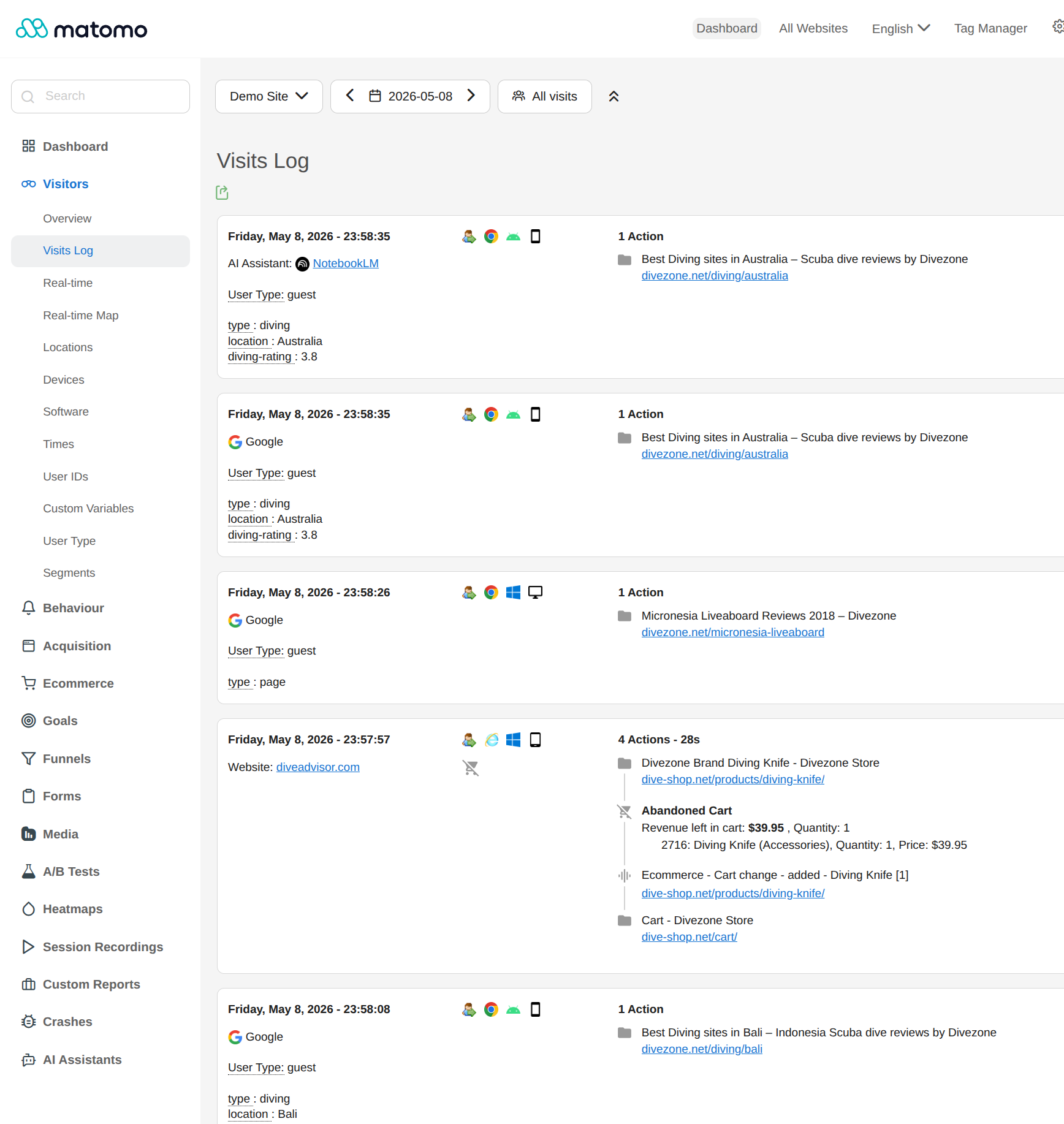
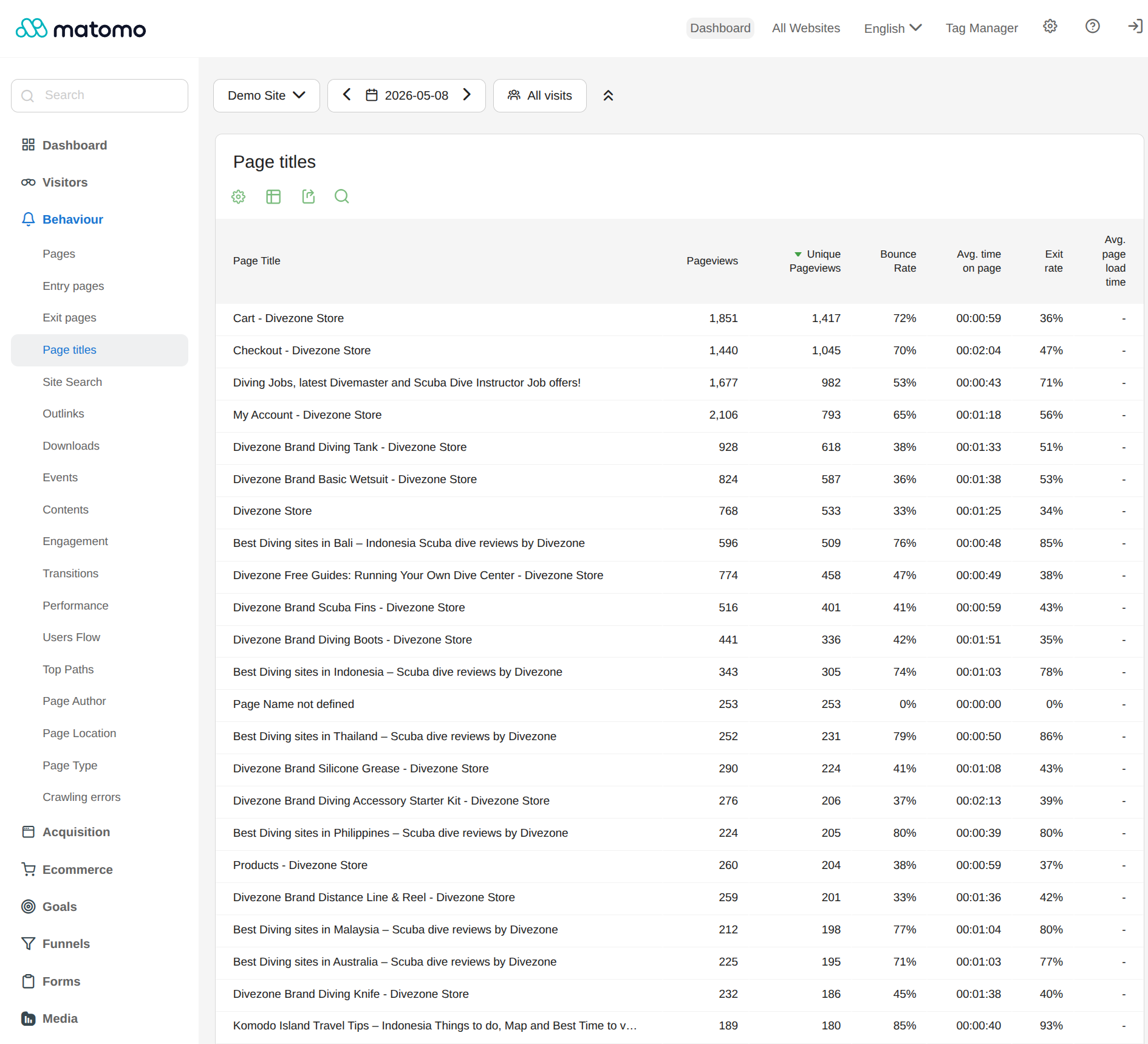
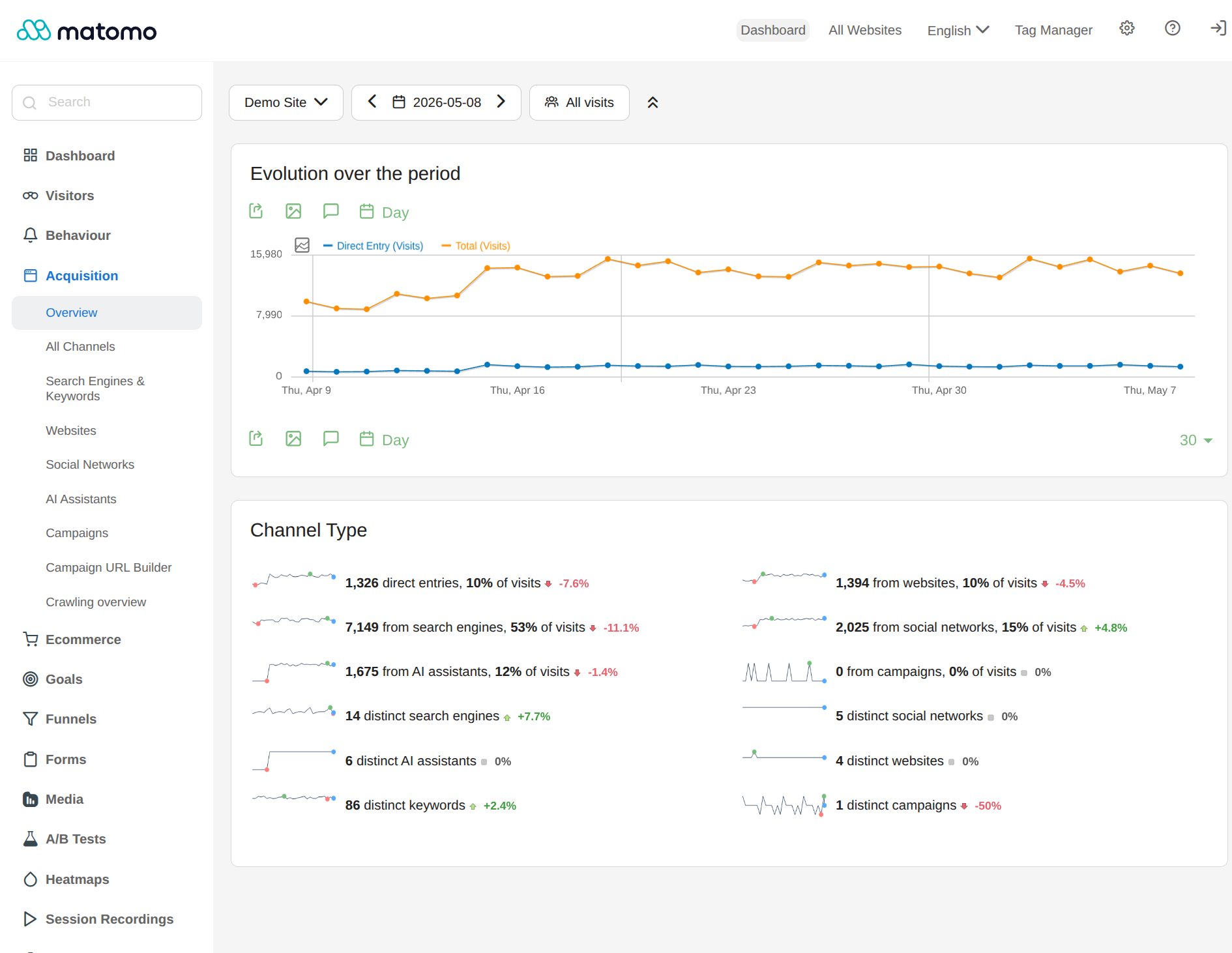
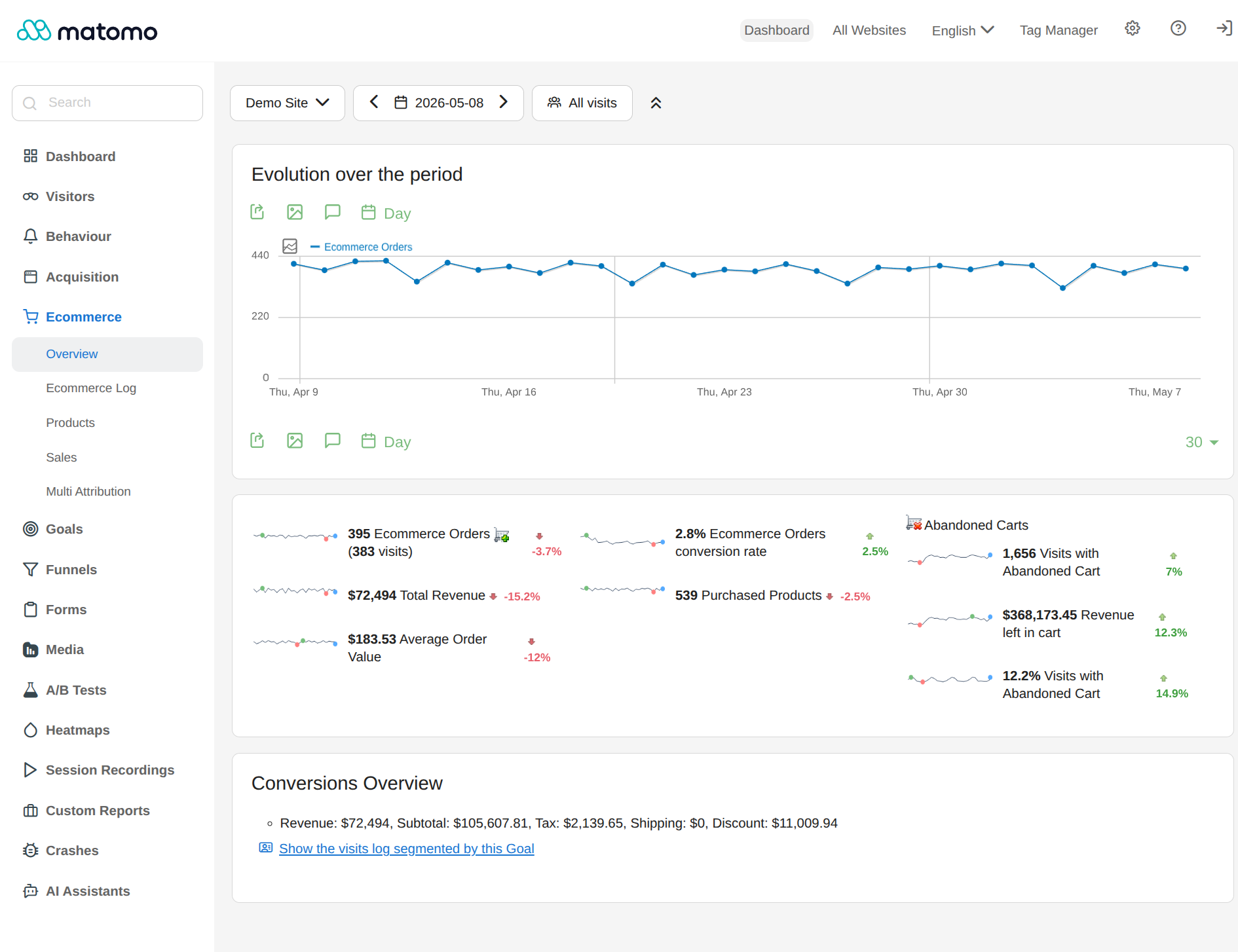
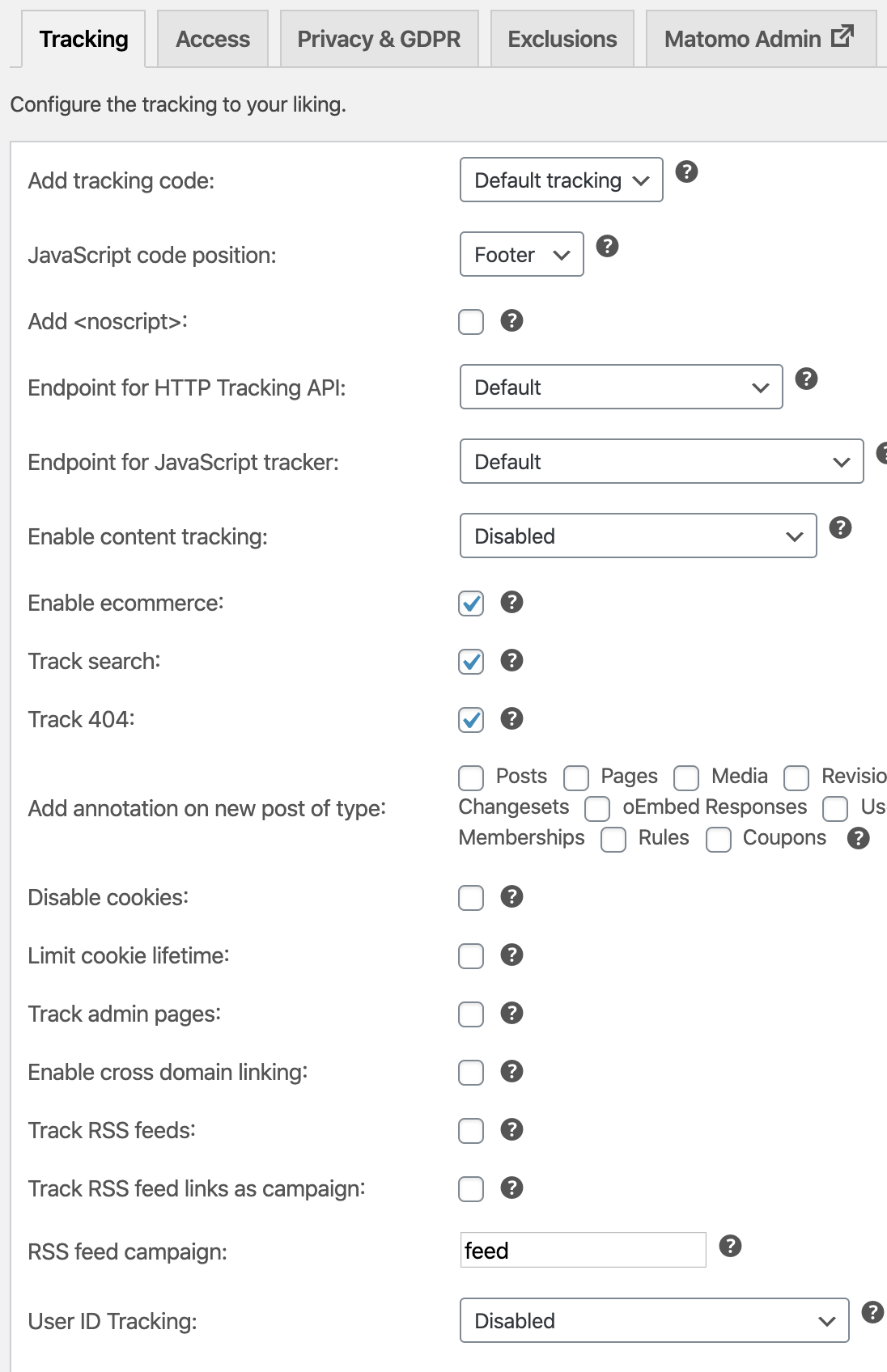
What Matomo Analytics for WordPress highlights on its WordPress.org page and its own website, split by version.
25 of 27 features we track in Analytics Plugins, feature score 86/100
Connects a GA4 property and adds the tracking code for you.
Replaces GA rather than connecting GA4; it can import historical GA data.
Tracks visits itself and stores data in your WordPress database.
Data stored in your WordPress installation, no third party.
Counts visits without setting tracking cookies.
Cookies can be disabled so visits are tracked without them.
Shows who is on the site right now.
Real-time reports and a live visits log.
Adds or works with Google Tag Manager containers.
Includes its own Matomo Tag Manager rather than Google Tag Manager; not on multisite.
Records hits on the server, unaffected by ad blockers.
JS tracker by default; optional REST API endpoint can route hits through WordPress.
Small or no front-end script, so tracking does not slow pages.
Uses the full matomo.js tracker, heavier than minimalist counters.
Tracks outbound links, file downloads and button clicks.
Event tracking with automatic outlink and download tracking.
Tracks form views and submissions.
Paid Form Analytics premium plugin.
Tracks orders, revenue and products from WooCommerce.
Ecommerce tracking for WooCommerce, EDD and MemberPress out of the box.
Reports on UTM campaigns, sources and mediums.
Campaign tracking for UTM and Matomo campaign parameters.
Set goals and see conversion rates.
Goals with conversion rates and revenue; funnels are a premium plugin.
Report by author, category, post type, user role and similar.
Free Custom Dimensions plugin from the Matomo Marketplace.
Measures how far visitors scroll.
Scroll maps via the paid Heatmap & Session Recording plugin.
Traffic reports in the WordPress admin, no need to open another tool.
Full Matomo reporting UI and dashboards inside wp-admin.
Shows which content gets the most visits.
Page URL and page title reports rank the most visited content.
Where visitors come from.
Acquisition reports cover websites, search engines, social and campaigns.
Country, browser and device breakdowns.
Geolocation maps plus browser, OS and device reports.
Visit numbers shown on each post or in the editor.
No per-post stats column or editor panel is documented.
Search queries and rankings from Google Search Console.
Paid Search Engine Keywords Performance plugin imports Search Console data.
Scheduled email reports with key stats.
Scheduled email reports with chosen reports and frequency.
Export to CSV or PDF.
Reports can be exported (CSV, TSV, XML, JSON and more).
IP anonymisation, consent mode or cookie-banner integration.
GDPR manager, IP anonymisation, opt-out shortcode and retention rules.
Leave admins or chosen roles out of the stats.
Exclude specific roles, visitors and pages from tracking.
Filters out bots and crawlers.
Known bots and crawlers are excluded from reports.
Choose which user roles can view reports.
Map each WordPress role to Matomo view, write or admin access.
Works across a WordPress multisite network.
Supports multisite, network-activated or per site; Tag Manager excluded.
On WordPress.org
Unlimited
Full Matomo core, ecommerce, goals, tag manager and email reports. Premium plugins (heatmaps, form analytics, funnels, Search Console keywords and more) are sold separately or as the WP Premium Bundle with a 30-day trial; prices are shown only in the Matomo shop.
Prices are list prices from the vendor's site, checked 14 Oct 2026. Many vendors discount the first year.
Free installs from WordPress.org, the vendor's own claim, and our estimate of paid installs.
Active installations reported by WordPress.org.
Sites/users claimed on the vendor's website. source
Our estimate, see method below.
How we estimated this: About 150K free installs x 4% (the usual share of free sites that also run the paid version when most features are free) gives 6K. The vendor claims 1M+ sites in total. Taking away about 150K free installs leaves 850K, and 80% of that is 680K. Vendor totals are loose, so we only move our figure part of the way toward it, from 6K to 7.4K. Likely range: 3.7K to 15K. This counts sites running the paid version, including sites whose licence has lapsed. Estimates are rough and based on public figures as of 14 Oct 2026.
5,006 downloads last week, 3.3M all time
| Version | 5.13.1 |
|---|---|
| Last updated | 15 Sep 2026 (49 days ago) |
| Tested up to | WordPress 7.1.0 |
| Requires | WordPress 4.8+, PHP 7.2.5+ |
| Support threads (2 months) | 3 of 3 resolved |
| On WordPress.org since | 13 Feb 2020 |
 Koko Analytics/Matomo Analytics for WordPress
 Burst Statistics/Matomo Analytics for WordPress
 Matomo Analytics for WordPress/WP StatisticsMatomo Analytics for WordPress/MonsterInsights
 Matomo Analytics for WordPress/Site Kit by Google
 ExactMetrics/Matomo Analytics for WordPress
 Independent Analytics/Matomo Analytics for WordPress
Freemium Google Analytics plugin from Awesome Motive that adds GA4 tracking and in-dashboard reports, with eCommerce, forms and custom dimensions in paid…
Privacy-friendly, self-hosted WordPress analytics with cookieless tracking and reports in the admin; Pro adds real-time, campaigns, clicks, forms and sales.
Self-hosted, privacy-focused WordPress analytics with goals, real-time stats and optional cookieless tracking; Pro adds UTM, forms and WooCommerce.
Google's free official plugin that connects Analytics, Search Console, Tag Manager, AdSense and PageSpeed Insights and shows their data in WordPress.
Freemium Google Analytics dashboard plugin from Awesome Motive, a close sibling of MonsterInsights, adding GA4 tracking and reports to WordPress.
Long-running self-hosted WordPress analytics plugin with cookieless tracking, detailed content, referral and geo reports, and paid add-ons for marketing.
Yes. Matomo Analytics for WordPress has a free version on WordPress.org.
WordPress.org reports 100K+ active installations of the free version. The vendor claims 1M+ sites in total. We estimate around 7.4K sites run the paid version.
No: not included. Replaces GA rather than connecting GA4; it can import historical GA data.
Yes: included. Data stored in your WordPress installation, no third party.
Yes: included. Cookies can be disabled so visits are tracked without them.
Yes: included. Event tracking with automatic outlink and download tracking.
Yes: included. Ecommerce tracking for WooCommerce, EDD and MemberPress out of the box.
Yes: included. Full Matomo reporting UI and dashboards inside wp-admin.
Yes: included. Scheduled email reports with chosen reports and frequency.
Yes: included. GDPR manager, IP anonymisation, opt-out shortcode and retention rules.
It runs the same open-source Matomo engine, but inside your WordPress install with data in your database. Matomo recommends Cloud or On-Premise for very high traffic or large multisite networks.
Most do, including heatmaps, session recordings, form and media analytics, funnels and custom reports. A/B testing, white label and roll-up reporting are not supported.
Yes. Matomo can import historical data from Google Analytics and from WP Statistics.
Yes. Ecommerce tracking for WooCommerce, Easy Digital Downloads and MemberPress works without extra plugins.
Tracking is asynchronous, but report processing uses server resources; Matomo suggests a 256 MB memory limit and moving busy sites to Cloud or On-Premise.
Last updated 10 Oct 2026. Spotted something wrong? Suggest an edit.