

Matomo Analytics for WordPress
Full Matomo analytics platform running inside WordPress, with ecommerce, goals, tag manager and GDPR tools; premium plugins add heatmaps and more.
86

Google's free official plugin that connects Analytics, Search Console, Tag Manager, AdSense and PageSpeed Insights and shows their data in WordPress.

Site Kit by Google is Google’s own WordPress plugin. Rather than being an analytics engine itself, it connects your site to Google services and places their code for you: Google Analytics 4, Search Console, Tag Manager, AdSense, PageSpeed Insights, Google Ads, Sign in with Google and Reader Revenue Manager. Each administrator signs in with their own Google account, and the plugin then shows a combined dashboard inside WordPress.
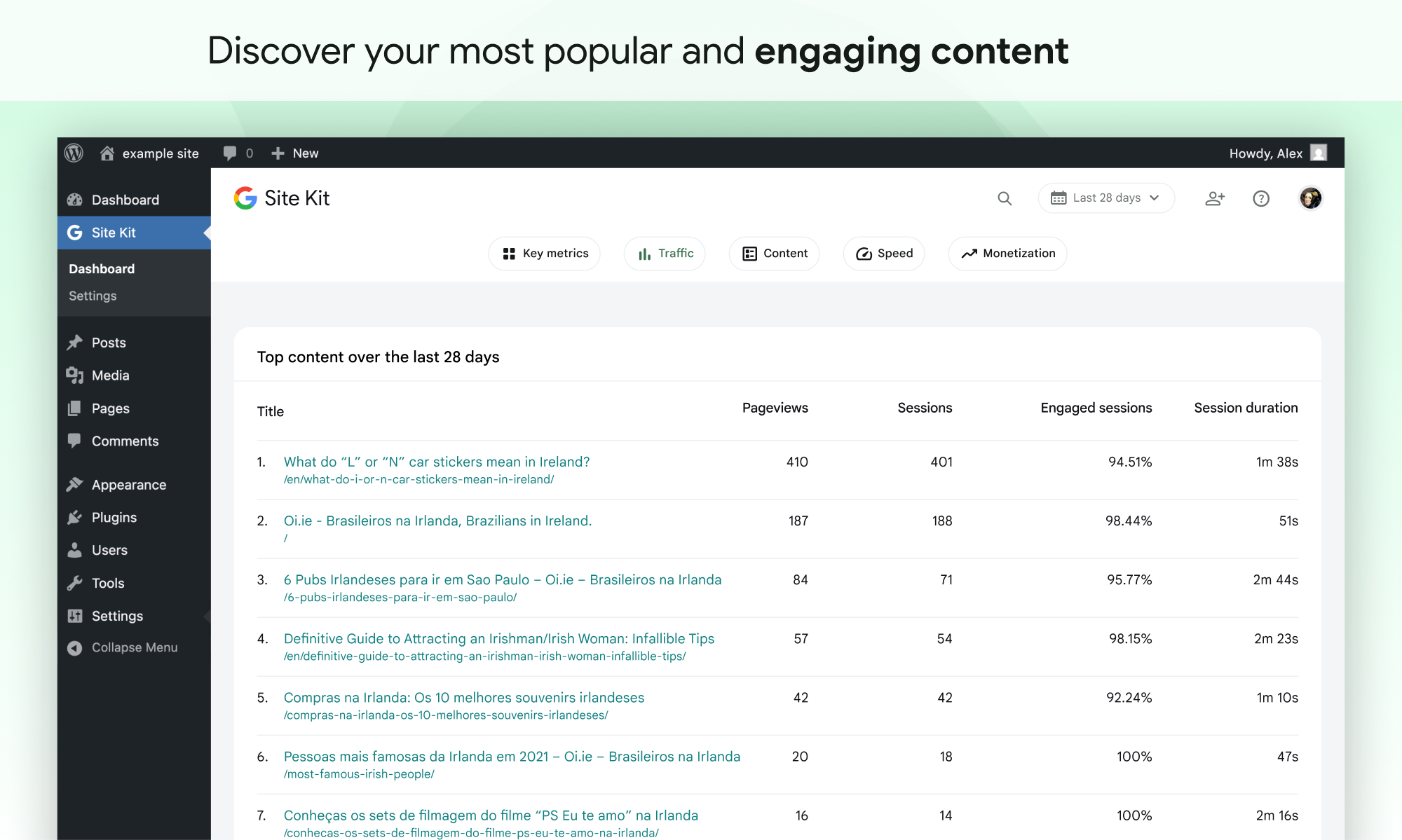
The dashboard covers unique visitors over time, traffic split by channel, country and device, top content, top Search Console queries, PageSpeed results and AdSense earnings. Optional key metrics widgets add views such as top authors, top categories, popular products and lead or sales conversions, and Site Kit creates the custom dimensions these need in your GA4 property. A toolbar panel shows stats for the page you are viewing.
Everything is free, and there is no paid version.
Limitations: reports are deliberately simple. There is no real-time view, no UTM campaign report, no list of referring domains and no in-WordPress eCommerce revenue report, so detailed analysis still happens in GA4. Multisite networks are not supported as a whole, data takes a few days to appear for new properties, and because it uses Google Analytics you still need cookie consent handling where the law requires it.
Who should pick it: site owners who want a free, official way to install Google’s tags and see Analytics and Search Console highlights in WordPress, especially if they also use AdSense or Google Ads.
Best for: Site owners who want a free, official way to add Google's tags and see Analytics and Search Console highlights in WordPress.
Site Kit is the simplest free way to connect Google's services and get a tidy overview in WordPress, and features like conversion tracking, email reports and dashboard sharing have made it more useful over time. Anyone who needs real-time data, campaign reports or eCommerce analysis inside WordPress will need something else alongside it.
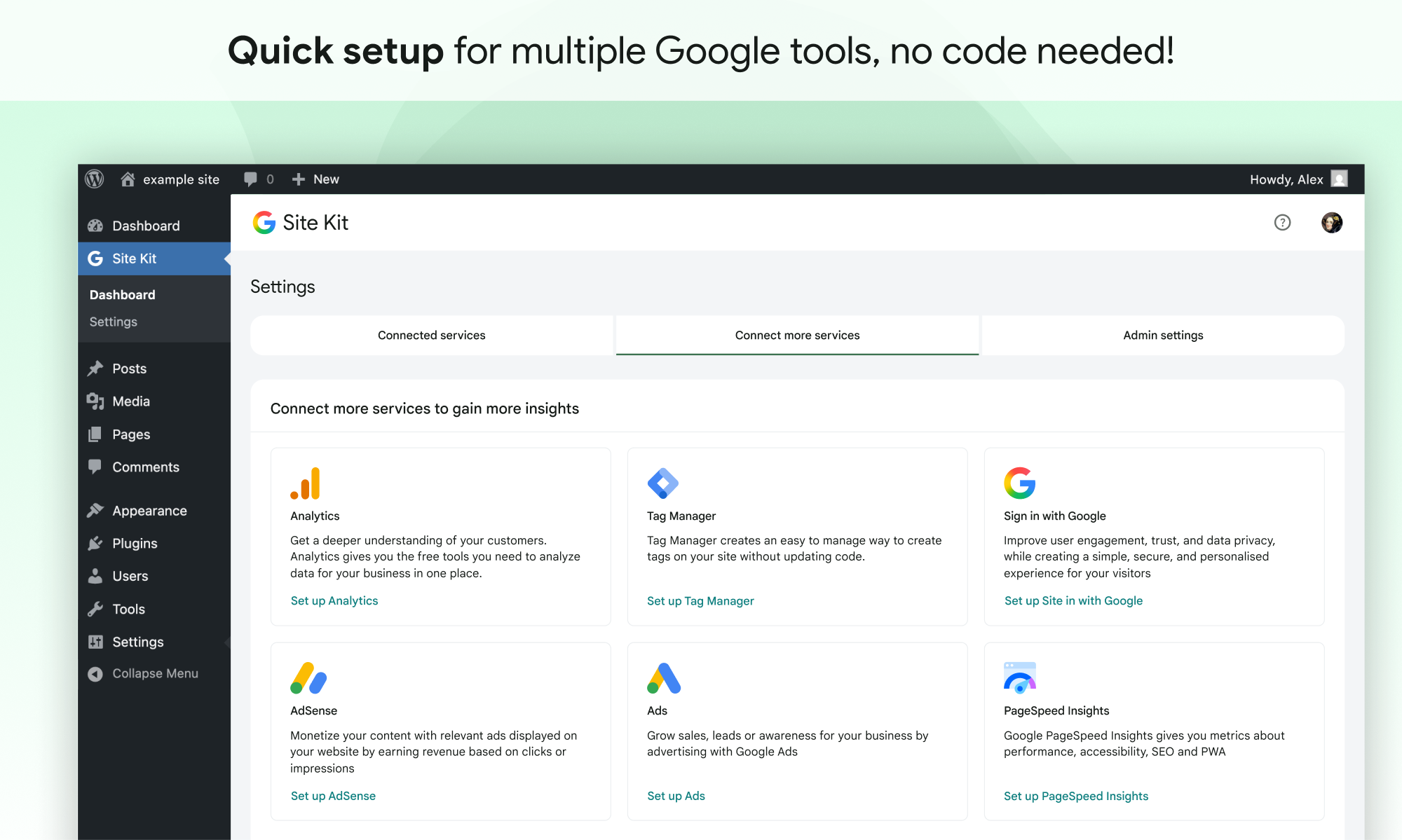
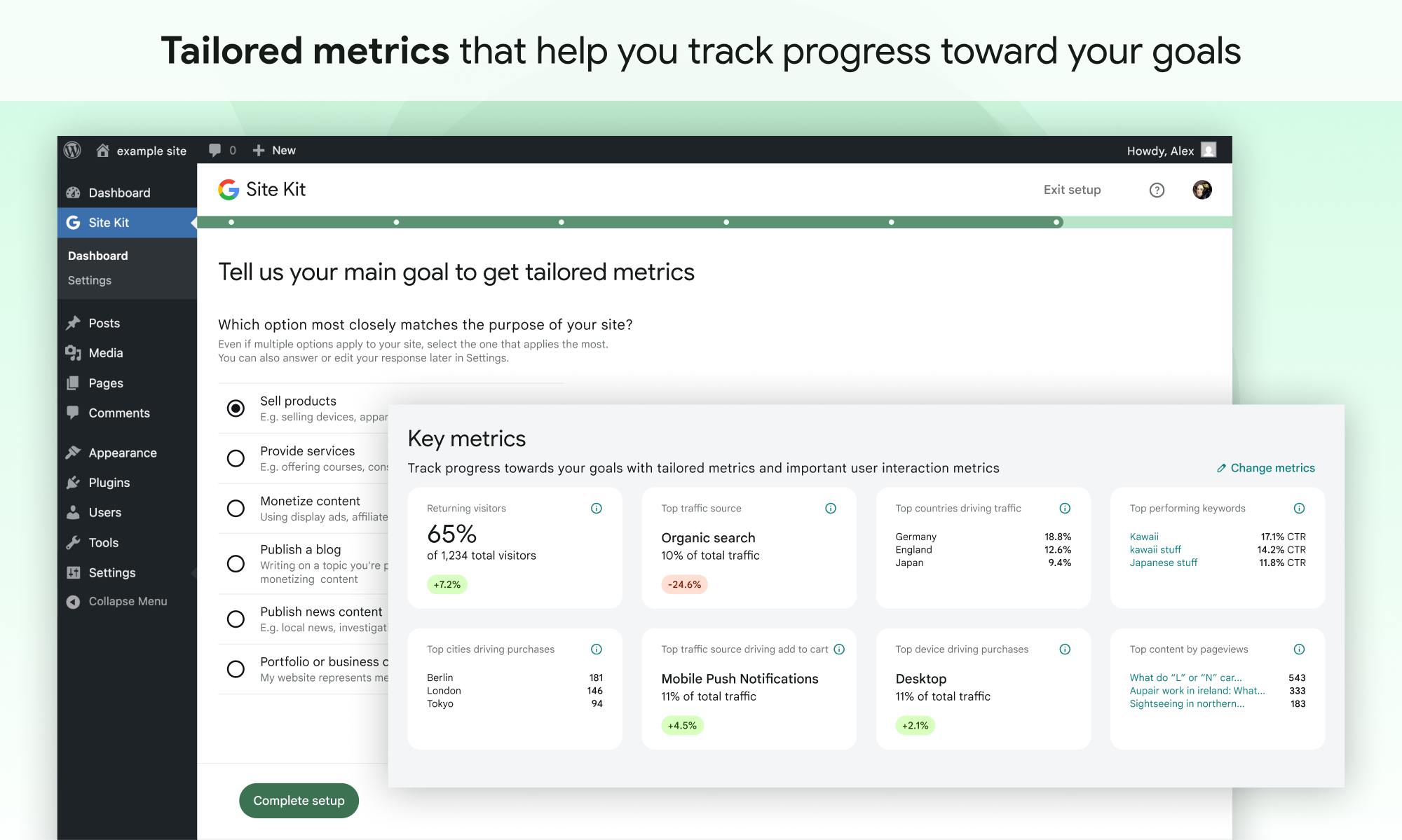
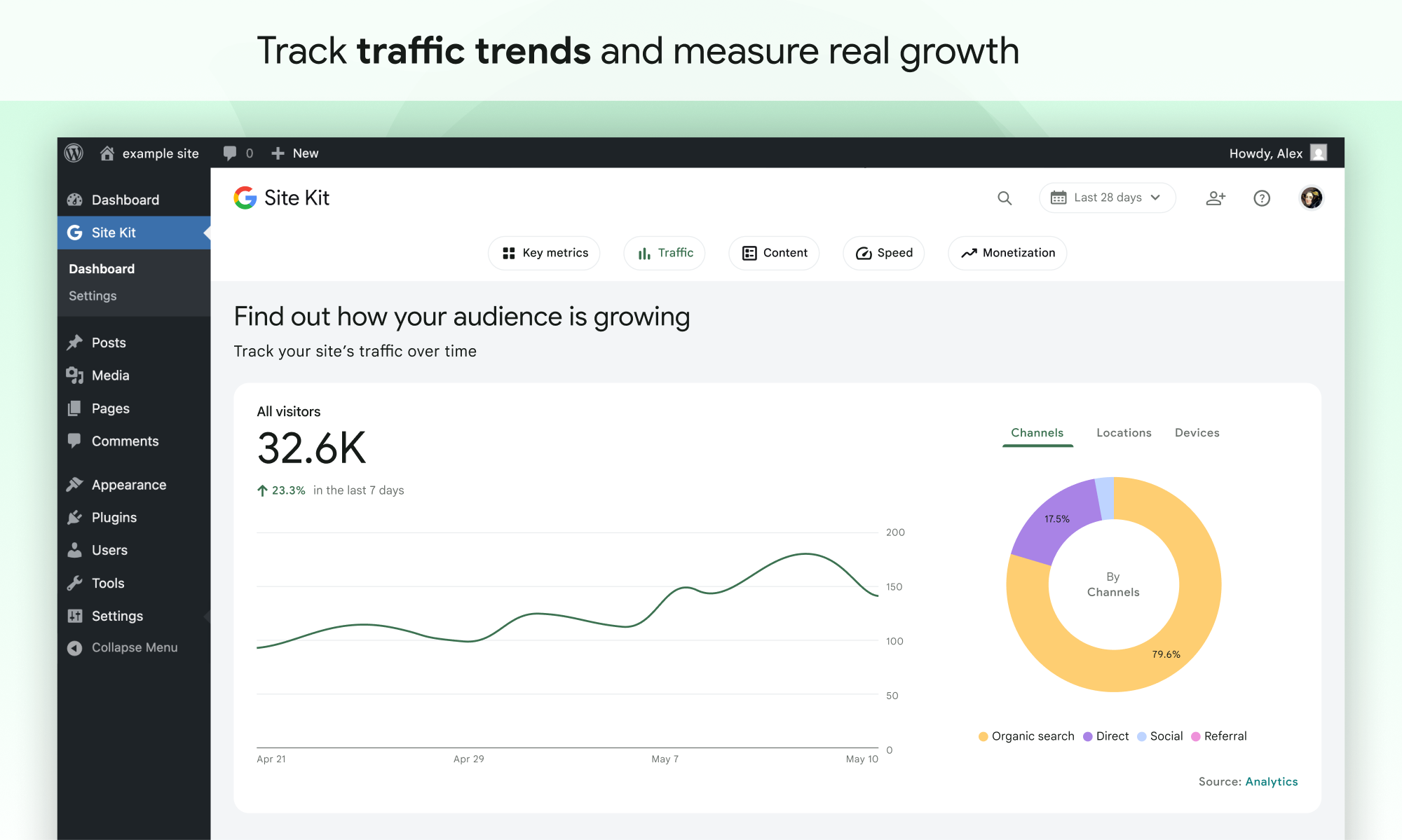
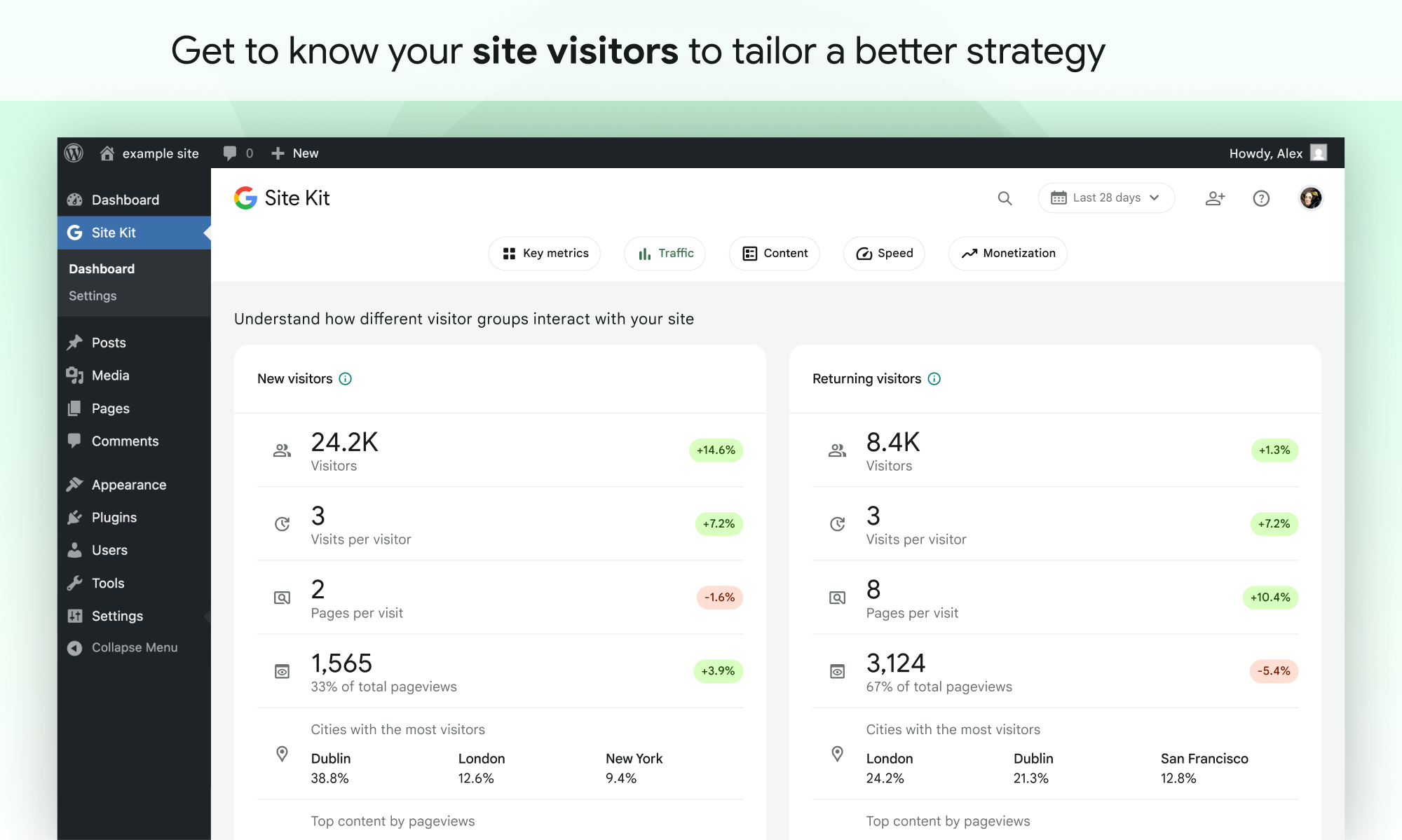
What Site Kit by Google highlights on its WordPress.org page and its own website, split by version.
24 of 27 features we track in Analytics Plugins, feature score 70/100
Connects a GA4 property and adds the tracking code for you.
Creates or connects a GA4 property during setup and places the Google tag automatically.
Tracks visits itself and stores data in your WordPress database.
Shows data from Google services; nothing is tracked or stored in your own database.
Counts visits without setting tracking cookies.
Uses Google Analytics, which sets cookies; consent mode can limit this until consent.
Shows who is on the site right now.
Docs state the dashboard does not include real-time data; use analytics.google.com for that.
Adds or works with Google Tag Manager containers.
Tag Manager module creates or connects a GTM container and inserts its snippet.
Records hits on the server, unaffected by ad blockers.
Google tag gateway serves measurement through a script on your own domain; tracking still starts in the browser.
Small or no front-end script, so tracking does not slow pages.
Adds Google's standard gtag.js; no plugin-specific tracker, but the Google tag is not small.
Tracks outbound links, file downloads and button clicks.
Relies on GA4 Enhanced Measurement for downloads and outbound clicks; custom events via GTM or GA4.
Tracks form views and submissions.
Plugin conversion tracking records leads from CF7, WPForms, Ninja Forms, Mailchimp, OptinMonster and Popup Maker.
Tracks orders, revenue and products from WooCommerce.
Conversion tracking sends WooCommerce and EDD events to GA4/Ads; no dedicated revenue report in WordPress.
Reports on UTM campaigns, sources and mediums.
Traffic widget breaks visits down by channel; there is no UTM campaign report in the dashboard.
Set goals and see conversion rates.
Site goals and conversion key metrics summarise leads and sales from GA4 conversion events.
Report by author, category, post type, user role and similar.
Key metrics for top authors and categories; Site Kit creates the needed GA4 custom dimensions.
Measures how far visitors scroll.
Only via GA4 Enhanced Measurement's scroll event; no scroll report in WordPress.
Traffic reports in the WordPress admin, no need to open another tool.
Site Kit dashboard plus a WordPress dashboard widget show Analytics, Search Console and speed data.
Shows which content gets the most visits.
Top content widget lists pages with pageviews, sessions and engagement rate.
Where visitors come from.
Shows traffic by channel (referral, organic, social, direct) rather than a list of referring sites.
Country, browser and device breakdowns.
Traffic chart splits visits by top countries and by desktop, mobile and tablet.
Visit numbers shown on each post or in the editor.
Admin toolbar shows users, sessions, impressions and clicks for the page you are viewing.
Search queries and rankings from Google Search Console.
Search Console is a core module: impressions, clicks and top search queries in WordPress.
Scheduled email reports with key stats.
Weekly, monthly or quarterly email reports for any user with dashboard access.
Export to CSV or PDF.
Export PDF from the dashboard header, choosing which sections to include; no CSV export documented.
IP anonymisation, consent mode or cookie-banner integration.
Built-in Google consent mode toggle and compatibility with consent plugins such as Complianz and CookieYes.
Leave admins or chosen roles out of the stats.
Logged-in users are excluded from Analytics tracking by default; this can be changed.
Filters out bots and crawlers.
No plugin-level filter; GA4 automatically excludes known bots and spiders.
Choose which user roles can view reports.
Dashboard sharing grants view-only access per service to roles with edit_posts.
Works across a WordPress multisite network.
Multisite networks are not supported; it can be activated and set up on each site individually.
On WordPress.org
Unlimited
Entirely free and open source; individual Google products may have their own terms or costs.
Prices are list prices from the vendor's site, checked 14 Oct 2026. Many vendors discount the first year.
Free installs from WordPress.org, the vendor's own claim, and our estimate of paid installs.
Active installations reported by WordPress.org.
The vendor does not publish a total.
There is no paid version.
492,808 downloads last week, 290.4M all time
| Version | 1.191.0 |
|---|---|
| Last updated | 2 Nov 2026 (1 days ago) |
| Tested up to | WordPress 7.1.4 |
| Requires | WordPress 5.2+, PHP 7.4+ |
| Support threads (2 months) | 65 of 90 resolved |
| On WordPress.org since | 31 Oct 2019 |
| Refund policy | Not applicable (free) (source, 10 Oct 2026) |
|---|
Full Matomo analytics platform running inside WordPress, with ecommerce, goals, tag manager and GDPR tools; premium plugins add heatmaps and more.

Freemium Google Analytics plugin from Awesome Motive that adds GA4 tracking and in-dashboard reports, with eCommerce, forms and custom dimensions in paid…

Privacy-friendly, self-hosted WordPress analytics with cookieless tracking and reports in the admin; Pro adds real-time, campaigns, clicks, forms and sales.

Self-hosted, privacy-focused WordPress analytics with goals, real-time stats and optional cookieless tracking; Pro adds UTM, forms and WooCommerce.

Freemium Google Analytics dashboard plugin from Awesome Motive, a close sibling of MonsterInsights, adding GA4 tracking and reports to WordPress.

Long-running self-hosted WordPress analytics plugin with cookieless tracking, detailed content, referral and geo reports, and paid add-ons for marketing.
Yes. Site Kit by Google has a free version on WordPress.org.
WordPress.org reports 5M+ active installations of the free version.
Yes: included. Creates or connects a GA4 property during setup and places the Google tag automatically.
No: not included. Shows data from Google services; nothing is tracked or stored in your own database.
No: not included. Uses Google Analytics, which sets cookies; consent mode can limit this until consent.
Yes: partial. Relies on GA4 Enhanced Measurement for downloads and outbound clicks; custom events via GTM or GA4.
Yes: partial. Conversion tracking sends WooCommerce and EDD events to GA4/Ads; no dedicated revenue report in WordPress.
Yes: included. Site Kit dashboard plus a WordPress dashboard widget show Analytics, Search Console and speed data.
Yes: included. Weekly, monthly or quarterly email reports for any user with dashboard access.
Yes: included. Built-in Google consent mode toggle and compatibility with consent plugins such as Complianz and CookieYes.
Yes. The plugin is free and open source with no paid tier, though connected Google products such as Ads have their own terms and costs.
No. Google's documentation says the Site Kit dashboard does not include real-time data; you need to open Google Analytics for that.
Multisite networks are not supported as a whole, but you can activate and set up Site Kit on each site in the network individually.
Yes. Dashboard sharing lets an admin give view-only access, per service, to roles that have the edit_posts capability.
Only one plugin should place the GA4 tag, otherwise visits can be counted twice. If another plugin already adds Analytics, disable its tag or don't let Site Kit place one.
Last updated 10 Oct 2026. Spotted something wrong? Suggest an edit.