





Kadence Blocks
Free Gutenberg block suite with row layouts, forms, a design library and AI writing tools; Pro adds dynamic content, query loops and…
94

The most widely installed visual page builder for WordPress, with a free drag-and-drop editor and Pro plans adding theme, popup, form and WooCommerce builders.
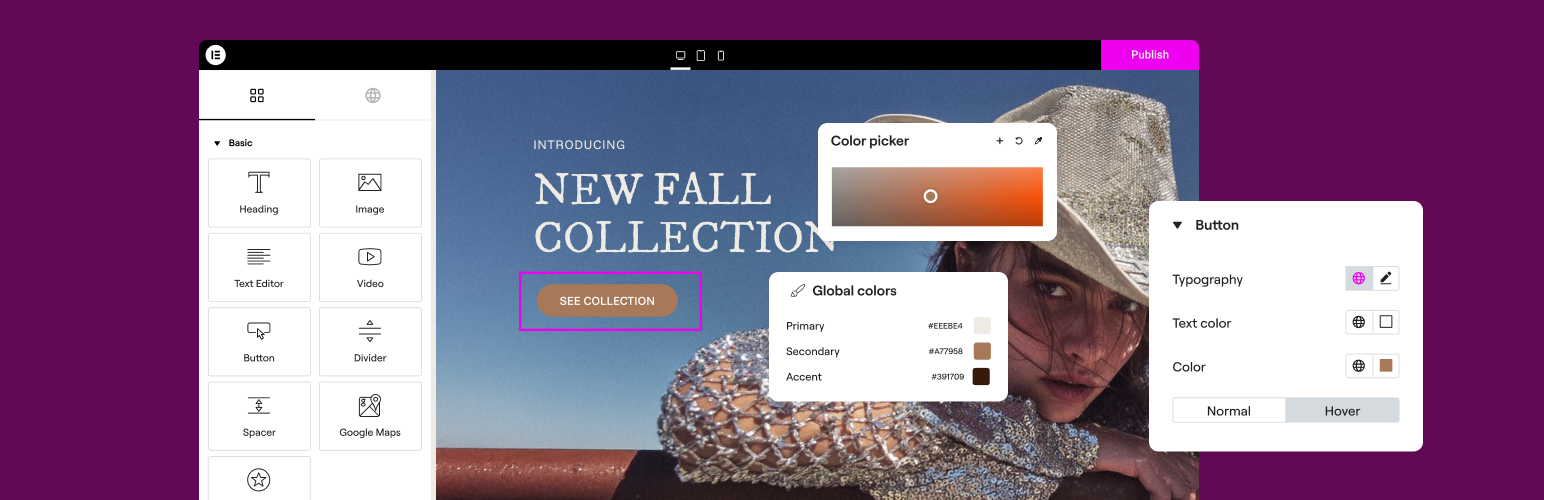
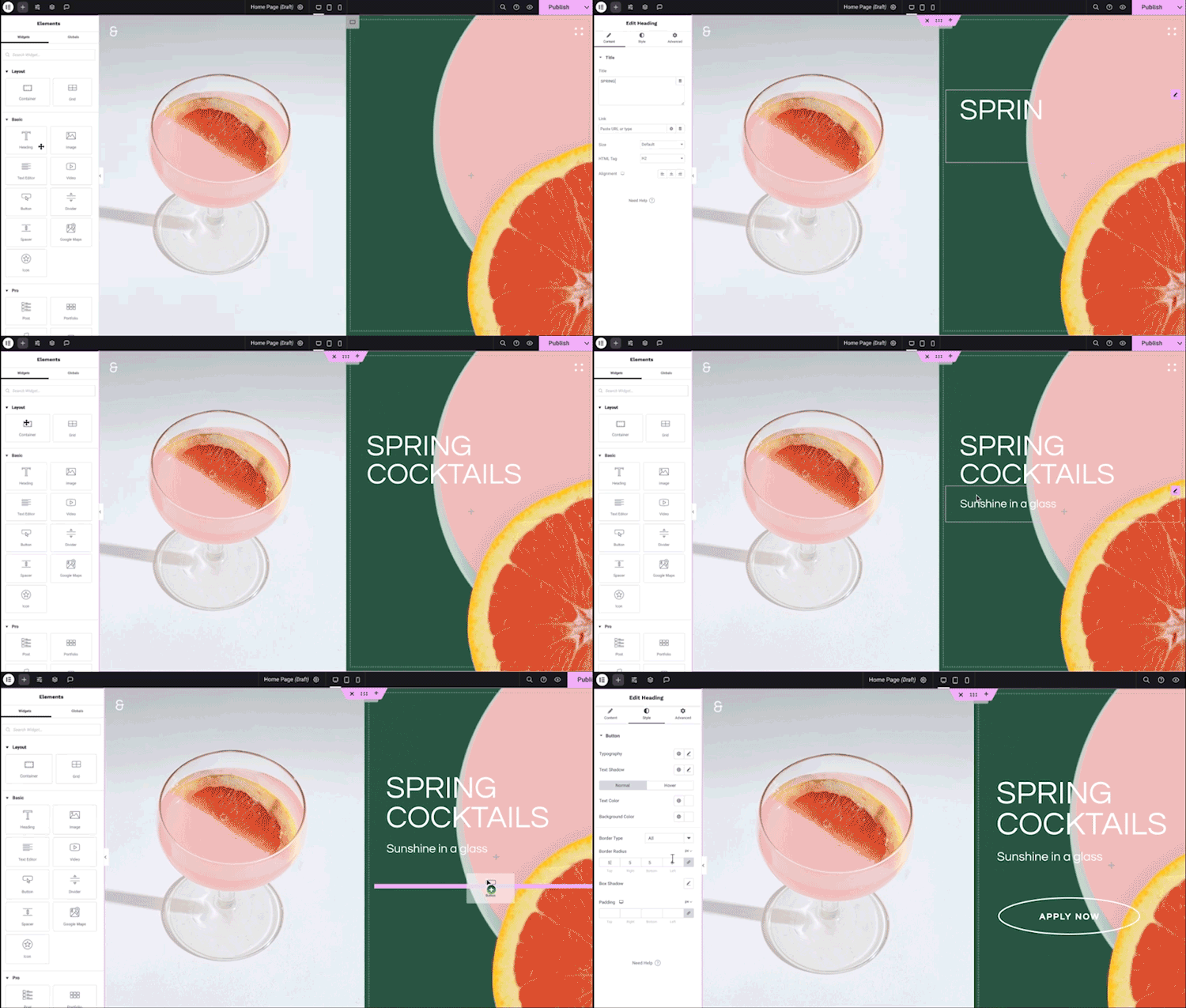
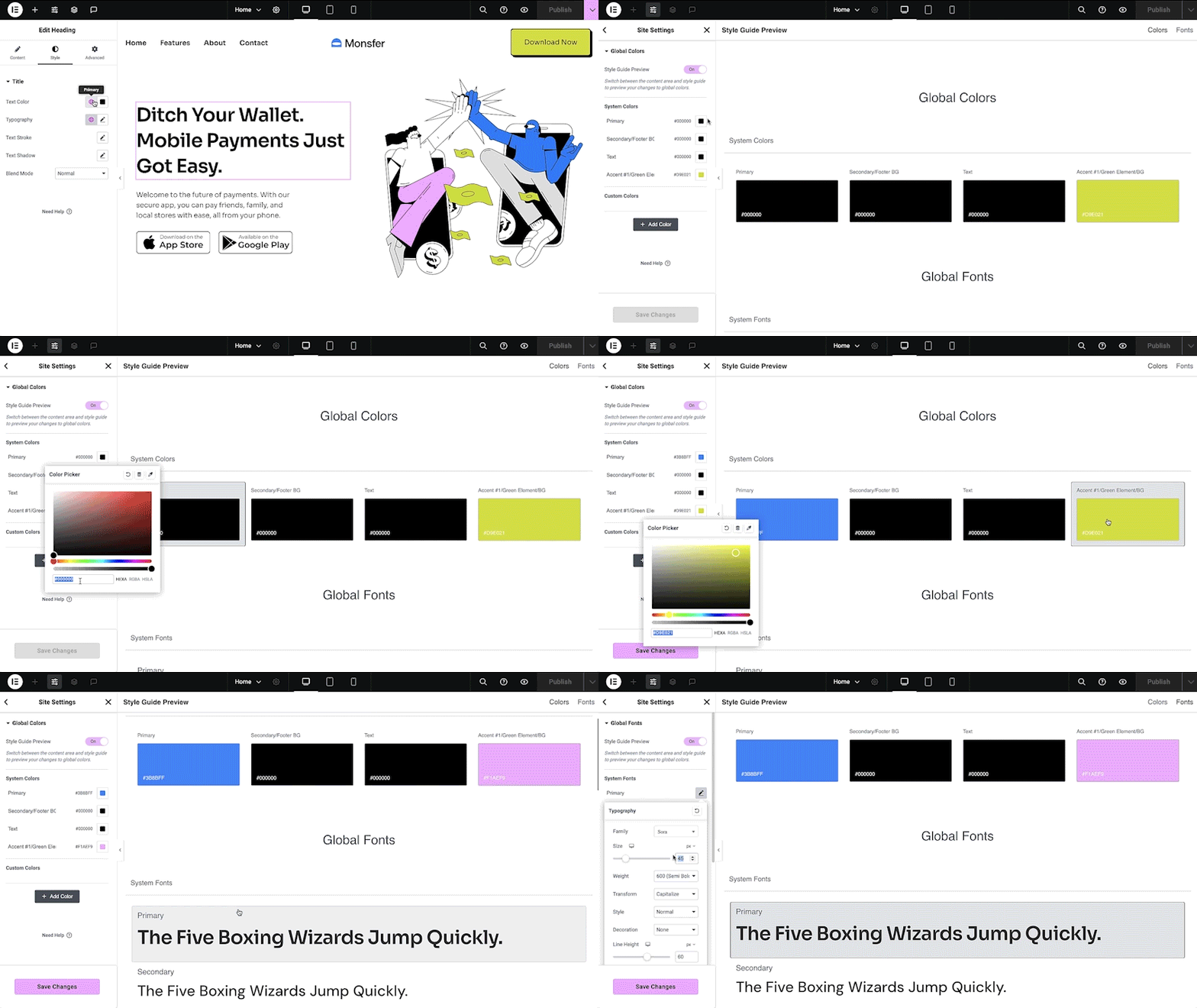
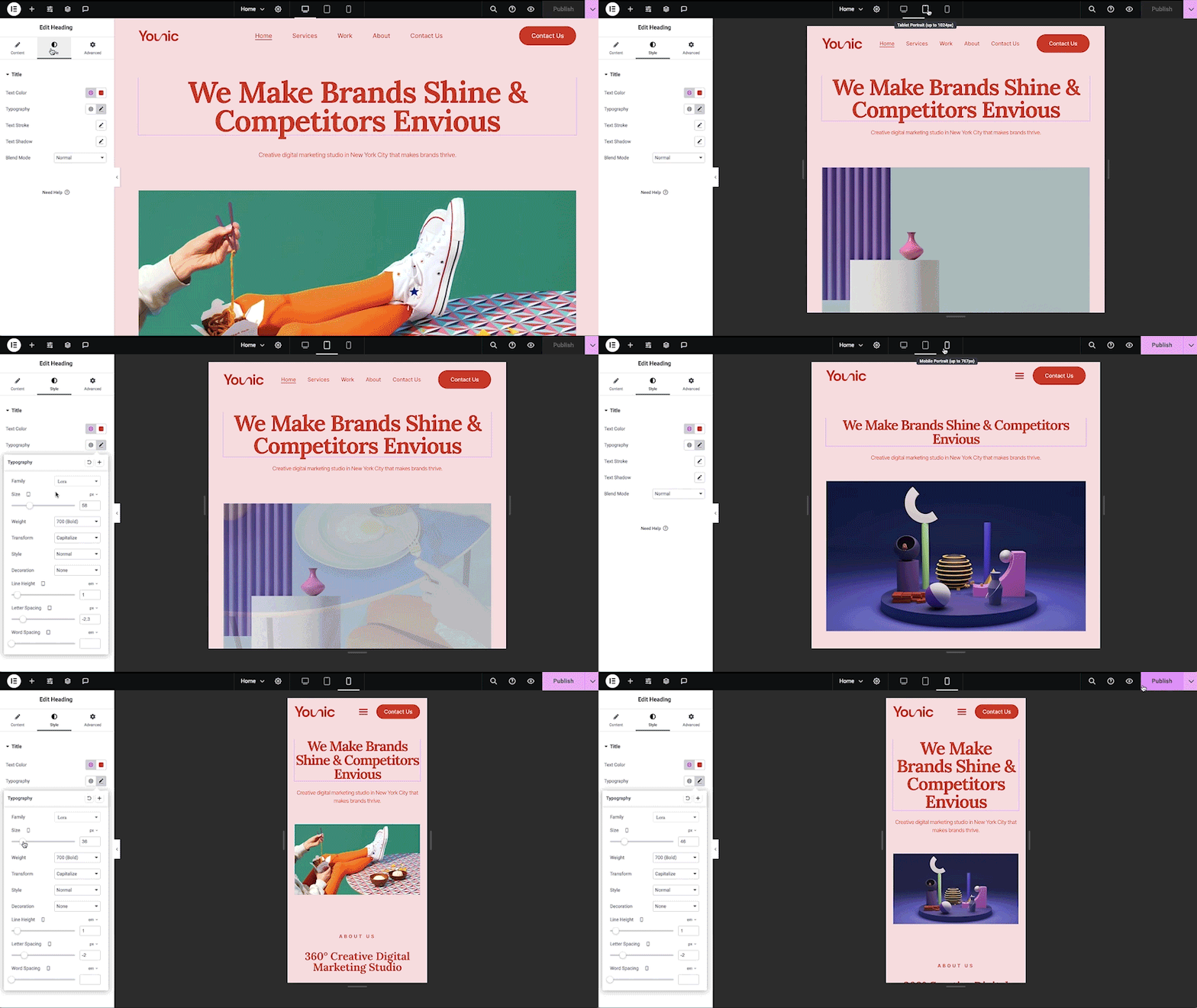
Elementor is a drag-and-drop visual editor that replaces the standard WordPress content area with a live, front-end design canvas. The free plugin on WordPress.org has more than 10 million active installs and covers the core page-building workflow: flexbox and grid containers, 40+ basic widgets, per-breakpoint responsive settings, global colours and fonts, entrance animations, revision history and a template library.
Version 4 (the new default for fresh sites since April 2026) introduces atomic elements with classes, variables and states, aimed at producing lighter markup than the older widget system. Existing v3 layouts keep working, and the two systems can be mixed on the same page.
Most site-building tools sit behind Elementor Pro. The Essential plan ($60/year, one site) adds the Theme Builder, dynamic content, a basic form widget and 57 Pro widgets. To get the Popup Builder, form submissions storage, the WooCommerce builder, Loop Grid, element-level display conditions and custom CSS you need Advanced Solo ($84/year) or higher. The separate Elementor One bundles add AI credits and site tools such as image optimisation and accessibility scanning.
Plan tiers are fiddly: the cheapest Pro plan omits popups, WooCommerce and custom CSS. Pages built with v3 widgets produce heavier output than lean builders such as Bricks or Oxygen, and designs depend on the plugin staying active. There is no official white-label option, and Elementor One plans renew at a higher price than the first year.
Who should pick it: anyone who wants the largest pool of tutorials, add-ons and freelancers, and is happy to buy Advanced Solo or higher for a full site-building toolkit.
Best for: Site owners and freelancers who want a popular, well-documented visual builder with a huge add-on ecosystem.
Elementor remains the default choice for most people because the free editor is capable and help is easy to find. For full site building budget for Advanced Solo or above, and consider leaner builders if raw front-end performance or developer workflows matter most.
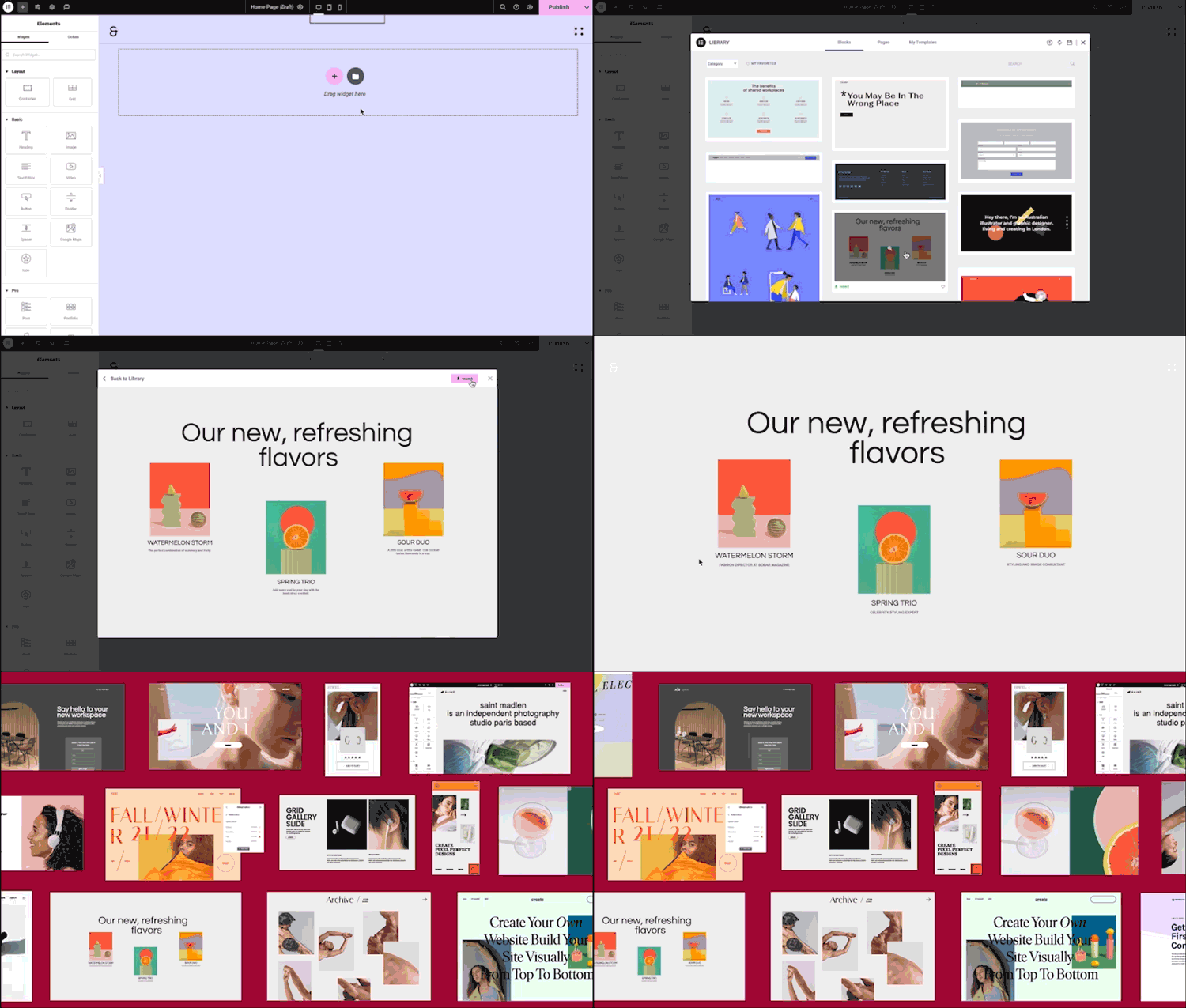
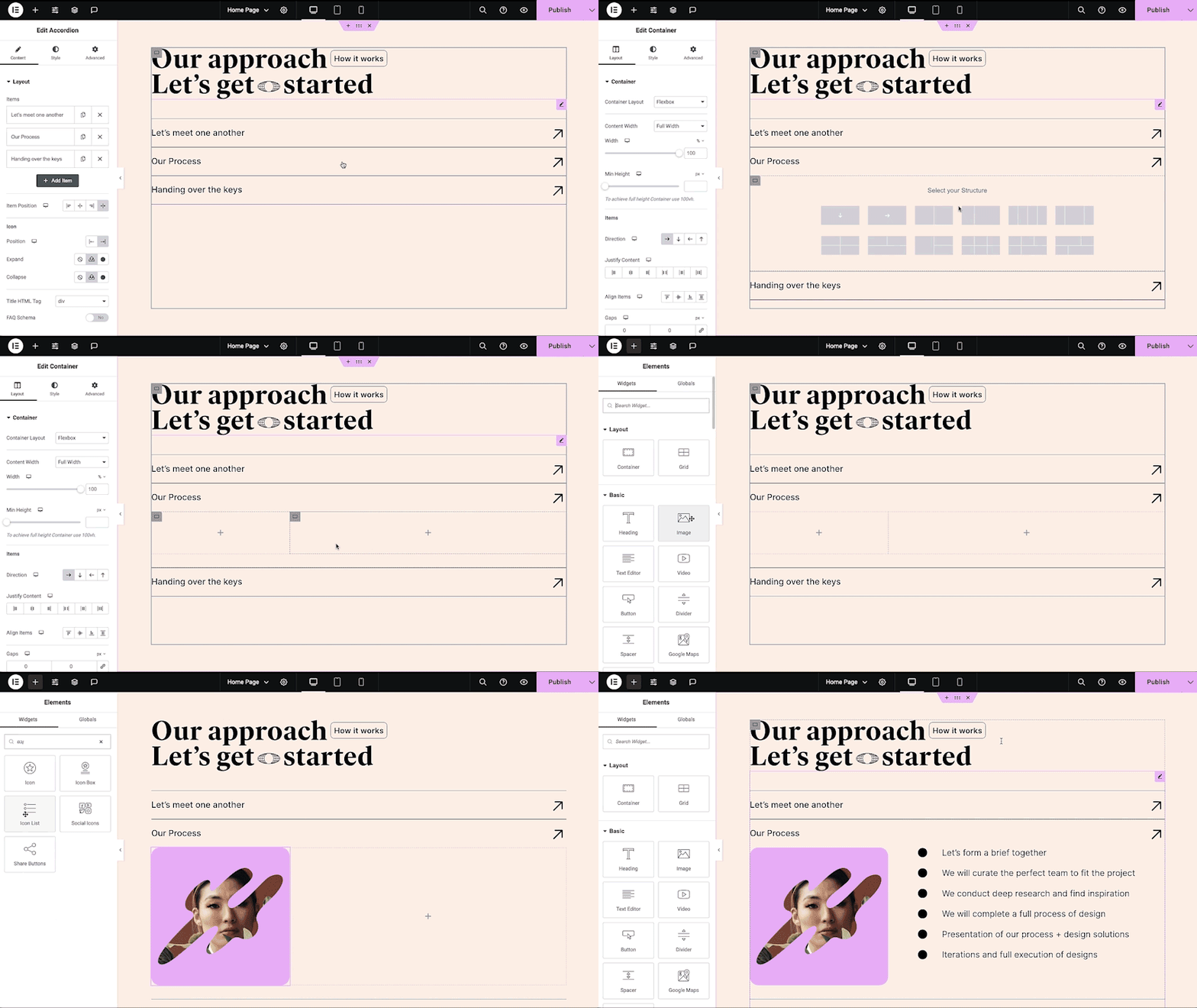
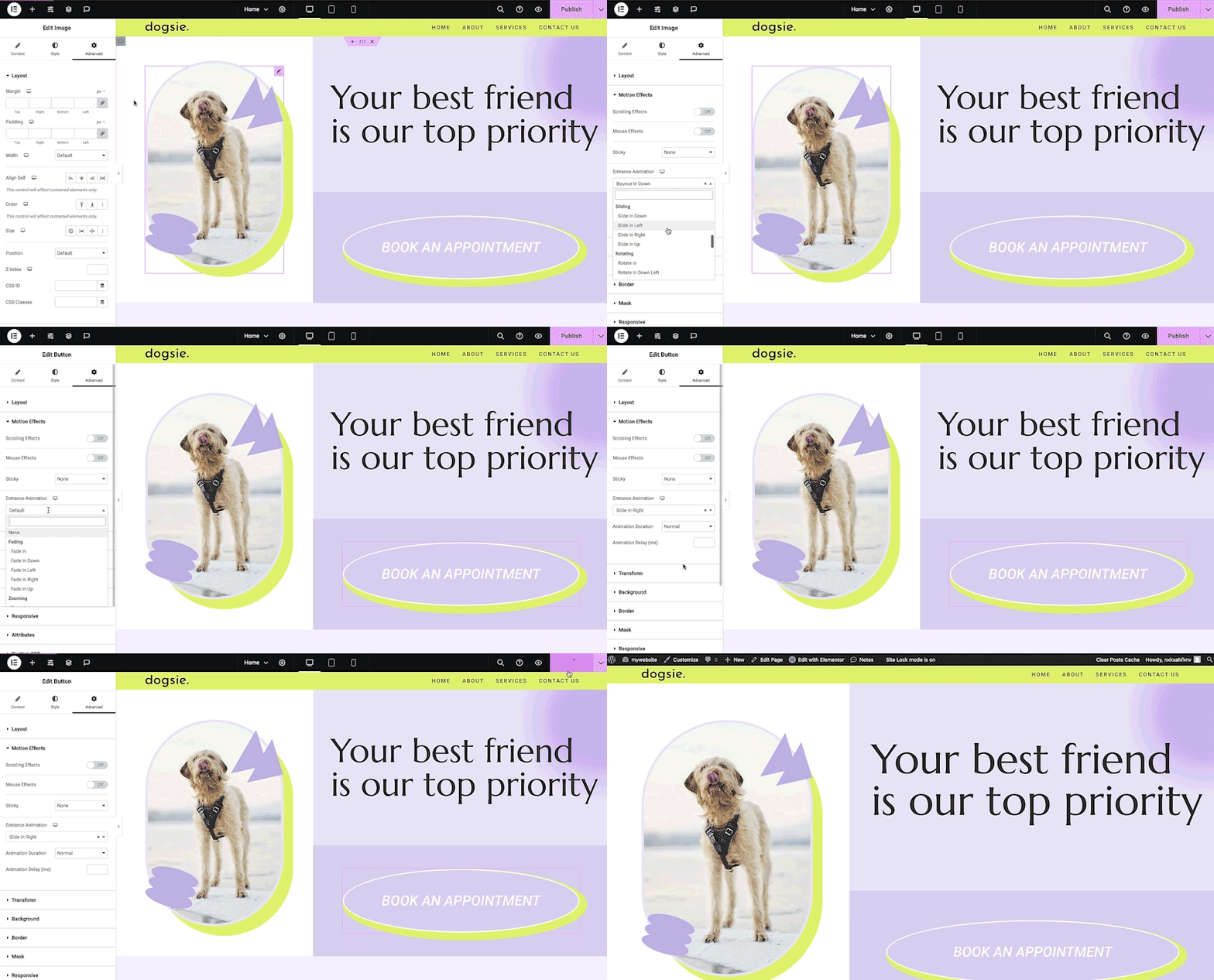
What Elementor highlights on its WordPress.org page and its own website, split by version.
23 of 25 features we track in Page Builders, feature score 90/100
Edit pages visually on the front end, seeing the real design as you build.
Live drag-and-drop editing on the front end in the free plugin.
Works inside Gutenberg as blocks rather than a separate editor.
Uses its own separate editor rather than Gutenberg blocks.
Separate settings per breakpoint for desktop, tablet and mobile.
Per-device settings with custom breakpoints in the free version.
Site-wide colours, fonts and spacing reused across elements.
Global colours and fonts, plus v4 classes and variables, are free.
Modern container layouts using flexbox and CSS grid.
Flexbox and grid containers are part of the free editor.
Add custom CSS to individual elements or sections.
Per-element and page custom CSS need Advanced Solo or higher.
Step back through changes and restore earlier versions.
Revision history and undo/redo are included free.
Generate layouts, text, images or code with built-in AI.
AI for text, images, code and layouts with limited free credits; larger allowances come with One plans.
Ready-made page and section templates.
Free template library and kits; Pro unlocks more templates.
Wide range of widgets/elements (sliders, tabs, galleries, pricing tables and more).
40+ free widgets; Pro adds up to 85 more such as sliders and pricing tables.
Design popups with triggers and display conditions.
Popup Builder with triggers and conditions starts at Advanced Solo.
Contact or lead forms built into the builder.
Form widget in Essential; stored submissions require Advanced Solo.
Entrance animations, scroll and hover effects.
Entrance animations free; scroll and mouse motion effects are Pro.
Design headers, footers, archives and single templates.
Headers, footers, singles and archives in every Pro plan.
Pull post fields, custom fields and site data into designs.
Dynamic tags for post and site data from Essential upward.
Use Advanced Custom Fields, Meta Box or similar in designs.
Full custom-field and custom post type support listed from Advanced Solo.
Build custom post grids/listings with your own loop design.
Loop Grid and Loop Carousel are in Advanced Solo and higher.
Show elements or templates based on rules (user role, page type, date…).
Element display conditions by date, role or page type need an Advanced-level plan.
Design product, shop, cart and checkout templates.
Product, shop, cart and checkout templates from Advanced Solo.
Minimal markup/CSS/JS on the front end; assets loaded only when used.
v4 atomic elements render leaner HTML; legacy widgets add wrapper markup.
Pages keep readable content (not shortcodes) if the builder is removed.
Content is kept on removal, but layouts and styling depend on the plugin.
Limit what clients or roles can edit.
Free can block roles from the editor; Pro adds content-only editing.
Rebrand the builder for client sites.
No official rebranding option; agencies rely on third-party plugins.
Hooks/APIs for custom elements and integrations.
Documented APIs for custom widgets, controls and dynamic tags.
Save and reuse templates across sites (cloud library).
Cloud Templates reusable across sites; 10 items on Essential, more on higher plans.
On WordPress.org
1 site
Theme Builder, dynamic content, basic form widget (no stored submissions), 57 Pro widgets, 10 cloud templates. Renews at the same price.
1 site
All 85 Pro widgets, Popup Builder, WooCommerce builder, Loop Grid, custom CSS/code, form submissions, notes.
3 sites
Same features as Advanced Solo for three sites.
25 sites
Advanced features for 25 sites; 5,000 cloud templates.
1 site
Pro editor plus AI credits and site tools (image optimisation, accessibility, cookie consent); first year shown at $180.
Unlimited
One bundle for unlimited sites with 350,000 monthly AI credits; first year shown at $432.
Prices are list prices from the vendor's site, checked 14 Oct 2026. Many vendors discount the first year.
Free installs from WordPress.org, the vendor's own claim, and our estimate of paid installs.
Active installations reported by WordPress.org.
Sites/users claimed on the vendor's website. source
Our estimate, see method below.
How we estimated this: Website scans by WPoptic find the paid plugin (folder elementor-pro) on 2,910,855 live sites; they find the free version on 5,179,119 sites against about 13M WordPress.org installs, so each site found stands for about 2.4, giving 7M. About 13M free installs x 5.6% (the usual share of free sites that also run the paid version when some key features are paid, lower for very large free bases) gives 700K. Combining these (weighted average) gives about 5.1M. The vendor claims 22M+ sites in total. Taking away about 13M free installs leaves 9.5M, and 80% of that is 7.6M. Vendor totals are loose, so we only move our figure part of the way toward it, from 5.1M to 5.7M. Likely range: 3.7M to 8.6M. This counts sites running the paid version, including sites whose licence has lapsed. Estimates are rough and based on public figures as of 14 Oct 2026.
1,183,493 downloads last week, 912.1M all time
| Version | 4.3.6 |
|---|---|
| Last updated | 2 Nov 2026 (1 days ago) |
| Tested up to | WordPress 7.1.4 |
| Requires | WordPress 6.8+, PHP 7.4+ |
| Support threads (2 months) | 46 of 69 resolved |
| On WordPress.org since | 30 May 2016 |
| Founded | 2016 (source, 5 Oct 2026) |
|---|---|
| Refund policy | 30-day money-back (annual plans) (source, 5 Oct 2026) |
Free Gutenberg block suite with row layouts, forms, a design library and AI writing tools; Pro adds dynamic content, query loops and…

Premium site builder delivered as a WordPress theme, popular with developers for clean output, query loops and every feature in every plan.

Premium visual theme and builder from Elegant Themes with unlimited-site licences, 2,000+ layouts and the rebuilt Divi 5 engine.

Stable, developer-friendly front-end page builder with a free Lite version; paid plans now include the Beaver Themer theme builder.

Developer-focused visual builder from Soflyy with direct CSS control, sold as one lifetime licence for unlimited sites; Oxygen 6 runs on the…

Visual drag-and-drop page builder with in-place text editing and 500+ pre-made blocks; Pro adds theme, popup and WooCommerce builders plus AI site…
Yes. Elementor has a free version on WordPress.org. Paid plans start at $60/yr.
WordPress.org reports 10M+ active installations of the free version. The vendor claims 22M+ sites in total. We estimate around 5.7M sites run the paid version.
Yes: included. Live drag-and-drop editing on the front end in the free plugin.
Yes: included. Per-device settings with custom breakpoints in the free version.
Yes: included. Free template library and kits; Pro unlocks more templates.
Yes: paid version (Essential). Headers, footers, singles and archives in every Pro plan.
Yes: paid version (Essential). Dynamic tags for post and site data from Essential upward.
Yes: paid version (Advanced Solo). Product, shop, cart and checkout templates from Advanced Solo.
Yes: partial. v4 atomic elements render leaner HTML; legacy widgets add wrapper markup.
It can build individual pages, but headers, footers, archive templates, popups, forms and WooCommerce layouts need Elementor Pro. Most full sites end up on a Pro plan.
Essential ($60/year) covers the Theme Builder and dynamic content. Advanced Solo ($84/year) adds popups, the WooCommerce builder, Loop Grid, custom CSS and form submissions, which most business sites need.
Version 4 adds atomic elements with classes, variables and states for cleaner markup. It became the default on new sites from April 2026, and older v3 widgets continue to work alongside it.
Your content is not deleted, but layouts built with the editor lose their design if the plugin is deactivated. Pro-only designs stop displaying if Pro lapses or is removed.
Last updated 5 Oct 2026. Spotted something wrong? Suggest an edit.