





Elementor
The most widely installed visual page builder for WordPress, with a free drag-and-drop editor and Pro plans adding theme, popup, form and…
90

Visual drag-and-drop page builder with in-place text editing and 500+ pre-made blocks; Pro adds theme, popup and WooCommerce builders plus AI site generation.
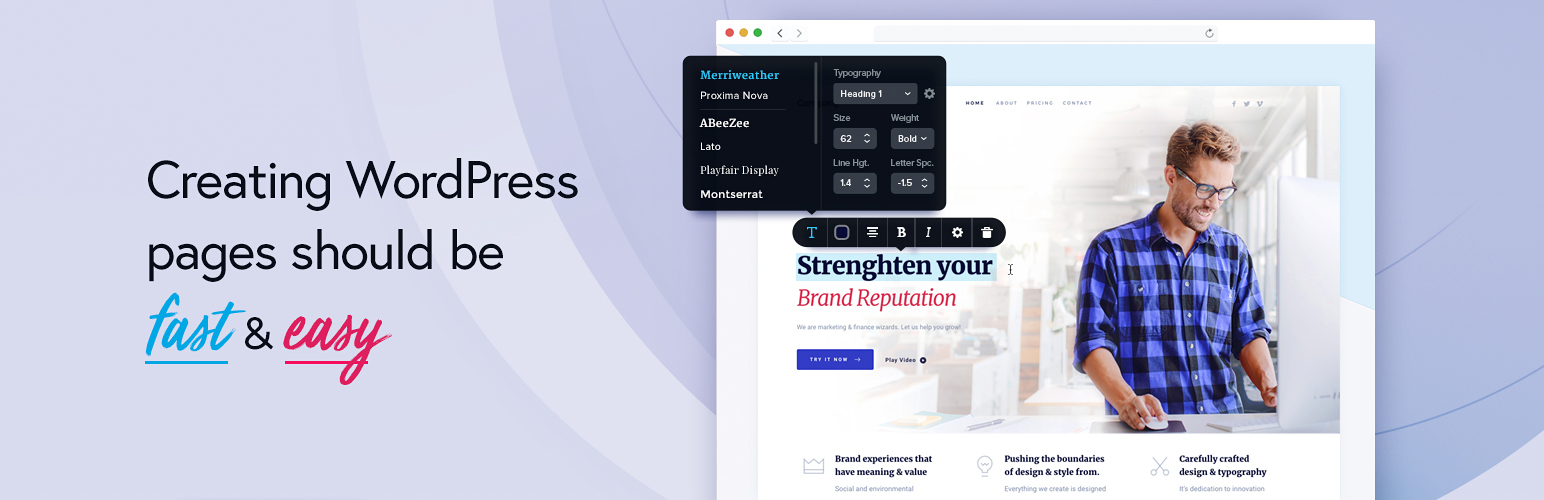
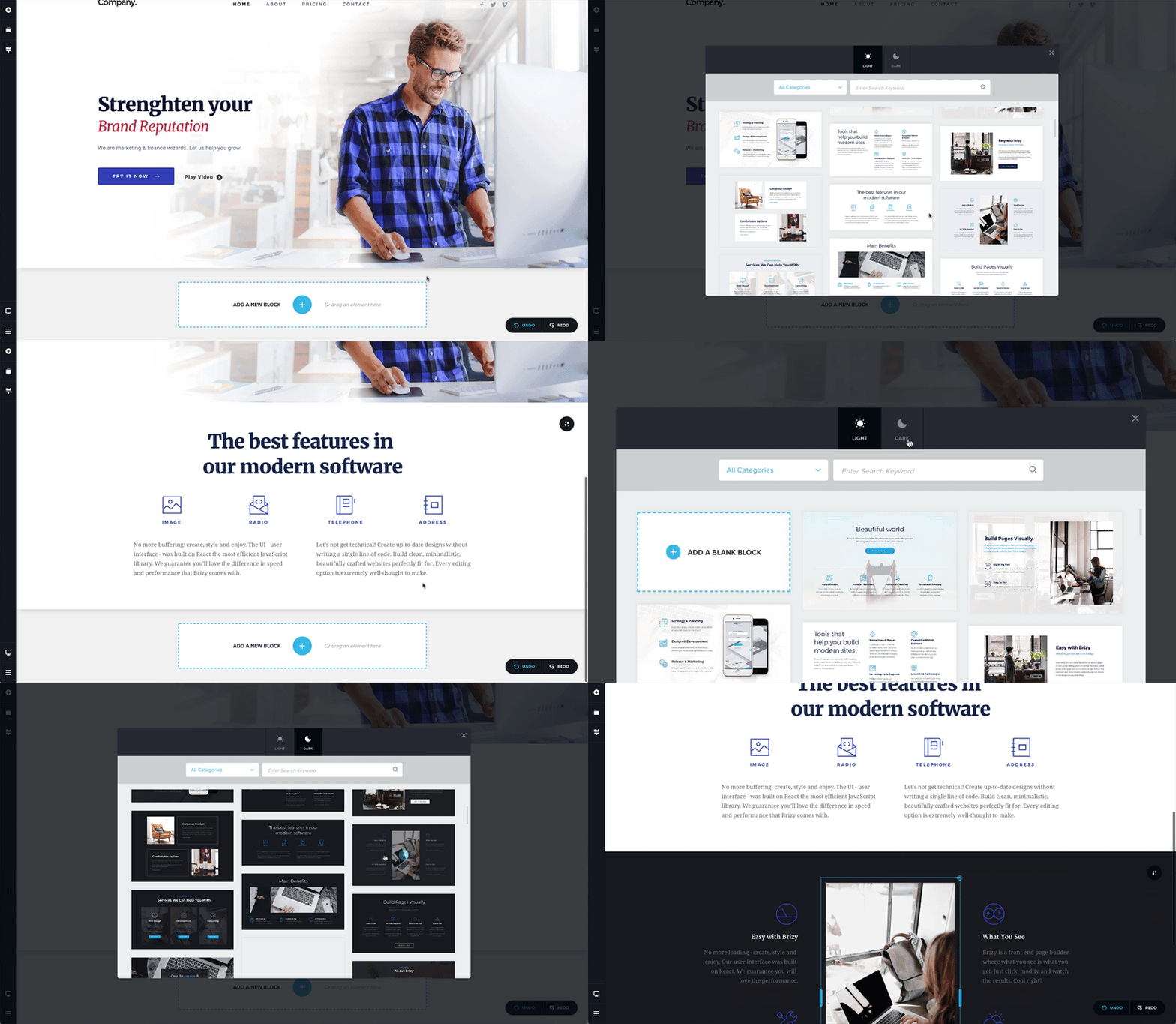
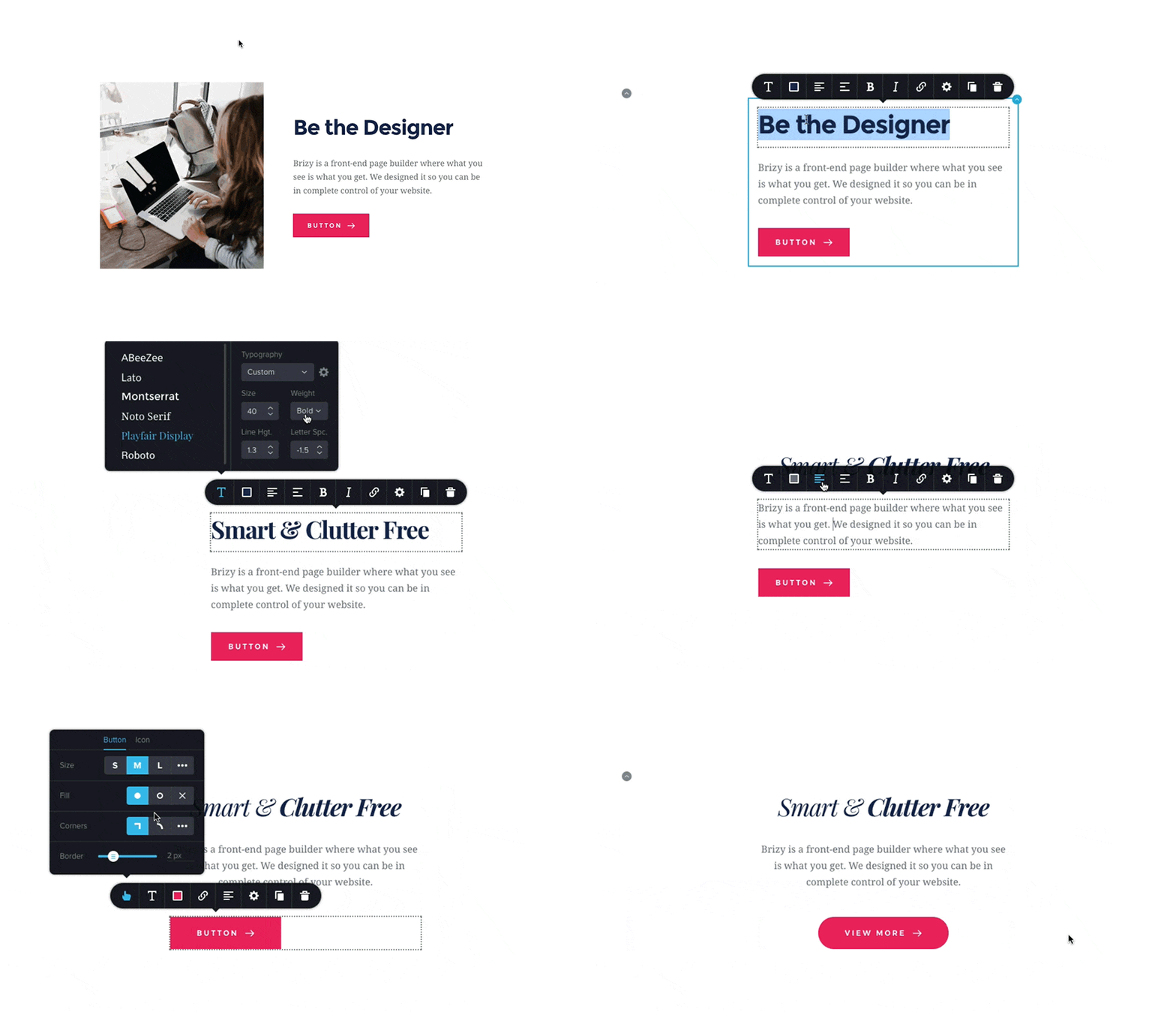
Brizy is a front-end visual builder for WordPress that puts simplicity first. Text is edited in place by clicking and typing, settings appear in small toolbars next to the element, and layouts are assembled from rows, columns and pre-designed blocks. Brizy also runs a hosted cloud builder, and saved blocks and layouts can be synced between WordPress and Brizy Cloud for reuse on other sites.
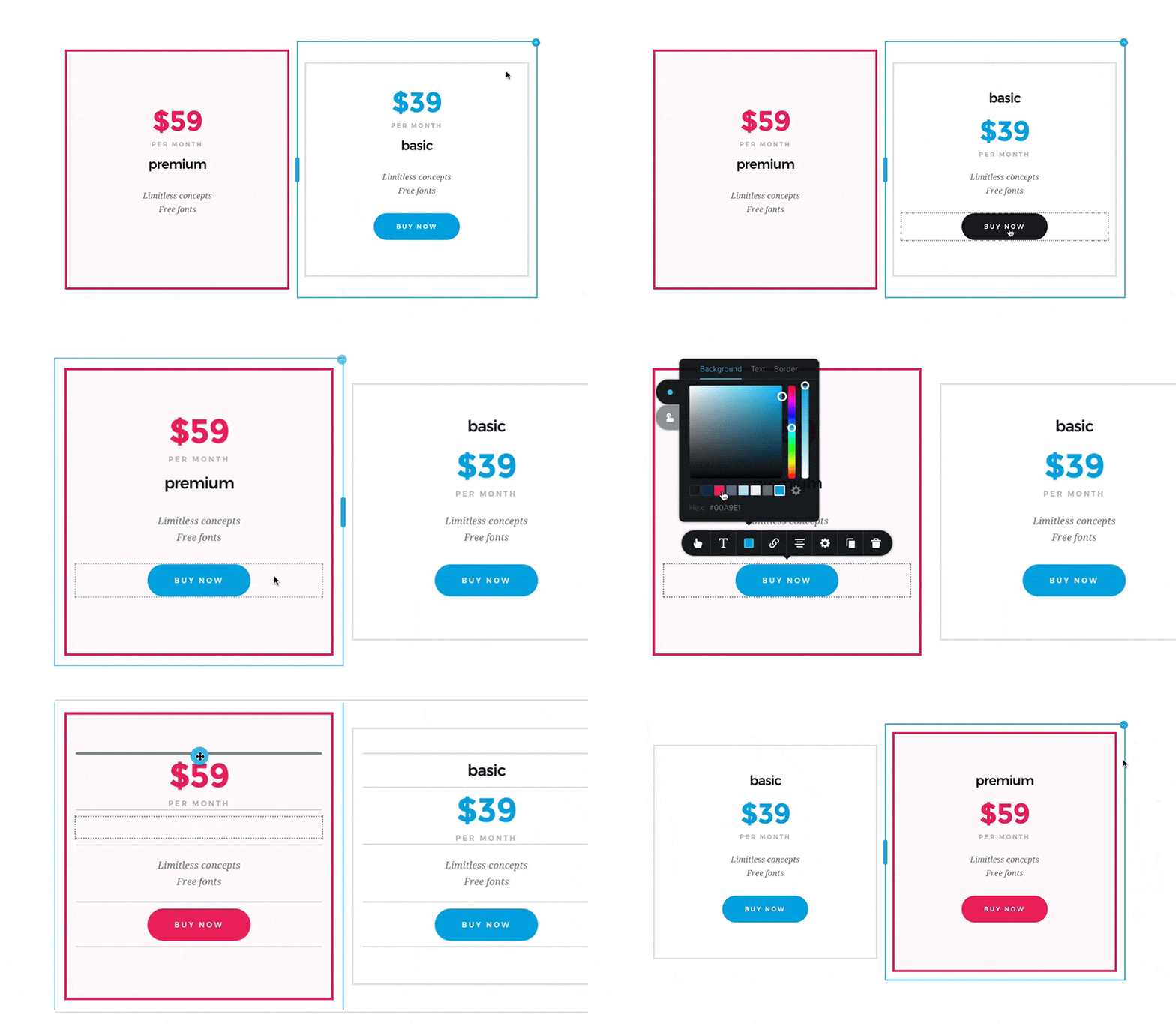
The free plugin on WordPress.org includes the core elements (text, buttons, images, icons, video, maps, forms and more), more than 500 pre-made blocks, 4,000+ icons, global colours and fonts, a mobile and tablet view for device-specific changes, undo/redo, hover animations and form elements with validation. Recent releases added HTML compilation for faster pages, an animated headline element, accessibility improvements and AI features.
A 30-day money-back guarantee applies, and promo codes often reduce the first payment.
Brizy is one of the easier builders for non-designers and its Pro plans are inexpensive for the number of sites covered. Pro covers the main site-building needs, including ACF-based dynamic content, display conditions on global blocks and popups, and WooCommerce templates. On the other hand, its element count is smaller than Elementor’s, custom CSS is Pro only, the free version is fairly limited for full sites, and the developer ecosystem and third-party add-ons are thin.
Brizy suits small businesses, freelancers and agencies wanting a clean, approachable visual builder with affordable multi-site Pro licences, rather than developers who need deep extensibility.
Best for: Small businesses, freelancers and agencies who want an easy visual builder with affordable multi-site Pro licences.
Brizy is a friendly, cleanly designed builder whose Pro plans deliver theme, popup and WooCommerce building at a low price per site. It is less extensible than Elementor or Bricks and the free version is basic, but it is a solid pick for non-technical users.


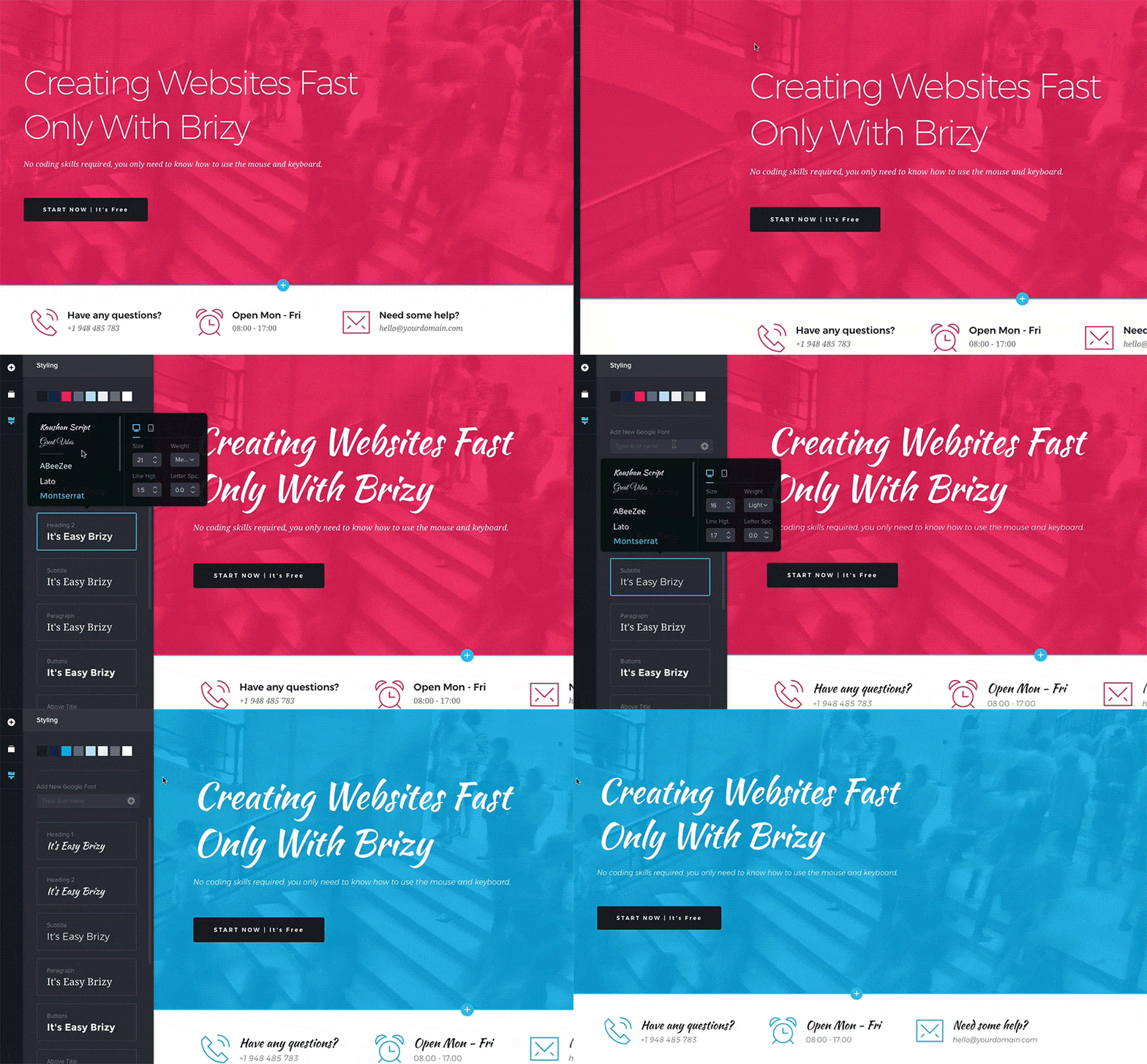
What Brizy highlights on its WordPress.org page and its own website, split by version.
21 of 25 features we track in Page Builders, feature score 88/100
Edit pages visually on the front end, seeing the real design as you build.
Front-end drag and drop with in-place text editing.
Works inside Gutenberg as blocks rather than a separate editor.
Uses its own visual editor instead of Gutenberg.
Separate settings per breakpoint for desktop, tablet and mobile.
Desktop, tablet and mobile views with device-only changes.
Site-wide colours, fonts and spacing reused across elements.
Global colours and fonts update matching elements at once.
Modern container layouts using flexbox and CSS grid.
Uses rows and columns; no flexbox or CSS grid container confirmed.
Add custom CSS to individual elements or sections.
Custom CSS in element settings is Pro only; free supports custom classes.
Step back through changes and restore earlier versions.
Undo/redo in the editor; no dedicated revision restore confirmed.
Generate layouts, text, images or code with built-in AI.
AI website builder generates pages, layouts and content.
Ready-made page and section templates.
Basic templates and 500+ blocks free; Pro design templates in paid plans.
Wide range of widgets/elements (sliders, tabs, galleries, pricing tables and more).
36+ elements covering text, media, forms, maps, counters and more.
Design popups with triggers and display conditions.
Popup builder included in all Pro plans.
Contact or lead forms built into the builder.
Form element with validation; contact form builder and integrations expanded in Pro.
Entrance animations, scroll and hover effects.
Hover animations, animated headlines and section slideshows.
Design headers, footers, archives and single templates.
Design headers, footers, single, archive, 404 and search templates.
Pull post fields, custom fields and site data into designs.
Dynamic elements for post data in WordPress templates.
Use Advanced Custom Fields, Meta Box or similar in designs.
Show ACF fields through dynamic elements.
Build custom post grids/listings with your own loop design.
Posts element with archive and pagination for custom listings.
Show elements or templates based on rules (user role, page type, date…).
Display conditions for global blocks and popups.
Design product, shop, cart and checkout templates.
Design product and shop templates.
Minimal markup/CSS/JS on the front end; assets loaded only when used.
Vendor highlights clean, optimised output and HTML compilation.
Pages keep readable content (not shortcodes) if the builder is removed.
Could not confirm how content renders if the plugin is removed.
Limit what clients or roles can edit.
Role manager allows or restricts access levels.
Rebrand the builder for client sites.
Rename plugin, change logo and remove Brizy branding.
Hooks/APIs for custom elements and integrations.
No developer API documentation found for Brizy WordPress.
Save and reuse templates across sites (cloud library).
Saved blocks and layouts sync via Brizy Cloud for reuse on other sites.
On WordPress.org
1 site
Billed yearly; lower first payment shown with promo code.
25 sites
Billed yearly; promo discount often shown.
50 sites
Billed yearly; promo discount often shown.
100 sites
Adds plugin rename, custom logo and Brizy branding removal.
Prices are list prices from the vendor's site, checked 14 Oct 2026. Many vendors discount the first year.
Free installs from WordPress.org, the vendor's own claim, and our estimate of paid installs.
Active installations reported by WordPress.org.
The vendor does not publish a total.
Our estimate, see method below.
How we estimated this: Website scans by WPoptic find the paid plugin (folder brizy-pro) on 12,039 live sites; they find the free version on 19,513 sites against about 65K WordPress.org installs, so each site found stands for about 3.3, giving 40K. About 65K free installs x 20% (the usual share of free sites that also run the paid version when many key features are paid) gives 13K. Combining these (weighted average) gives about 34K. Likely range: 22K to 51K. This counts sites running the paid version, including sites whose licence has lapsed. Estimates are rough and based on public figures as of 14 Oct 2026.
7,897 downloads last week, 7M all time
| Version | 2.8.24 |
|---|---|
| Last updated | 19 Oct 2026 (14 days ago) |
| Tested up to | WordPress 7.1.4 |
| Requires | WordPress 4.5+, PHP 7.4+ |
| Support threads (2 months) | 0 of 1 resolved |
| On WordPress.org since | 12 Apr 2018 |
| Refund policy | 30-day money-back (source, 5 Oct 2026) |
|---|
The most widely installed visual page builder for WordPress, with a free drag-and-drop editor and Pro plans adding theme, popup, form and…
Free Gutenberg block suite with row layouts, forms, a design library and AI writing tools; Pro adds dynamic content, query loops and…

Premium site builder delivered as a WordPress theme, popular with developers for clean output, query loops and every feature in every plan.

Premium visual theme and builder from Elegant Themes with unlimited-site licences, 2,000+ layouts and the rebuilt Divi 5 engine.

Stable, developer-friendly front-end page builder with a free Lite version; paid plans now include the Beaver Themer theme builder.

Developer-focused visual builder from Soflyy with direct CSS control, sold as one lifetime licence for unlimited sites; Oxygen 6 runs on the…
Yes. Brizy has a free version on WordPress.org. Paid plans start at $69/yr.
WordPress.org reports 60K+ active installations of the free version. We estimate around 34K sites run the paid version.
Yes: included. Front-end drag and drop with in-place text editing.
Yes: included. Desktop, tablet and mobile views with device-only changes.
Yes: included. Basic templates and 500+ blocks free; Pro design templates in paid plans.
Yes: paid version (Personal). Design headers, footers, single, archive, 404 and search templates.
Yes: paid version (Personal). Dynamic elements for post data in WordPress templates.
Yes: paid version (Personal). Design product and shop templates.
Yes: included. Vendor highlights clean, optimised output and HTML compilation.
The visual builder, basic templates and blocks, global colours and fonts, responsive views and core elements such as forms, buttons and images. Theme building, popups and WooCommerce need Pro.
Personal covers 1 site, Freelancer 25, Agency 50 and White Label 100.
Yes. Saved blocks and layouts can be synced through a Brizy account to Brizy Cloud and pulled into other projects.
Custom CSS on elements is a Pro feature. Free users can add classes and put CSS in the WordPress Customizer.
Last updated 5 Oct 2026. Spotted something wrong? Suggest an edit.