
WPForms
Beginner-friendly drag-and-drop form builder from Awesome Motive with a free Lite plugin, 2,100+ templates and tiered Pro plans for payments and CRMs.
100

Block-editor form builder from Crocoblock with a generous free core (logic, multi-step, calculations, post and user actions) plus paid Pro add-ons.
JetFormBuilder is Crocoblock’s form plugin, built natively for the WordPress block editor. Every field is a Gutenberg block, and the plugin also provides Elementor and Bricks widgets for embedding. It grew out of Crocoblock’s dynamic-site toolkit, so it is designed as much for data-driven forms (front-end post submission, user registration, profile updates) as for contact forms.
The free version on WordPress.org is unusually complete. It includes 24+ field blocks, multi-step forms with progress bars, conditional visibility for fields and actions, calculated fields, repeaters, file/media uploads, stored form records with CSV export, and a set of post-submit actions: send email, insert/update post, register or update user, call webhook, call hook, redirect, plus Mailchimp, ActiveCampaign and GetResponse. One-time PayPal payments, reCAPTCHA, hCaptcha, Cloudflare Turnstile, Friendly Captcha and honeypot protection are free too, and there is an AI form generator capped at 10 requests per month.
Paid plans unlock 20+ Pro add-ons in one licence: Stripe payments and subscriptions, PayPal recurring payments, WooCommerce cart and checkout, PDF attachments, signature, save form progress, user login, HubSpot, MailerLite, MailPoet, ConvertKit and Moosend, address and select autocomplete, form scheduling and response limits. Every plan includes all add-ons; plans differ only in site count and annual vs lifetime billing.
Value is the headline: logic, calculations, multi-step, post creation and user registration are free, which most competitors charge for. Pairing it with JetEngine makes it a strong tool for directories and membership-style sites. The trade-offs are a more technical interface (actions, macros and presets take time to learn), no native Zapier, Google Sheets or Salesforce connectors (webhooks are the workaround), no quizzes, surveys or conversational mode, and visual styling controls that rely on the free JetStyleManager plugin or your page builder.
Choose JetFormBuilder for block-editor or Crocoblock-based sites that need dynamic forms on a budget, especially front-end submissions and registration. Teams wanting polished marketing integrations or quiz/survey tools may prefer a more marketing-focused builder.
Best for: Block-editor and Crocoblock/JetEngine sites that need dynamic forms such as front-end posting and registration on a tight budget.
JetFormBuilder gives away features most rivals charge for, and its Pro plans are cheap and include every add-on. It is aimed more at builders of dynamic sites than marketers, so expect some setup and webhook workarounds for apps like Zapier or Google Sheets.
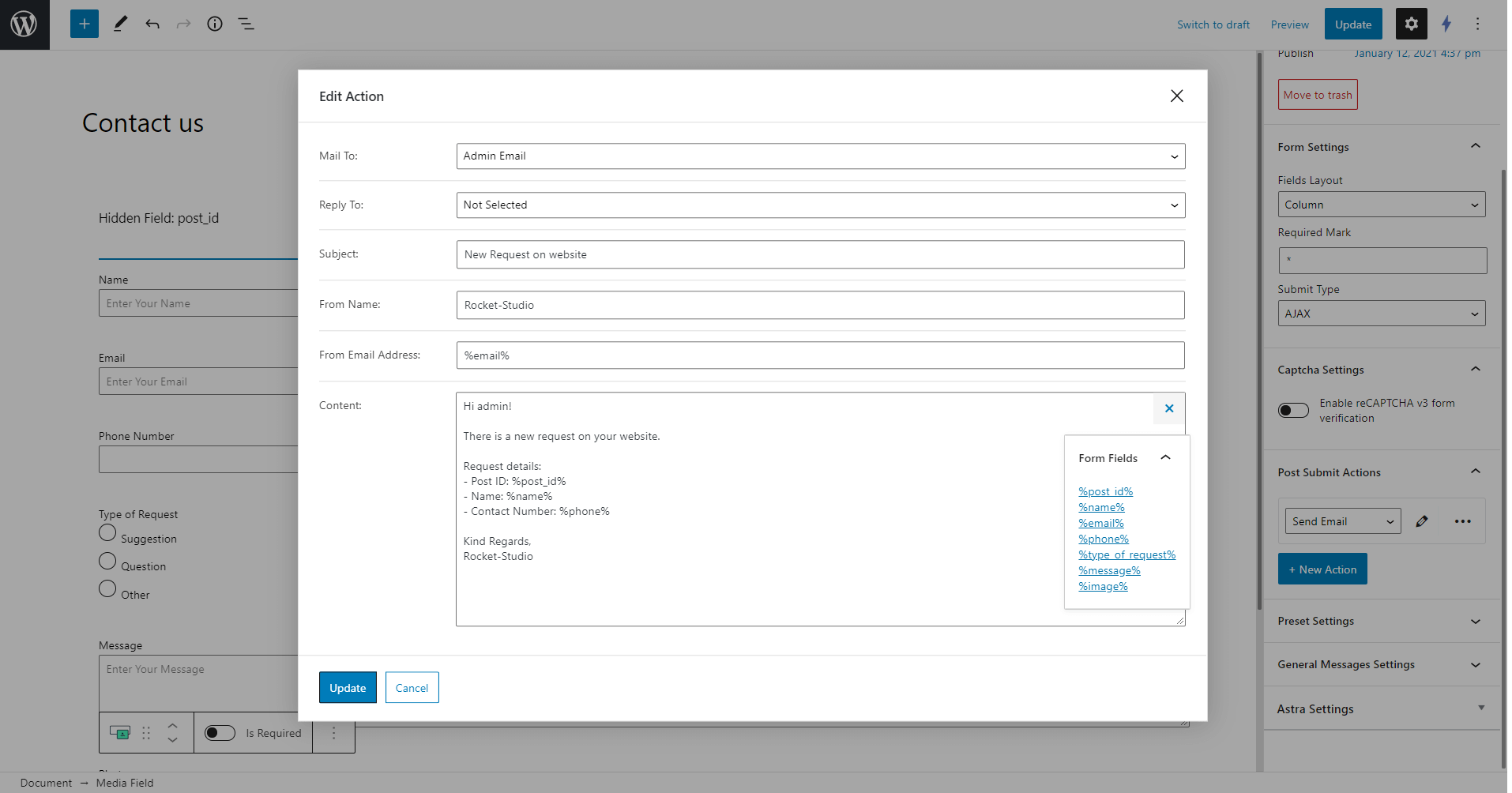
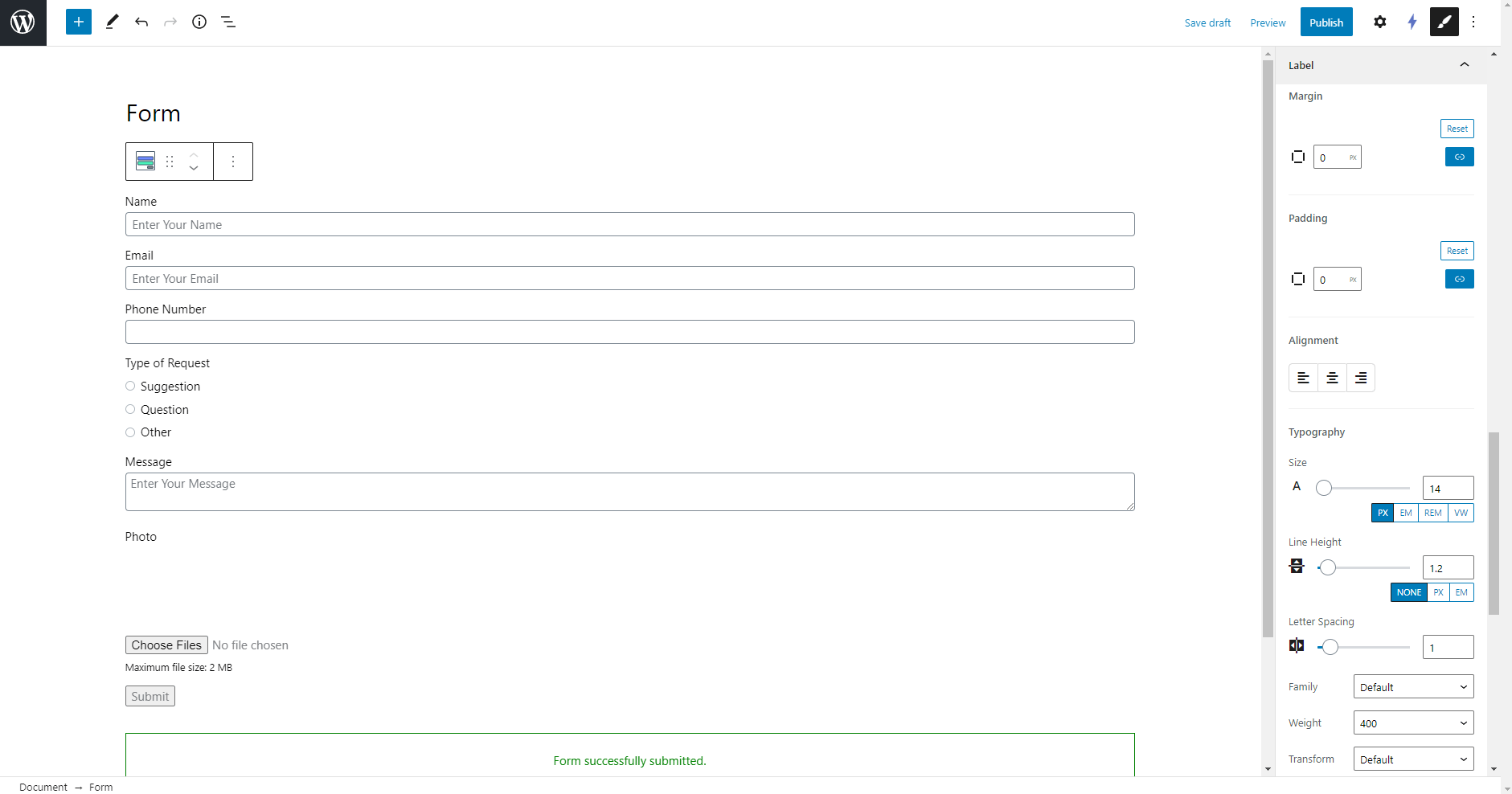
What JetFormBuilder highlights on its WordPress.org page and its own website, split by version.
29 of 36 features we track in Form Builders, feature score 85/100
Visual editor for adding and arranging fields without code.
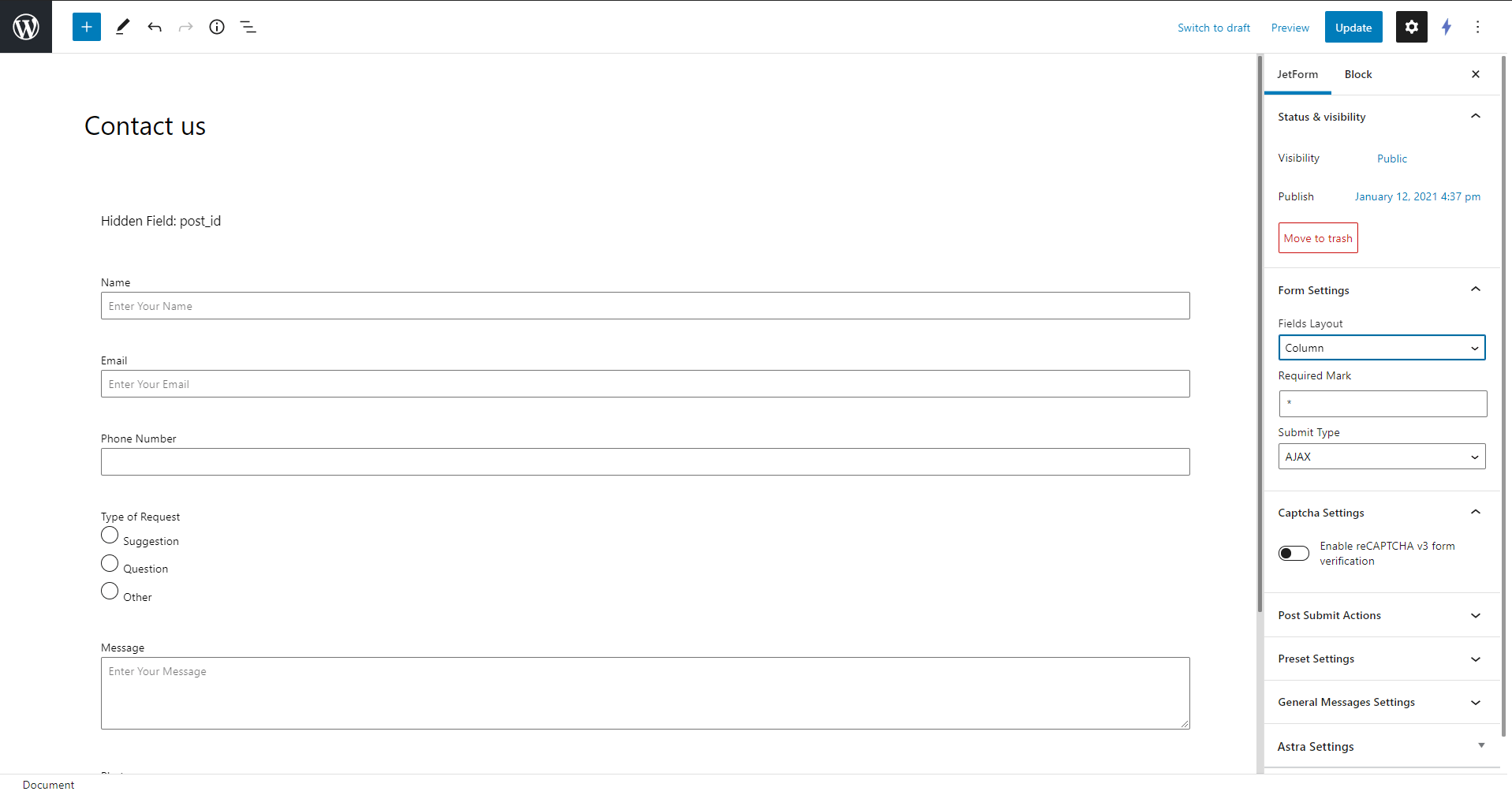
Fields are Gutenberg blocks arranged by drag and drop in the block editor.
Split long forms into pages with a progress indicator.
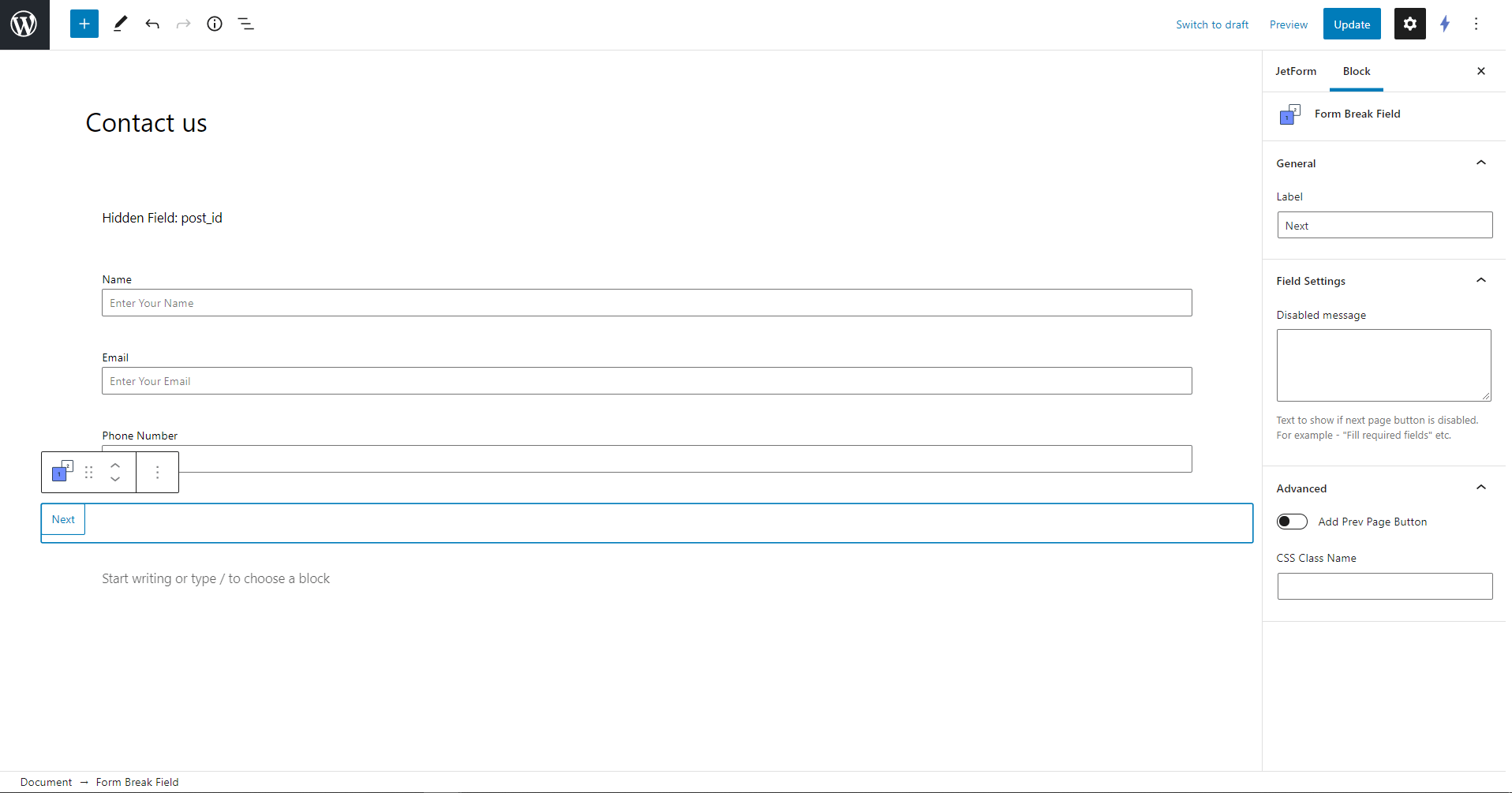
Form Page Break blocks split forms into steps with optional progress bar.
Show or hide fields and change actions based on answers.
Conditional visibility for fields plus conditions on post-submit actions, free.
Compute totals, quotes or scores from field values.
Calculated field supports simple and complex formulas in the free plugin.
Let visitors attach files to a submission.
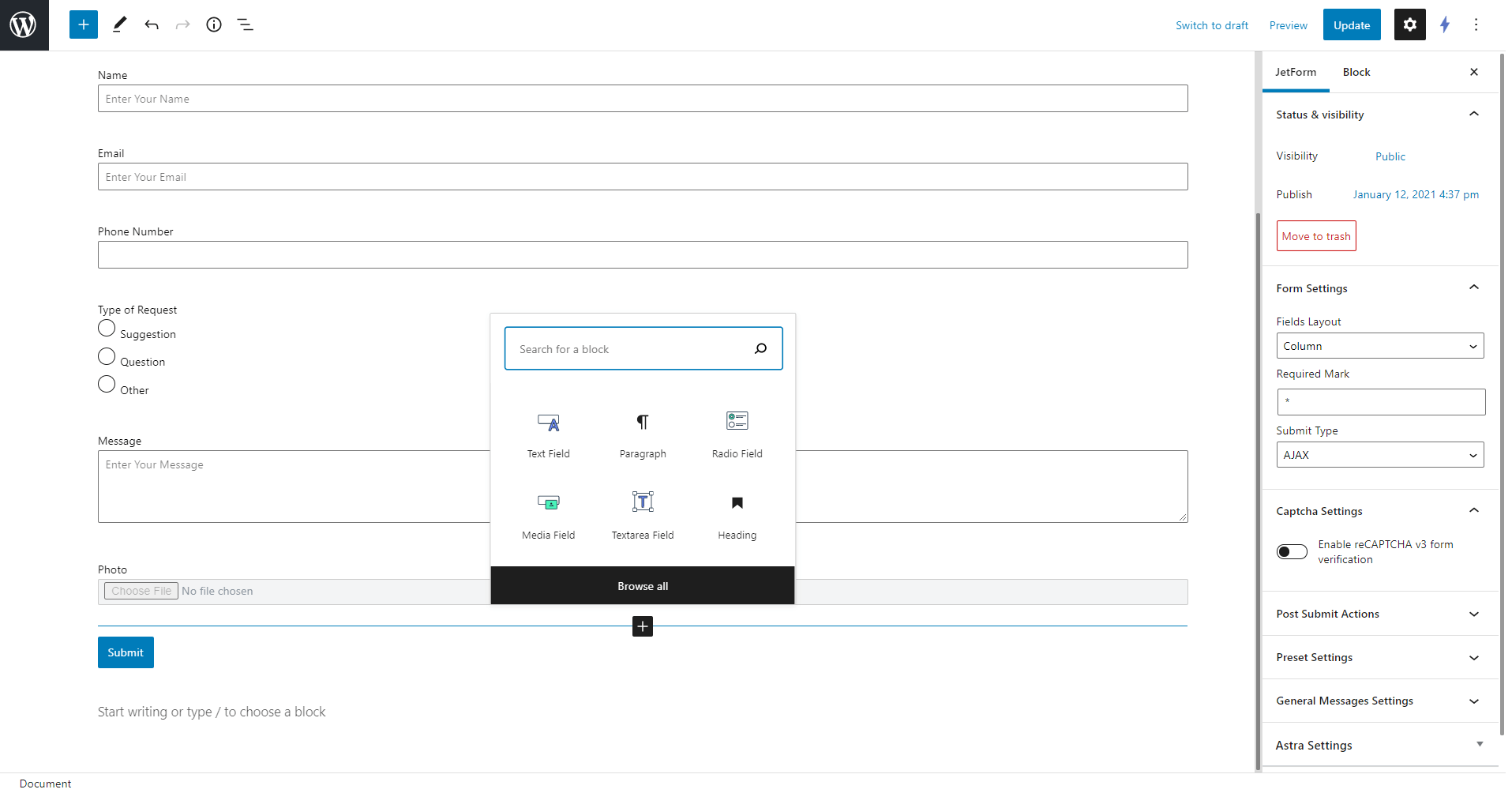
Media field uploads free; drag-and-drop multi-upload is a Pro add-on.
Let visitors add repeating sets of fields.
Repeater field lets users add or remove groups of inputs, free.
Ready-made forms to start from.
Form patterns and a template library are available for quick starts.
Visitors can save a partial entry and finish later.
Save Form Progress Pro add-on autosaves entered data.
One-question-at-a-time, typeform-style layout.
No one-question-at-a-time form mode is offered.
Capture a drawn or typed signature on a form.
Signature field comes as a Pro add-on.
Scored quizzes with right and wrong answers.
No quiz scoring module; only general calculated fields.
Survey fields such as Likert scales and poll results reporting.
No dedicated survey/poll features or results reporting.
Change colours, spacing and layout without writing CSS.
Visual style controls come via Crocoblock's free JetStyleManager plugin.
Generate a form from a written prompt.
Prompt-based form generator, capped at 10 requests per month.
Take card payments through Stripe.
Stripe Payments & Subscriptions Pro add-on is required.
Take payments through PayPal.
One-time PayPal payments are built into the free plugin.
Take payments through Square.
Square is not among the supported gateways.
Subscriptions or repeating charges.
PayPal Recurring and Stripe Subscriptions are Pro add-ons.
Browse, search and export submissions in the dashboard.
Save Form Record action stores submissions with dashboard view and CSV export.
Configurable admin and user emails per form.
Send Email post-submit action with macros, free.
Send submissions to any URL.
Call Webhook post-submit action included free.
Create WordPress users from a form.
Register User and Update User actions are free; login is a Pro add-on.
Create posts or custom post types from a form.
Insert/Update Post action creates or edits posts and CPTs from the front end.
Capture what visitors typed before abandoning a form.
No capture of abandoned submissions; Save Form Progress only restores data for the user.
Create PDFs from submissions, for example receipts or applications.
PDF Attachment Pro add-on turns submissions into PDF files.
Add subscribers to Mailchimp lists.
MailChimp post-submit action is part of the free plugin.
Connect submissions to thousands of apps via Zapier.
No native Zapier app; send data to a Zapier catch hook via Call Webhook.
Send leads to HubSpot CRM.
HubSpot Pro add-on with API key or OAuth 2.0.
Append submissions to a Google Sheet.
No native Google Sheets connector in core or the add-on list.
Send leads and contacts to Salesforce.
No Salesforce integration offered.
Google reCAPTCHA spam protection.
Google reCAPTCHA supported in the free plugin.
Privacy-friendly CAPTCHA alternative.
Cloudflare Turnstile is a free captcha option.
Invisible spam filtering without a CAPTCHA.
Honeypot protection included free.
Consent fields, data export/erasure, IP storage controls.
Vendor lists GDPR among security options; consent via checkbox, no dedicated erasure tools found.
Actions, filters and/or REST API for custom work.
Call Hook action, developer filters and an admin-only REST API.
Embed forms with a native block.
Built natively for Gutenberg; forms are block-based.
On WordPress.org
1 site
All 20+ Pro add-ons included.
Unlimited
All 20+ Pro add-ons included.
1 site
One-time payment.
Unlimited
One-time payment; Crocoblock Lifetime bundle ($649) also includes it.
Prices are list prices from the vendor's site, checked 14 Oct 2026. Many vendors discount the first year.
Free installs from WordPress.org, the vendor's own claim, and our estimate of paid installs.
Active installations reported by WordPress.org.
Sites/users claimed on the vendor's website. source
Our estimate, see method below.
How we estimated this: WordPress.org shows 80K+ free installs, which could mean anything from 80K to 90K. The vendor says 90K+ sites, so we put the free count halfway between the middle of that range and the vendor figure, at about 88K. About 88K free installs x 16% (the usual share of free sites that also run the paid version when some key features are paid, and Pro is included in a wider membership) gives 14K. Likely range: 7K to 28K. This counts sites running the paid version, including sites whose licence has lapsed. Estimates are rough and based on public figures as of 14 Oct 2026.
28,689 downloads last week, 2.3M all time
| Version | 3.6.8 |
|---|---|
| Last updated | 30 Oct 2026 (4 days ago) |
| Tested up to | WordPress 7.0.8 |
| Requires | WordPress 6.1+, PHP 7.0+ |
| Support threads (2 months) | 0 of 1 resolved |
| On WordPress.org since | 25 Jan 2021 |
| Refund policy | 30-day money-back (source, 5 Oct 2026) |
|---|
 Gravity Forms/JetFormBuilder
 Formidable Forms/JetFormBuilder
 JetFormBuilder/Ninja Forms
 Contact Form 7/JetFormBuilder
 JetFormBuilder/SureForms
 JetFormBuilder/MetForm
 JetFormBuilder/Quform
 Forminator/JetFormBuilder
 Everest Forms/JetFormBuilder
 JetFormBuilder/WS FormJetFormBuilder/WPForms
 Fluent Forms/JetFormBuilder
Beginner-friendly drag-and-drop form builder from Awesome Motive with a free Lite plugin, 2,100+ templates and tiered Pro plans for payments and CRMs.
Fast WordPress form builder from WPManageNinja with a generous free tier (conversational forms, Stripe, AI builder) and one-tier Pro licences.
Premium-only WordPress form builder from Rocketgenius with deep conditional logic, calculations and an official add-on library for payments and CRMs.
Drag-and-drop WordPress form builder with a visual styler, calculators, quizzes and Views for turning entries into directories and listings.
Block-editor form builder from Brainstorm Force with AI form creation and free Stripe forms; paid plans add logic, multi-step and integrations.
Generous free form, quiz and poll builder from WPMU DEV with payments, logic and integrations included; Pro adds PDFs, e-signatures and subscriptions.
Yes. JetFormBuilder has a free version on WordPress.org. Paid plans start at $49/yr.
WordPress.org reports 80K+ active installations of the free version. The vendor claims 90K+ sites in total. We estimate around 14K sites run the paid version.
Yes: included. Fields are Gutenberg blocks arranged by drag and drop in the block editor.
Yes: included. Conditional visibility for fields plus conditions on post-submit actions, free.
Yes: paid version (Site PRO). Stripe Payments & Subscriptions Pro add-on is required.
Yes: included. Save Form Record action stores submissions with dashboard view and CSV export.
The free plugin already includes logic, multi-step, calculations, post and user actions and PayPal. PRO adds 20+ add-ons such as Stripe, recurring payments, PDF, signature, save progress, HubSpot and WooCommerce checkout.
No. Site PRO and Agency PRO, annual or lifetime, all include every Pro add-on; only the number of sites and billing term change.
Forms are built in the block editor, but the plugin provides widgets/elements to place them in Elementor and Bricks layouts.
There are no native connectors for those apps; the free Call Webhook action can send submissions to a Zapier catch hook or similar automation service.
Last updated 5 Oct 2026. Spotted something wrong? Suggest an edit.