






WPForms
Beginner-friendly drag-and-drop form builder from Awesome Motive with a free Lite plugin, 2,100+ templates and tiered Pro plans for payments and CRMs.
100

Elementor-based form builder where every field is an Elementor widget; free core with paid tiers adding logic, payments and integrations.
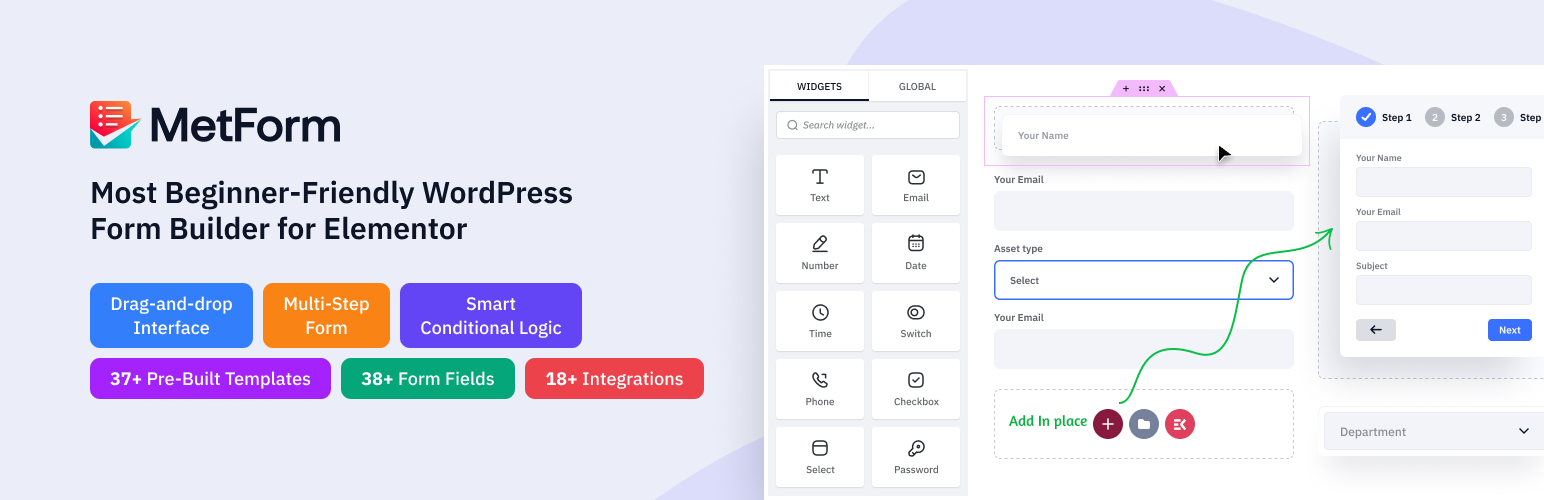
MetForm is a form builder from Wpmet (the team behind ElementsKit) that works entirely inside Elementor. Each form field is an Elementor widget, so you lay forms out with the same sections, columns and style controls you already use for page design, then embed them with a shortcode or Elementor widget. Elementor (free) is required; Elementor Pro is not.
The free plugin on WordPress.org covers unlimited forms, a set of basic fields (text, email, number, date, select, radio, file upload, rating, range slider, GDPR consent and more), stored entries in the admin, admin notification emails, redirects, reCAPTCHA and a free HubSpot connection. It is a reasonable contact-form tool for Elementor users, but most of the features highlighted in the plugin description are unlocked by MetForm Pro.
The big advantage is design freedom: forms inherit Elementor’s typography, spacing and responsive controls, so styling needs no CSS. The template library is broad once you upgrade, and lifetime licences are available. On the downside, the tier ladder is steep: payments and calculations need Professional, and webhooks need the top Agency plan. There is no Cloudflare Turnstile, honeypot, Square, recurring payments, user registration, conversational mode or AI builder, and because it depends on Elementor it is not a fit for block-editor or other page-builder sites.
MetForm suits Elementor-built sites that want forms styled like the rest of the page and are happy to buy a Personal or Professional licence for logic, multi-step and payments. Block-editor users, or anyone needing advanced payment flows or a native Turnstile option, should look elsewhere.
Best for: Elementor site builders who want forms designed with the same visual controls as their pages.
MetForm is a natural pick if you already build everything in Elementor, since forms inherit Elementor's design controls. The free tier is basic, and the most useful features are split across three paid tiers, so check which plan includes what you need. Non-Elementor sites have better options.
What MetForm highlights on its WordPress.org page and its own website, split by version.
26 of 36 features we track in Form Builders, feature score 79/100
Visual editor for adding and arranging fields without code.
Forms are built by dragging Elementor field widgets into sections and columns.
Split long forms into pages with a progress indicator.
Multi-step forms with step navigation are a Pro feature from the Personal plan.
Show or hide fields and change actions based on answers.
Show/hide fields based on answers; readme marks it premium, Personal plan and up.
Compute totals, quotes or scores from field values.
Calculation field and calculation forms need the Professional plan.
Let visitors attach files to a submission.
File upload field is included in the free version.
Let visitors add repeating sets of fields.
Simple Repeater field is a paid field; listed on Professional in the field matrix.
Ready-made forms to start from.
A few templates free (contact, subscribe, newsletter); 37+ on paid plans.
Visitors can save a partial entry and finish later.
Save Form Progress is listed from the Personal plan.
One-question-at-a-time, typeform-style layout.
No one-question-at-a-time mode in MetForm's feature matrix.
Capture a drawn or typed signature on a form.
Signature/digital signature field needs the Professional plan.
Scored quizzes with right and wrong answers.
Quiz forms with points and score summary from the Personal plan.
Survey fields such as Likert scales and poll results reporting.
Survey form templates and quiz/survey module from the Personal plan.
Change colours, spacing and layout without writing CSS.
Styling uses Elementor's widget style controls, so no CSS is needed.
Generate a form from a written prompt.
No AI form generation listed in MetForm's free or paid features.
Take card payments through Stripe.
Stripe payments need the Professional plan or higher.
Take payments through PayPal.
PayPal payments need the Professional plan or higher.
Take payments through Square.
Square is not among MetForm's payment gateways.
Subscriptions or repeating charges.
Only one-off PayPal/Stripe payments are documented; no subscriptions listed.
Browse, search and export submissions in the dashboard.
Submissions are stored and viewable in the WordPress admin in the free version.
Configurable admin and user emails per form.
Admin notification emails free; user confirmation emails need the Personal plan.
Send submissions to any URL.
REST API/webhook data push is limited to the Agency plan.
Create WordPress users from a form.
MetForm can require login to submit but has no user registration action.
Create posts or custom post types from a form.
Form-to-post creation maps fields to posts/CPTs on Professional and up.
Capture what visitors typed before abandoning a form.
No abandoned/partial entry capture in MetForm's feature matrix.
Create PDFs from submissions, for example receipts or applications.
Export entries as PDF from the Personal plan.
Add subscribers to Mailchimp lists.
Mailchimp integration is gated to paid plans, from Personal.
Connect submissions to thousands of apps via Zapier.
Zapier integration needs the Professional plan.
Send leads to HubSpot CRM.
HubSpot forms/contacts sync is included free.
Append submissions to a Google Sheet.
Google Sheets export is a paid integration from Personal.
Send leads and contacts to Salesforce.
Salesforce is only listed as 'upcoming' on the pricing page.
Google reCAPTCHA spam protection.
Google reCAPTCHA v2/v3 field included free.
Privacy-friendly CAPTCHA alternative.
Only reCAPTCHA and a simple captcha are listed; no Cloudflare Turnstile.
Invisible spam filtering without a CAPTCHA.
No honeypot spam option listed in MetForm's feature matrix.
Consent fields, data export/erasure, IP storage controls.
Free GDPR consent field; personal data erasure template on paid plans.
Actions, filters and/or REST API for custom work.
REST API access for submissions is limited to the Agency plan.
Embed forms with a native block.
Elementor-only; no Gutenberg block, though the shortcode can be placed in blocks.
On WordPress.org
1 site
Shown discounted to $44.10 at time of check; lifetime licence listed at $147 (on sale $132.30).
5 sites
Shown discounted to $101.15; lifetime listed at $357 (on sale $285.60).
Unlimited
Shown discounted to $199.20; lifetime listed at $747 (on sale $485.55). Only plan with REST API/webhooks.
Prices are list prices from the vendor's site, checked 14 Oct 2026. Many vendors discount the first year.
Free installs from WordPress.org, the vendor's own claim, and our estimate of paid installs.
Active installations reported by WordPress.org.
Sites/users claimed on the vendor's website. source
Our estimate, see method below.
How we estimated this: The vendor figure (600K+) is within WordPress.org's rounding of the free installs, so it says nothing about paid sites. Website scans by WPoptic find the paid plugin (folder metform-pro) on 4,005 live sites; they find the free version on 99,920 sites against about 550K WordPress.org installs, so each site found stands for about 5.5, giving 22K. About 550K free installs x 20% (the usual share of free sites that also run the paid version when many key features are paid) gives 110K. Combining these (weighted average) gives about 28K. Likely range: 18K to 42K. This counts sites running the paid version, including sites whose licence has lapsed. Estimates are rough and based on public figures as of 14 Oct 2026.
54,429 downloads last week, 10.6M all time
| Version | 4.3.4 |
|---|---|
| Last updated | 2 Nov 2026 (1 days ago) |
| Tested up to | WordPress 7.1.4 |
| Requires | WordPress 6.0+, PHP 7.4+ |
| Support threads (2 months) | 3 of 4 resolved |
| On WordPress.org since | 29 Aug 2019 |
| Refund policy | 14-day money-back (source, 5 Oct 2026) Full refund within 14 days if support cannot fix the issue. |
|---|
Beginner-friendly drag-and-drop form builder from Awesome Motive with a free Lite plugin, 2,100+ templates and tiered Pro plans for payments and CRMs.

Fast WordPress form builder from WPManageNinja with a generous free tier (conversational forms, Stripe, AI builder) and one-tier Pro licences.

Premium-only WordPress form builder from Rocketgenius with deep conditional logic, calculations and an official add-on library for payments and CRMs.

Drag-and-drop WordPress form builder with a visual styler, calculators, quizzes and Views for turning entries into directories and listings.

Block-editor form builder from Brainstorm Force with AI form creation and free Stripe forms; paid plans add logic, multi-step and integrations.

Generous free form, quiz and poll builder from WPMU DEV with payments, logic and integrations included; Pro adds PDFs, e-signatures and subscriptions.
Yes. MetForm has a free version on WordPress.org. Paid plans start at $49/yr.
WordPress.org reports 500K+ active installations of the free version. The vendor claims 600K+ sites in total. We estimate around 28K sites run the paid version.
Yes: included. Forms are built by dragging Elementor field widgets into sections and columns.
Yes: paid version (Personal). Show/hide fields based on answers; readme marks it premium, Personal plan and up.
Yes: paid version (Professional). Stripe payments need the Professional plan or higher.
Yes: included. Submissions are stored and viewable in the WordPress admin in the free version.
No. MetForm is built on Elementor and every field is an Elementor widget, so Elementor (the free version is enough) must be active. Forms can then be placed anywhere with a shortcode.
Both are unlocked from the Personal plan upward. Calculations, signature, Stripe/PayPal and Zapier need Professional, and REST API/webhooks need Agency.
Yes, through PayPal and Stripe on the Professional and Agency plans. One-off payments only; recurring billing and Square are not listed.
Yes. Each tier is sold as an annual or lifetime licence, and Wpmet also sells bundles that include MetForm Pro with its other plugins.
Last updated 5 Oct 2026. Spotted something wrong? Suggest an edit.