

Crisp Live Chat
French-built hosted chat and shared inbox with a free 2-seat plan and flat per-workspace paid plans adding omnichannel, the Hugo AI agent…
97

WhatsApp chat button with eight styles, greetings dialogs, WooCommerce messages and analytics events; Pro adds multiple agents, forms and business hours.
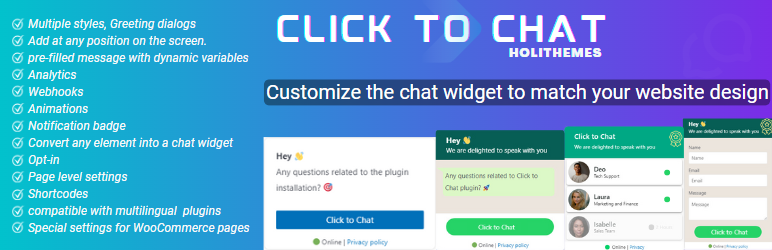
Click to Chat by HoliThemes is a WhatsApp contact plugin that lets visitors start a WhatsApp or WhatsApp Business conversation with one click. On mobile it opens the WhatsApp app, and on desktop it opens WhatsApp Desktop or WhatsApp Web. It also supports WhatsApp group invites and a share button so visitors can send your page to their contacts.
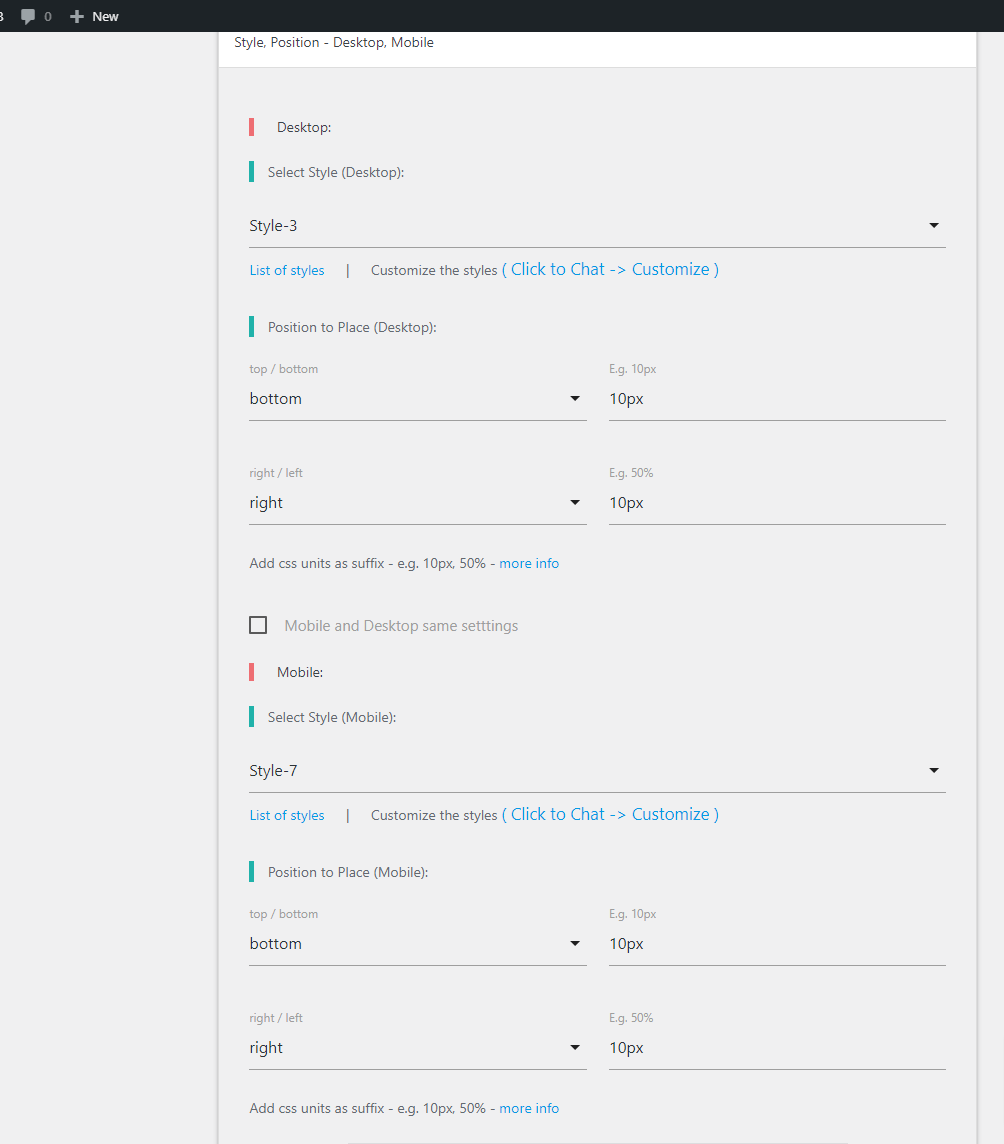
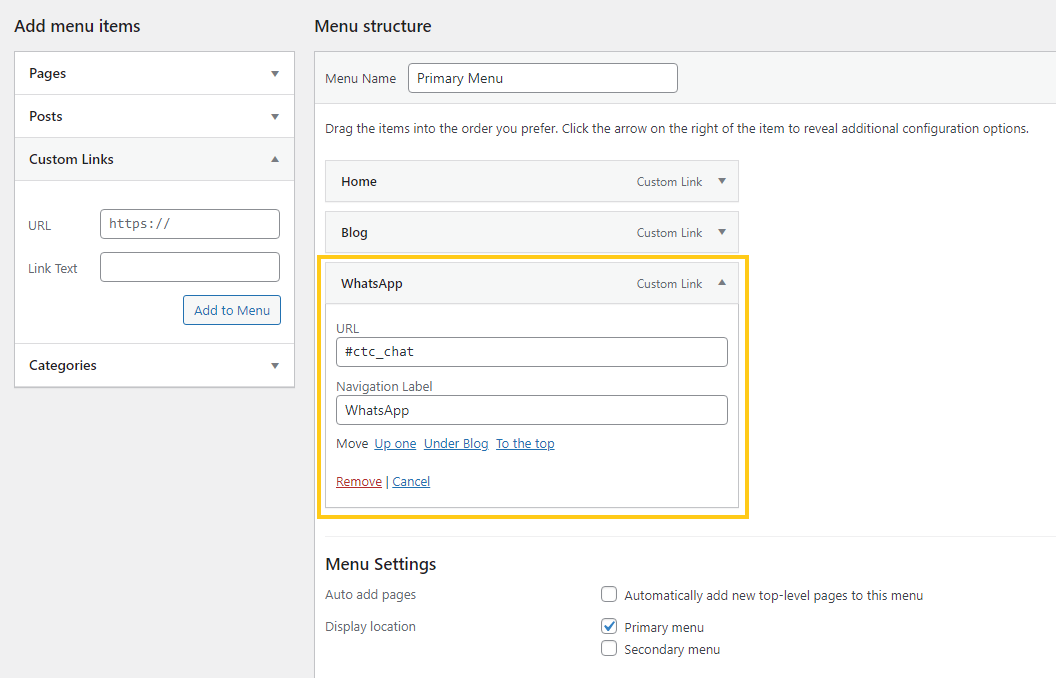
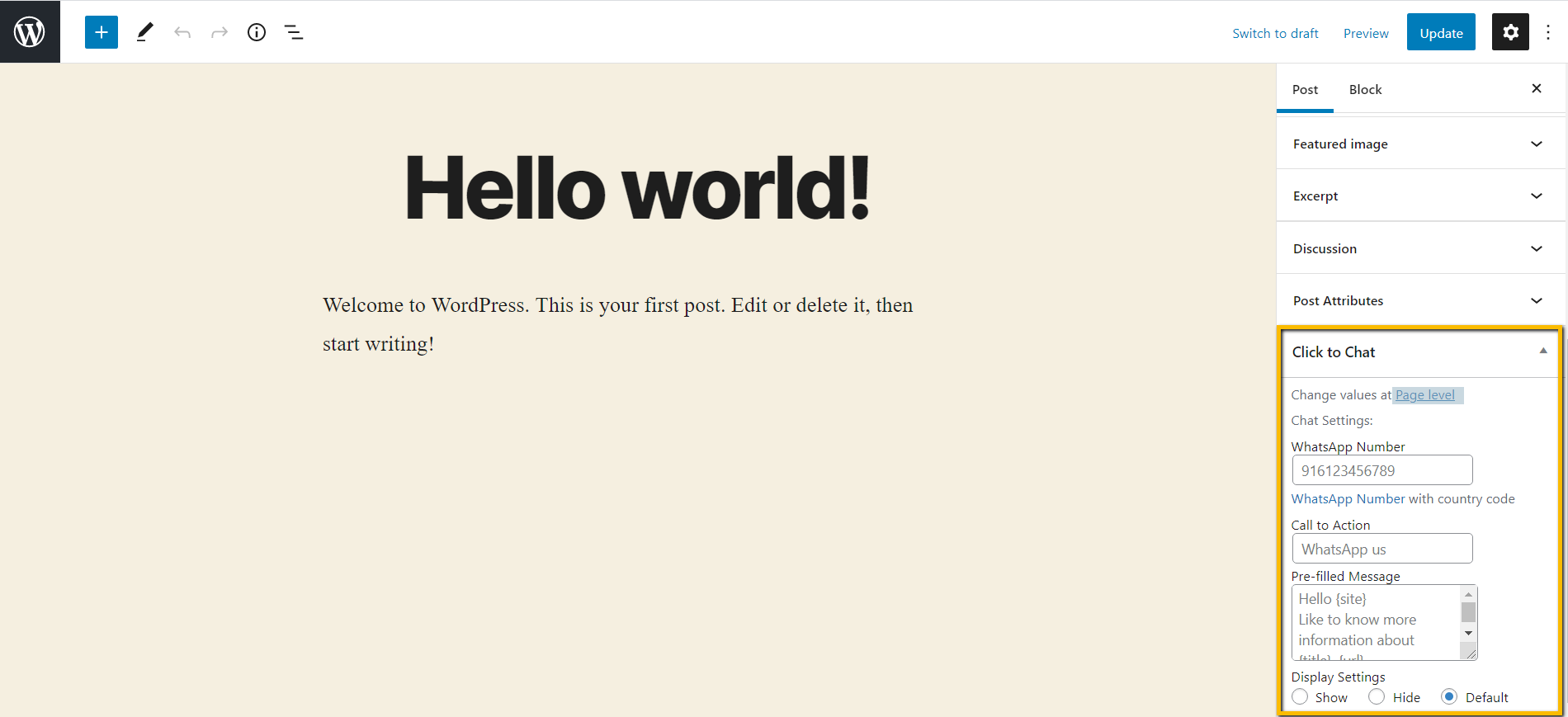
The free version is broad. You get eight button styles or your own image or GIF, greetings dialogs that look like a chat window, a notification badge, separate positions for mobile and desktop, and a custom element option that turns any menu item, button or image into a chat link. Prefilled messages accept page variables, and on WooCommerce product pages they can include product name, price, regular price and SKU, with the button placed at one of around ten hook positions. Display rules cover post types, categories, post IDs and devices, and per-page settings can change the number and message. Click events go to Google Analytics, Google Tag Manager, Meta Pixel and Google Ads, and webhooks can send data to Zapier, IFTTT or Pipedream.
PRO is inexpensive, with the single plan listed at $18, and includes a 14-day money-back guarantee.
Like other WhatsApp buttons, it hands the conversation to WhatsApp, so there is no live chat inbox, transcripts, canned replies or visitor monitoring in WordPress. It only supports WhatsApp, not other messengers. The pricing page does not clearly state site counts or billing periods for each plan, so check before buying.
Who should pick it: businesses that use WhatsApp as their main support or sales channel and want a flexible, low-cost button with strong display rules and tracking. Teams needing several messaging channels or a shared inbox should look elsewhere.
Best for: WhatsApp-first businesses and WooCommerce stores wanting a flexible, low-cost click-to-chat button.
Click to Chat offers one of the deepest free WhatsApp buttons, with WooCommerce variables, webhooks and analytics events included, and PRO is cheap. It is WhatsApp-only and not a live chat desk, so it suits WhatsApp-centred teams rather than multi-channel support.
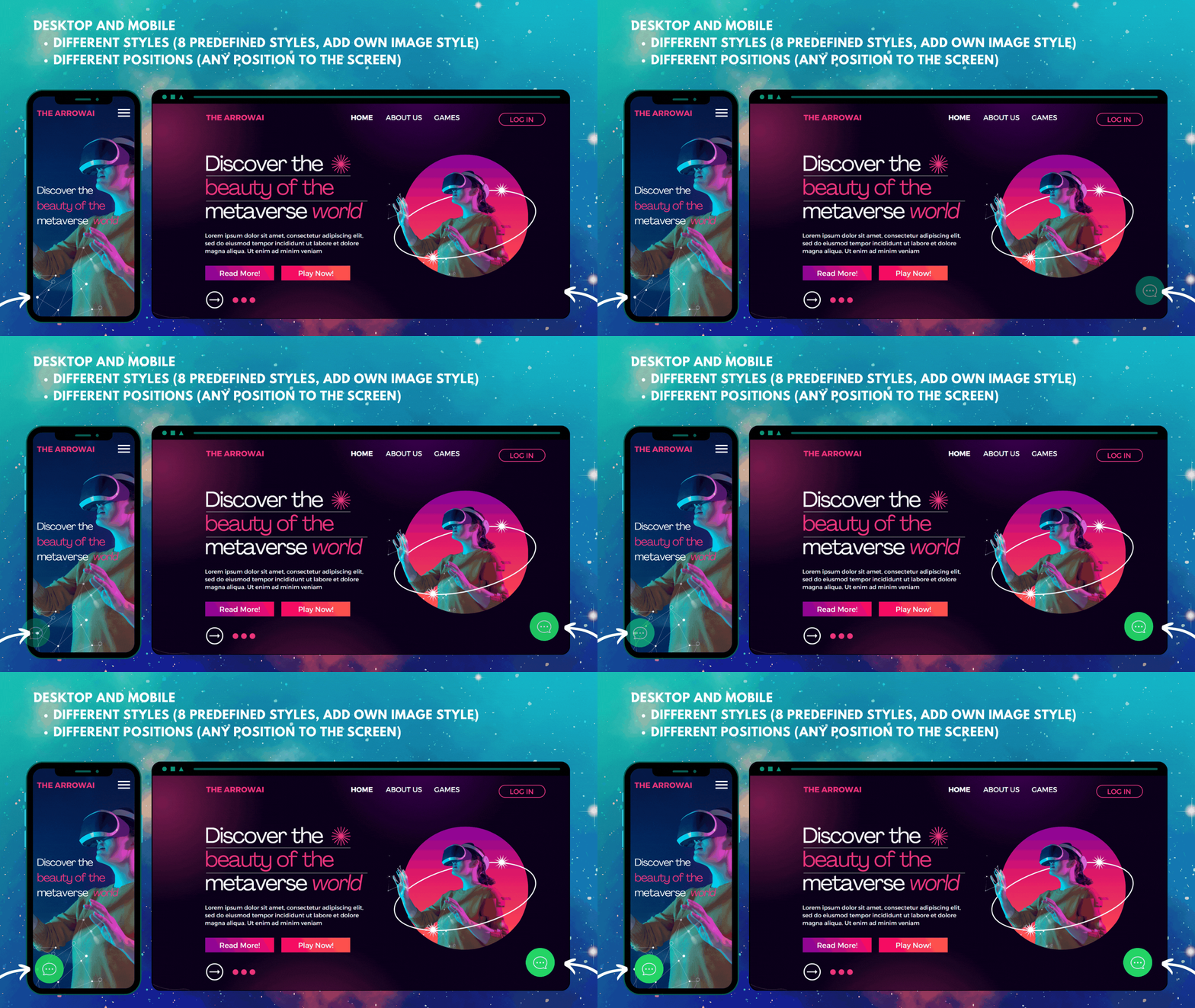
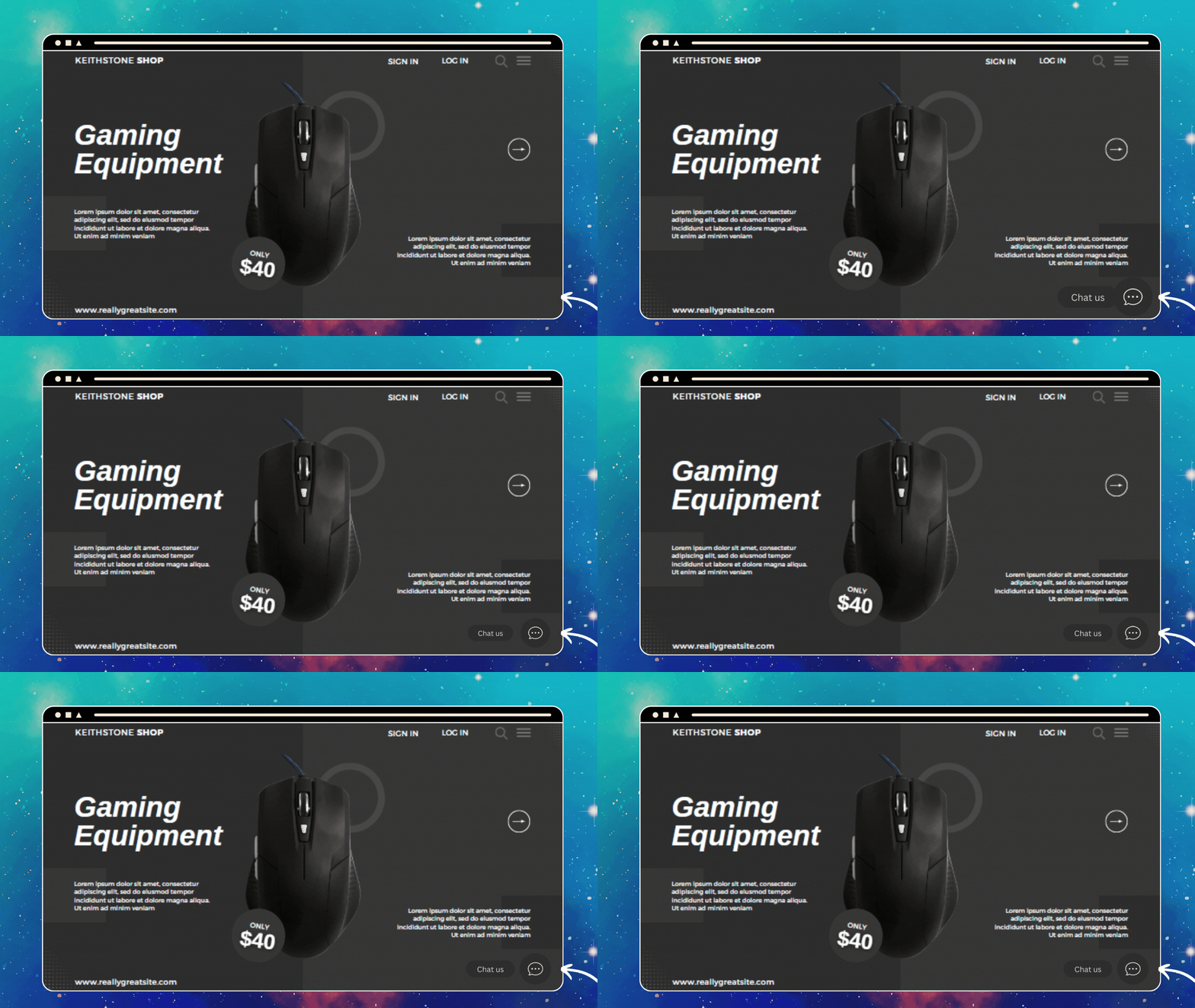
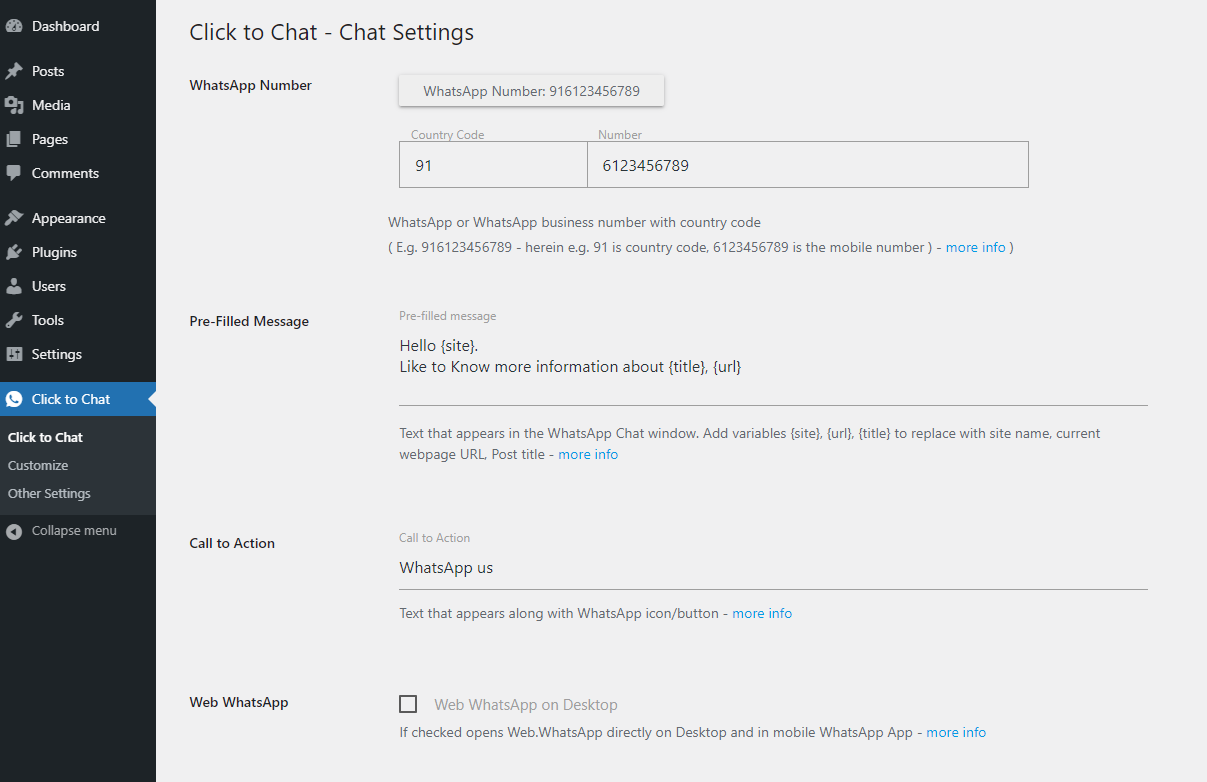
What Click to Chat highlights on its WordPress.org page and its own website, split by version.
13 of 20 features we track in Live Chat & WhatsApp, feature score 50/100
Real-time chat between visitors and your team.
Opens WhatsApp; there is no on-site chat with your team.
WhatsApp buttons or WhatsApp conversations.
One-click WhatsApp or WhatsApp Business chat, plus group invites and sharing.
Messenger, Instagram, Telegram, email or SMS in one place.
WhatsApp only; no Messenger, Telegram or other channels.
Reply from phone or desktop apps.
Replies happen in WhatsApp's own mobile and desktop apps; no dedicated agent app.
Collect messages when nobody is online.
PRO greetings form collects details with email alerts; out-of-hours settings switch CTA.
Send files and images in chat.
Files can be exchanged in WhatsApp after the handoff; not in the widget.
Automated flows that answer common questions.
Greetings dialogs and a PRO form, but no automated chat flows.
AI assistant trained on your site or help content.
No AI assistant offered.
Triggered greetings based on page, time or behaviour.
Greetings dialogs and badge free; PRO triggers by time, scroll or element visibility.
Saved replies for common questions.
No saved agent replies; only prefilled visitor messages.
Show availability and route out-of-hours chats.
Online/offline schedule hides the widget or swaps numbers and CTAs.
See orders and carts, or recommend products, in chat.
Product, price and SKU variables in messages and placement on product pages.
See who is on the site and which pages they view.
No live visitor monitoring; click events go to analytics tools.
More than one team member can answer chats.
Multi-agent greetings with several accounts and per-agent time ranges.
Route chats to the right team or agent.
Per-agent hours, random number rotation and per-page or per-language numbers.
Transcripts, response times and satisfaction ratings.
Click events to GA, GTM, Meta Pixel and Google Ads; no conversation reports.
Free plan with real use, not just a short trial.
Free version includes styles, greetings, WooCommerce, analytics and webhooks.
Runs inside WordPress without an external chat platform.
Runs entirely inside WordPress; no external account needed.
Consent before chat loads, data retention or EU hosting.
Opt-in consent option; plugin states it collects no user data and sets no cookies.
Turn chats into tickets or a shared inbox.
No tickets or shared inbox.
On WordPress.org
1 site
All PRO features in every plan; annual and lifetime options offered. 14-day money-back guarantee.
Multiple (not stated)
Site count and billing period not shown on the static pricing page; an Unlimited plan is also listed. Confirm at checkout.
Prices are list prices from the vendor's site, checked 14 Oct 2026. Many vendors discount the first year.
Free installs from WordPress.org, the vendor's own claim, and our estimate of paid installs.
Active installations reported by WordPress.org.
Sites/users claimed on the vendor's website. source
Our estimate, see method below.
How we estimated this: WordPress.org shows 600K+ free installs, which could mean anything from 600K to 700K. The vendor says 700K+ sites, so we put the free count halfway between the middle of that range and the vendor figure, at about 680K. About 680K free installs x 4% (the usual share of free sites that also run the paid version when most features are free) gives 27K. Likely range: 14K to 54K. This counts sites running the paid version, including sites whose licence has lapsed. Estimates are rough and based on public figures as of 14 Oct 2026.
128,467 downloads last week, 21.5M all time
| Version | 4.46 |
|---|---|
| Last updated | 30 Oct 2026 (4 days ago) |
| Tested up to | WordPress 7.1.4 |
| Requires | WordPress 6.6+, PHP 5.6+ |
| Support threads (2 months) | 2 of 2 resolved |
| On WordPress.org since | 23 Oct 2017 |
| Refund policy | 14-day money-back (source, 14 Oct 2026) |
|---|
French-built hosted chat and shared inbox with a free 2-seat plan and flat per-workspace paid plans adding omnichannel, the Hugo AI agent…

Free hosted live chat with unlimited agents, ticketing and a knowledge base; paid add-ons cover branding removal, AI Assist and hired agents.

SaaS live chat, help desk and Lyro AI agent with a WordPress connector plugin; free plan with 10 seats, paid plans for…

Floating chat widget that links visitors to WhatsApp, Messenger, Telegram, phone, email and 20+ other channels, with targeting and agents in Pro.

Paid, per-agent live chat platform from Text (formerly LiveChat Software) with a free WordPress connector, AI Agent, ticketing and WooCommerce cart view.

Free website live chat and click-to-call widget that connects WordPress to a 3CX phone system, with WhatsApp, Facebook and SMS in the…
Yes. Click to Chat has a free version on WordPress.org. Paid plans start at $18/yr.
WordPress.org reports 600K+ active installations of the free version. The vendor claims 700K+ sites in total. We estimate around 27K sites run the paid version.
No: not included. Opens WhatsApp; there is no on-site chat with your team.
Yes: included. One-click WhatsApp or WhatsApp Business chat, plus group invites and sharing.
No: not included. Greetings dialogs and a PRO form, but no automated chat flows.
No: not included. No AI assistant offered.
Yes: partial. Product, price and SKU variables in messages and placement on product pages.
Yes: paid version (Pro). Multi-agent greetings with several accounts and per-agent time ranges.
Yes: included. Free version includes styles, greetings, WooCommerce, analytics and webhooks.
Yes. The WordPress.org version includes styles, greetings, WooCommerce variables, display rules, analytics events and webhooks. PRO is an optional upgrade for agents, forms, business hours and advanced targeting.
Yes, with PRO. Multi-agent greetings let you list several numbers with their own time ranges and show offline agents with their next availability, disable them or hide them.
Yes. Prefilled messages can include the product name, price, regular price and SKU, and the button can be placed at several positions on product and shop pages. PRO adds more WooCommerce overrides.
The plugin says it does not collect user data or set cookies, and it has an opt-in option so visitors must consent before the chat starts.
No. Click to Chat focuses on WhatsApp and WhatsApp Business, including group invites and page sharing through WhatsApp.
Last updated 14 Oct 2026. Spotted something wrong? Suggest an edit.