

Booknetic
Premium appointment booking plugin from FS Code with staff, locations, workflows and a large add-on store, sold on its own site and…
94

Appointment and event booking plugin with a polished booking wizard, a free Lite version and four paid tiers for service businesses.
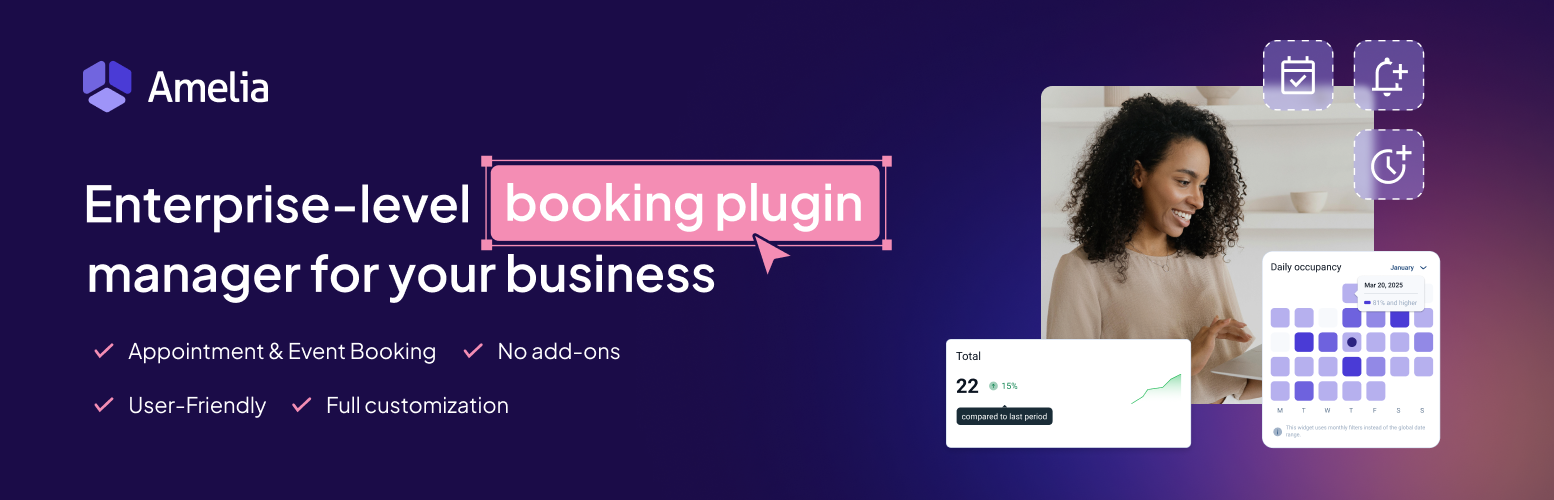
Amelia is a booking plugin from Melograno Venture Studio (the team formerly known as TMS) that handles both appointments and events from one admin area. Customers book through a step-by-step wizard or a catalog layout, and the back end gives you a calendar of every appointment and event plus a KPI dashboard.
The free Amelia Lite on WordPress.org covers services and categories, single and multi-day events, a backend calendar, time-zone aware slots, customisable email and SMS confirmations, and online payments through Square. It is restricted on staff numbers and leaves out most of what a growing business eventually needs.
The paid licences come in four tiers: Starter, Standard, Pro and Elite. Starter adds group bookings, coupons, recurring appointments, custom fields, buffer times and deposits. Standard opens up PayPal, Stripe, Mollie, Razorpay and WooCommerce payments, along with webhooks; service packages are documented for Pro and Elite. Pro is where Google, Outlook and Apple calendar sync and the Zoom, Google Meet and Microsoft Teams integrations sit, and it raises the licence to five domains. Elite covers unlimited domains.
Several features that most service businesses consider core, two-way calendar sync and video meetings in particular, only arrive at the Pro tier, so real-world costs are higher than the entry price suggests. The pricing page relies on frequent promotions, which makes the regular renewal price harder to pin down. SMS is billed separately per message.
Amelia suits salons, clinics, coaches, fitness studios and training providers who want appointments and events in one tool and are willing to pay for the Pro tier to get calendar and video integrations.
Best for: Service businesses and training providers that want appointments and events in one polished system and can justify the Pro tier.
Amelia is one of the most complete booking plugins for WordPress, and its event support sets it apart from appointment-only tools. The catch is the tier ladder: most businesses will need Pro for calendar sync and video meetings, so budget for that rather than the entry price.
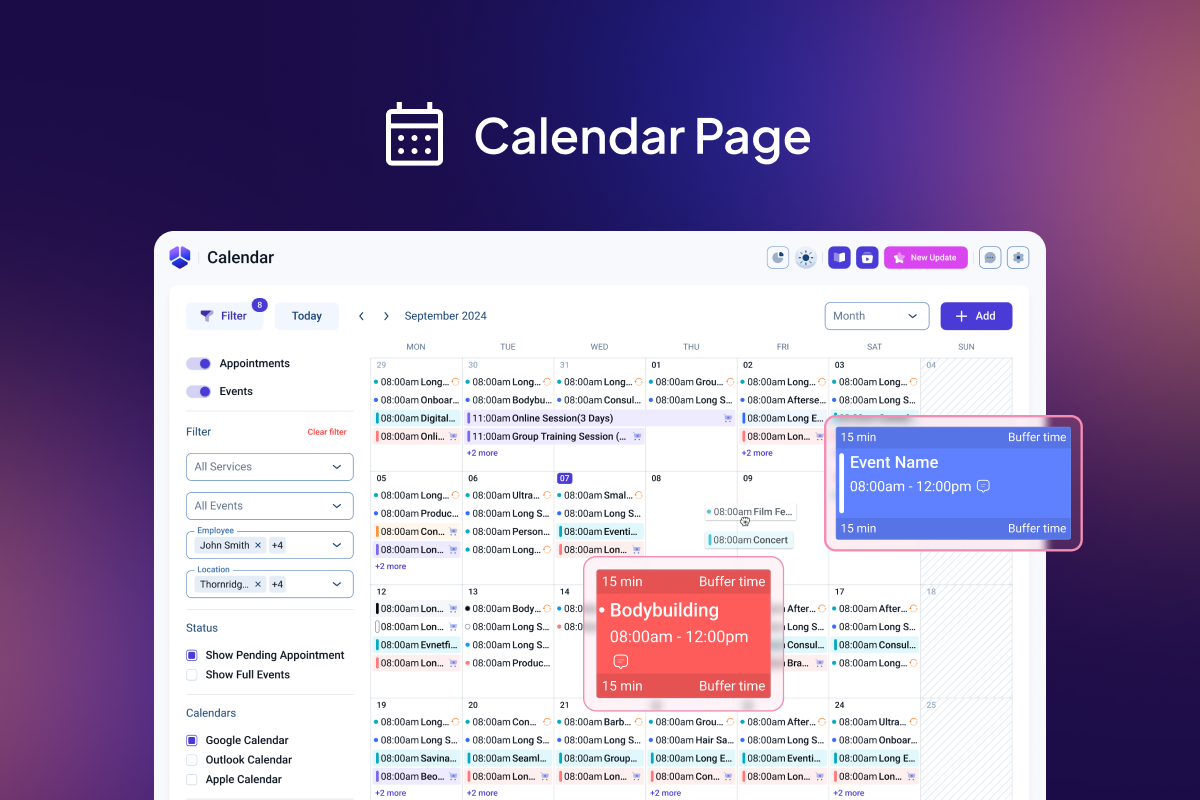
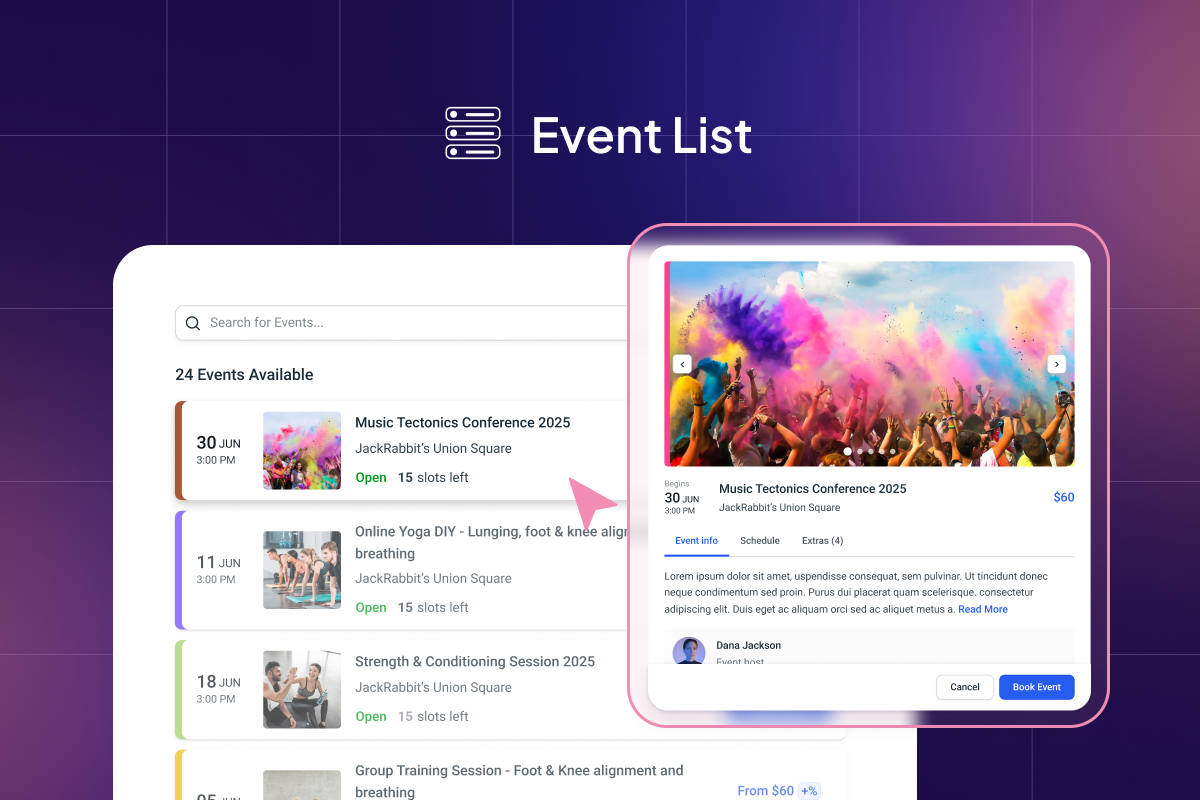
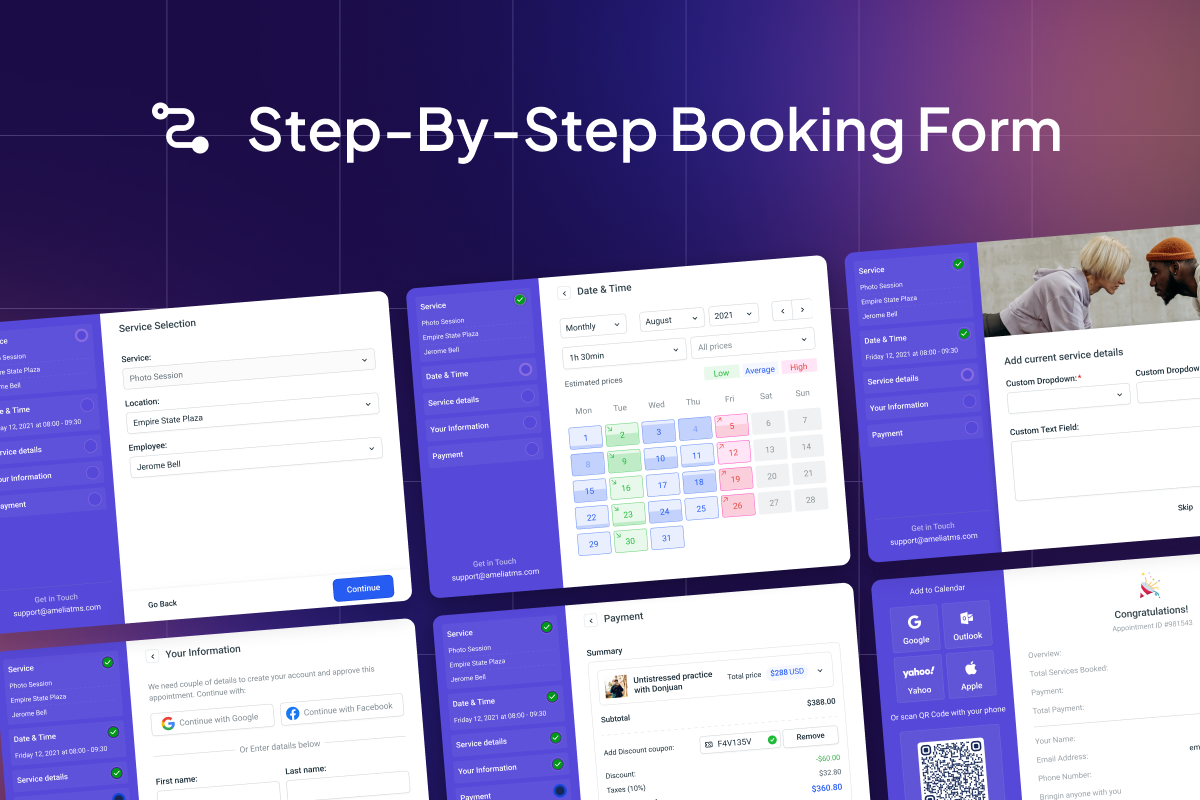
What Amelia highlights on its WordPress.org page and its own website, split by version.
23 of 23 features we track in Booking & Appointments, feature score 93/100
Customers pick an available slot and book online.
Step-by-step or catalog booking forms show live availability and prevent double bookings.
Different services, durations and staff members with their own schedules.
Lite has services and categories but limits employees; unlimited staff needs a paid licence.
Manage bookings across several locations.
Multiple locations are a premium feature listed from the Starter tier.
More than one person per slot, with capacity limits.
Group appointments with capacity limits come with every paid tier.
Book places on events, classes or courses.
Lite creates single or multi-day events; ticket types and waiting lists need a paid plan.
Customers book a repeating series of appointments.
Customers can book repeating appointment series on paid tiers.
Gaps between appointments, minimum notice and booking windows.
Buffer time before and after appointments is a paid option.
Collect extra information when customers book.
Custom fields of several types can be added to booking forms on paid tiers.
Take payment at booking with Stripe, PayPal or similar.
Lite takes Square payments; PayPal, Stripe, Mollie and Razorpay need Standard or higher.
Collect a deposit now and the rest later.
Deposit payments listed from Starter; older docs mention Standard and above.
Bookings paid through the WooCommerce cart and checkout.
WooCommerce payments, taxes and order sync are in Standard, Pro and Elite.
Discount codes for bookings.
Discount coupons are included in all paid licences.
Sell bundles of appointments or recurring packages.
Service packages bundle sessions of one or more services; docs list Pro, reviews show Standard.
Customers view, reschedule or cancel their bookings.
Customer panel lets clients cancel and optionally reschedule; premium-only, not in Lite.
Confirmation and reminder emails.
Lite customises confirmation emails; scheduled reminders and follow-ups are premium.
Text or WhatsApp reminders.
SMS works in Lite via Amelia's pay-per-message SMS service; WhatsApp needs Pro or Elite.
Shows slots in the customer's own time zone.
Lite can show booking slots in the client's own time zone.
Two-way sync with Google Calendar to avoid double bookings.
Two-way sync removes busy Google Calendar times from availability.
Sync with Outlook or Apple / iCal calendars.
Employees can connect Outlook and Apple calendars on Pro and Elite.
Create online meeting links automatically.
Zoom, Google Meet and Microsoft Teams links are created on Pro and Elite.
Send bookings to other tools.
Webhooks for booking events (usable with Zapier or Make) from the Standard plan.
Staff log in to manage their own schedule and bookings.
Employee panel lets staff manage their own schedule and bookings; premium-only.
Bookings, revenue and staff performance reports.
Lite dashboard tracks revenue, load, approved and pending appointments.
On WordPress.org
1 site
Price as currently listed (promotional); the regular renewal price is not shown on the pricing page.
1 site
Price as currently listed (promotional); adds PayPal, Stripe and WooCommerce payments. Lifetime option around $299.
5 sites
First year $149 during current promotion. Lifetime licence listed at $439 (promo $349).
Unlimited
First year $259 during current promotion. Lifetime licence listed at $1,189 (promo $709).
Prices are list prices from the vendor's site, checked 14 Oct 2026. Many vendors discount the first year.
Free installs from WordPress.org, the vendor's own claim, and our estimate of paid installs.
Active installations reported by WordPress.org.
Sites/users claimed on the vendor's website. source
Our estimate, see method below.
How we estimated this: The vendor figure (90K+) is within WordPress.org's rounding of the free installs, so it says nothing about paid sites. About 95K free installs x 30% (the usual share of free sites that also run the paid version when many key features are paid, and store owners upgrade more often) gives 29K. Likely range: 15K to 58K. This counts sites running the paid version, including sites whose licence has lapsed. Estimates are rough and based on public figures as of 14 Oct 2026.
20,132 downloads last week, 1.7M all time
| Version | 2.4.14 |
|---|---|
| Last updated | 27 Oct 2026 (7 days ago) |
| Tested up to | WordPress 7.1.4 |
| Requires | WordPress 6.5+, PHP 7.4+ |
| Support threads (2 months) | 6 of 7 resolved |
| On WordPress.org since | 11 Dec 2018 |
| Refund policy | 15-day money-back (source, 6 Oct 2026) |
|---|
Premium appointment booking plugin from FS Code with staff, locations, workflows and a large add-on store, sold on its own site and…

Appointment booking plugin from Repute Infosystems with a free Lite core and paid plans bundling 60+ add-ons for staff, payments and calendar…

Appointment and event booking plugin with a free core including Stripe, PayPal and deposits, and one premium licence that unlocks every add-on.

Modular appointment booking plugin: free core, a Pro upgrade and dozens of paid add-ons for staff, locations, payments and calendar sync.

Straightforward appointment scheduler with unlimited booking calendars free, and paid editions for calendar sync, payments, SMS and team booking.

Lightweight booking-form plugin by CodePeople for time-slot appointments, with a free core and low-cost paid versions adding payments and add-ons.
Yes. Amelia has a free version on WordPress.org. Paid plans start at $49/yr.
WordPress.org reports 90K+ active installations of the free version. The vendor claims 90K+ sites in total. We estimate around 29K sites run the paid version.
Yes: included. Step-by-step or catalog booking forms show live availability and prevent double bookings.
Yes: partial. Lite has services and categories but limits employees; unlimited staff needs a paid licence.
Yes: included. Lite takes Square payments; PayPal, Stripe, Mollie and Razorpay need Standard or higher.
Yes: paid version (Pro). Customer panel lets clients cancel and optionally reschedule; premium-only, not in Lite.
Yes: partial. Lite customises confirmation emails; scheduled reminders and follow-ups are premium.
Yes: paid version (Pro). Two-way sync removes busy Google Calendar times from availability.
Lite covers services, events, a backend calendar and dashboard, email and SMS confirmations, time-zone aware slots and Square payments. Employees are limited, and features like custom fields, coupons and calendar sync need a paid licence.
Two-way Google, Outlook and Apple calendar sync and the Zoom, Google Meet and Microsoft Teams integrations sit in the Pro and Elite tiers, not in Starter or Standard.
Yes. The WooCommerce payment integration is available from the Standard licence upward, letting bookings go through the WooCommerce cart and its gateways.
SMS is sent through Amelia's own SMS platform. You top up a balance and pay per message segment, priced by destination country, separately from your licence.
Amelia offers a 15-day money-back guarantee, and the plugin keeps working if you cancel, though updates and support stop.
Last updated 6 Oct 2026. Spotted something wrong? Suggest an edit.