

wpDataTables
Data-heavy table and chart plugin: Lite imports Excel, CSV, JSON and XML with 23 chart types; paid plans add MySQL, editing and…
100

Drag-and-drop WordPress table builder by DotCamp for comparison, pricing and list tables, with cell elements, responsive stacking and CSV import.
WP Table Builder is a visual table plugin from DotCamp, the team behind Ultimate Blocks. Instead of typing data into a spreadsheet grid, you build a table cell by cell, dropping elements such as text, images, lists, buttons, star ratings, shortcodes or custom HTML into each cell. That makes it a good fit for hand-made comparison tables, pricing tables, product round-ups and pros and cons boxes rather than large data sets.
The free version on WordPress.org is generous: unlimited tables, seven content elements, a cell management mode for adding rows and columns and merging or splitting cells, and a responsive builder with separate tablet and mobile settings, stacking direction and a repeated header row. Visitors can sort tables vertically or horizontally. Tables can be imported from CSV, XML or TablePress and exported to CSV or XML, and you can control which user roles may create and edit tables. Tables are placed with a shortcode or a Gutenberg block; Elementor and Divi users paste the shortcode.
WP Table Builder Pro adds seven more elements (circle rating, progress bar, badge, ribbon, styled list, icon and text icon), 25+ prebuilt templates, sticky header rows and columns, a search box, pagination, row and column highlighting, tooltips, per-cell backgrounds, spacing controls, custom breakpoint widths and the ability to save your own tables as templates. Plans are sold yearly or as lifetime licences, and every paid plan has the same features.
Choose WP Table Builder if you write affiliate reviews or sales pages and want styled, responsive comparison tables without code. If you need to display spreadsheets, products or thousands of rows, a data-table plugin is a better match.
Best for: Bloggers and affiliate marketers who want styled, responsive comparison and pricing tables built visually.
WP Table Builder is one of the easier ways to hand-build attractive comparison tables, and the free version covers most needs. Pro is cheap and adds search, pagination, sticky rows and templates. It is not a data-table tool, so look elsewhere for spreadsheets, products or very large tables.
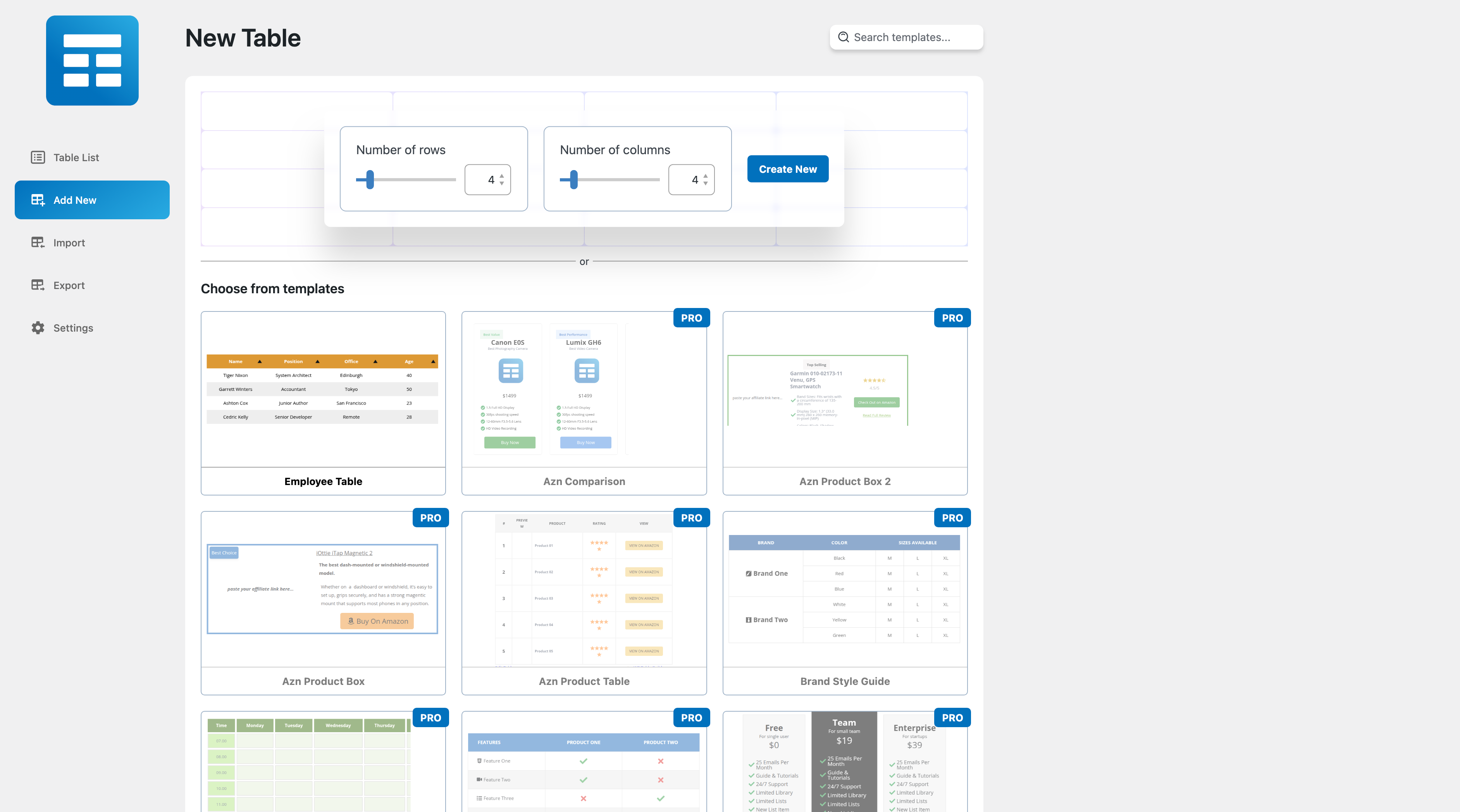
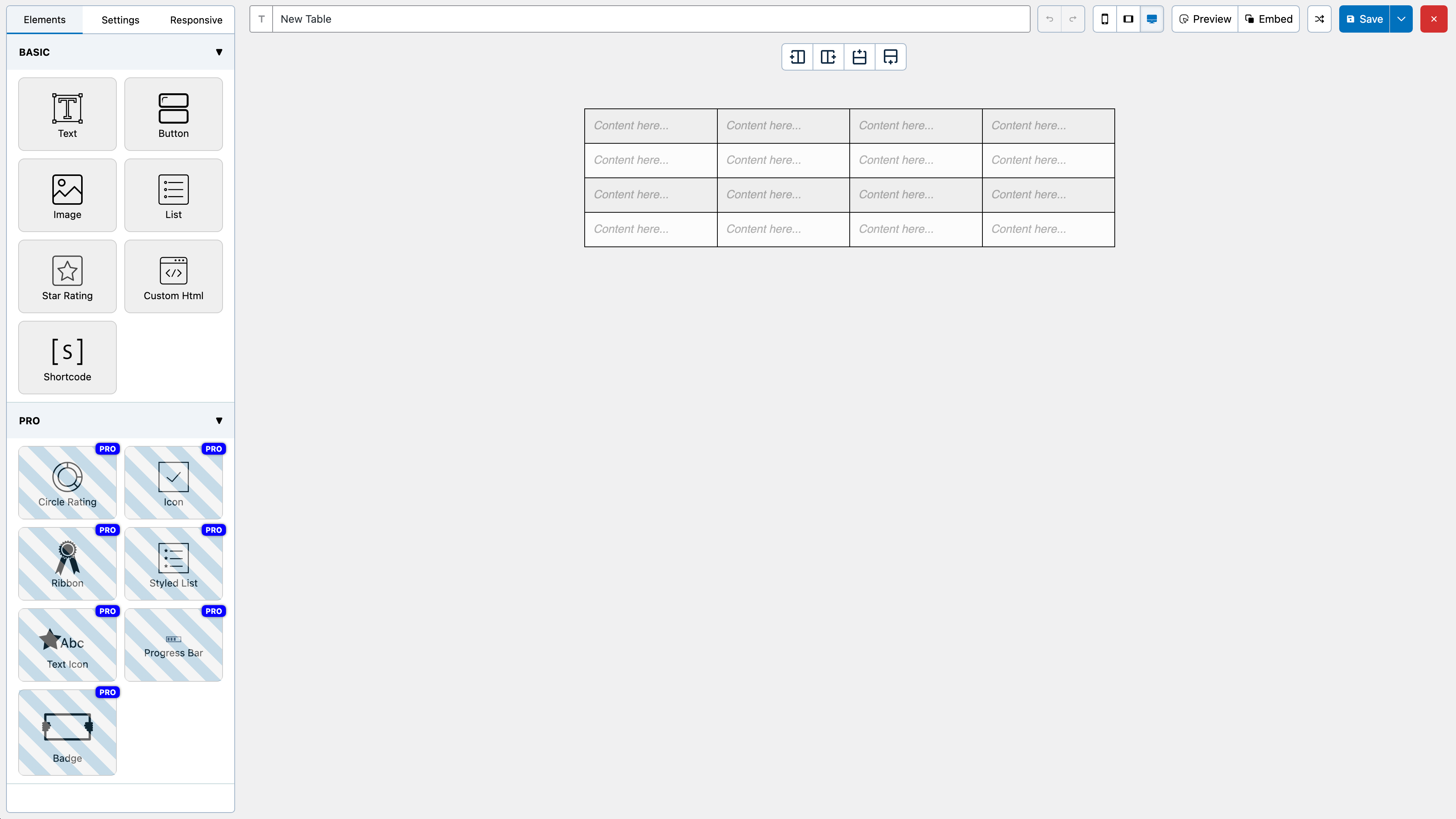
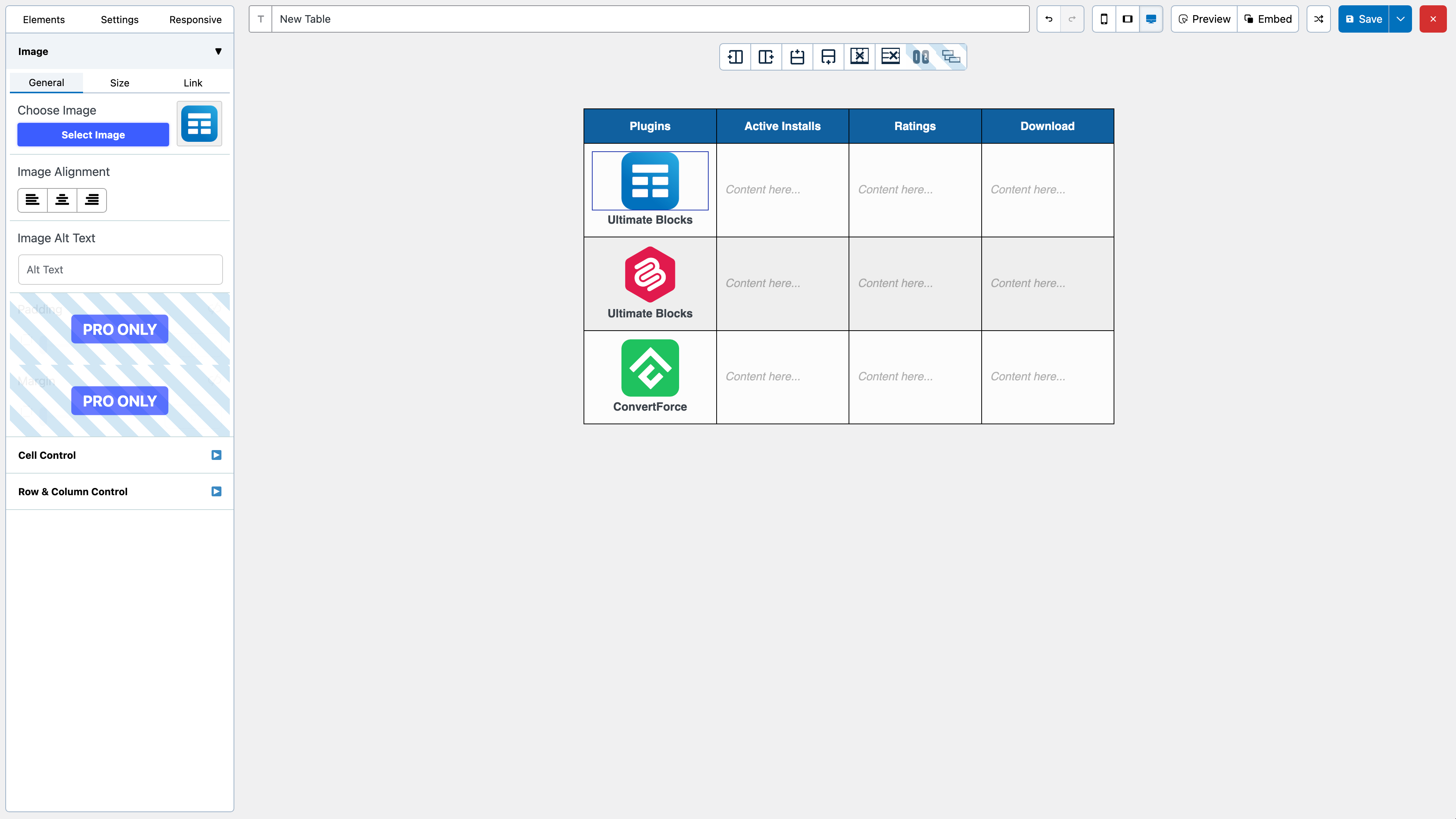
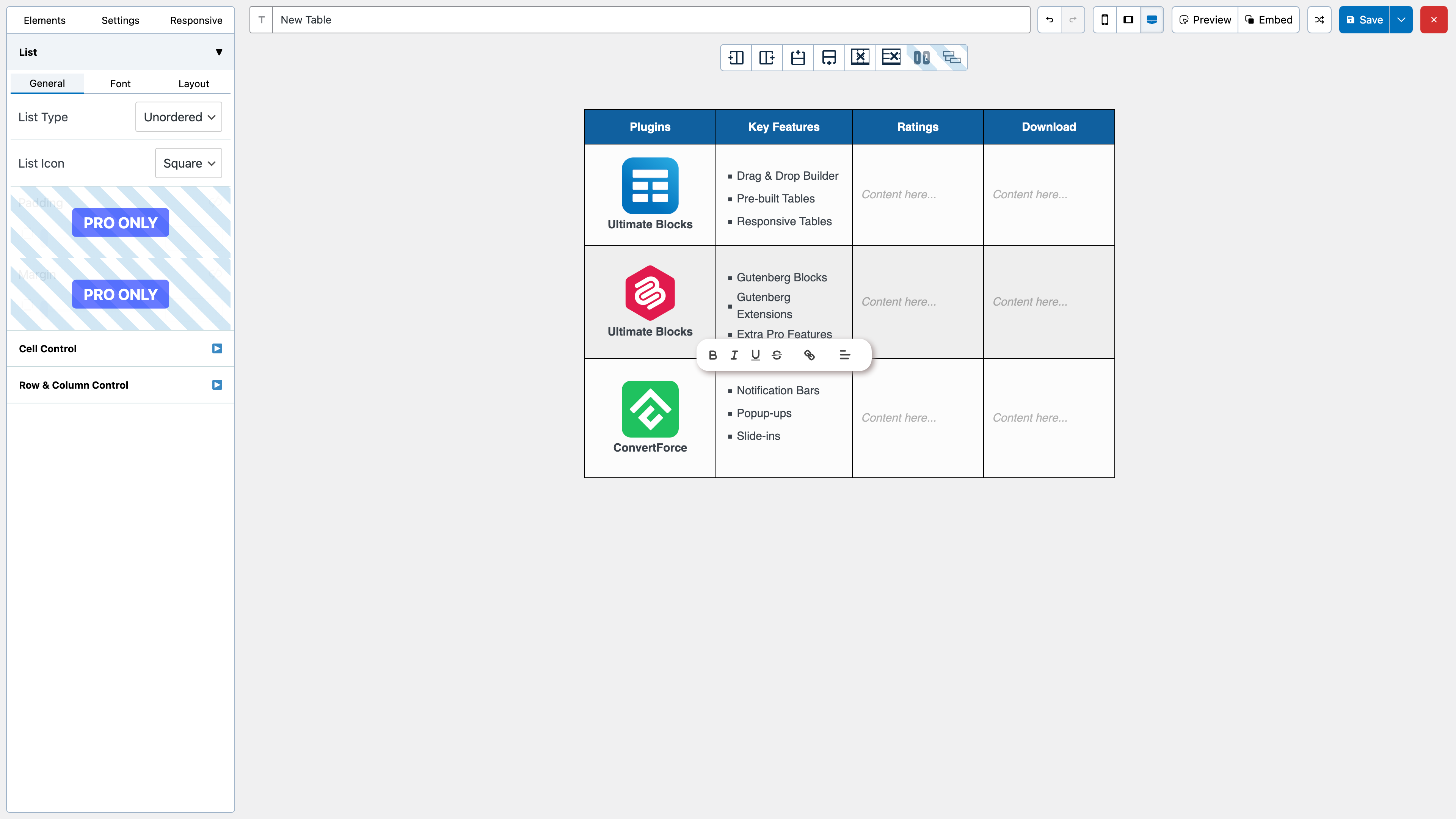
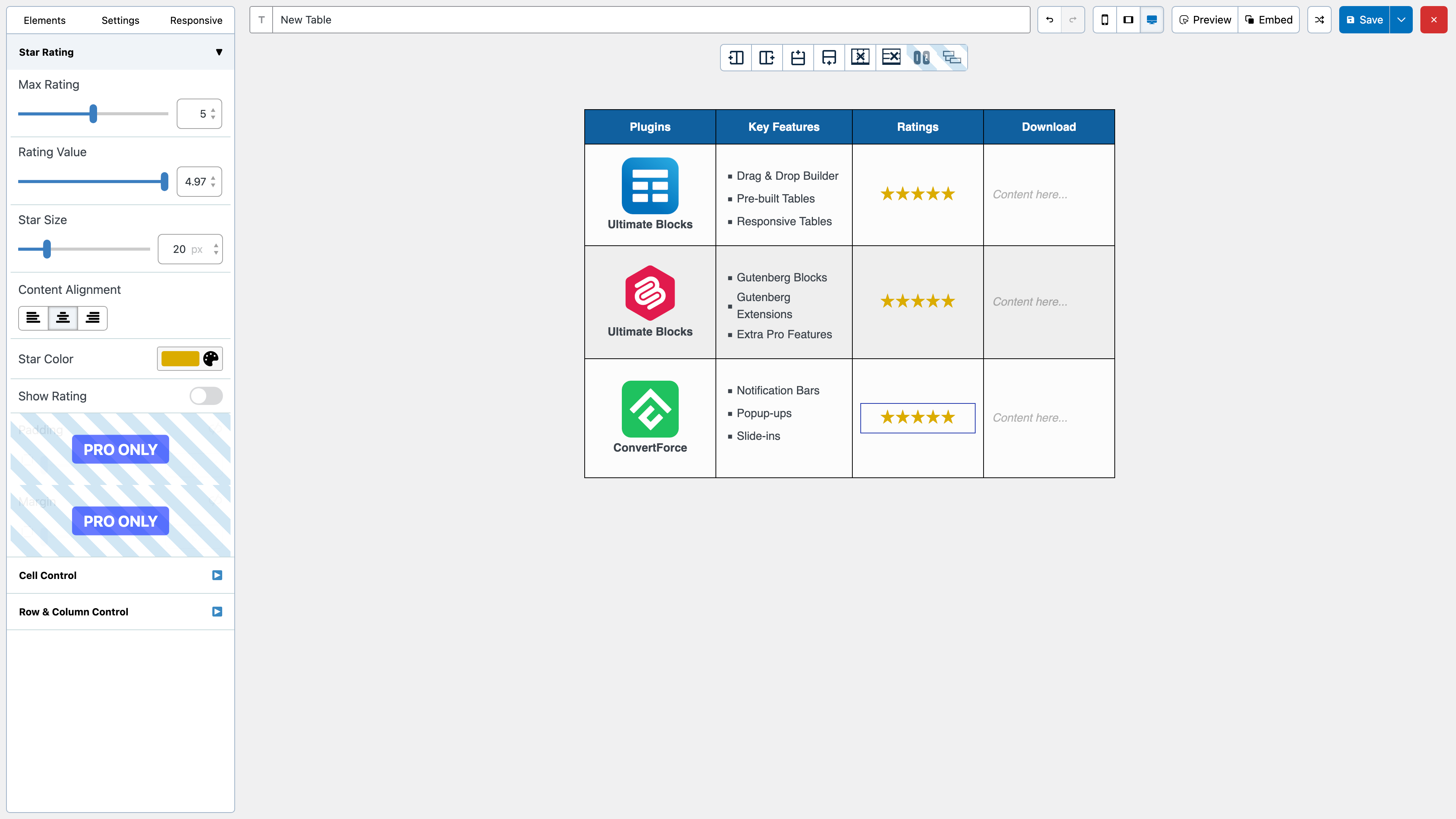
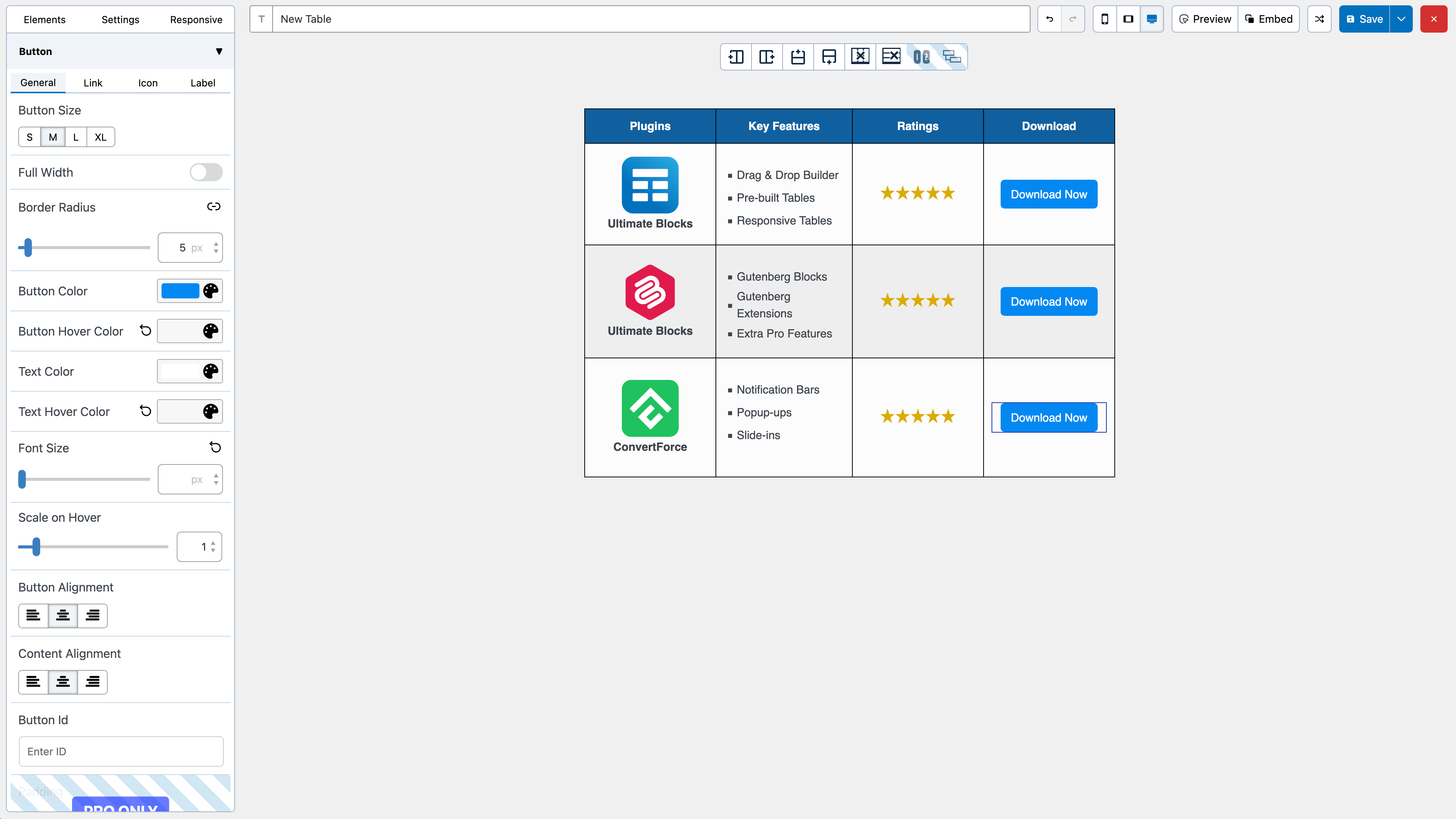
What WP Table Builder highlights on its WordPress.org page and its own website, split by version.
7 of 18 features we track in Table Plugins, feature score 36/100
Edit tables in a spreadsheet-like interface.
Visual drag-and-drop cell builder rather than a spreadsheet grid; good for designed tables, slow for raw data.
Import tables from CSV, Excel or other files.
Free import from CSV, XML and TablePress.
Tables update automatically from a Google Sheet.
No Google Sheets connection; tables are built in the builder or imported once.
Build tables from MySQL queries or external databases.
No MySQL query or external database tables.
List products in a table with add-to-cart buttons.
No WooCommerce product source or add-to-cart integration; product boxes are built by hand.
Tables of posts, pages or custom post types.
Cannot list posts or custom post types automatically.
Tables adapt to mobile with scroll, stack or collapse modes.
Free responsive builder with tablet/mobile settings and stacking; custom breakpoint widths are Pro.
Visitors sort columns and search the table.
Vertical and horizontal sorting are free; the visitor search box needs Pro.
Dropdown or range filters per column.
No per-column filter dropdowns.
Split long tables into pages.
Pro pagination with rows per page.
Colours, themes, merged cells and custom styles.
Colours, borders, fonts and merged cells are free; per-cell backgrounds and templates are Pro.
Highlight cells based on their values.
No value-based cell highlighting; Pro highlights whole rows or columns on hover.
Create charts from table data.
No chart creation from table data.
Logged-in users can edit table data on the front end.
Tables are edited only in the admin builder.
Server-side processing for very large tables.
No server-side processing; lazy loading only applies to images.
Visitors export to CSV, Excel, PDF or print.
Export is an admin CSV/XML tool for moving tables; visitors get no export or print buttons.
Spreadsheet-style formulas or column totals.
No formulas or column totals.
Gutenberg block or page builder widgets.
Gutenberg block included; Elementor and Divi use the shortcode.
On WordPress.org
Unlimited
WordPress.org version with unlimited tables and seven elements.
1 site
All Pro features. Shown as introductory pricing; renewals at full price. Subscriptions do not auto-renew.
Unlimited
All Pro features on unlimited sites.
1 site
One-time payment, lifetime updates and support.
Unlimited
One-time payment, lifetime updates and support.
Prices are list prices from the vendor's site, checked 14 Oct 2026. Many vendors discount the first year.
Free installs from WordPress.org, the vendor's own claim, and our estimate of paid installs.
Active installations reported by WordPress.org.
Sites/users claimed on the vendor's website. source
Our estimate, see method below.
How we estimated this: The vendor figure (50K+) is within WordPress.org's rounding of the free installs, so it says nothing about paid sites. About 55K free installs x 4% (the usual share of free sites that also run the paid version when most features are free) gives 2.2K. Likely range: 1.1K to 4.4K. This counts sites running the paid version, including sites whose licence has lapsed. Estimates are rough and based on public figures as of 14 Oct 2026.
5,234 downloads last week, 2.4M all time
| Version | 2.2.4 |
|---|---|
| Last updated | 12 Oct 2026 (22 days ago) |
| Tested up to | WordPress 7.1.4 |
| Requires | WordPress 4.9+, PHP 7.4+ |
| Support threads (2 months) | 1 of 3 resolved |
| On WordPress.org since | 17 Jul 2019 |
| Refund policy | 30-day money-back (source, 14 Oct 2026) |
|---|
Data-heavy table and chart plugin: Lite imports Excel, CSV, JSON and XML with 23 chart types; paid plans add MySQL, editing and…

Table builder by WPManageNinja with drag-and-drop and data tables; Pro adds Google Sheets, WooCommerce and post tables, filters and front-end editing.

Spreadsheet-style table builder with free formulas, responsive modes and server-side processing; Pro adds imports, live data sources, charts and editing.

Popular free table plugin with a spreadsheet-style editor, sorting, search and formulas; Pro and Max add responsive modes, filters and server-side loading.

WPPOOL plugin (formerly Sheets to WP Table Live Sync) that shows Google Sheets as live, searchable WordPress tables, with export and AI…

Premium Barn2 plugin that lists WooCommerce products in searchable, filterable tables with quantity pickers and multi-add-to-cart for quick ordering.
Yes. WP Table Builder has a free version on WordPress.org. Paid plans start at $39/yr.
WordPress.org reports 50K+ active installations of the free version. The vendor claims 50K+ sites in total. We estimate around 2.2K sites run the paid version.
Yes: partial. Visual drag-and-drop cell builder rather than a spreadsheet grid; good for designed tables, slow for raw data.
Yes: included. Free import from CSV, XML and TablePress.
No: not included. No Google Sheets connection; tables are built in the builder or imported once.
No: not included. No WooCommerce product source or add-to-cart integration; product boxes are built by hand.
Yes: included. Free responsive builder with tablet/mobile settings and stacking; custom breakpoint widths are Pro.
Yes: partial. Vertical and horizontal sorting are free; the visitor search box needs Pro.
No: not included. No chart creation from table data.
Yes. The WordPress.org version includes unlimited tables, seven elements, cell merging, responsive settings, sorting and CSV/XML import. Pro adds search, pagination, sticky rows, more elements and templates.
Yes. The free version imports tables from TablePress as well as CSV and XML files.
There is no dedicated Elementor widget. You place a table in Elementor or Divi with its shortcode; Gutenberg has a native block.
No. Tables are built by hand in the builder. Use a data-table or product-table plugin for live spreadsheets or products.
Yes. Starter Lifetime is $99 for one site and Agency Lifetime is $249 for unlimited sites.
Last updated 14 Oct 2026. Spotted something wrong? Suggest an edit.