
wpDataTables
Data-heavy table and chart plugin: Lite imports Excel, CSV, JSON and XML with 23 chart types; paid plans add MySQL, editing and…
100

Spreadsheet-style table builder with free formulas, responsive modes and server-side processing; Pro adds imports, live data sources, charts and editing.
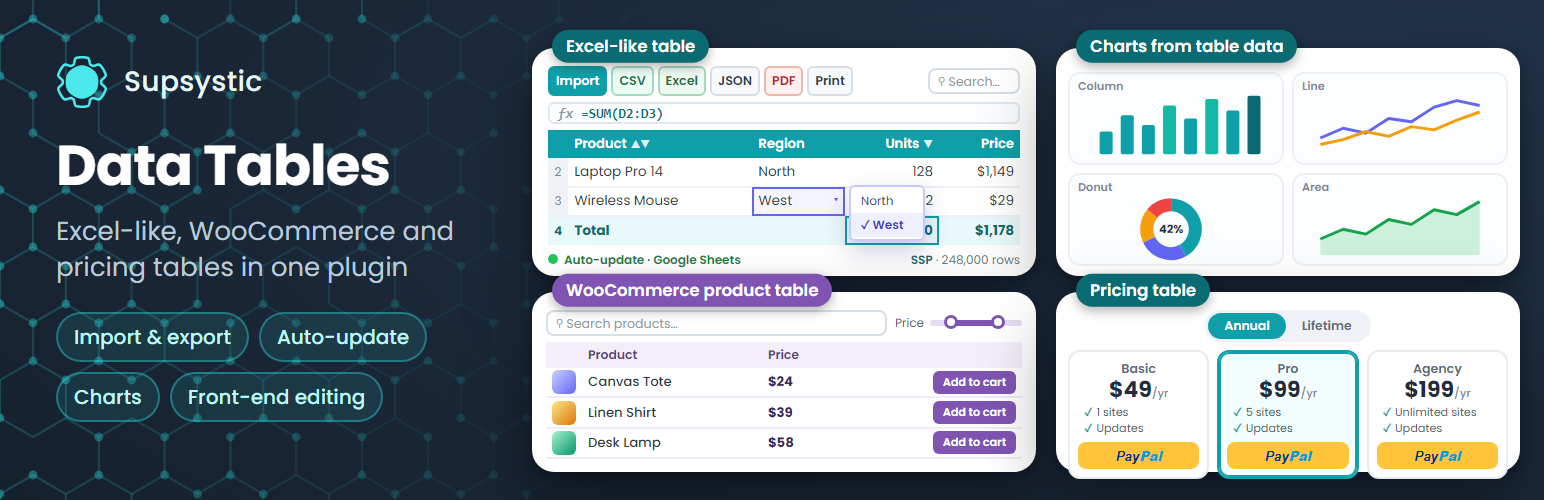
Data Tables Generator by Supsystic is a spreadsheet-style table builder from Supsystic. It has three table types in one wizard: data tables, WooCommerce product tables and drag-and-drop pricing tables. Tables are embedded with a Gutenberg block, an Elementor widget or a shortcode, and recent versions include an MCP server so AI assistants can read tables.
The free version is stronger than most on spreadsheet logic. It includes unlimited tables and rows, an Excel-like grid with copy/paste and fill, Excel-style formulas such as SUM, AVERAGE and IF, cell formatting with merged cells, images and video in cells, sorting, search, pagination, collapse/stack/scroll responsive modes and server-side processing for big tables. A basic WooCommerce product table with manual product selection is also free. Data has to be typed or pasted in, though, because file imports are Pro.
All Pro licences have the same features and differ only by site count. Pro adds CSV, Excel and Google Sheets import, live sources (Google Sheets auto-update, MySQL, PostgreSQL, SQLite and scheduled (S)FTP files), charts drawn from table data, conditional formatting, front-end editing for chosen roles, visitor export to CSV, Excel, PDF and print, table history, and WooCommerce filters and templates. A $30 AI add-on lets MCP assistants create and edit tables.
It suits users who want spreadsheet-like formulas and server-side handling of large tables for free, and an affordable Pro upgrade for live data and editing.
Best for: Users who want spreadsheet-style formulas and large-table handling free, with a low-cost upgrade for live data.
Supsystic's generator packs formulas, responsive modes and server-side processing into the free version, which is unusual. Not being able to import files without Pro is a real limit, but the Pro licence is good value for live database and Sheets sources, charts and front-end editing.
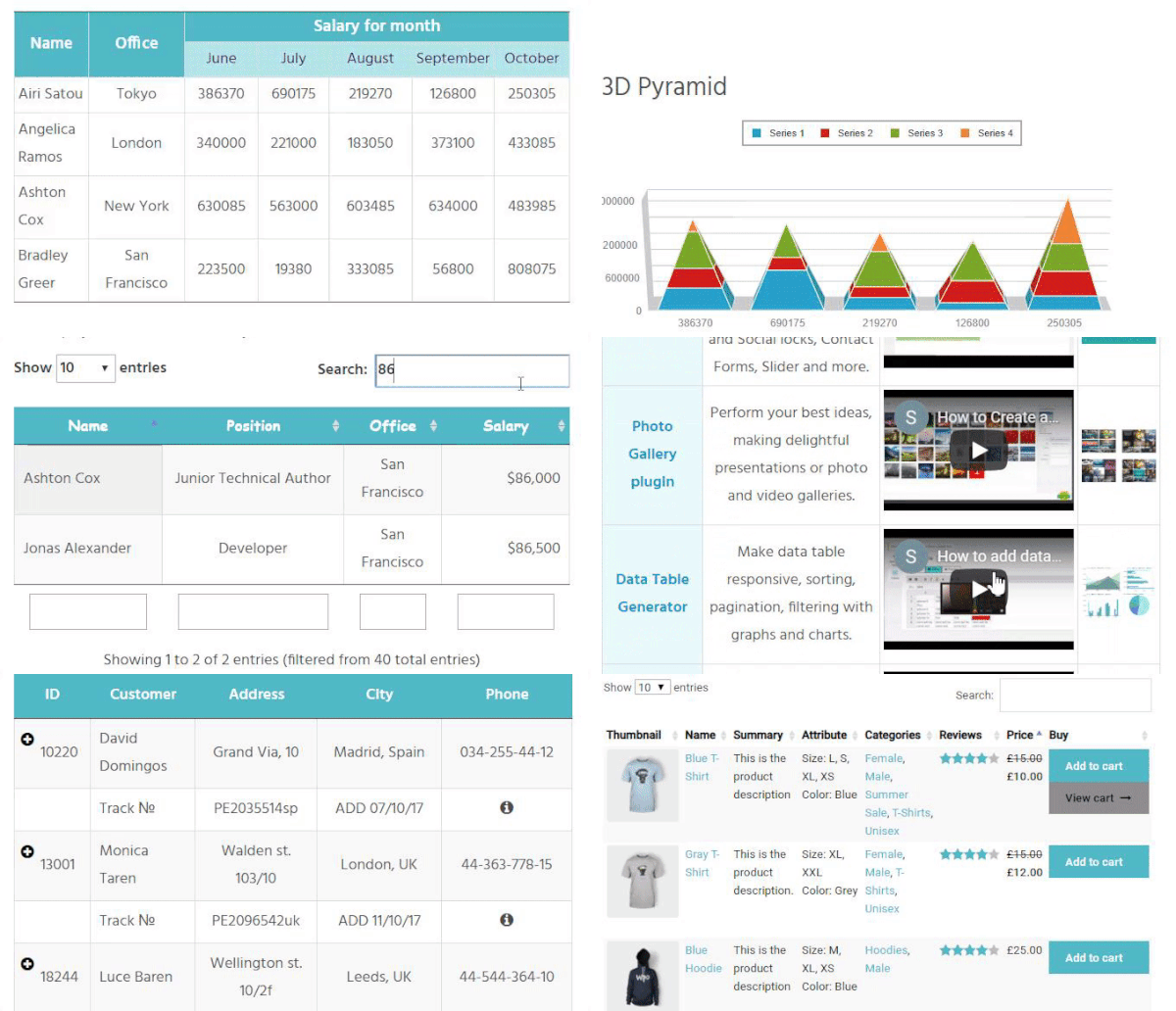
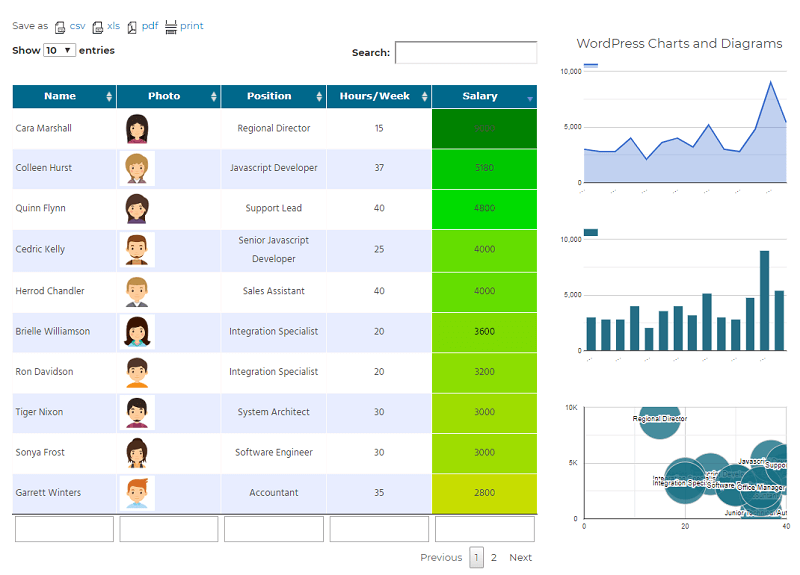
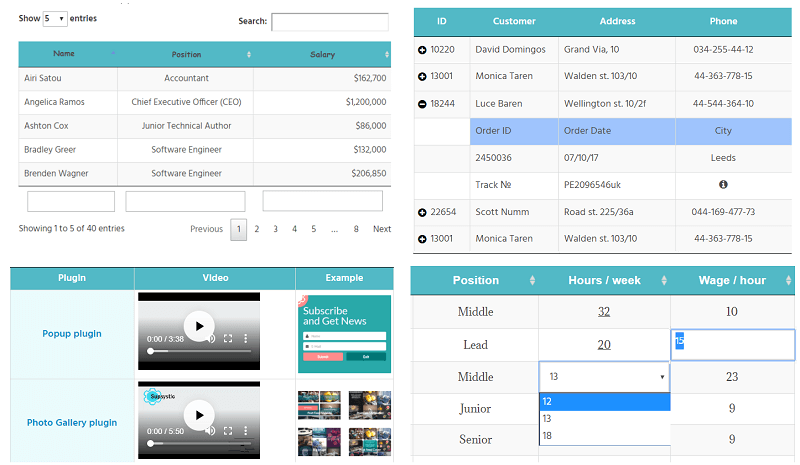
What Data Tables Generator by Supsystic highlights on its WordPress.org page and its own website, split by version.
17 of 18 features we track in Table Plugins, feature score 96/100
Edit tables in a spreadsheet-like interface.
Excel-like cell grid with copy, paste and fill handles in the free version.
Import tables from CSV, Excel or other files.
Free supports manual entry and pasting; CSV, Excel and Google Sheets import is Pro.
Tables update automatically from a Google Sheet.
Google Sheets source re-fetches on a schedule.
Build tables from MySQL queries or external databases.
Build tables from MySQL, PostgreSQL or SQLite queries.
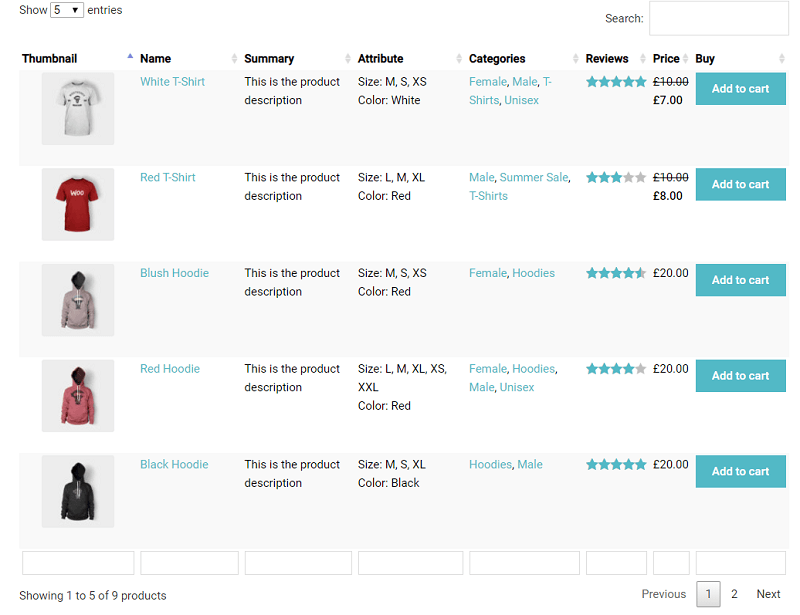
List products in a table with add-to-cart buttons.
Free WooCommerce table with manual products and bulk add-to-cart; filters/categories are Pro.
Tables of posts, pages or custom post types.
No posts or custom post type table type in the free/pro comparison.
Tables adapt to mobile with scroll, stack or collapse modes.
Free collapse, stack or scroll modes for small screens.
Visitors sort columns and search the table.
Sorting and live search on every table in the free version.
Dropdown or range filters per column.
Advanced filtering and search logic, and WooCommerce attribute filters, are Pro.
Split long tables into pages.
Pagination included free.
Colours, themes, merged cells and custom styles.
Free colours, borders, alignment and merged cells; custom fonts need Pro.
Highlight cells based on their values.
Colour cells by value is a Pro feature.
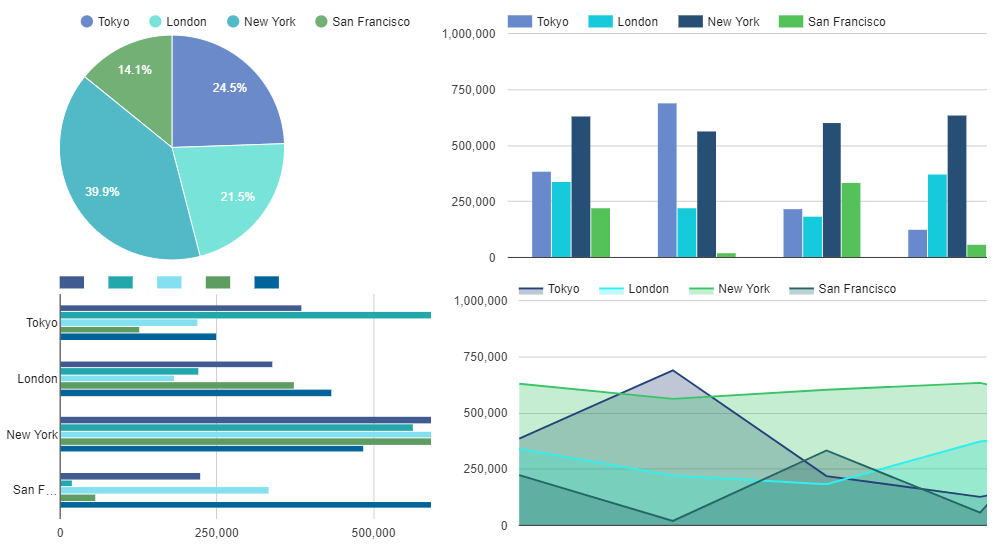
Create charts from table data.
Line, bar, pie, area and bubble charts from table data.
Logged-in users can edit table data on the front end.
Editable cells, dropdowns, date pickers and row removal for logged-in users or roles.
Server-side processing for very large tables.
Server-side processing in the free version loads big tables page by page.
Visitors export to CSV, Excel, PDF or print.
CSV, Excel, PDF and print export, including buttons for visitors.
Spreadsheet-style formulas or column totals.
Free Excel-style formulas such as SUM, AVERAGE and IF per cell.
Gutenberg block or page builder widgets.
Gutenberg block and Elementor widget (added in 1.15.1), plus shortcode.
On WordPress.org
Unlimited
Unlimited tables and rows, formulas, responsive modes, server-side processing.
1 site
Introductory price (regular $79) that renews at $59. 3 years $149; lifetime $199. 30-day refund.
5 sites
Introductory price (regular $149), renews at $119. 3 years $299; lifetime $599.
Unlimited
Introductory price (regular $299), renews at $229. 3 years $569; lifetime $1,199.
Prices are list prices from the vendor's site, checked 14 Oct 2026. Many vendors discount the first year.
Free installs from WordPress.org, the vendor's own claim, and our estimate of paid installs.
Active installations reported by WordPress.org.
Sites/users claimed on the vendor's website. source
Our estimate, see method below.
How we estimated this: The vendor figure (19,700+) is within WordPress.org's rounding of the free installs, so it says nothing about paid sites. About 15K free installs x 8% (the usual share of free sites that also run the paid version when some key features are paid) gives 1.2K. Likely range: 600 to 2.4K. This counts sites running the paid version, including sites whose licence has lapsed. Estimates are rough and based on public figures as of 14 Oct 2026.
7,638 downloads last week, 1.8M all time
| Version | 1.15.8 |
|---|---|
| Last updated | 2 Nov 2026 (1 days ago) |
| Tested up to | WordPress 7.1.4 |
| Requires | WordPress +, PHP 7.3+ |
| Support threads (2 months) | 1 of 1 resolved |
| On WordPress.org since | 12 May 2015 |
| Refund policy | 30-day money-back (source, 14 Oct 2026) Every Pro licence has a 30-day full refund guarantee. |
|---|
 Data Tables Generator by Supsystic/TablePress
 Ninja Tables/Data Tables Generator by SupsysticData Tables Generator by Supsystic/wpDataTables
 WooCommerce Product Table/Data Tables Generator by Supsystic
 Data Tables Generator by Supsystic/WP Table Builder
 Data Tables Generator by Supsystic/Tableberg
 FlexTable/Data Tables Generator by Supsystic
Data-heavy table and chart plugin: Lite imports Excel, CSV, JSON and XML with 23 chart types; paid plans add MySQL, editing and…
Table builder by WPManageNinja with drag-and-drop and data tables; Pro adds Google Sheets, WooCommerce and post tables, filters and front-end editing.
Popular free table plugin with a spreadsheet-style editor, sorting, search and formulas; Pro and Max add responsive modes, filters and server-side loading.
WPPOOL plugin (formerly Sheets to WP Table Live Sync) that shows Google Sheets as live, searchable WordPress tables, with export and AI…
Premium Barn2 plugin that lists WooCommerce products in searchable, filterable tables with quantity pickers and multi-add-to-cart for quick ordering.
Drag-and-drop WordPress table builder by DotCamp for comparison, pricing and list tables, with cell elements, responsive stacking and CSV import.
Yes. Data Tables Generator by Supsystic has a free version on WordPress.org. Paid plans start at $59/yr.
WordPress.org reports 10K+ active installations of the free version. The vendor claims 19,700+ sites in total. We estimate around 1.2K sites run the paid version.
Yes: included. Excel-like cell grid with copy, paste and fill handles in the free version.
Yes: paid version (Personal). Free supports manual entry and pasting; CSV, Excel and Google Sheets import is Pro.
Yes: paid version (Personal). Google Sheets source re-fetches on a schedule.
Yes: included. Free WooCommerce table with manual products and bulk add-to-cart; filters/categories are Pro.
Yes: included. Free collapse, stack or scroll modes for small screens.
Yes: included. Sorting and live search on every table in the free version.
Yes: paid version (Personal). Line, bar, pie, area and bubble charts from table data.
There are no row or table limits, and formulas, responsive modes and server-side processing are free. Importing files, live data sources, charts, export and front-end editing need Pro.
$59/year for one site, $119 for five and $229 for unlimited. Three-year and lifetime licences are also available, and every tier has the same features.
Yes, with Pro. Tables can be built from MySQL, PostgreSQL or SQLite queries and refreshed on a schedule.
It has a Gutenberg block and an Elementor widget, and shortcodes work in builders such as WPBakery and Divi.
Last updated 14 Oct 2026. Spotted something wrong? Suggest an edit.