



Duplicator
WordPress migration and backup plugin that packages a site into an archive plus standalone installer; Pro adds scheduling, cloud storage and staging.
86

Free WordPress migration and cloning plugin from the BlogVault team that moves sites up to 200 GB via its own servers, with automatic search-replace.

Migrate Guru is a free migration and cloning plugin built by the team behind BlogVault. It is listed here because it is often considered alongside backup plugins, but it is not a backup tool: it does not create scheduled backups, keep restore points or restore a broken site. Its single job is moving a WordPress site from one host or domain to another.
You install the plugin on both the source and destination sites and paste a migration key from the destination. Migrate Guru then copies the source site to BlogVault’s servers and pushes it to the new host. Because the processing happens off your server, it can handle large sites (up to 200 GB) without timeouts or extra load, and a 1 GB site typically moves in under 30 minutes. The temporary copy is deleted after the move.
There is no backup scheduling, storage, retention or restore. It cannot migrate to or from localhost, and moving a multisite subsite to a separate domain is not supported. WordPress must already be installed at the destination, and each user is limited to a few migrations per month. Your site data passes through the vendor’s servers, which some organisations will want to review.
Choose Migrate Guru when you need a reliable one-off move or clone of a large site, then pair it with a real backup plugin or service for ongoing protection.
Best for: Anyone who needs a free, dependable one-off migration or clone of a large WordPress site to a new host or domain.
Migrate Guru is one of the simplest ways to move a large WordPress site, and it is completely free. Because it has no backup, scheduling or restore features, it complements a backup plugin rather than replacing one.
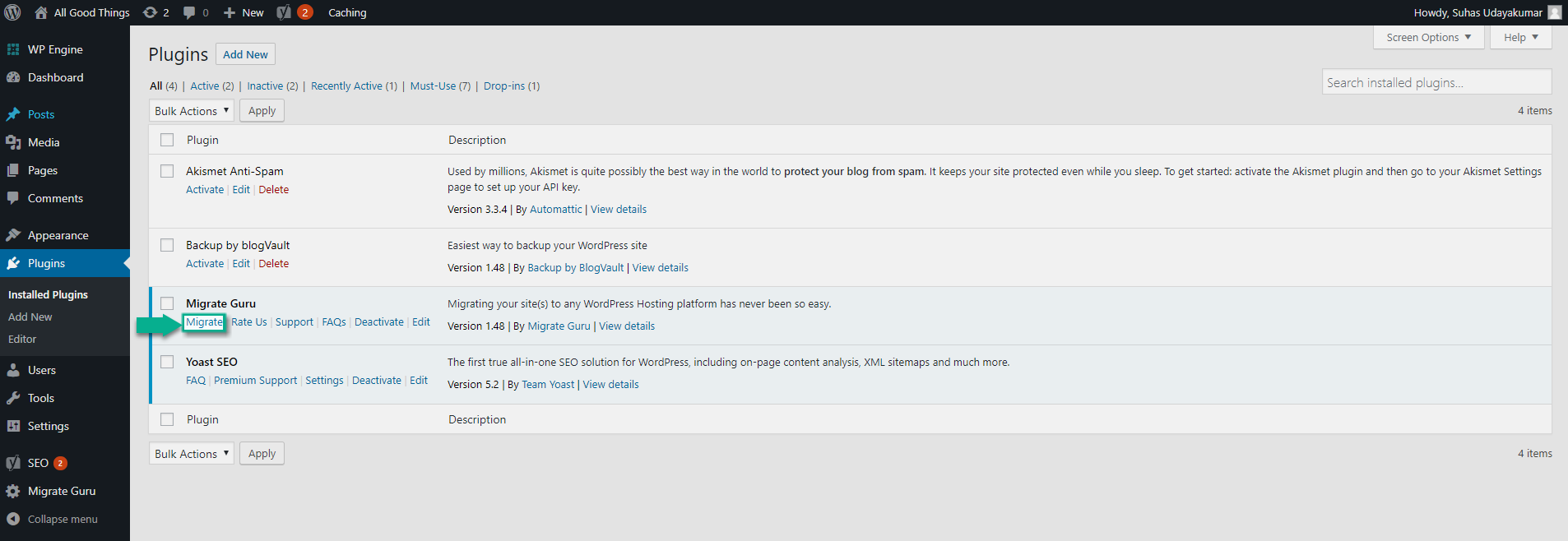
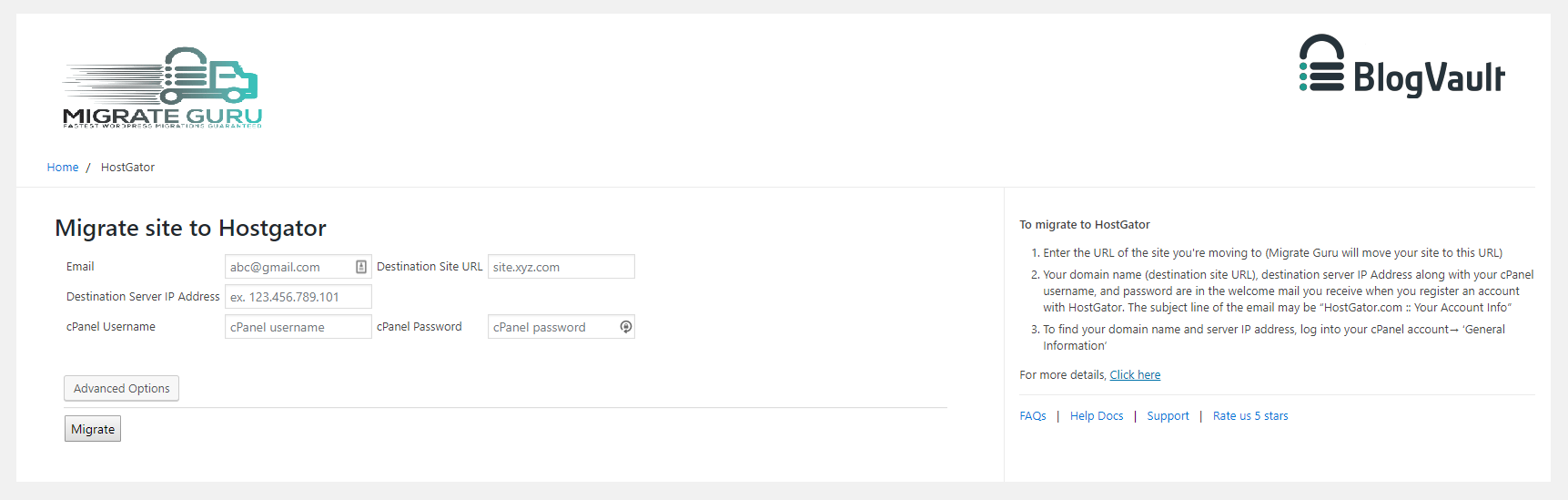


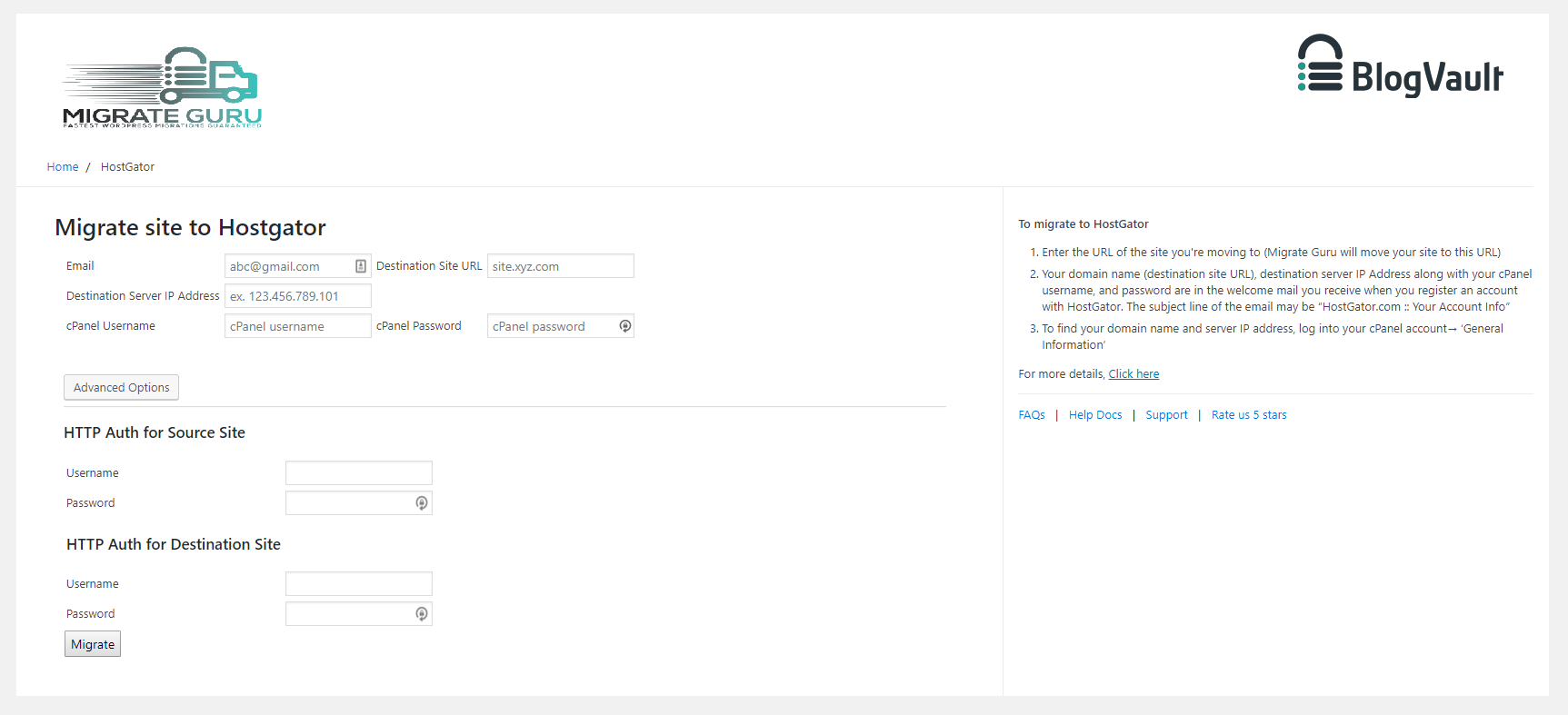
What Migrate Guru highlights on its WordPress.org page and its own website, split by version.
4 of 23 features we track in Backup & Migration, feature score 13/100
Automatic backups on a schedule (daily, weekly and so on).
Migration-only plugin with no backup feature.
Only backs up what changed since the last backup, saving time and space.
Migration-only plugin with no backup feature.
Backs up changes as they happen, useful for stores with constant orders.
Migration-only plugin with no backup feature.
Database-only or files-only backups, include/exclude folders and tables.
Migrates the whole site; no selective backups.
Backups stored on the vendor's own cloud, no separate storage account needed.
Uses vendor servers only as a temporary copy during migration, deleted afterwards.
Encrypts backup archives or the database export.
No backup archives are created, so there is nothing to encrypt.
Send backups to Google Drive.
Migration-only plugin with no backup feature.
Send backups to Dropbox.
Migration-only plugin with no backup feature.
Send backups to Amazon S3.
Migration-only plugin with no backup feature.
Backblaze B2, Wasabi, DigitalOcean Spaces and other S3-compatible services.
Migration-only plugin with no backup feature.
Send backups to OneDrive.
Migration-only plugin with no backup feature.
Send backups to your own server over FTP or SFTP.
FTP/cPanel details are only an optional migration method, not a backup destination.
Restore a backup from the WordPress dashboard.
No restore function; migration only.
Restore from outside WordPress (vendor dashboard or standalone installer) if the site won't load.
No restore function; migration only.
Move or clone a site to a new host or domain.
Free one-click migration or cloning of sites up to 200 GB to a new host or domain.
Rewrites URLs and paths in the database during migration.
Automatic search-replace that handles serialized data.
Create a staging copy to test changes, then push them live.
Can clone to another location, but no staging with push-to-live.
Back up and restore WordPress multisite networks.
Migrates multisite networks, but not subsites to separate domains; no backups.
Keep a set number of backups or delete old ones automatically.
Migration-only plugin with no backup feature.
Email reports when backups succeed or fail.
Email alerts on migration status, not on backups.
Manage backups for many sites from one dashboard.
No central dashboard for multiple sites.
Run backups and restores from the command line.
No WP-CLI commands documented; migrations run from the WordPress admin.
Rebrand the plugin for client sites.
No white-label option in the free plugin.
On WordPress.org
Unlimited
Fully free; no paid edition. Limited to a few migrations per user per month.
Prices are list prices from the vendor's site, checked 14 Oct 2026. Many vendors discount the first year.
Free installs from WordPress.org, the vendor's own claim, and our estimate of paid installs.
Active installations reported by WordPress.org.
The vendor does not publish a total.
There is no paid version.
10,343 downloads last week, 2.8M all time
| Version | 6.72 |
|---|---|
| Last updated | 28 Aug 2026 (67 days ago) |
| Tested up to | WordPress 7.1.4 |
| Requires | WordPress 4.0+, PHP 7.0+ |
| Support threads (2 months) | 7 of 7 resolved |
| On WordPress.org since | 8 Aug 2017 |
WordPress migration and backup plugin that packages a site into an archive plus standalone installer; Pro adds scheduling, cloud storage and staging.

Freemium WordPress backup, restore and migration plugin with scheduled backups to Google Drive, Dropbox, S3 and FTP, plus a Premium tier for…

Free WordPress backup, migration and staging plugin with scheduled cloud backups; Pro adds incremental backups, push-to-live staging and white label.

Job-based WordPress backup plugin from WP Media with free scheduling to Dropbox, S3, FTP and Azure; Pro adds Google Drive, encryption and…

Paid SaaS backup service for WordPress with off-site incremental backups, real-time WooCommerce sync, staging and migration from one dashboard.

Freemium WordPress backup, restore and migration plugin from Softaculous with local, FTP and Google Drive storage free and more destinations in Pro.
Yes. Migrate Guru has a free version on WordPress.org.
WordPress.org reports 200K+ active installations of the free version.
No: not included. Migration-only plugin with no backup feature.
No: not included. Migration-only plugin with no backup feature.
No: not included. No restore function; migration only.
Yes: included. Free one-click migration or cloning of sites up to 200 GB to a new host or domain.
No. It only migrates or clones sites. It has no scheduled backups, stored restore points or restore function, so use it alongside a backup plugin.
Yes. There is no paid version, even for large sites, although each user is limited to a few migrations per month.
Sites up to about 200 GB are supported. The vendor says a 1 GB site usually migrates in under 30 minutes.
It can migrate whole multisite networks, but not a subsite to its own domain. Migrations to or from localhost are not supported.
Last updated 5 Oct 2026. Spotted something wrong? Suggest an edit.