
CartFlows
Funnel builder and checkout replacement for WooCommerce from Brainstorm Force, with modern checkout layouts, order bumps, upsells and A/B testing.
81

WP Desk's checkout field manager for the classic WooCommerce checkout, with conditional logic, field fees and extra sections in the PRO version.
Flexible Checkout Fields is a WooCommerce checkout field editor from WP Desk, a Polish developer with a large catalogue of WooCommerce plugins. It lets you edit, hide, reorder and add fields on the billing, shipping and order sections of the checkout, and choose where the values are shown afterwards.
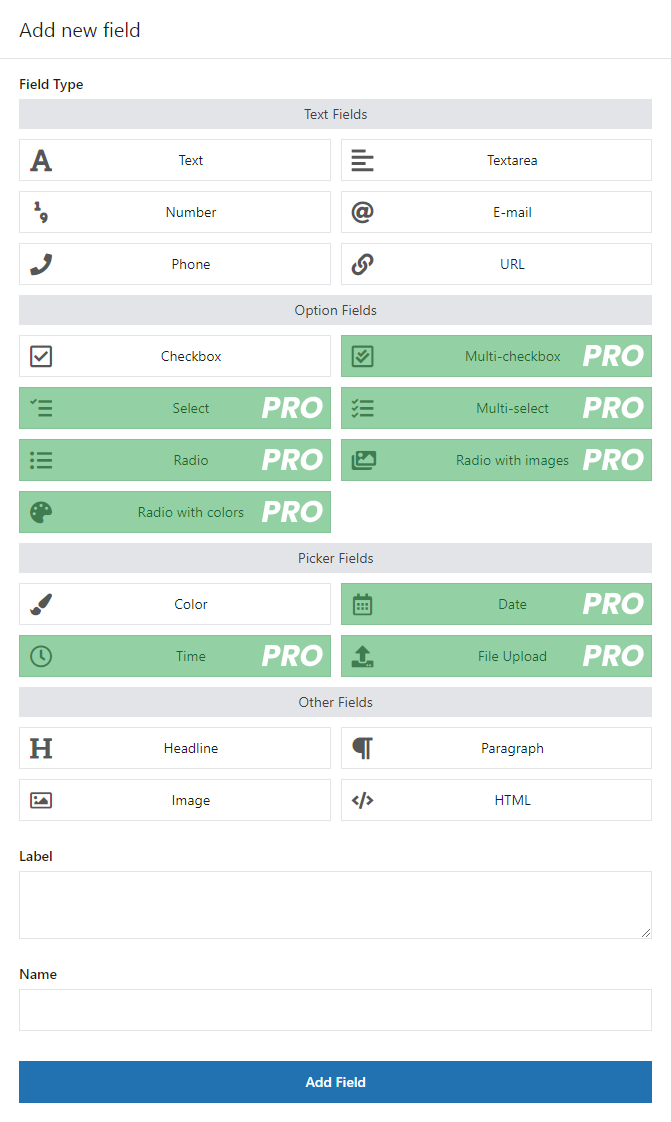
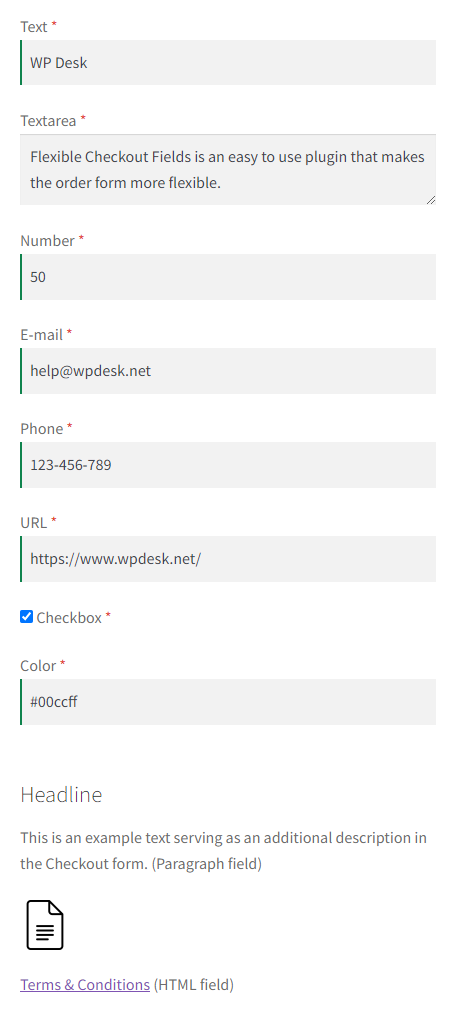
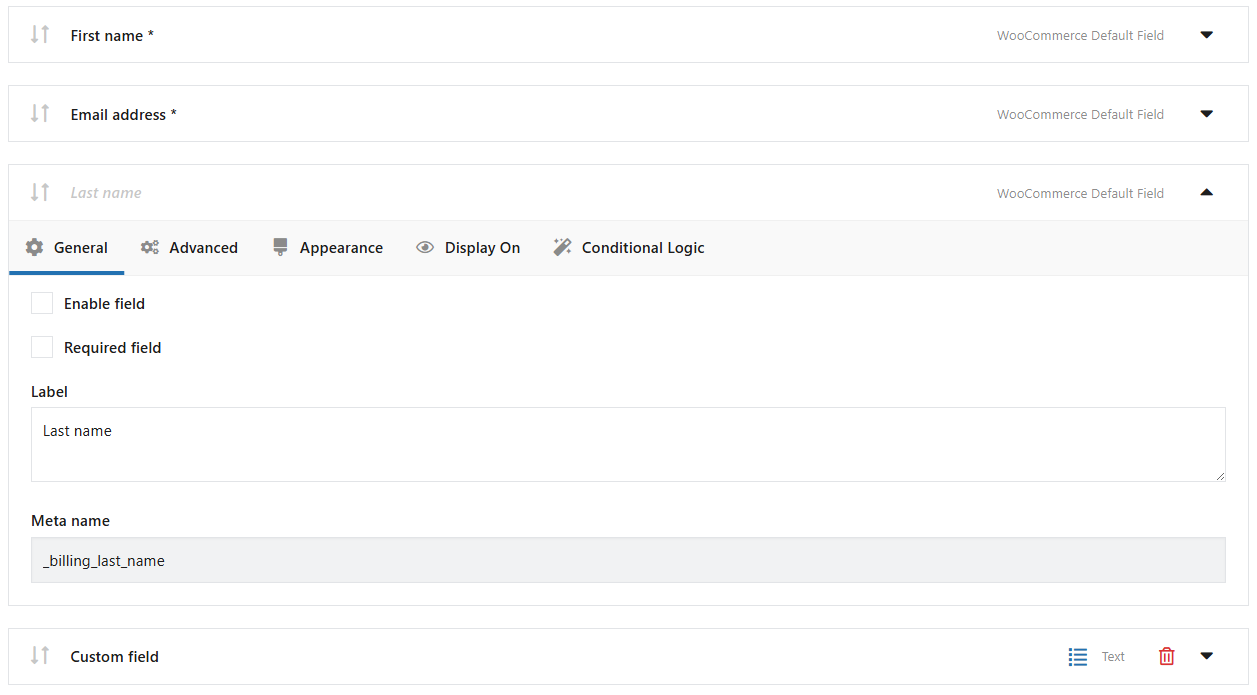
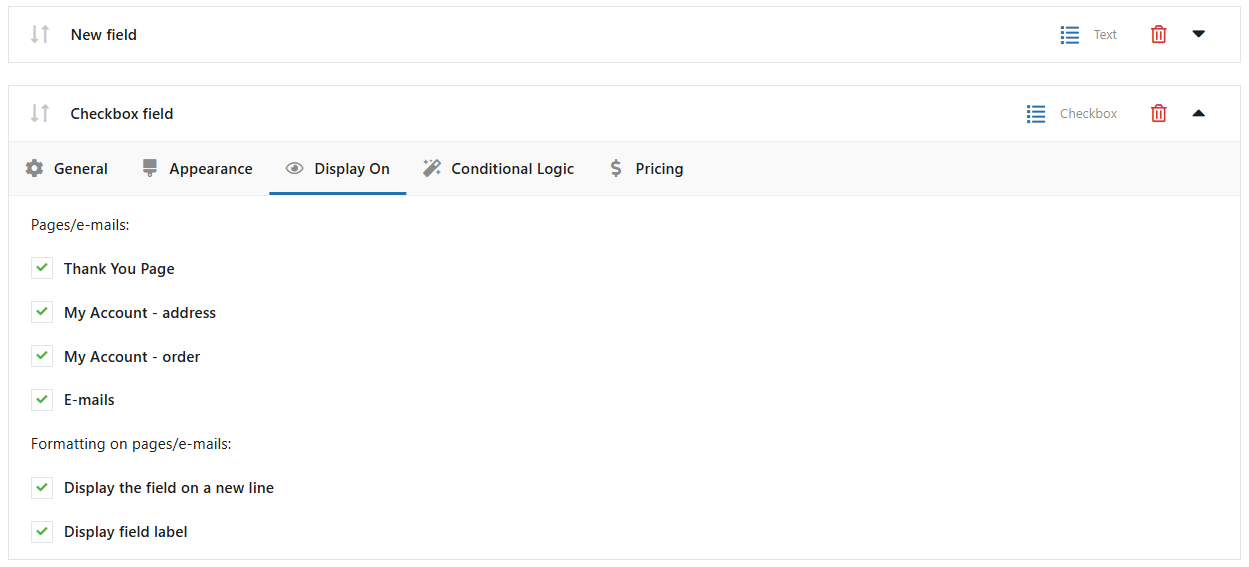
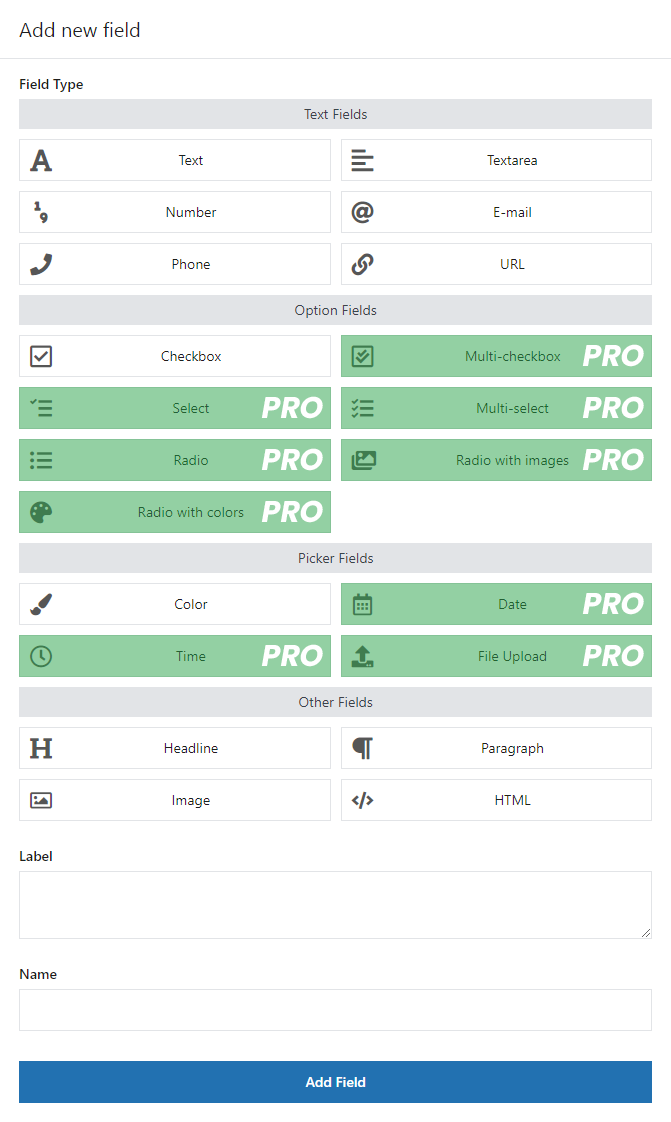
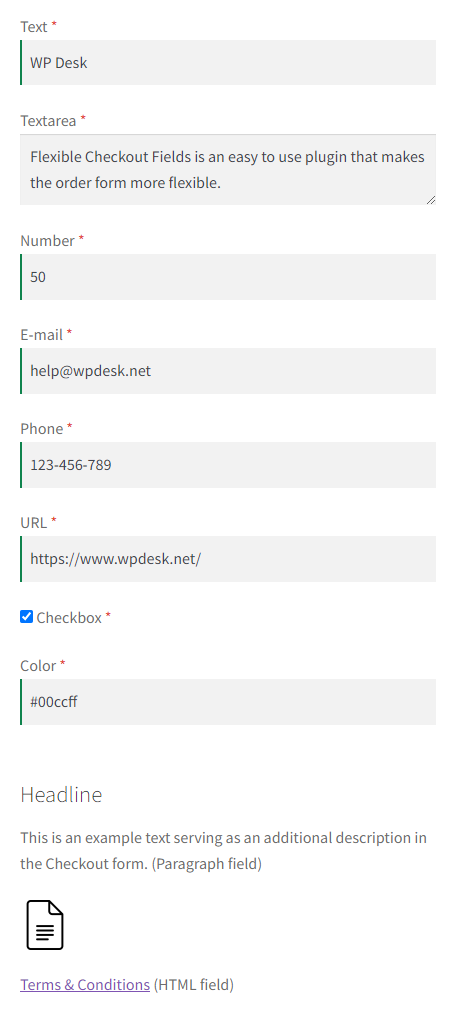
The free version covers the core editing work: change labels, placeholders and required status, hide or remove fields, drag fields into a new order, add CSS classes and set validation. It offers 12 field types (text, textarea, number, email, phone, URL, checkbox, colour, headline, paragraph, image and HTML). A Display On setting controls whether each field appears on the Thank You page, the My Account address and order screens, and in emails. WPML and Polylang are supported, and HPOS compatibility was added in version 3.5.
The main limitation is the checkout type. This plugin targets the classic shortcode checkout only. For the block-based checkout WP Desk publishes a separate plugin, Checkout Fields for Blocks, with its own paid add-ons for conditional fields and field pricing. That split makes the product line less straightforward than editors that cover both checkouts in one plugin. Like other field editors, it does not redesign the checkout or add order bumps, upsells or cart recovery.
Choose Flexible Checkout Fields if your store still uses the classic checkout and you want flexible conditional fields and fees for a single-site price around $59 a year.
Best for: Stores on the classic WooCommerce checkout that need conditional fields or field fees.
Flexible Checkout Fields is a capable classic-checkout editor with useful free display controls and strong PRO conditional logic and fees. Its limitation is the split product line: block checkout stores need WP Desk's separate Checkout Fields for Blocks plugin instead.
What Flexible Checkout Fields highlights on its WordPress.org page and its own website, split by version.
8 of 18 features we track in WooCommerce Checkout, feature score 41/100
Add, remove, reorder and rename checkout fields.
Edit, hide, remove and drag-and-drop reorder billing, shipping and order fields.
File upload, date, select, checkbox and other field types.
Free has 12 types (text, checkbox, colour, image…); select, radio, date, time and file upload are PRO.
Show fields based on products, cart or other answers.
AND/OR rules by shipping or payment method, cart, category, role, date and other fields.
Fields or options that add a fee to the order.
Fixed or percentage-based fees attached to fields.
Custom field values appear in emails, orders and My Account.
Display On setting shows fields on Thank You page, My Account and in emails.
Redesigned checkout layouts built for conversion.
Edits fields only; no redesigned checkout layouts.
Split checkout into steps.
Not part of this plugin; it adds fields to the single-page checkout.
Skip the cart or combine product and checkout on one page.
No skip-cart or product-page checkout feature.
Google Places or similar address lookup.
No address lookup listed in the free or PRO feature lists.
Apple Pay, Google Pay or PayPal buttons at the top of checkout.
No wallet or express payment buttons.
Add-on offers inside the checkout.
No checkout offers or bumps.
Post-purchase upsell offers.
No post-purchase upsells.
Capture emails and send recovery messages.
No abandoned cart capture or recovery.
Conversion stats or split tests of checkouts.
No conversion stats or split testing.
Design the order received page.
Can show field values on the Thank You page but does not redesign it.
Declared compatible with WooCommerce High-Performance Order Storage.
HPOS support added in versions 3.5.0 and 3.6.0 per the changelog.
Works with the block-based Cart and Checkout.
Needs WP Desk's separate free Checkout Fields for Blocks plugin; its conditional and pricing add-ons are paid.
Design checkout with Elementor, the block editor or similar.
Works only on the WooCommerce checkout page; no page builder checkout design.
On WordPress.org
Unlimited
WordPress.org version with 12 field types and Display On settings.
1 site
Renews at the same price; 30-day money-back guarantee.
1 site
All 25 WP Desk PRO plugins for one site (marked as a limited-time offer).
25 sites
All 25 WP Desk PRO plugins for up to 25 sites.
Prices are list prices from the vendor's site, checked 14 Oct 2026. Many vendors discount the first year.
Free installs from WordPress.org, the vendor's own claim, and our estimate of paid installs.
Active installations reported by WordPress.org.
Sites/users claimed on the vendor's website. source
Our estimate, see method below.
How we estimated this: About 85K free installs x 12% (the usual share of free sites that also run the paid version when some key features are paid, and store owners upgrade more often) gives 10K. The vendor claims 239K+ sites in total. Taking away about 85K free installs leaves 150K, and 80% of that is 120K. Vendor totals are loose, so we only move our figure part of the way toward it, from 10K to 13K. Likely range: 6.5K to 26K. This counts sites running the paid version, including sites whose licence has lapsed. Estimates are rough and based on public figures as of 14 Oct 2026.
12,222 downloads last week, 3.8M all time
| Version | 4.1.44 |
|---|---|
| Last updated | 22 Oct 2026 (11 days ago) |
| Tested up to | WordPress 7.1.4 |
| Requires | WordPress 6.4+, PHP 7.4+ |
| Support threads (2 months) | 4 of 4 resolved |
| On WordPress.org since | 7 Sep 2016 |
| Refund policy | 30-day money-back (source, 14 Oct 2026) |
|---|
 CheckoutWC/Flexible Checkout Fields
 Flexible Checkout Fields/FunnelKit Funnel BuilderCartFlows/Flexible Checkout Fields
 Flexible Checkout Fields/Fluid Checkout
 Direct Checkout for WooCommerce/Flexible Checkout Fields
 Flexible Checkout Fields/Checkout Field Editor (Woo)
 Flexible Checkout Fields/Checkout Field Editor for WooCommerce (ThemeHigh)
Funnel builder and checkout replacement for WooCommerce from Brainstorm Force, with modern checkout layouts, order bumps, upsells and A/B testing.
WooCommerce funnel and checkout builder with custom checkout pages, order bumps, one-click upsells, A/B tests and analytics, built with your page builder.
Drop-in replacement for the WooCommerce checkout with ready-made templates, express payments, order bumps, side cart and cart recovery, from Kestrel.
WooCommerce checkout field editor from ThemeHigh: add, edit and reorder fields for classic and block checkout, with conditional and price fields in…
Lightweight multi-step or single-step WooCommerce checkout redesign with a free Lite version and PRO templates, express buttons and an optimised cart.
Official Woo Marketplace extension for adding, editing and reordering fields on the classic WooCommerce checkout, sold by Woo at $49 a year.
Yes. Flexible Checkout Fields has a free version on WordPress.org. Paid plans start at $59/yr.
WordPress.org reports 80K+ active installations of the free version. The vendor claims 239K+ sites in total. We estimate around 13K sites run the paid version.
Yes: included. Edit, hide, remove and drag-and-drop reorder billing, shipping and order fields.
Yes: paid version (Plugin PRO). AND/OR rules by shipping or payment method, cart, category, role, date and other fields.
No: not included. Edits fields only; no redesigned checkout layouts.
No: not included. No checkout offers or bumps.
Yes: via add-on. Needs WP Desk's separate free Checkout Fields for Blocks plugin; its conditional and pricing add-ons are paid.
No. It targets the classic shortcode checkout. WP Desk offers a separate free plugin, Checkout Fields for Blocks, for the block-based checkout, with paid add-ons for conditional fields and field pricing.
Conditional logic, field pricing, extra checkout sections and field types such as select, radio, date, time and file upload.
Yes, in the free version. Each field can be shown on the Thank You page, in My Account (address and order views) and in emails.
$59 per year for one site. WP Desk also sells an all-plugins bundle at $99 per year for one site or $199 for 25 sites.
Last updated 14 Oct 2026. Spotted something wrong? Suggest an edit.