

Easy WP SMTP
SendLayer's SMTP plugin with a setup wizard and 10 free mailers; Pro adds Gmail, Microsoft 365, SES, logs, alerts, backup and routing.
97

Widely used SMTP plugin from the WPForms team: 15 mailers free, with logs, alerts, backup connections and smart routing in Pro.

WP Mail SMTP replaces WordPress’s default PHP mail with a properly authenticated connection to an email provider, so contact forms, WooCommerce receipts and password resets stop landing in spam or disappearing. It is built by the WPForms team at Awesome Motive and is the most installed SMTP plugin on WordPress.org.
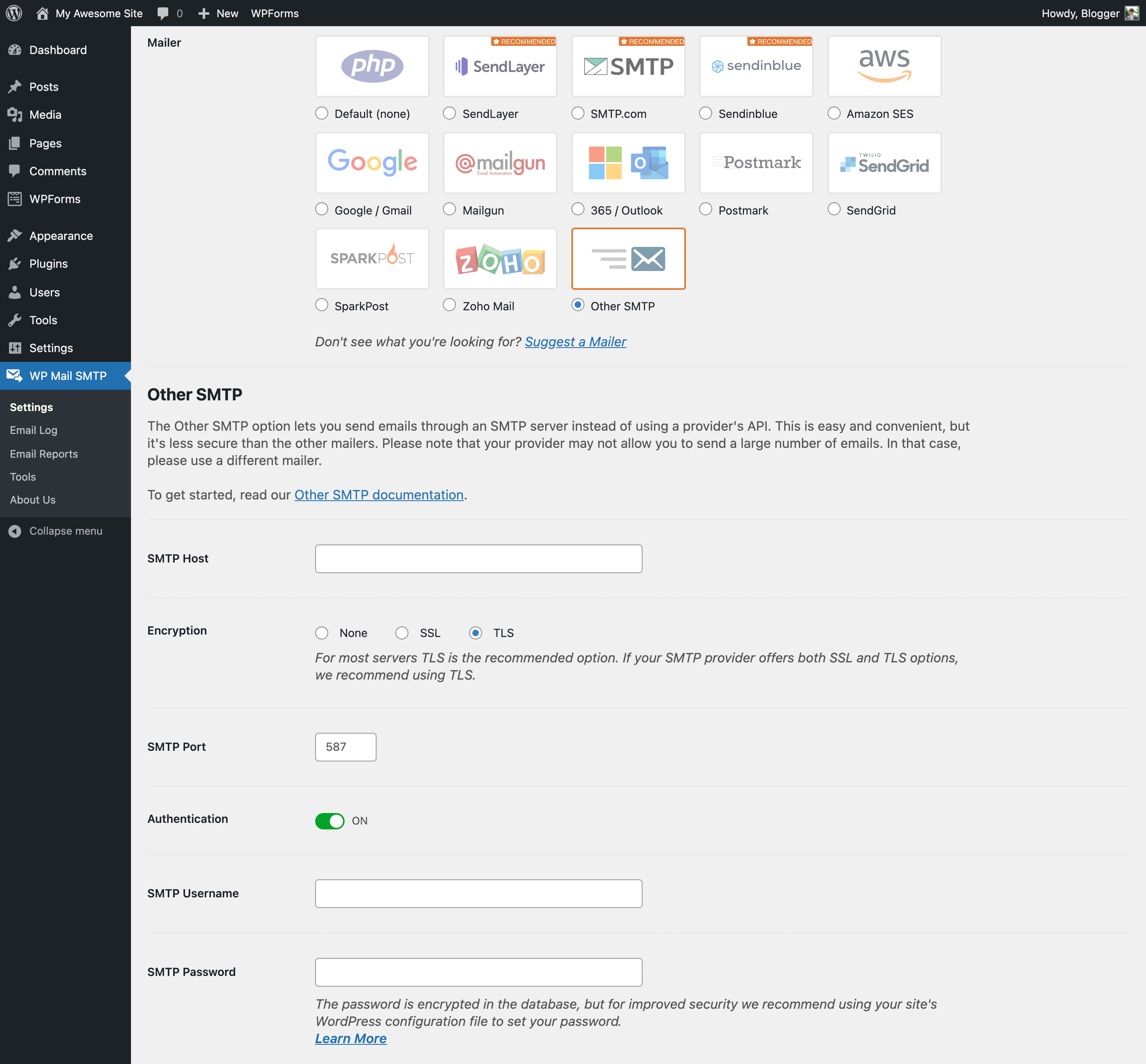
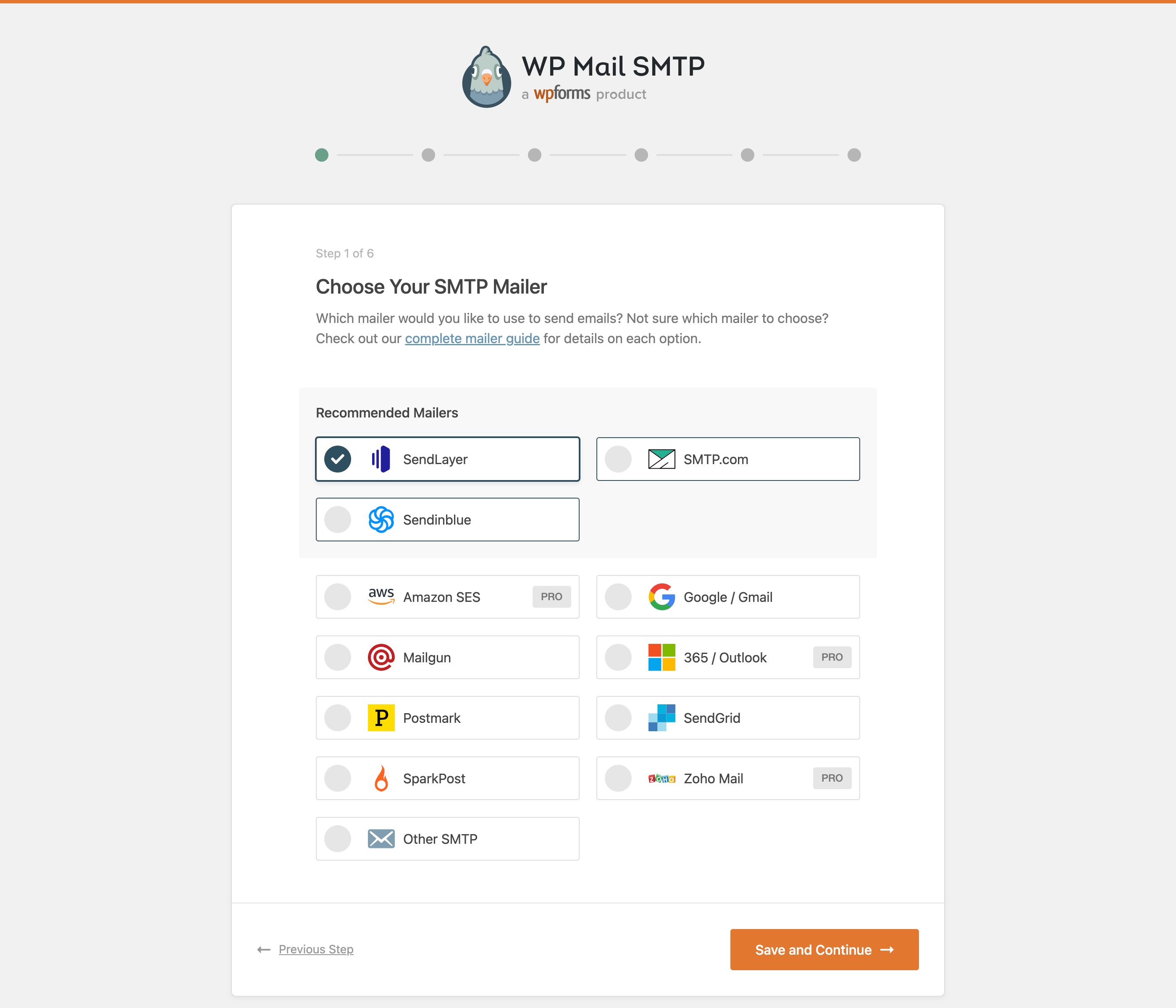
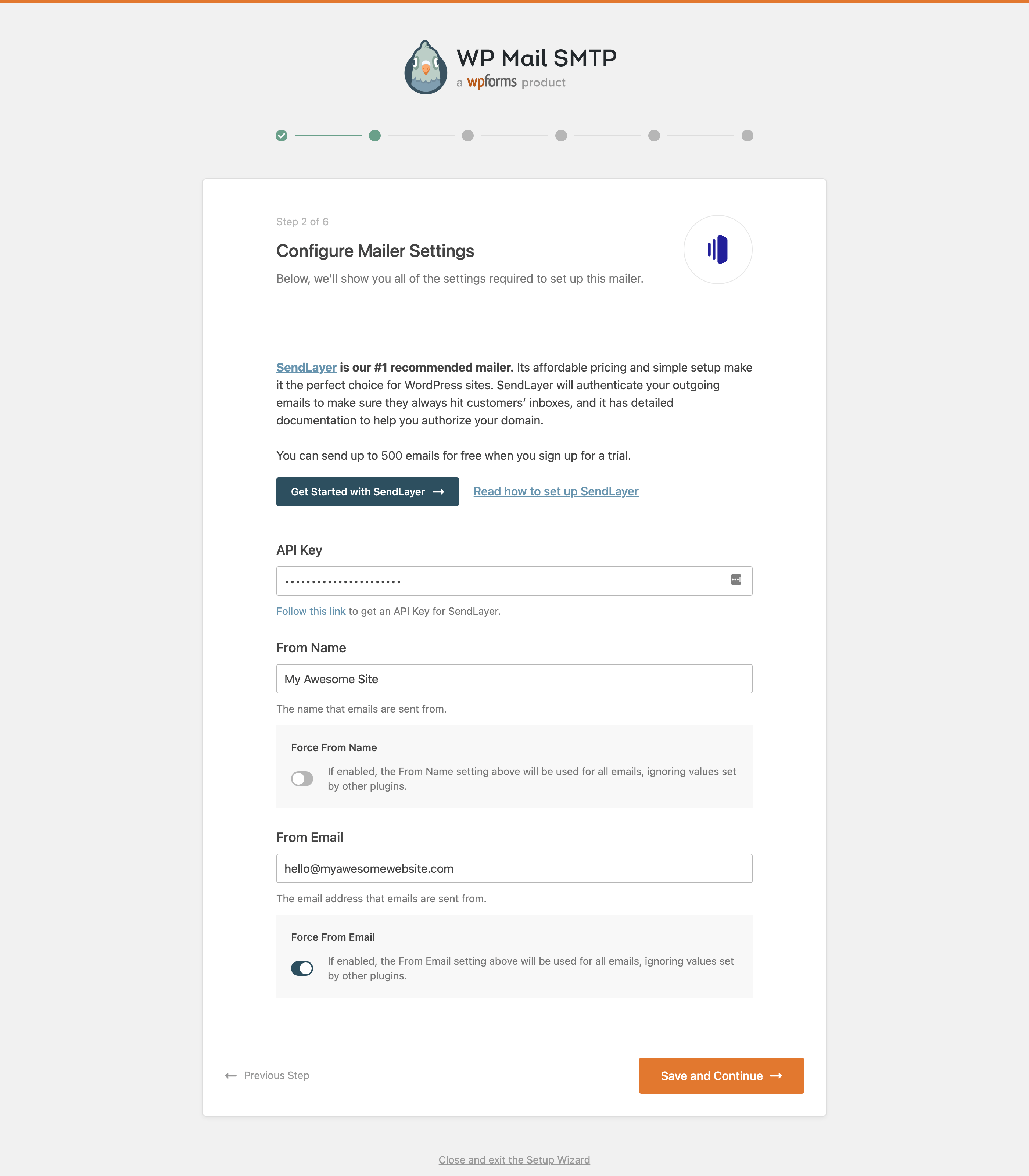
A setup wizard walks you through choosing a mailer, pasting an API key or SMTP credentials, and sending a test message. Most recommended mailers (SendLayer, SMTP.com, Brevo, Mailgun, SendGrid, Postmark and others) connect through the provider’s API rather than SMTP ports, which helps on hosts that block port 25/587. Gmail and Google Workspace can be connected with OAuth through your own Google app, and Other SMTP covers any remaining host. The wizard can also import settings from Easy WP SMTP, FluentSMTP and Post SMTP.
The free Lite version handles sending well: 15 mailers, From name/address forcing, a Do Not Send switch for staging, debug events, an email test tool with a deliverability report, WP-CLI commands and a basic weekly summary. Almost everything around monitoring is paid: the full email log, resending, open and click tracking, failure alerts (Slack, Teams, Discord, SMS, webhooks, email), backup connections, conditional routing, rate limiting, background sending, Email Controls and network-wide multisite settings. Pro also unlocks the Microsoft 365/Outlook, Amazon SES and Zoho mailers.
Who should pick it: site owners who want the most guided setup and are happy to pay for logs and alerts, and agencies already using WPForms or other Awesome Motive tools. If you need logging for free, FluentSMTP or Post SMTP cover more without a licence.
Best for: Site owners who want the most guided SMTP setup and will pay for logging, alerts and backup sending.
WP Mail SMTP is the easiest way to get WordPress email authenticated, and its Pro features (backup connections, smart routing, alerts) are well executed. The catch is that monitoring is entirely paid, and Microsoft 365 users cannot connect for free, so budget-conscious sites may prefer a free alternative.

What WP Mail SMTP highlights on its WordPress.org page and its own website, split by version.
22 of 23 features we track in SMTP & Email Delivery, feature score 96/100
Send through any SMTP host with your own credentials.
Other SMTP mailer connects to any host with your own credentials.
Native API connections to SendGrid, Mailgun, Brevo, Postmark and similar.
Free API mailers include SendLayer, SMTP.com, Brevo, Mailgun, SendGrid, Postmark, SparkPost and more.
Sign in with Google (OAuth) instead of storing a password.
Free Gmail mailer uses OAuth with your own Google app; one-click Gmail setup is Pro.
Send through Outlook or Microsoft 365 with OAuth.
Microsoft Outlook.com/Office 365 one-click mailer is only in paid plans.
Native Amazon SES integration.
Native Amazon SES mailer requires a Pro licence.
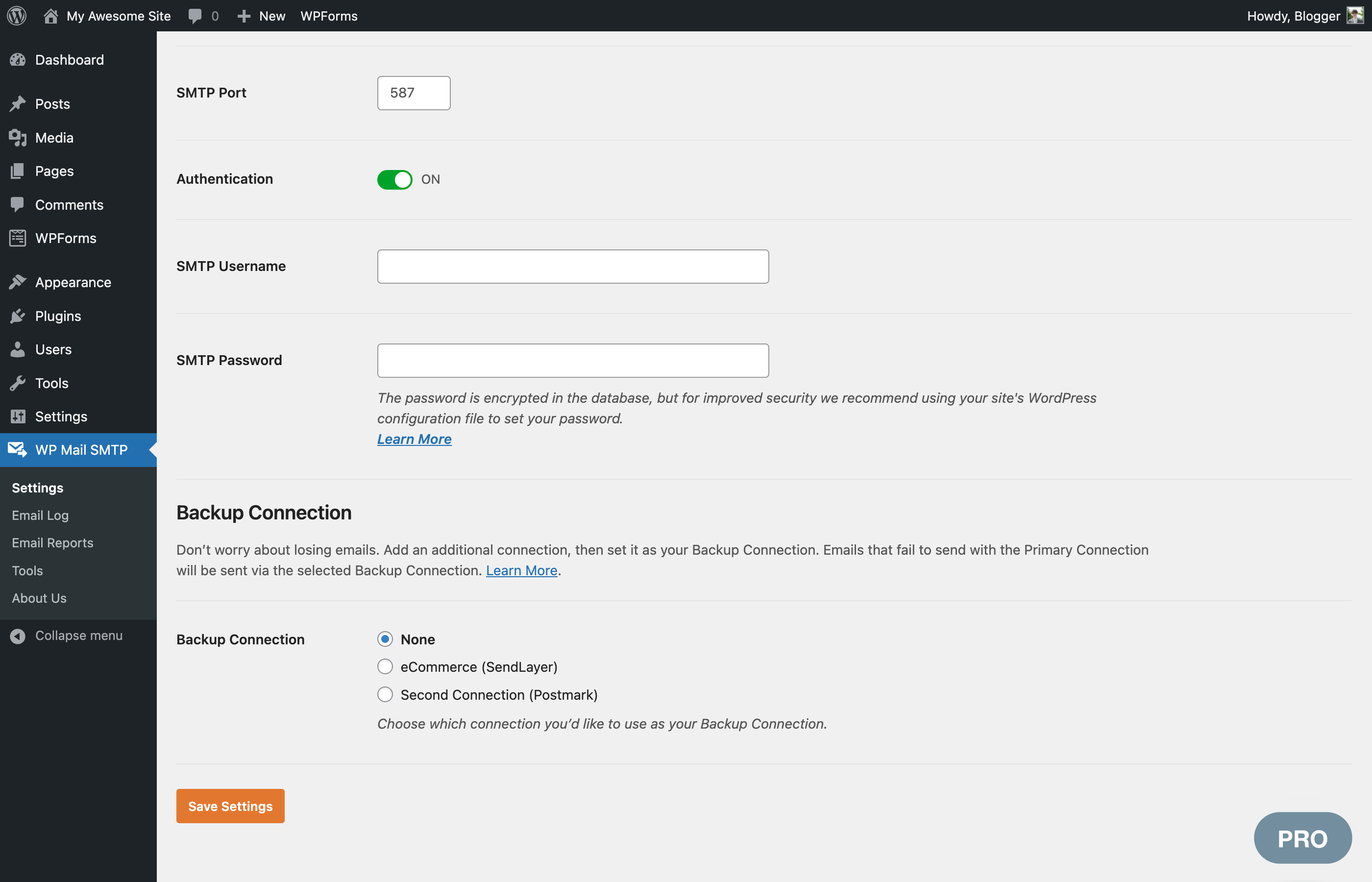
Falls back to a second mailer if the main one fails.
Backup connection takes over and resends when the primary mailer fails.
Send different emails through different connections by rules.
Route emails by subject, content, from/to address or source plugin.
Guided setup with a test email at the end.
Wizard verifies mailer settings with the provider and ends with a test email.
Keeps a record of every email sent from the site.
Log of every email with status, headers, content and source plugin.
Resend failed or individual emails from the log.
Resend or forward logged emails individually or in bulk.
See whether emails were opened and links clicked.
Open and click rates shown in Pro email reports.
Alerts by email, Slack, SMS or push when sending fails.
Alerts via email, Slack, Teams, Discord, Twilio SMS or webhooks.
Queues emails and retries failed sends automatically.
Background queue and rate-limit queue; failed sends are retried through the backup connection.
Charts or weekly summaries of sent and failed emails.
Lite sends a basic weekly total; charts and detailed weekly stats are Pro.
Control how long logs are kept, with optional attachment storage.
Log retention period and optional attachment storage apply to the Pro email log.
Override the sender name and address on every email.
Force From Email and Force From Name override other plugins' sender details.
Disable individual core, update or WooCommerce notification emails.
Turn off core comment, user, update and privacy emails; WooCommerce emails not covered.
Block outgoing email on staging sites or while testing.
Do Not Send setting blocks all outgoing wp_mail emails.
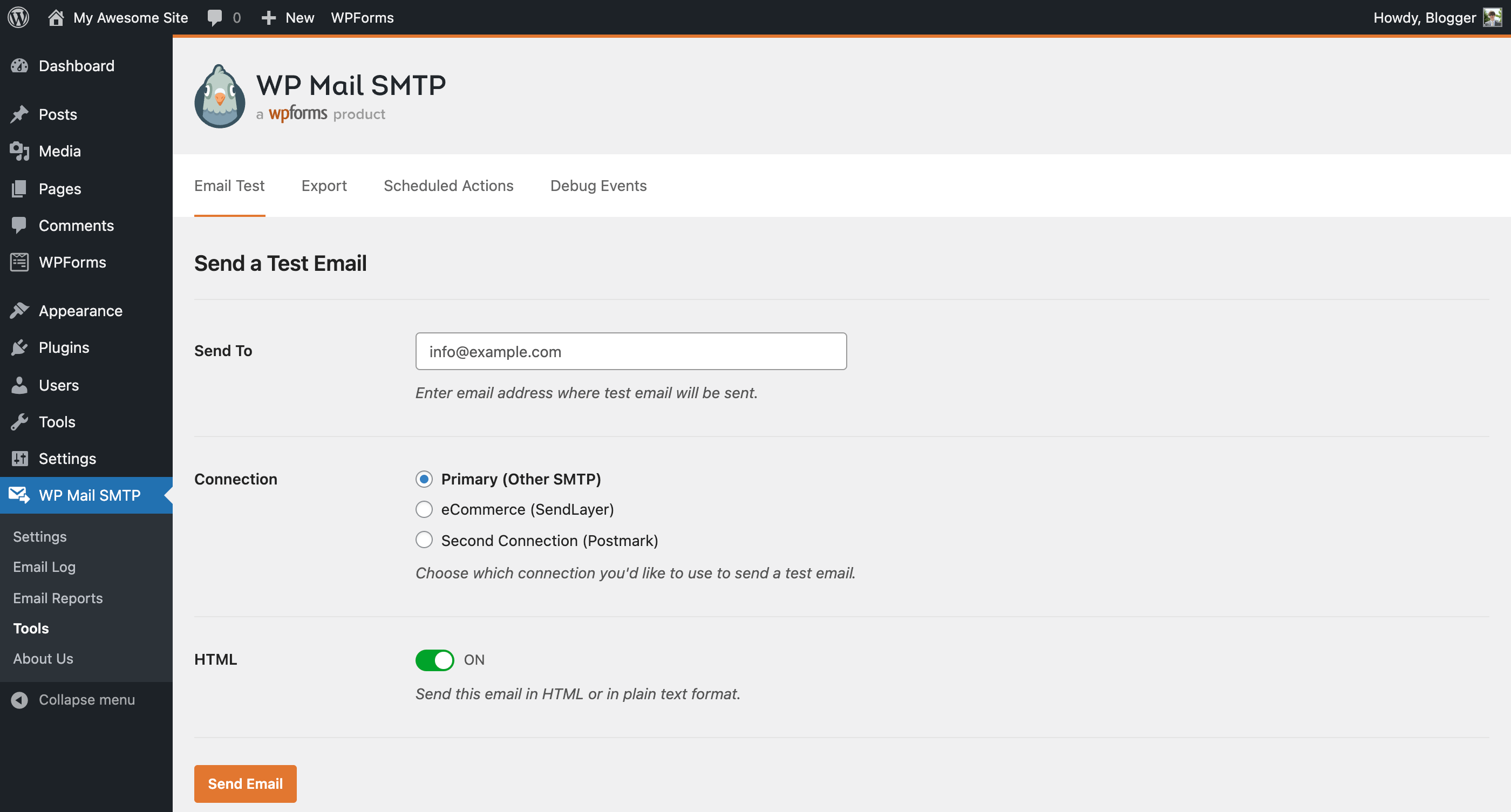
Send a test email and see a readable error if it fails.
Email Test tool, plus Email Detective deliverability report.
Store keys in wp-config constants or encrypted in the database.
Mailer keys and SMTP passwords can be defined as wp-config constants.
Network-wide or per-site settings on multisite.
Network-wide settings and central subsite logs are Pro; Lite can be set up per subsite.
All supported mailers are available in the free version.
Microsoft 365, Amazon SES and Zoho Mail mailers are reserved for Pro.
Hooks, filters or WP-CLI commands for developers.
WP-CLI commands (since 4.9), constants and filters for developers.
On WordPress.org
Unlimited
Free on WordPress.org; 15 mailers, no email log or alerts.
1 site
First year shown at $49; logs, reports, tracking, alerts, backup connection, smart routing, extra mailers.
1 site
First year $99; everything in Pro plus White Glove Setup and priority support. Site count not stated separately (listed as everything in Pro).
20 sites
First year $199; priority support.
100 sites
First year $399; priority support. Prices exclude VAT; renewals at full price.
Prices are list prices from the vendor's site, checked 14 Oct 2026. Many vendors discount the first year.
Free installs from WordPress.org, the vendor's own claim, and our estimate of paid installs.
Active installations reported by WordPress.org.
Sites/users claimed on the vendor's website. source
Our estimate, see method below.
How we estimated this: The vendor figure (4M+) is within WordPress.org's rounding of the free installs, so it says nothing about paid sites. About 4.5M free installs x 5.6% (the usual share of free sites that also run the paid version when some key features are paid, lower for very large free bases) gives 250K. Likely range: 130K to 500K. This counts sites running the paid version, including sites whose licence has lapsed. Estimates are rough and based on public figures as of 14 Oct 2026.
543,473 downloads last week, 90.6M all time
| Version | 4.10.3 |
|---|---|
| Last updated | 20 Oct 2026 (13 days ago) |
| Tested up to | WordPress 7.1.4 |
| Requires | WordPress 5.5+, PHP 7.4+ |
| Support threads (2 months) | 17 of 24 resolved |
| On WordPress.org since | 12 Sep 2007 |
| Refund policy | 14-day money-back (source, 11 Oct 2026) |
|---|
SendLayer's SMTP plugin with a setup wizard and 10 free mailers; Pro adds Gmail, Microsoft 365, SES, logs, alerts, backup and routing.

Completely free, open-source SMTP plugin from WPManageNinja with native API mailers, email logs, resend, fallback and chat-app alerts.

SMTP and API mailer plugin with free email logs, fallback SMTP, failure alerts and a mobile app; Pro adds Microsoft 365, SES…

Free SMTP and email log plugin from Brainstorm Force with 15+ mailers, backup connections, auto-retry, resend and email simulation.

Free SMTP plugin from SolidWP (formerly WP SMTP, now moving to Kadence) with provider presets, From-based routing, fallback and an email log.

Elementor's hosted email sending service for WordPress (now listed as Email Deliverability). No SMTP setup, logs, resend and open tracking; 200 free…
Yes. WP Mail SMTP has a free version on WordPress.org. Paid plans start at $99/yr.
WordPress.org reports 4M+ active installations of the free version. The vendor claims 4M+ sites in total. We estimate around 250K sites run the paid version.
Yes: included. Other SMTP mailer connects to any host with your own credentials.
Yes: included. Free API mailers include SendLayer, SMTP.com, Brevo, Mailgun, SendGrid, Postmark, SparkPost and more.
Yes: included. Free Gmail mailer uses OAuth with your own Google app; one-click Gmail setup is Pro.
Yes: paid version (Pro). Backup connection takes over and resends when the primary mailer fails.
Yes: paid version (Pro). Log of every email with status, headers, content and source plugin.
Yes: paid version (Pro). Alerts via email, Slack, Teams, Discord, Twilio SMS or webhooks.
Yes, the Lite version on WordPress.org is free and supports 15 mailers plus any SMTP server. Email logging, alerts, reports, backup connections and the Microsoft 365, Amazon SES and Zoho mailers need a Pro licence.
Pro lists at $99/year for one site, with the first year discounted to $49. Elite ($149), Developer ($249, 20 sites) and Agency ($449, 100 sites) are also available, and there is a 14-day money-back guarantee.
Yes. The setup wizard can import settings from Easy WP SMTP, FluentSMTP, Post SMTP Mailer, SMTP Mailer and WP SMTP.
Only in Pro. The Microsoft (Outlook.com and Office 365) one-click mailer is a paid feature; free users would need a different provider.
Each subsite can be configured on its own, and Pro adds network-wide settings that Super Admins control, plus central access to subsite logs.
Last updated 11 Oct 2026. Spotted something wrong? Suggest an edit.