

Meta Box
Modular custom fields framework with 40+ field types, a free UI (Meta Box Lite) and paid extensions for groups, custom tables, views…
97

Free, donation-funded framework for custom post types, taxonomies, fields, relationships, custom tables and templates, with optional Pods Pro add-ons.
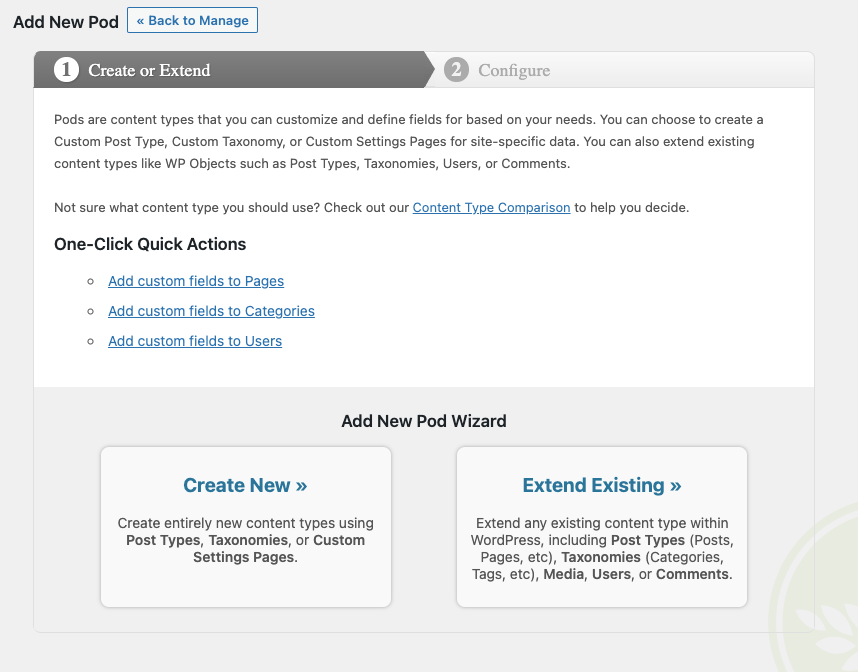
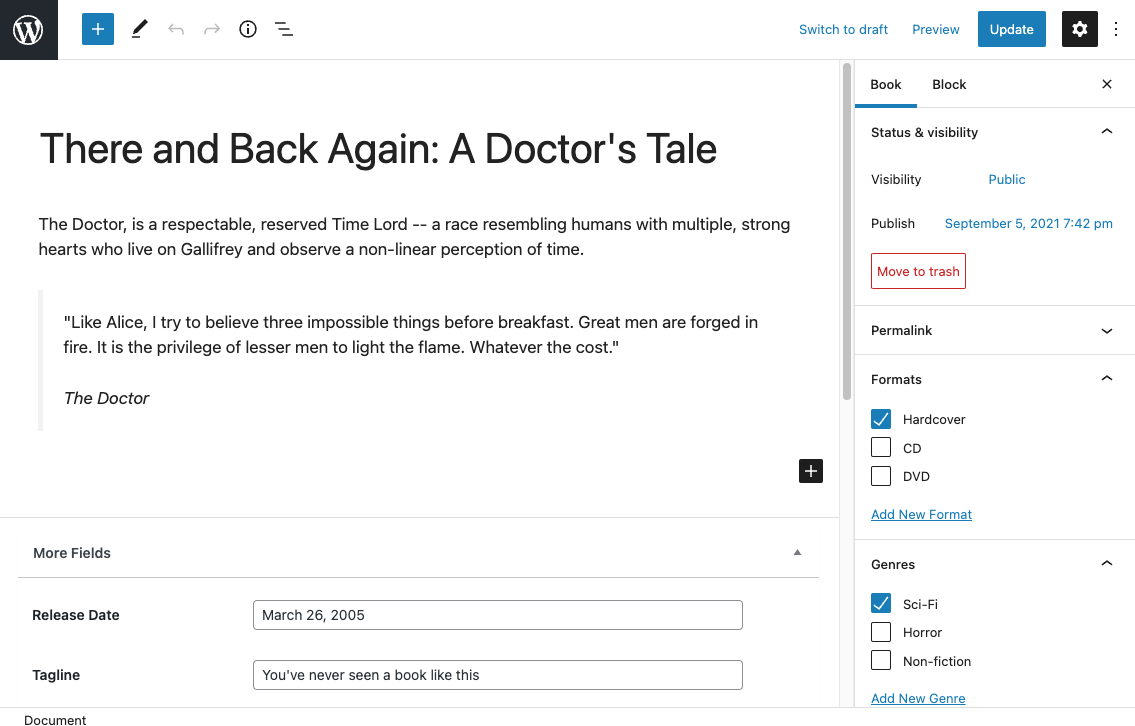
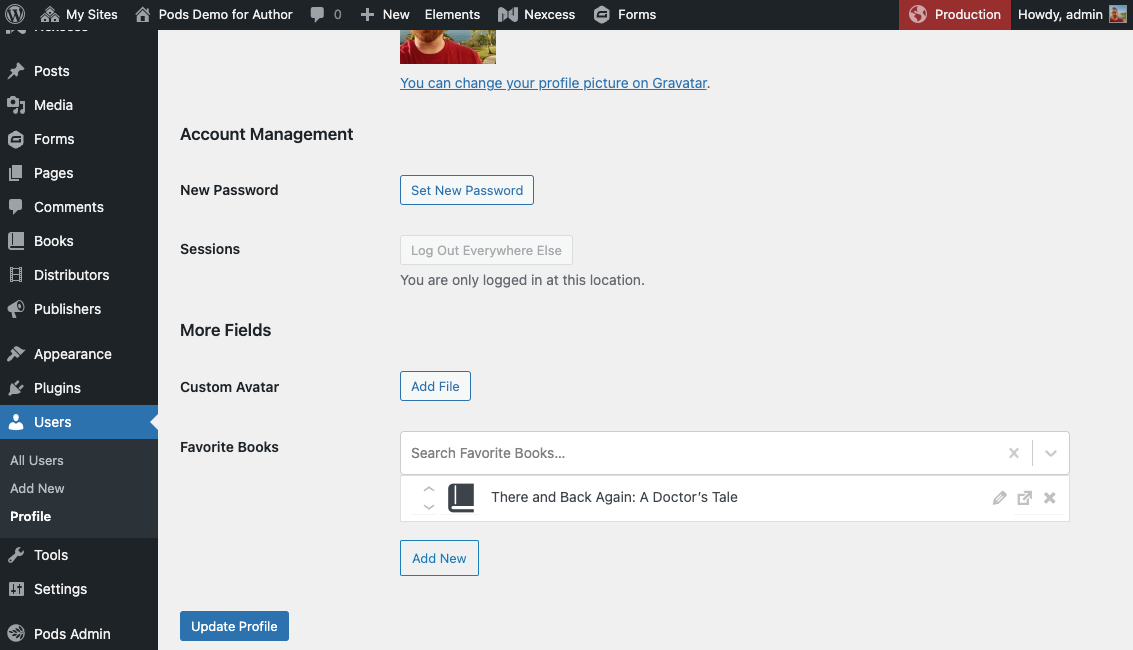
Pods (Pods Framework, listed on WordPress.org as Pods – Custom Content Types and Fields) is a long-running open source project led by Scott Kingsley Clark. It handles the whole content model in one plugin: custom post types, taxonomies, settings pages, extended core types (posts, pages, users, media, comments) and the custom fields attached to them. The project is funded by donations through Friends of Pods and by sponsors rather than by a paid tier of the plugin itself.
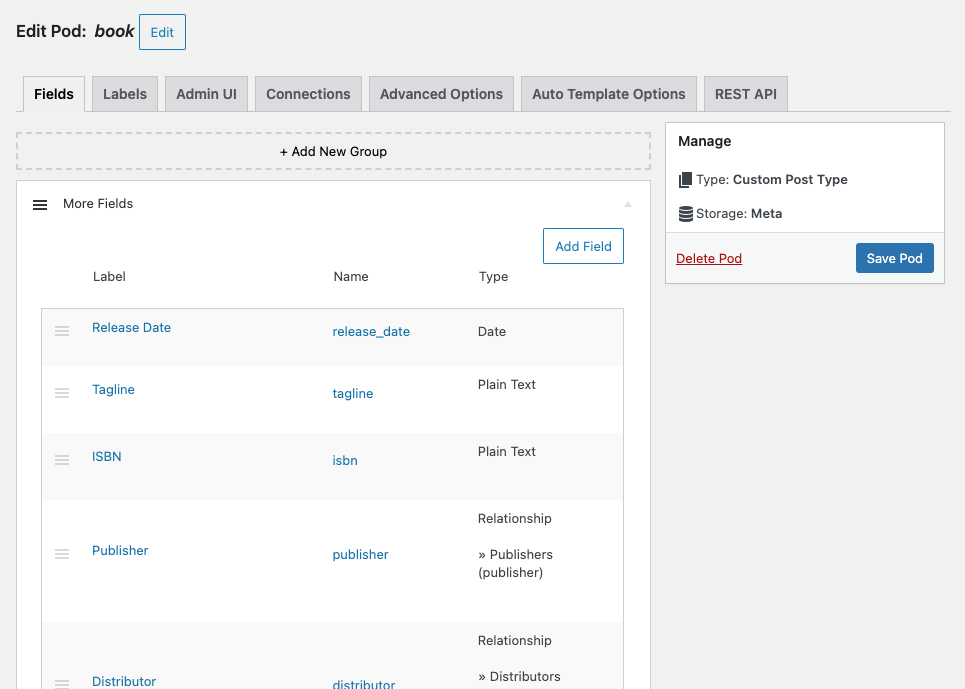
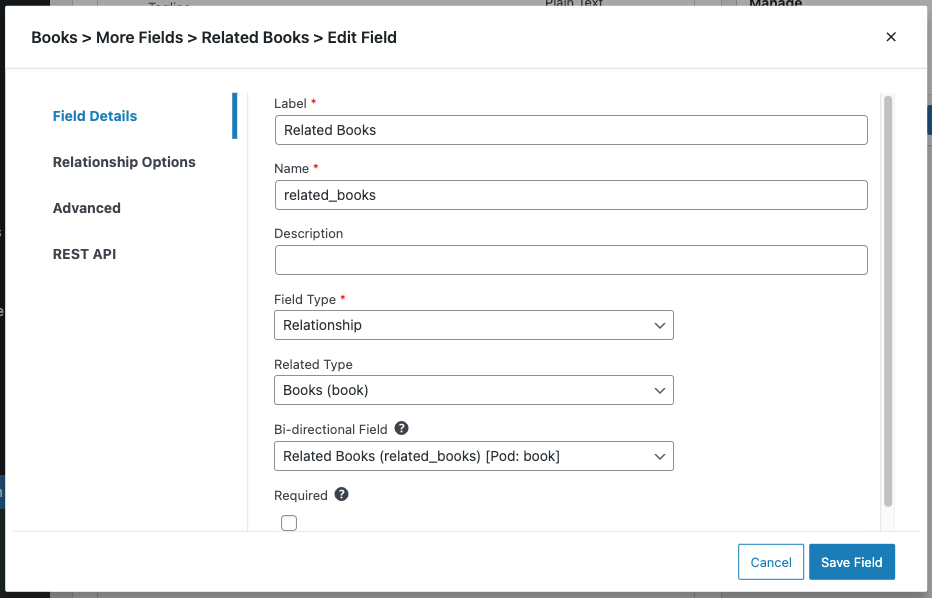
Its distinctive feature is Advanced Content Types, which store records in their own database tables instead of the posts and meta tables, plus an optional Table Storage component. Relationship fields can point at posts, terms, users, roles, comments, custom lists or any database table. There are 20+ field types with 25+ input types, conditional logic and simple repeatable fields, where one field can hold several values.
Pods includes six blocks, shortcodes, widgets and the Pods Templates engine, so you can build lists and single views without writing PHP. It supports the Block Bindings API (since Pods 3.2), exposes fields through the REST API, integrates directly with WPGraphQL and can register configurations from JSON or YAML files in your theme. Elementor Pro, Bricks and other builders read Pods fields, and a free add-on covers Beaver Themer.
Pods Pro by SKCDEV sells optional add-ons: the Basic Pack ($49 a year, one site) includes List Tables, TablePress integration and Advanced Permalinks; the Pro Pack ($79 a year, one site, or $119 for unlimited sites) adds the Page Builder Toolkit, Commerce Toolkit and Advanced Relationship Storage. Pro packs have a 30-day refund policy.
Pods has no Flexible Content field, and its repeatable fields repeat a single field rather than a group of sub-fields. The admin interface is dense because it covers so much. Pods suits developers who want a free, all-in-one content modelling tool, especially for relational or table-based data.
Best for: Developers who want a free, all-in-one content modelling framework with relationships and custom table storage.
Pods offers more for free than any other plugin here, including custom tables, relationships and a template engine. It lacks ACF-style repeater groups and flexible layouts, so it fits structured, relational data better than freeform page building.

What Pods highlights on its WordPress.org page and its own website, split by version.
17 of 18 features we track in Custom Fields & Post Types, feature score 89/100
Create field groups and assign them to content without code.
Admin UI to create pods, groups and fields without code.
Text, image, gallery, date, select, file, colour, map and more.
20+ field types with 25+ input types, including predefined option lists.
Repeating rows of sub-fields.
Simple repeatable fields repeat one field; no repeating groups of sub-fields.
Choose from layouts of fields to build page sections.
No flexible content or layout field.
Link posts, users or terms to each other.
Relationships to posts, terms, users, roles, comments or any database table.
Show fields based on other field values.
Free conditional logic for showing or hiding fields.
Global fields on admin settings pages.
Settings pages are a built-in content type.
Register post types from the admin.
Register custom post types from the Pods admin.
Register taxonomies from the admin.
Register custom taxonomies from the Pods admin.
Fields on users, taxonomy terms and comments.
Extend users, taxonomies, media and comments with fields.
Store field data in custom tables for speed.
Advanced Content Types and Table Storage keep data in custom tables.
Show fields in the block editor or build ACF-style blocks.
Block Bindings API support since Pods 3.2, plus six Pods blocks.
Let users create or edit content from the front end.
Pods Forms let visitors add or edit content on the front end.
Use field values in Elementor, Bricks, Breakdance or similar.
Elementor Pro and Bricks read Pods; free Beaver Themer add-on, Pro toolkit for others.
Build lists, grids or templates of content without PHP.
Pods Templates, list blocks and shortcodes show content without PHP.
Expose fields through the REST API or WPGraphQL.
Fields can be exposed in the REST API; direct WPGraphQL integration.
Register or sync field groups in code or JSON files for version control.
Pods, groups and fields can be registered from JSON or YAML files in the theme (2.9+).
Move field groups and post types between sites.
Migrate Packages component imports and exports configurations as JSON.
On WordPress.org
Unlimited
Full framework: post types, taxonomies, fields, relationships, custom tables, templates, blocks. Donation-funded.
1 site
List Tables, TablePress integration, Advanced Permalinks. Unlimited sites $89/yr.
1 site
Adds Page Builder Toolkit, Commerce Toolkit, Advanced Relationship Storage. Unlimited sites $119/yr. Friends of Pods discount.
Prices are list prices from the vendor's site, checked 22 Oct 2026. Many vendors discount the first year.
Free installs from WordPress.org, the vendor's own claim, and our estimate of paid installs.
Active installations reported by WordPress.org.
Sites/users claimed on the vendor's website. source
Our estimate, see method below.
How we estimated this: The vendor figure (100K+) is within WordPress.org's rounding of the free installs, so it says nothing about paid sites. About 150K free installs x 4% (the usual share of free sites that also run the paid version when most features are free) gives 6K. Likely range: 3K to 12K. This counts sites running the paid version, including sites whose licence has lapsed. Estimates are rough and based on public figures as of 22 Oct 2026.
3,858 downloads last week, 5.5M all time
| Version | 3.3.9.2 |
|---|---|
| Last updated | 31 Aug 2026 (63 days ago) |
| Tested up to | WordPress 7.1.4 |
| Requires | WordPress 6.3+, PHP 7.2+ |
| Support threads (2 months) | 25 of 26 resolved |
| On WordPress.org since | 8 Oct 2008 |
| Refund policy | 30-day refund (Pods Pro packs) (source, 22 Oct 2026) Refund for any reason within 30 days on Pro Pack passes. |
|---|
Modular custom fields framework with 40+ field types, a free UI (Meta Box Lite) and paid extensions for groups, custom tables, views…

Long-standing custom fields plugin by WP Engine: build field groups visually, register post types, and add repeaters, blocks and options pages with…

Free fork of ACF maintained under WordPress.org, including repeater, flexible content, options pages and blocks at no cost.

Crocoblock's premium dynamic content plugin: post types, meta boxes, custom tables, relations, queries and listings for Elementor, Gutenberg and Bricks.

Premium all-in-one content modelling plugin: post types, taxonomies, 60+ field types, flexible content, custom tables, forms and builder integrations.

Premium suite from OnTheGoSystems: Types for post types and fields, Blocks for templates and views, plus Forms, Access and Maps.
Yes. Pods has a free version on WordPress.org. Paid plans start at $49/yr.
WordPress.org reports 100K+ active installations of the free version. The vendor claims 100K+ sites in total. We estimate around 6K sites run the paid version.
Yes: included. Admin UI to create pods, groups and fields without code.
Yes: included. 20+ field types with 25+ input types, including predefined option lists.
Yes: partial. Simple repeatable fields repeat one field; no repeating groups of sub-fields.
Yes: included. Relationships to posts, terms, users, roles, comments or any database table.
Yes: included. Register custom post types from the Pods admin.
Yes: included. Block Bindings API support since Pods 3.2, plus six Pods blocks.
Yes. The full framework, including custom tables, relationships, templates and blocks, is free. Development is funded by donations and sponsors, and Pods Pro sells optional add-ons.
Pods has simple repeatable fields, where one field holds multiple values. It does not have repeating groups of sub-fields or a Flexible Content field.
They are Pods content types stored in their own database tables instead of the posts and meta tables, which suits large or non-post data.
Elementor Pro and Bricks support Pods fields, a free add-on covers Beaver Themer, and the paid Page Builder Toolkit adds Divi, Oxygen, GenerateBlocks and others.
Last updated 22 Oct 2026. Spotted something wrong? Suggest an edit.