

The Events Calendar
Widely used WordPress events calendar with venues, organisers and month/list/day views, plus paid tiers for recurring events, ticketing and seating.
97

Stylish events calendar sold as a $60 one-time licence with a free Lite edition, extended through paid add-ons for tickets, RSVP, seats and more.

EventON by Ashan Perera (AshanJay) started on CodeCanyon in 2011 and is now sold directly from myeventon.com. It is known for its compact, expandable “EventCard” design: visitors click an event in a month or list view and it slides open with details, maps and links. A free EventON Lite edition is available on WordPress.org.
Lite already covers a lot: month, schedule, tile and live-now views, repeating events, multi-day and all-day events, locations with Google Maps and directions, organisers, categories, custom meta fields, per-event time zones, virtual events with attendance modes, search, sorting and filtering, add-to-Google-Calendar and ICS links, CSV/ICS export, schema markup and OpenAI-assisted content. A shortcode generator works in the block editor.
EventON Full costs $60 once for one site, with lifetime updates and a year of support. It adds more layouts and designers, grid, weekly and yearly views, advanced search, multiple organisers per event, Zoom OAuth, custom map styles and webhooks for tools such as Zapier. Most heavy features are separate add-ons on yearly subscriptions: Event Tickets via WooCommerce ($120), RSVP Events ($100), Seats ($150), QR Code ($30), Check-ins ($30), Action User front-end submissions ($80), ICS ($50) and CSV ($40) importers, Reminders ($40) and Subscriber with Mailchimp sync ($50). Bundles such as Ticketing ($530/yr) reduce the cost.
Ticketing, RSVP, check-in, imports and front-end submissions all cost extra, and add-ons renew yearly, so a full ticketing setup costs far more than the headline $60. Paid tickets rely on WooCommerce. Lite has a small user base and some core features are reserved for Full.
EventON fits design-conscious sites that mainly need a good-looking calendar, and that are willing to buy specific add-ons as needs grow.
Best for: Design-focused sites that want an attractive calendar for a low one-time price and will add specific features through add-ons.
EventON delivers one of the nicest-looking calendars for a modest one-time fee, and Lite is a credible free option. Once you need ticketing, RSVPs or check-in, the yearly add-on costs add up, so compare bundle pricing against all-in-one rivals.

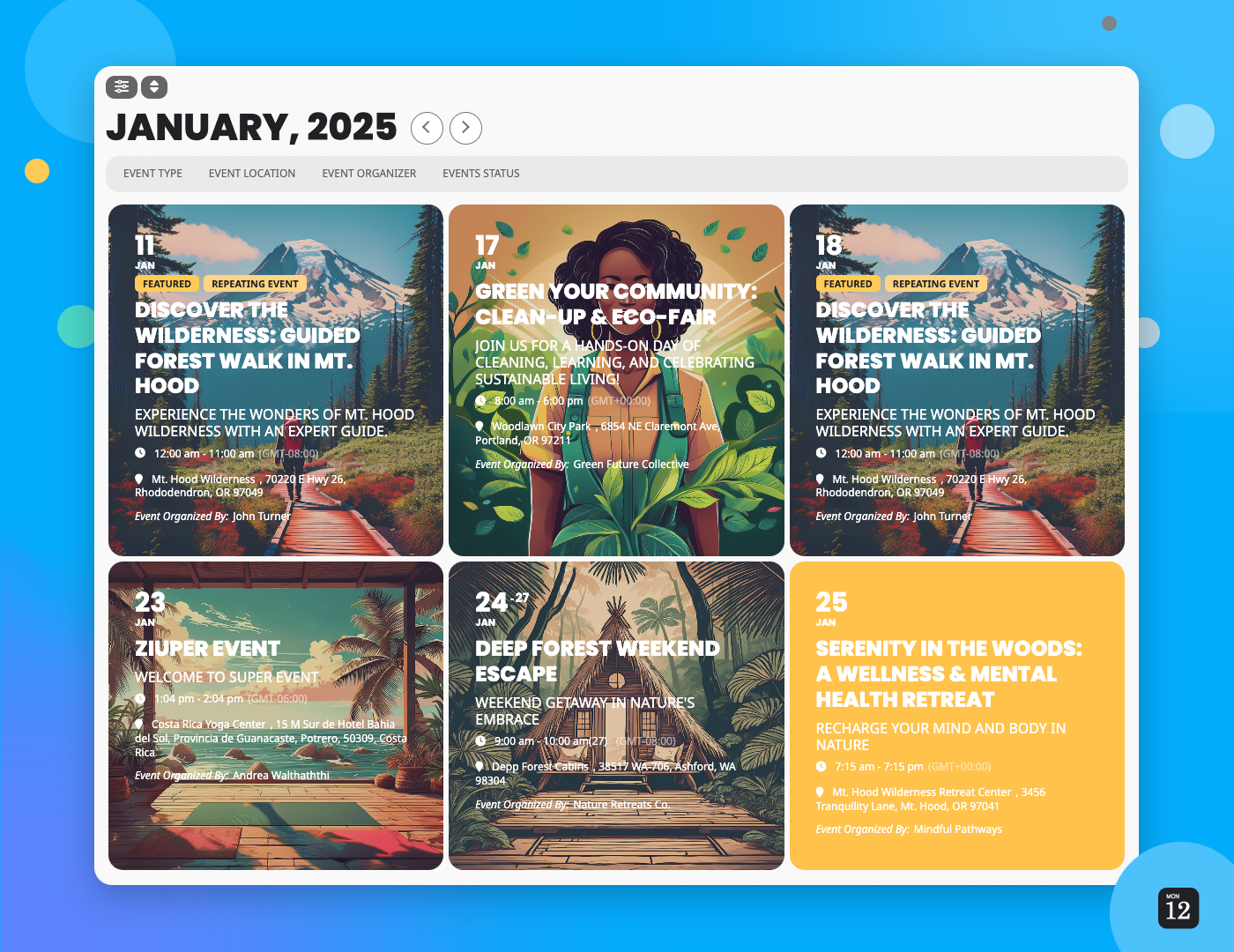
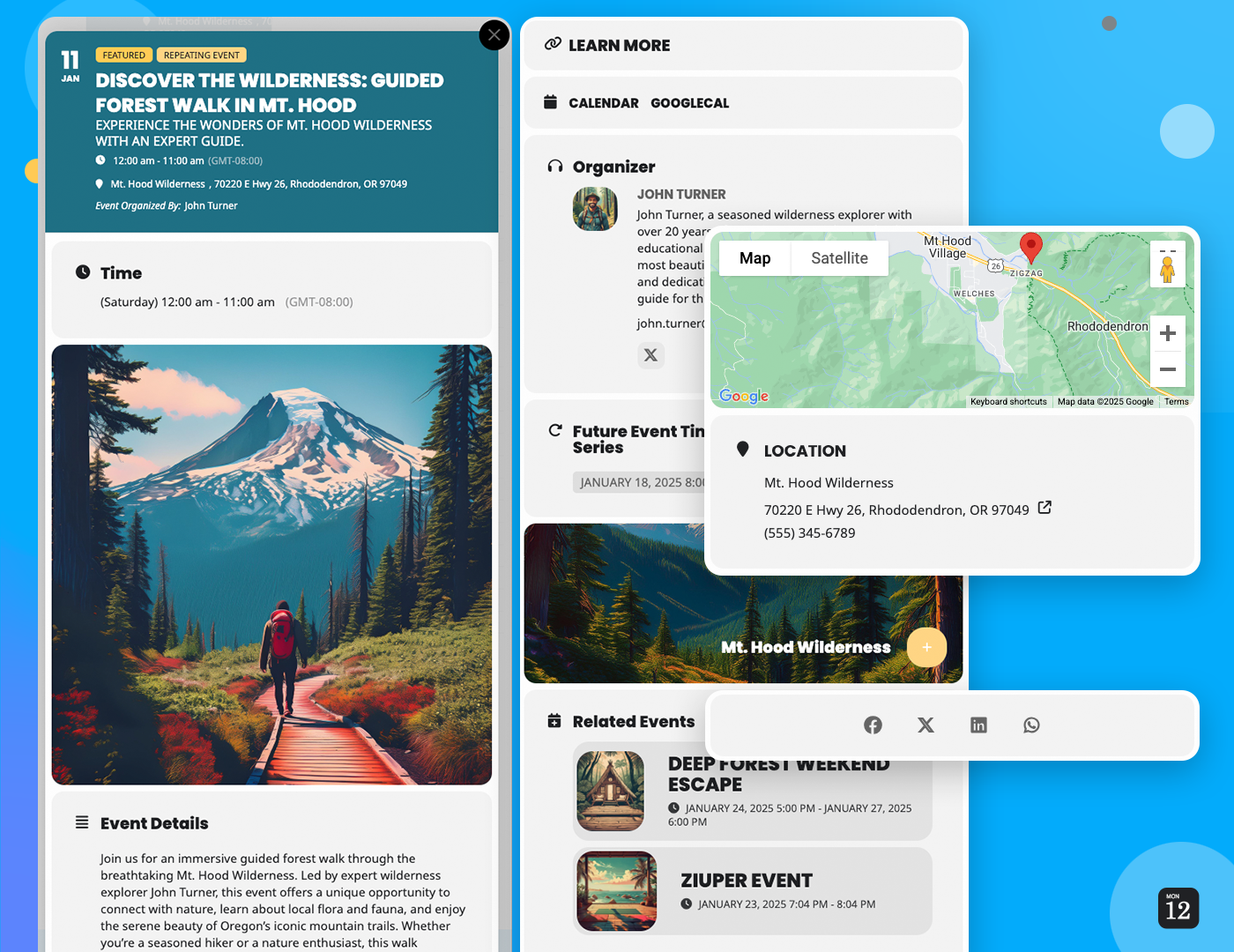
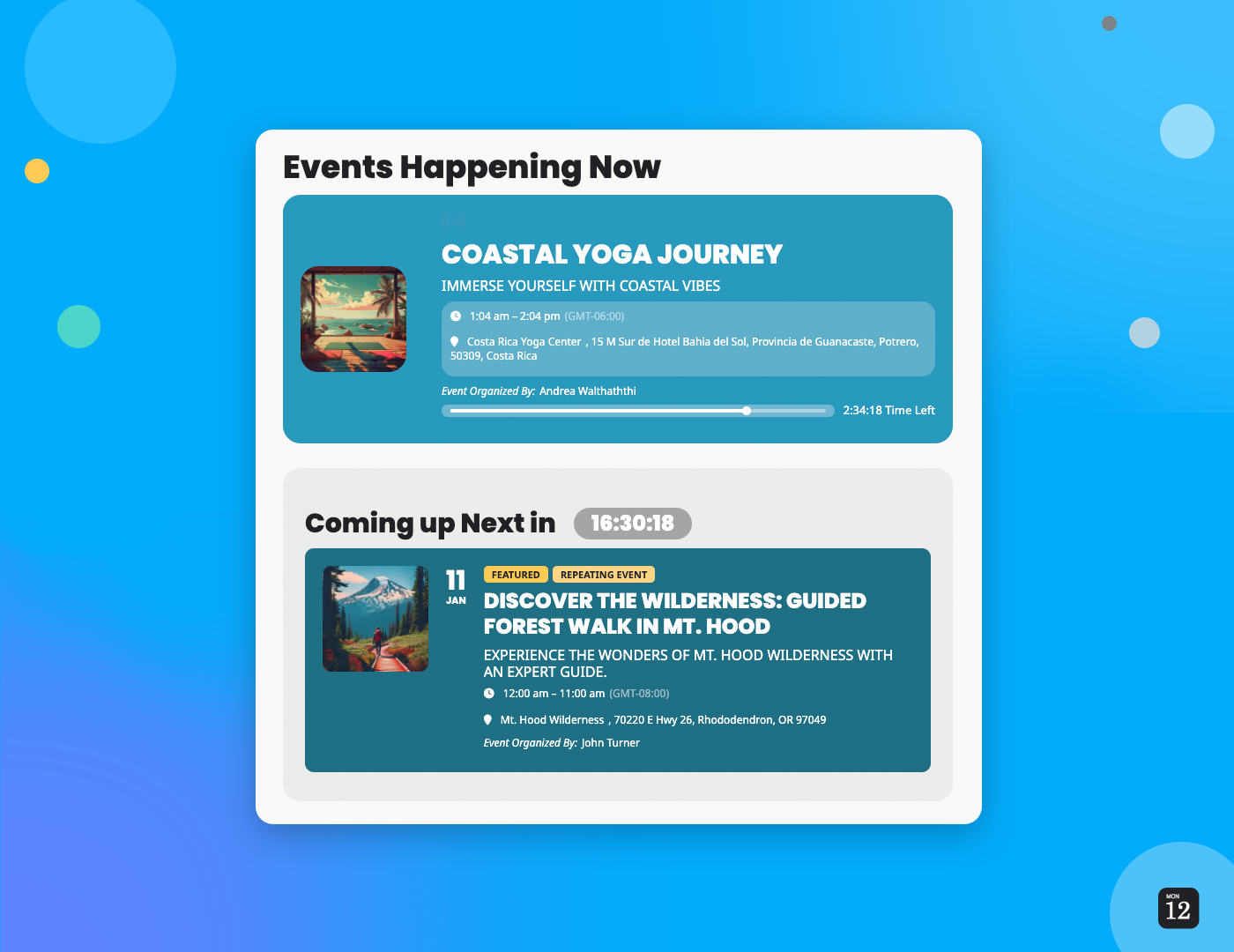
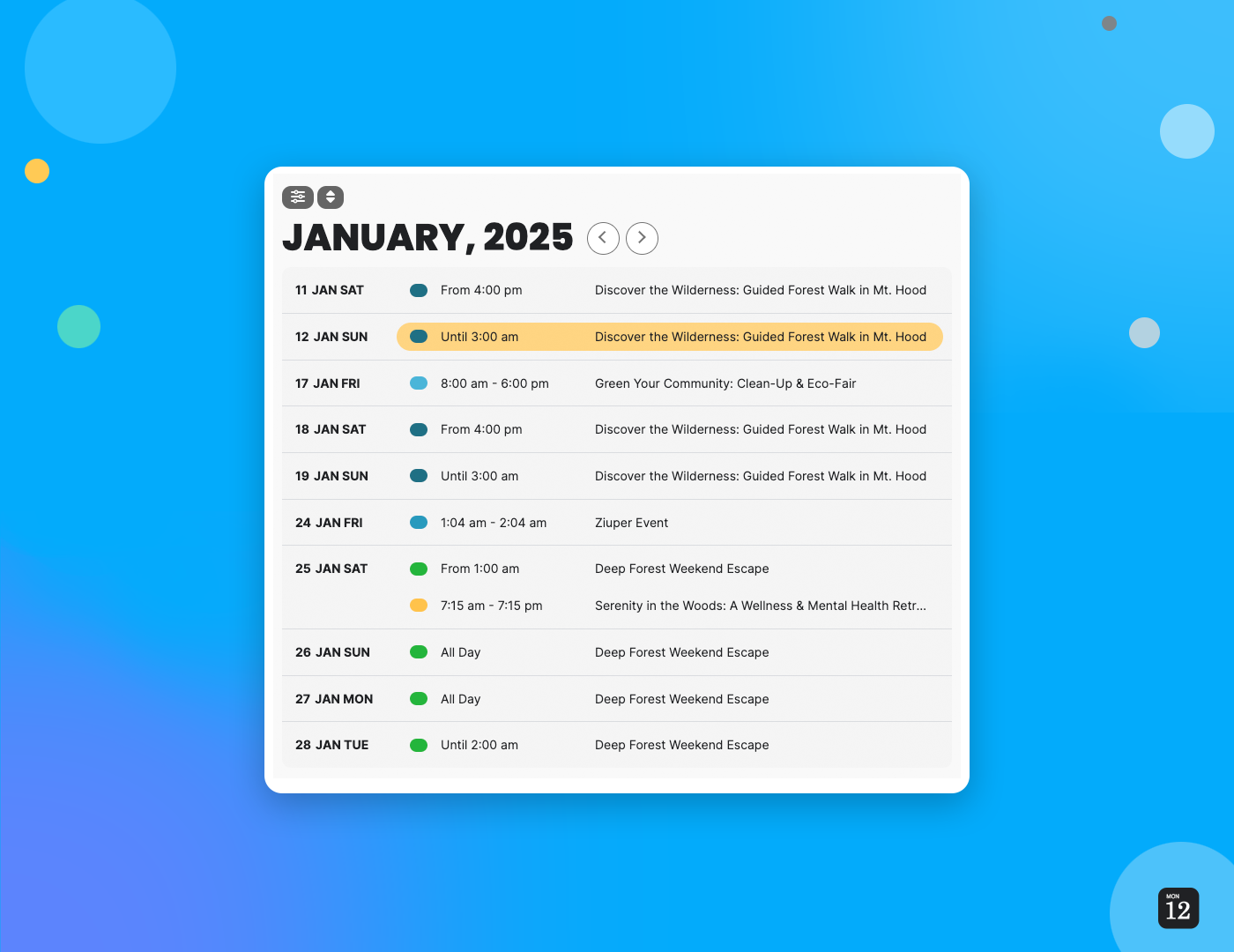

What EventON highlights on its WordPress.org page and its own website, split by version.
20 of 20 features we track in Events & Calendars, feature score 94/100
Daily, weekly, monthly or custom repeating events.
Lite supports daily, weekly, monthly, yearly and custom repeats.
Reusable venue and organiser profiles.
Locations and organisers with archive pages in Lite; multiple organisers per event need Full.
Online events with Zoom, Meet or streaming links.
Lite supports virtual events with attendance modes; Full adds Zoom OAuth and post-event content.
Organise events by type, topic or audience.
Event categories and tags are included in Lite.
Visitors or organisers submit events from the front end.
Action User add-on ($80/yr) adds front-end submissions with permission controls.
Import from iCal, Google Calendar, Eventbrite, Facebook or CSV.
ICS Importer ($50/yr) and CSV Event Importer ($40/yr) add-ons; Lite only exports CSV/ICS.
Month, week, day, list and other views.
Lite has month, schedule, tile and live-now views; Full and add-ons add grid, weekly, daily, yearly.
Venue maps with Google Maps or OpenStreetMap.
Location Google Maps with directions in Lite; Events Map add-on ($60/yr) shows all events on a map.
Filter events by date, category, venue or keyword.
Lite has event search, sorting and filters; Full adds advanced search and Filters Plus add-on.
Blocks or Elementor widgets for calendars and events.
Shortcode generator works in the block editor; Elementor widget listed among integrations.
Adds event structured data for Google results.
Lite outputs Event schema and JSON-LD markup.
Sell tickets online for events.
Event Tickets add-on ($120/yr) sells tickets; Lite only offers a basic PayPal option.
Collect RSVPs for free events.
RSVP Events add-on ($100/yr) collects names, emails and spaces.
Sell tickets through WooCommerce checkout.
Event Tickets add-on sells tickets through the WooCommerce checkout.
Assigned seating or seat maps.
Seats add-on ($150/yr) provides interactive seating charts.
Scan tickets at the door, with an app or browser.
QR Code ($30/yr) and Check-ins ($30/yr) add-ons handle ticket scanning.
Manage and export attendee information.
Attendee lists and check-in come with the Tickets or RSVP add-ons.
Visitors save events to Google Calendar, Outlook or Apple Calendar.
Lite adds Google Calendar and iCal links to events.
Automatic emails to attendees.
Ticket/RSVP confirmation emails come with those add-ons; Reminders add-on is $40/yr.
Zapier, email marketing or CRM integrations.
Webhooks (EventON 4.2+) send triggers to Zapier and similar; Subscriber add-on syncs Mailchimp.
On WordPress.org
Unlimited
Free on WordPress.org; core calendar features, no premium add-on support.
1 site
One-time licence for one site with lifetime updates and one year of support; add-ons billed separately.
1 site
Add-on bundle for ticket sales; shown from $450.50/yr with a promotion. Single add-ons range $20-$150/yr.
1 site
Full Cal, Weekly, Daily and Yearly view add-ons; shown from $165.75/yr with a promotion.
Prices are list prices from the vendor's site, checked 14 Oct 2026. Many vendors discount the first year.
Free installs from WordPress.org, the vendor's own claim, and our estimate of paid installs.
Active installations reported by WordPress.org.
Sites/users claimed on the vendor's website. source
Our estimate, see method below.
How we estimated this: Website scans by WPoptic find the paid plugin (folder eventon) on 25,675 live sites; they find the free version on 3,427 sites against about 6.5K WordPress.org installs, so each site found stands for about 1.9, giving 49K. 52,528 paying customers or sales over 15 years; assuming 30% still use it and 1.3 sites per licence gives 20K. About 6.5K free installs x 30% (the usual share of free sites that also run the paid version when many key features are paid, and store owners upgrade more often) gives 2K. Combining these (weighted average) gives about 27K. The vendor figure (66K+) is more than 8 times the free installs, so it probably counts more than this plugin (other products or platforms) and we leave it out. Likely range: 18K to 41K. This counts sites running the paid version, including sites whose licence has lapsed. Estimates are rough and based on public figures as of 14 Oct 2026.
3,388 downloads last week, 229.3K all time
| Version | 2.5.11 |
|---|---|
| Last updated | 30 Oct 2026 (3 days ago) |
| Tested up to | WordPress 7.1.4 |
| Requires | WordPress 6.5+ |
| Support threads (2 months) | 6 of 10 resolved |
| On WordPress.org since | 22 Jan 2022 |
| Paying customers claimed | 52.5K+ (source, 11 Oct 2026) CodeCanyon item page shows 52,528 sales; homepage cites 63k+ CodeCanyon downloads since 2011. |
|---|---|
| Founded | 2011 (source, 11 Oct 2026) Sold on CodeCanyon since 2011. |
| Refund policy | 30-day refund (source, 11 Oct 2026) Refunds within 30 days at the vendor's discretion after contacting support; renewals not refundable. |
Widely used WordPress events calendar with venues, organisers and month/list/day views, plus paid tiers for recurring events, ticketing and seating.

Feature-dense events calendar from Webnus with dozens of layouts, a free Lite edition and a Pro version for bookings, tickets and integrations.

Event management and ticketing plugin from Themewinter with WooCommerce tickets, Zoom, speakers and schedules free, plus Pro seat maps and QR check-in.

Free events and bookings plugin with recurring events, locations, front-end submissions and BuddyPress support; Pro adds payments, PDF tickets and check-in.

Modular event listing plugin with free front-end submission, venues and organisers, and paid add-ons for calendars, tickets, registrations and Zoom.

Lightweight event calendar from Awesome Motive with Stripe ticketing in the free Lite version and paid plans for recurring events, venues and…
Yes. EventON has a free version on WordPress.org. Paid plans start at $60 lifetime.
WordPress.org reports 6K+ active installations of the free version. The vendor claims 66K+ sites in total. We estimate around 27K sites run the paid version.
Yes: included. Lite supports daily, weekly, monthly, yearly and custom repeats.
Yes: included. Locations and organisers with archive pages in Lite; multiple organisers per event need Full.
Yes: included. Lite has month, schedule, tile and live-now views; Full and add-ons add grid, weekly, daily, yearly.
Yes: included. Lite outputs Event schema and JSON-LD markup.
Yes: via add-on. Event Tickets add-on ($120/yr) sells tickets; Lite only offers a basic PayPal option.
Yes: via add-on. QR Code ($30/yr) and Check-ins ($30/yr) add-ons handle ticket scanning.
Yes: included. Lite adds Google Calendar and iCal links to events.
There is a free EventON Lite on WordPress.org. EventON Full costs $60 once for one site, and most advanced features are separate add-ons billed yearly.
Yes, with the Event Tickets add-on ($120/year), which uses WooCommerce for checkout. Seats, QR codes, check-ins and waitlists are further add-ons.
No. Premium add-ons such as Tickets, RSVP and Seats require EventON Full.
Yes, by exporting an ICS file and using the ICS Importer add-on ($50/year); a CSV Event Importer add-on is also available.
Last updated 11 Oct 2026. Spotted something wrong? Suggest an edit.