

WP-Optimize
Free all-in-one plugin from TeamUpdraft combining page caching, image compression with WebP, database cleanup and minification.
80

Freemium WordPress database cleaner with previews, keep-last-X-days rules, scheduled tasks and table tools; Premium adds orphan detection.
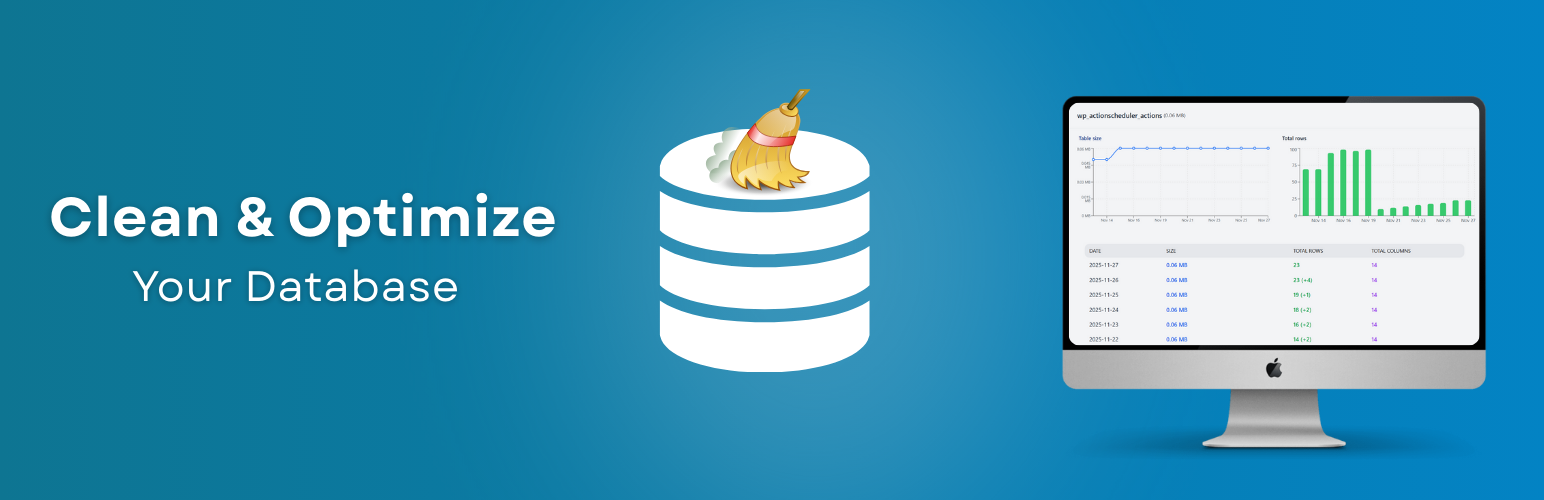
Advanced Database Cleaner (ADBC) by SigmaPlugin is one of the most established database housekeeping plugins on WordPress.org. Version 4, released in late 2025, rebuilt it around separate modules for general cleanup, tables, options, transients, cron jobs, post meta, user meta and post types, each with a sortable list you can inspect before you delete anything.
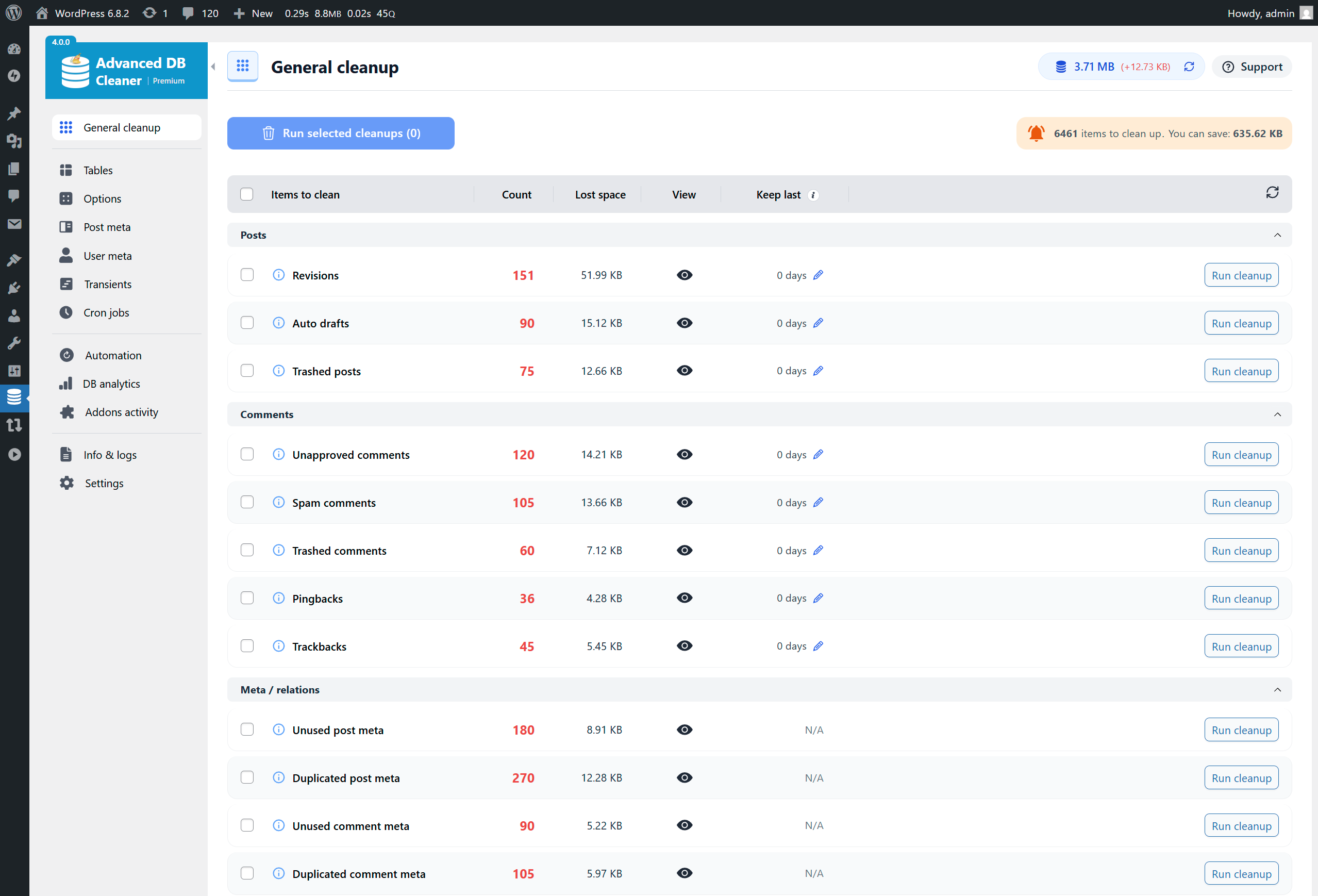
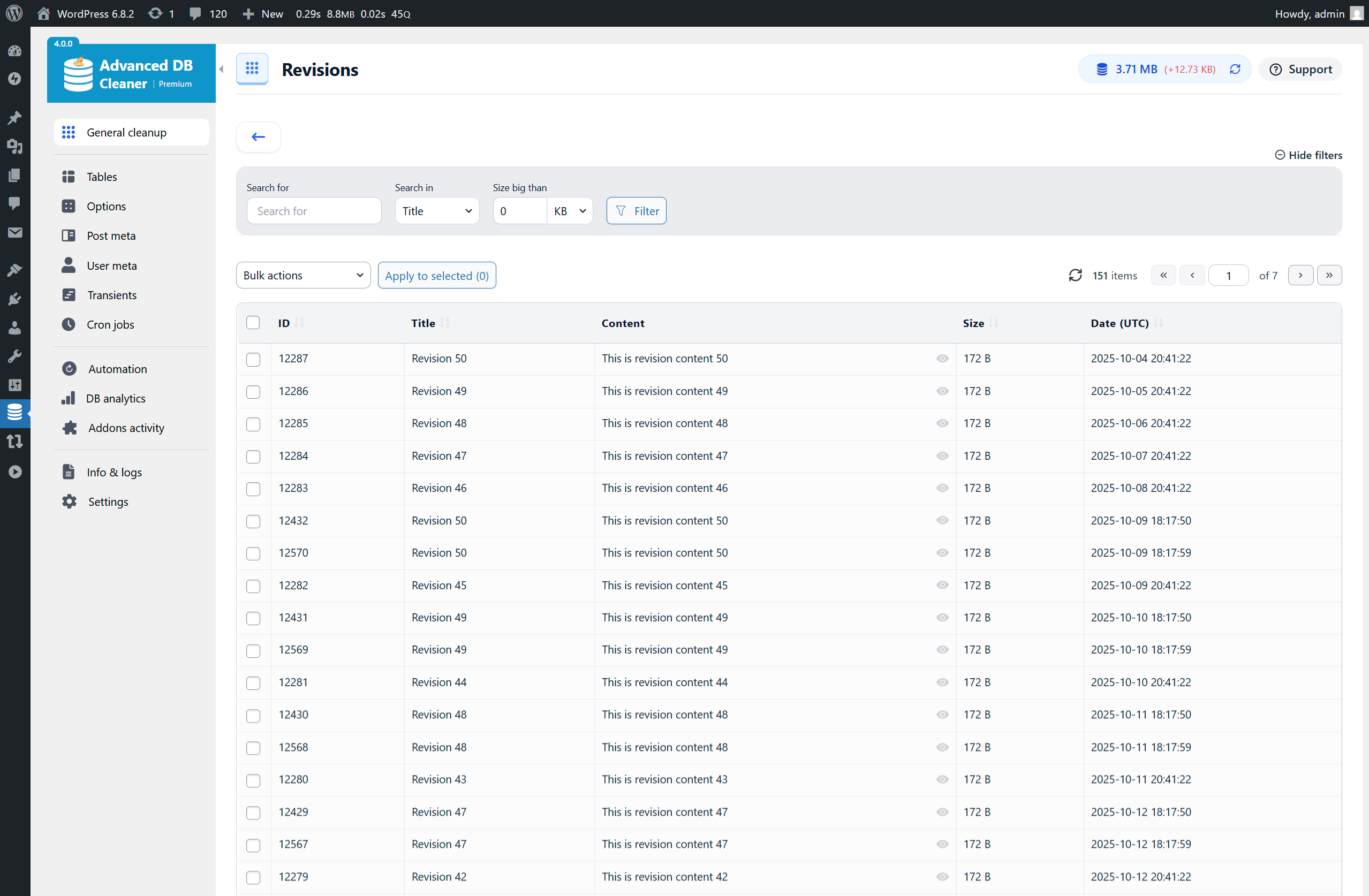
The free plugin removes revisions, auto-drafts, trashed posts, spam, pending and trashed comments, pingbacks and trackbacks, orphaned and duplicated meta, unused term relationships, expired transients and oEmbed caches. Each cleanup type shows a preview table and an estimate of the space it will free, and you can limit a cleanup to data older than a set number of days. The tables module lists sizes and row counts and can optimise, repair, empty, delete or convert tables to InnoDB. The options and transients modules flag large autoloaded entries and let you switch autoload on or off. Unusually for a free tool, it also includes scheduled cleanup, optimisation and repair tasks (up to five), and a few WooCommerce extras such as expired sessions and orphaned variations.
The main reason to upgrade is orphan detection: Premium scans plugin and theme files, backed by a cloud lookup it calls Remote SmartScan, to label which plugin owns each table, option, transient, cron job and meta key, and flags the ones left behind by removed add-ons. It also adds Action Scheduler cleanup for completed, failed and cancelled actions and their logs, keep-last-X-items rules, advanced filters, unlimited automation tasks, growth analytics and a timeline of plugin activations and uninstalls. Licences start at $39 a year for one site, with lifetime options.
Who should pick it: site owners who want a broad free cleaner with previews and scheduling, and agencies that need to identify and remove leftovers from uninstalled plugins on many sites.
Best for: Site owners who want a capable free cleaner with scheduling, and anyone needing to find leftovers from removed plugins.
Advanced Database Cleaner offers the most complete free toolkit in this group, with previews, age rules, table repair, InnoDB conversion and scheduled tasks all at no cost. Premium earns its price if you need to know which plugin created each table or option, but take your own backup first because none is built in.
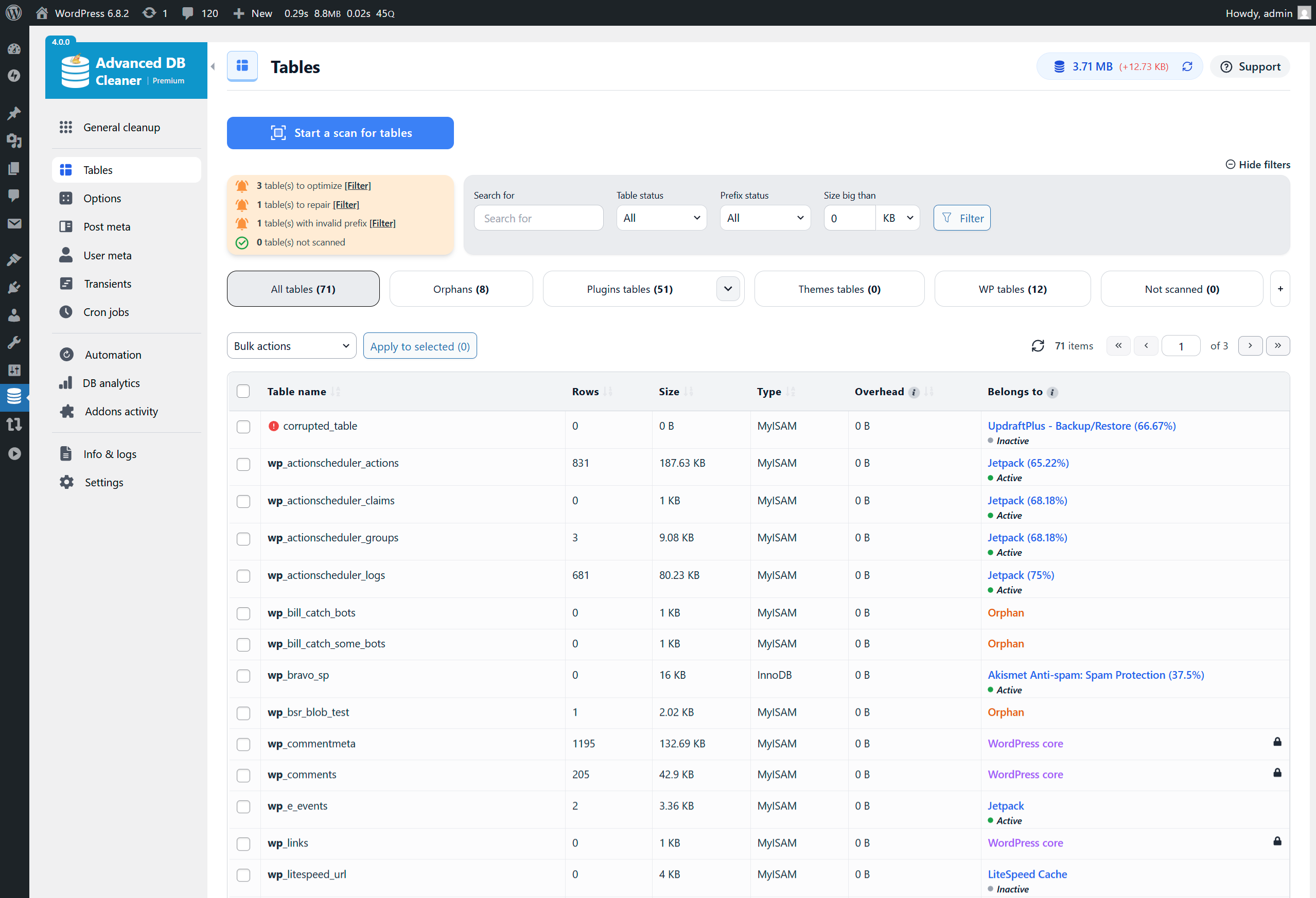
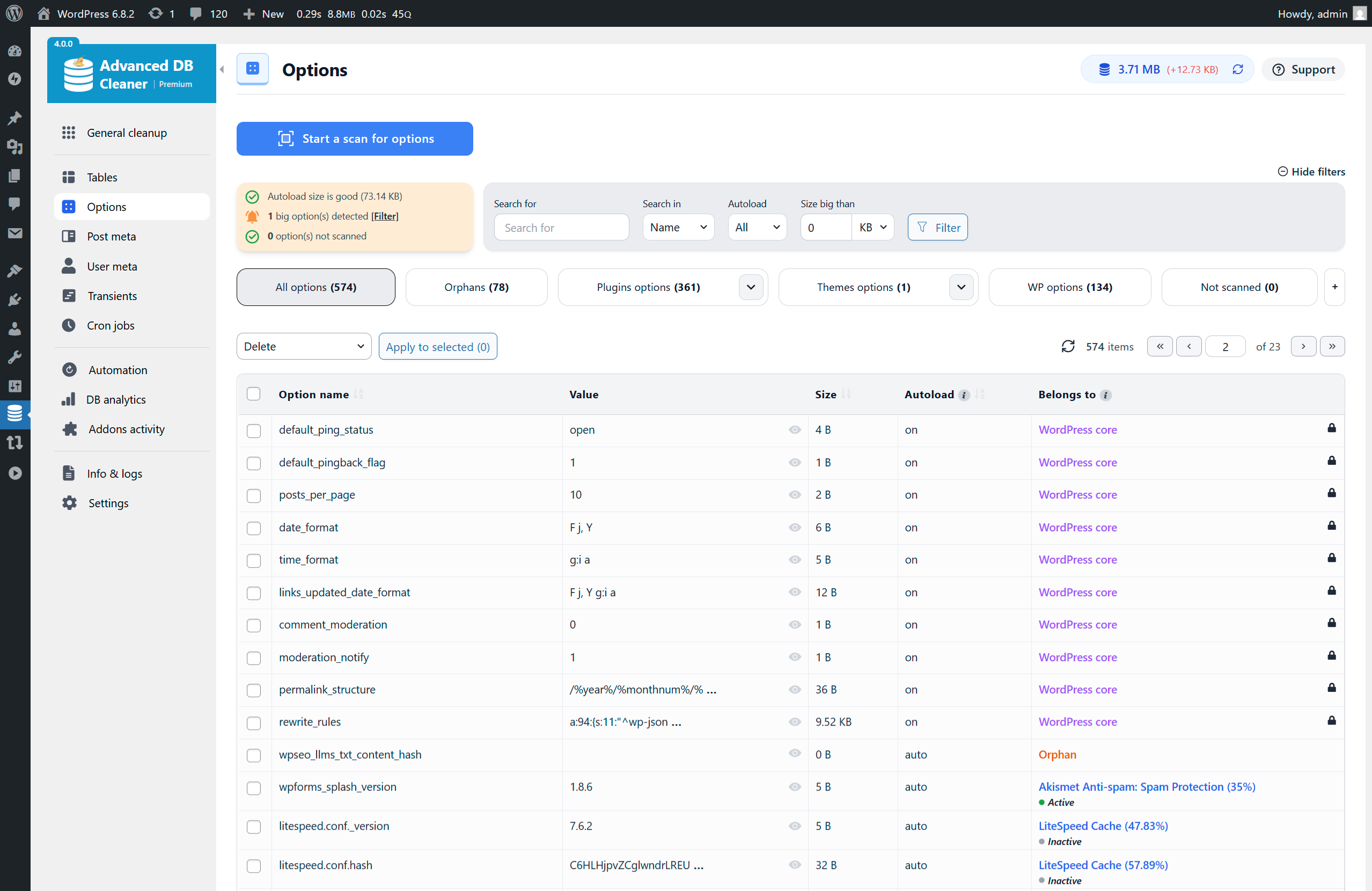
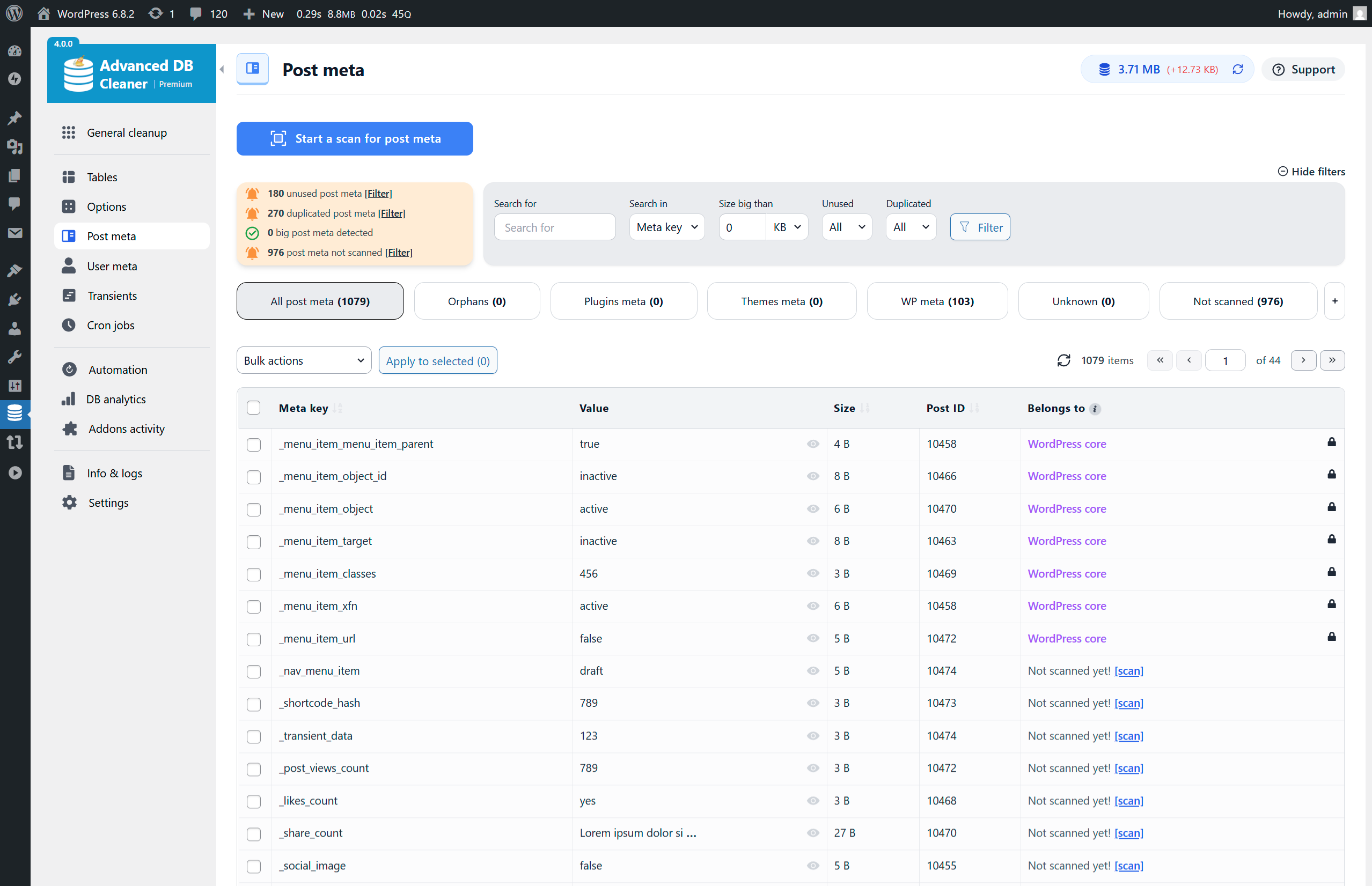
What Advanced Database Cleaner highlights on its WordPress.org page and its own website, split by version.
19 of 22 features we track in Database Optimization, feature score 89/100
Delete old post and page revisions.
Deletes post revisions with a preview, optionally only those older than X days.
Remove auto-drafts and emptied trash.
Cleans auto-drafts and trashed posts; trashed-post cleanup limited to core post types for safety.
Delete spam, trashed and unapproved comments.
Removes pending, spam and trashed comments plus pingbacks and trackbacks.
Remove expired (or all) transients.
Cleans expired transients and lists all transients, flagging large ones for deletion.
Remove post, comment, user and term meta with no parent.
Removes unused and duplicated post, comment, user and term meta; Premium adds owner-based orphan detection.
Find and delete tables left behind by removed plugins.
Premium scans to find tables left by removed plugins; free only flags invalid-prefix tables.
Find options and scheduled tasks left by removed plugins.
Premium detects orphaned options and cron jobs; free flags cron jobs with no valid action.
Clean WooCommerce Action Scheduler completed actions and logs.
Premium cleans completed, failed and cancelled actions, their logs and orphan logs.
Run OPTIMIZE TABLE to reclaim space and defragment tables.
Optimise tables manually or on a schedule to reclaim space.
Repair corrupted or crashed tables.
Repairs corrupted tables and highlights ones needing repair.
See the size of autoloaded options and switch heavy ones off.
Shows large autoloaded options and lets you set autoload yes/no per option or transient.
Convert MyISAM tables to InnoDB.
Action to convert table engines to InnoDB, added in version 4.1.0.
Cap how many revisions WordPress keeps from now on.
Cleans existing revisions only; no setting to cap future revisions is listed.
Run cleanups automatically on a schedule.
Free allows up to 5 scheduled cleanup/optimise/repair tasks, hourly to monthly; Premium is unlimited.
Shows counts or the exact items before anything is removed.
Sortable preview tables list the exact items and estimated space before cleaning.
Keep the last X days or revisions when cleaning.
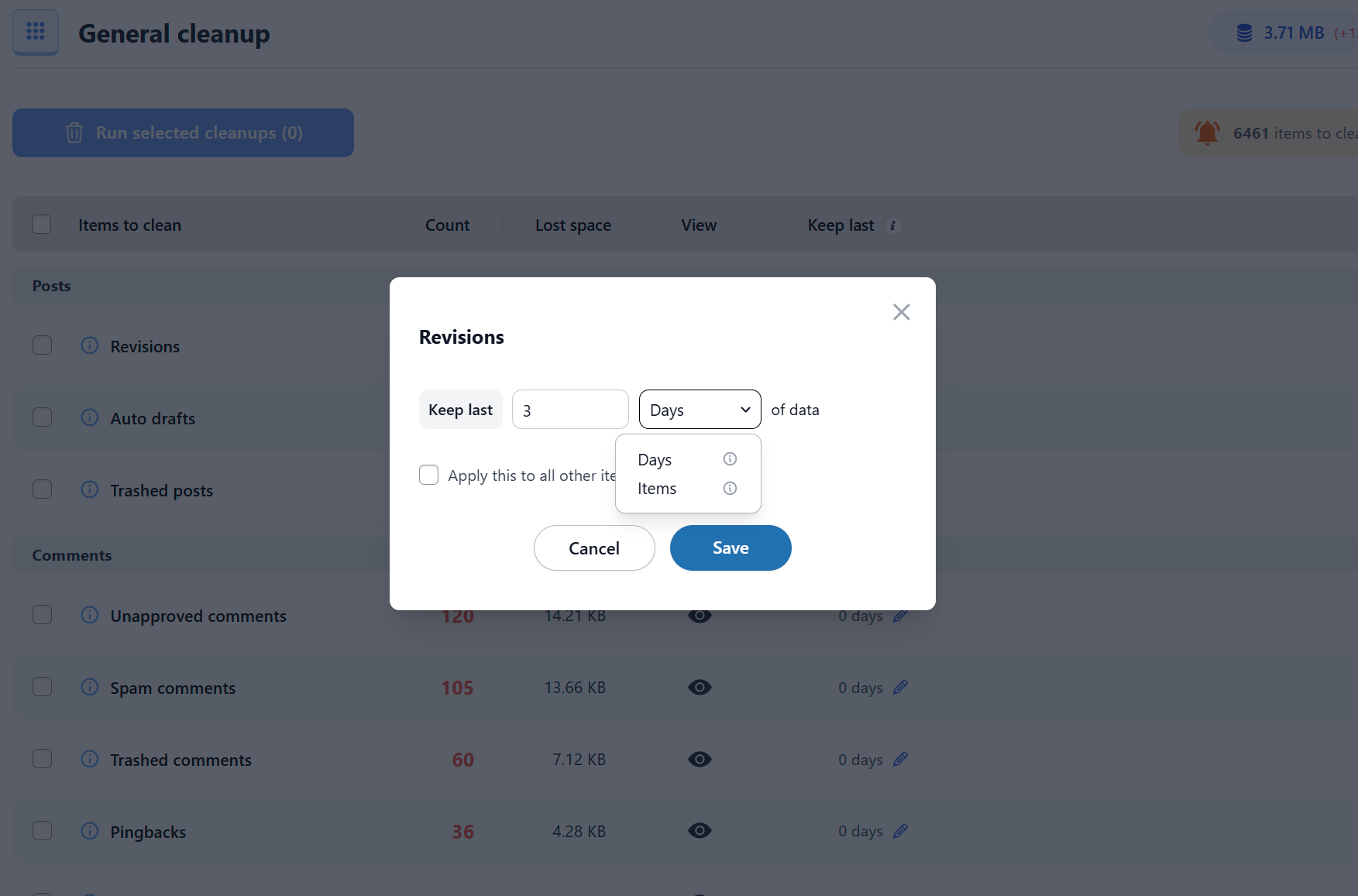
Keep last X days is free; keep last X items (per parent or global) is Premium.
Built-in or integrated backup before running a cleanup.
No backup feature; the FAQ tells you to back up before cleaning.
Exclude specific tables, options or items from cleanup.
Core items are protected from deletion by default; no general user-defined exclusion list documented.
Shows table sizes and how much space a cleanup will save.
Shows database size, table sizes, row counts and estimated space each cleanup frees.
Shows which plugin or theme created each table or option.
Premium labels which plugin or theme owns each table, option, cron job and meta key.
Clean and optimise across a multisite network.
Main site can clean the whole network in free; Premium adds per-site filtering.
Run cleanups from the command line.
No WP-CLI commands are documented on WordPress.org or the vendor site.
On WordPress.org
Unlimited
WordPress.org version: general cleanup, table tools, autoload controls and up to 5 scheduled tasks.
1 site
10 daily remote-scan credits, standard support. Lifetime option $78.
5 sites
30 daily remote-scan credits, priority support. Lifetime option $118.
Unlimited
500 daily remote-scan credits, premium support. Lifetime option $238. A multisite network counts as one activation.
Prices are list prices from the vendor's site, checked 14 Oct 2026. Many vendors discount the first year.
Free installs from WordPress.org, the vendor's own claim, and our estimate of paid installs.
Active installations reported by WordPress.org.
The vendor does not publish a total.
Our estimate, see method below.
How we estimated this: About 150K free installs x 8% (the usual share of free sites that also run the paid version when some key features are paid) gives 12K. Likely range: 6K to 24K. This counts sites running the paid version, including sites whose licence has lapsed. Estimates are rough and based on public figures as of 14 Oct 2026.
4,816 downloads last week, 3M all time
| Version | 4.2.0 |
|---|---|
| Last updated | 20 Aug 2026 (75 days ago) |
| Tested up to | WordPress 7.1.4 |
| Requires | WordPress 5.0.0+, PHP 7.0+ |
| Support threads (2 months) | 1 of 2 resolved |
| On WordPress.org since | 18 Sep 2015 |
| Refund policy | 30-day money-back (source, 11 Oct 2026) Full refund, no conditions, per the product page. |
|---|
Free all-in-one plugin from TeamUpdraft combining page caching, image compression with WebP, database cleanup and minification.

Meow Apps' database cleaner for large sites: core cleanup, table, option and cron browsers with ownership hints, and a Pro background sweeper.

Free server-level cache and optimisation suite from LiteSpeed Technologies; full-page caching needs a LiteSpeed web server or QUIC.cloud CDN.

Free one-click database optimiser that deletes revisions (keeping the newest if you like), trash, spam and transients, with scheduling and multisite support.

Premium all-in-one caching and performance plugin for WordPress that applies page caching, file optimisation and lazy loading as soon as it is…

Free, settings-free database sweeper by Lester Chan that removes revisions, orphaned meta and junk using WordPress's own delete functions, with WP-CLI.
Yes. Advanced Database Cleaner has a free version on WordPress.org. Paid plans start at $39/yr.
WordPress.org reports 100K+ active installations of the free version. We estimate around 12K sites run the paid version.
Yes: included. Deletes post revisions with a preview, optionally only those older than X days.
Yes: included. Cleans expired transients and lists all transients, flagging large ones for deletion.
Yes: included. Removes unused and duplicated post, comment, user and term meta; Premium adds owner-based orphan detection.
Yes: paid version (Starter). Premium scans to find tables left by removed plugins; free only flags invalid-prefix tables.
Yes: included. Optimise tables manually or on a schedule to reclaim space.
Yes: included. Shows large autoloaded options and lets you set autoload yes/no per option or transient.
Yes: included. Free allows up to 5 scheduled cleanup/optimise/repair tasks, hourly to monthly; Premium is unlimited.
For routine cleanup it usually is: revisions, comments, transients, orphaned meta, table optimisation and repair, autoload controls and up to five scheduled tasks are all free. Premium is mainly needed to identify and remove tables, options and cron jobs left by uninstalled plugins, and to clean Action Scheduler data.
No. The plugin's FAQ says a backup is required before you run cleanups, so use your host's backups or a dedicated backup plugin first.
Annual plans are $39 (1 site), $59 (5 sites) and $119 (unlimited sites); lifetime licences cost twice the annual price. Higher plans include more daily remote-scan credits and there is a 30-day money-back guarantee.
Yes. The free version can clean the whole network from the main site; Premium adds filters by site ID. A network counts as one licence activation.
Last updated 11 Oct 2026. Spotted something wrong? Suggest an edit.