
LiteSpeed Cache
Free server-level cache and optimisation suite from LiteSpeed Technologies; full-page caching needs a LiteSpeed web server or QUIC.cloud CDN.
94

Free all-in-one plugin from TeamUpdraft combining page caching, image compression with WebP, database cleanup and minification.

WP-Optimize is a performance plugin from TeamUpdraft, the team behind UpdraftPlus, that bundles four jobs into one install: page caching, image compression, database cleanup and asset minification. It began life as a database optimiser and has grown into a general speed toolkit used on more than a million WordPress sites.
The free plugin includes one-click page caching with preloading, Gzip and browser-cache settings, optional separate cache files for mobile devices, and exclusions by URL, conditional tag, user agent or cookie. Store pages that use WooCommerce’s do-not-cache signals (cart, checkout, account) are skipped automatically. Image tools offer lossy or lossless compression, WebP conversion, auto-compression of new uploads and bulk processing with restore. The database module removes revisions, drafts, spam and transients on a schedule, and the minify engine can minify and merge HTML, CSS and JavaScript, load files asynchronously, defer or delay scripts and optimise Google Fonts with font-display.
Premium adds lazy loading, preload key requests, unused CSS removal, automatic LCP image preloading, YouTube iframe placeholders, local Gravatar and analytics hosting, per-role and per-user caching, REST API caching, WooCommerce geolocation caching, Cloudflare cache purging, multisite support, WP-CLI, per-table optimisation, unused-image deletion and more flexible schedules. Plans start at $49 a year for two sites.
There is no critical CSS generator, no CDN URL rewriting for providers other than Cloudflare, no Redis or Memcached object cache integration and no heartbeat control. On Nginx, browser caching and Gzip must be configured on the server. Multisite and WP-CLI being Premium-only may matter to agencies.
Who should pick it: site owners who want a single free plugin to cover caching, image compression and database housekeeping, and who may later upgrade for lazy loading and unused CSS removal.
Best for: Budget-conscious site owners who want caching, image compression and database cleanup from one free plugin.
WP-Optimize offers one of the broadest free feature sets in the category, covering caching, images and database housekeeping in one place. Its front-end optimisation is decent but lacks critical CSS, and several agency-friendly features sit behind Premium.
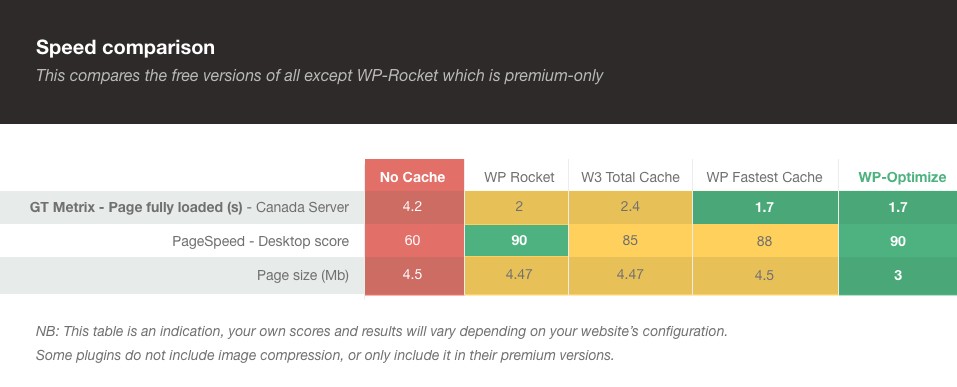
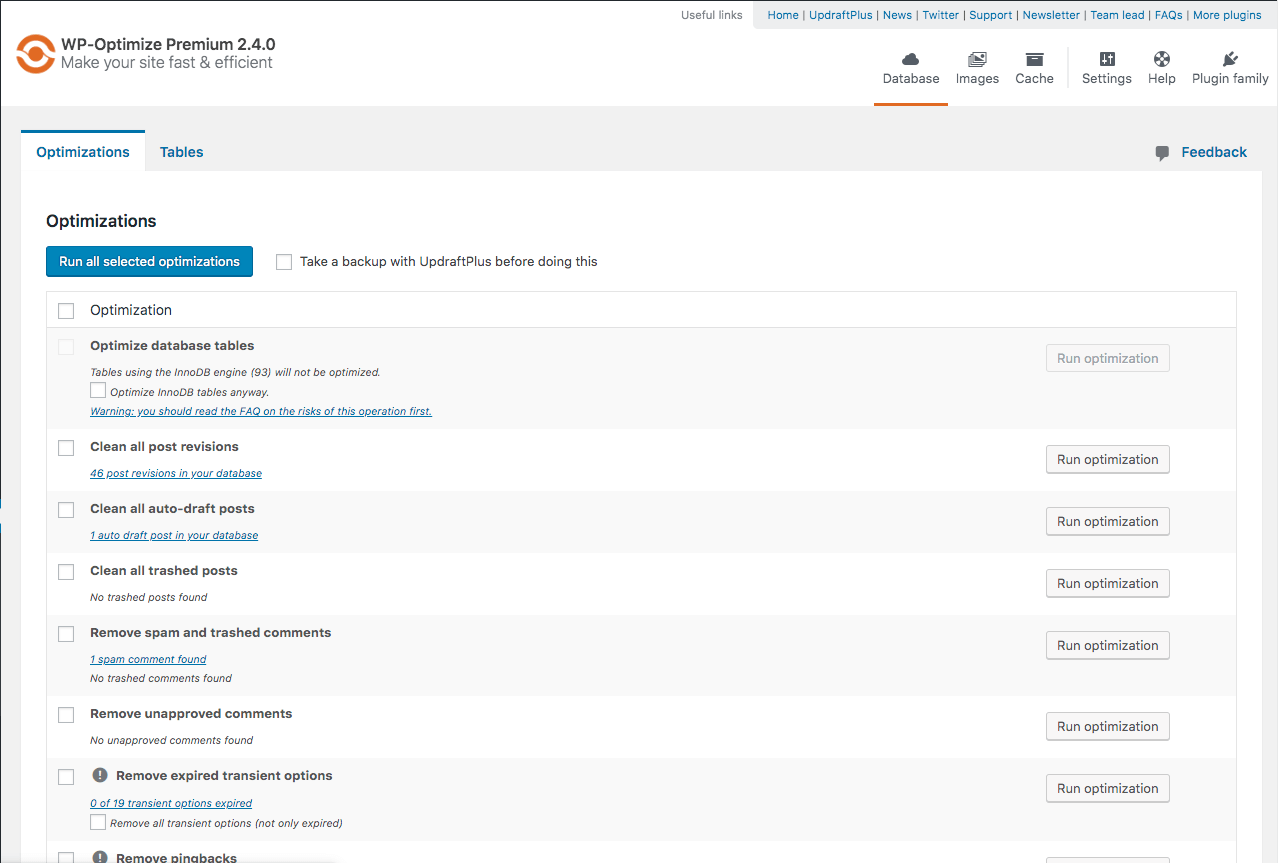
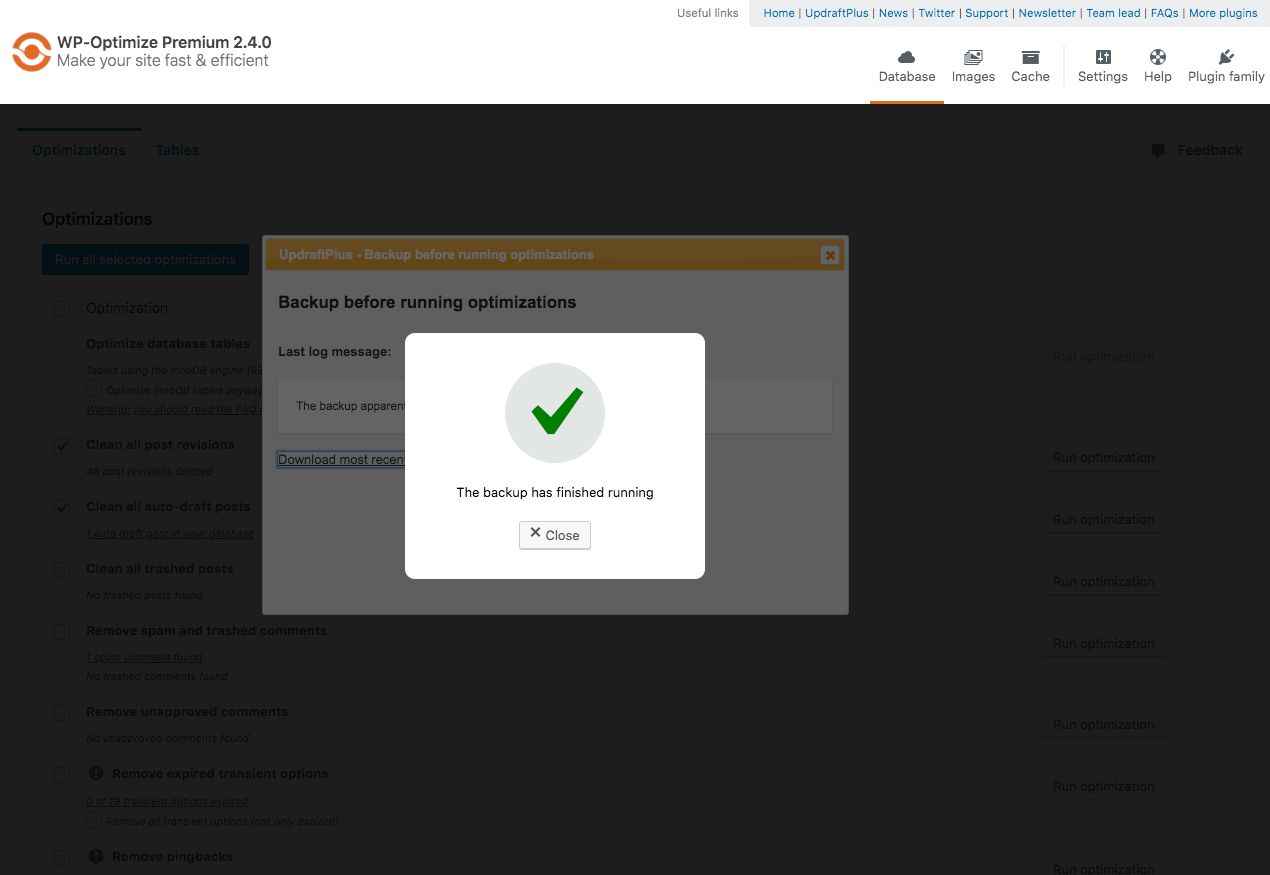
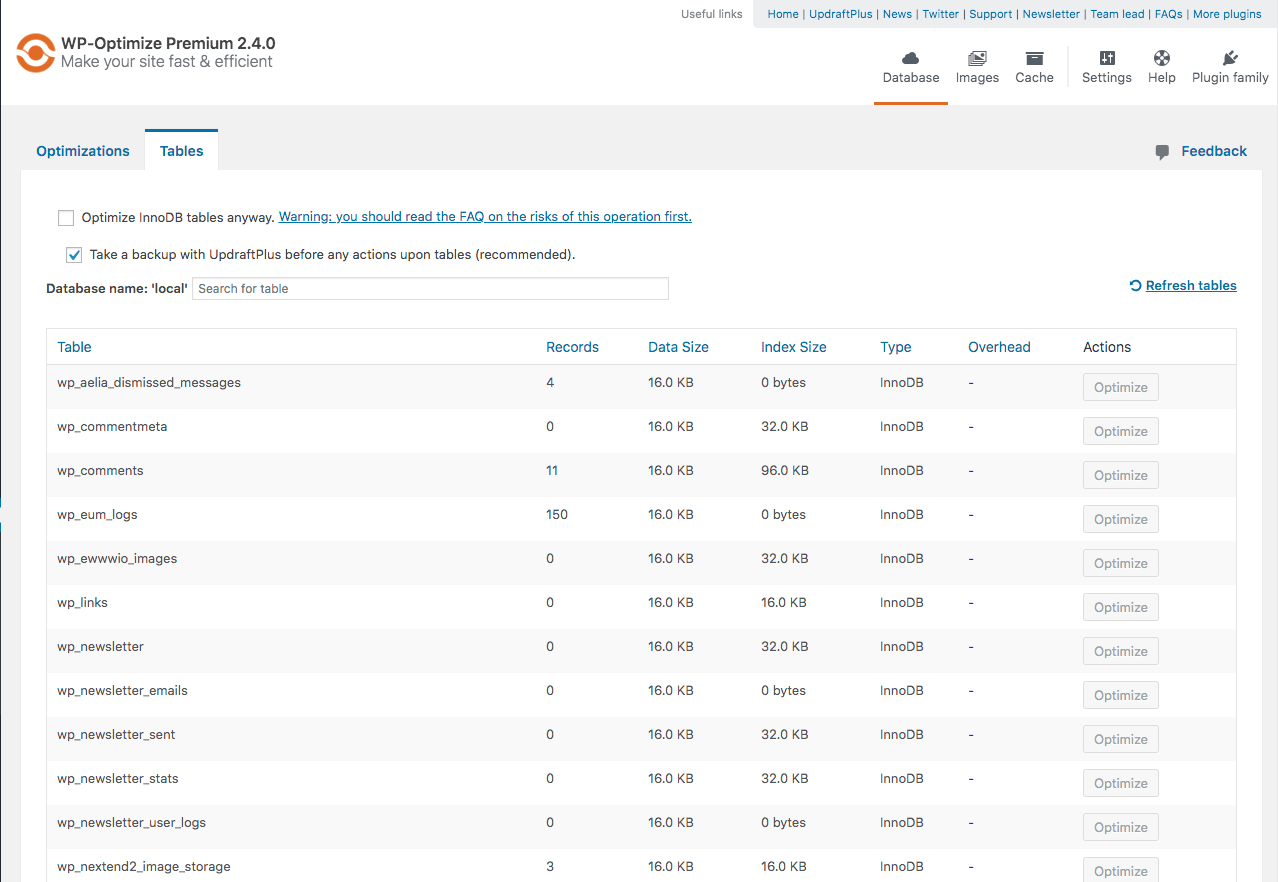

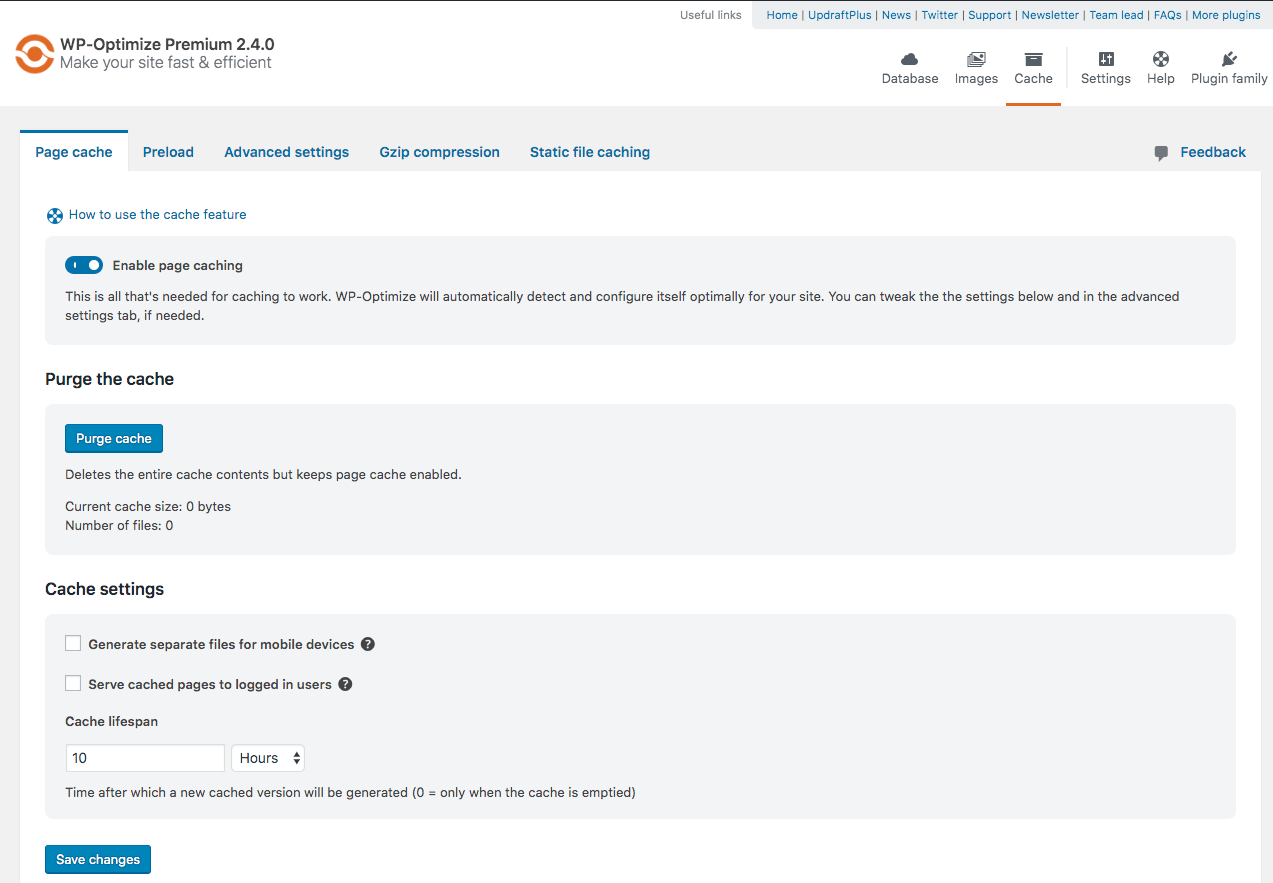
What WP-Optimize highlights on its WordPress.org page and its own website, split by version.
20 of 25 features we track in Caching & Speed, feature score 80/100
Serves pre-built HTML pages.
One-click page cache with URL, cookie and user-agent exclusions.
Sets cache headers for static files.
Browser static-file cache settings on Apache; Nginx needs server config.
Builds the cache before visitors arrive.
Cache preloader emulates visits on a schedule.
Redis or Memcached object caching.
No Redis or Memcached object cache integration is offered.
Different cache for mobile devices.
Option to generate separate cache files for mobile devices.
Excludes cart, checkout and account pages automatically.
Skips pages marked DONOTCACHEPAGE such as cart, checkout and account.
Page caching works on Apache, Nginx and LiteSpeed alike.
Cache works on Apache, Nginx and IIS servers.
Works on WordPress multisite networks.
Multisite support is a Premium feature.
Strips whitespace from CSS and JavaScript.
Free minification of HTML, CSS and JavaScript.
Merges CSS/JS files.
Minify-and-merge mode combines CSS and JS files.
Loads scripts after the page renders or on interaction.
Defers or asynchronously loads JS; Delay JS added in v4.0.
Generates only the CSS each page uses.
Premium removes unused CSS rules (added in v4.3).
Inlines above-the-fold CSS.
No critical CSS generator in the free or Premium feature list.
Self-hosts or preloads web fonts.
Optimises Google Fonts and Font Awesome with font-display swap.
Preload fonts, images or links and prefetch DNS.
Preload key requests and assets, plus auto LCP preload, are Premium.
Defers off-screen images and iframes.
Image lazy loading is Premium only.
Compresses uploaded images.
Lossy/lossless compression with bulk and auto-compress.
Serves next-gen image formats.
Free WebP conversion; AVIF is not mentioned.
Rewrites asset URLs to a CDN.
No CDN URL rewriting; only Cloudflare is integrated natively.
Purges or configures Cloudflare.
Premium purges Cloudflare cache when WP-Optimize clears its cache.
Replace YouTube and Vimeo embeds with a lightweight preview.
Premium replaces YouTube iframes with preview images (v4.2).
A CDN is part of the product or plan, not just URL rewriting.
No vendor-run CDN.
Removes revisions, transients and spam.
Cleans revisions, drafts, spam and transients with scheduling.
Limits the WordPress Heartbeat API.
No Heartbeat API control for site owners.
Clear or warm the cache from the command line.
Premium adds WP-CLI commands for running optimisations.
18 of 22 features we track in Database Optimization, feature score 80/100
Delete old post and page revisions.
Free cleanup deletes post revisions; can keep a set number per post.
Remove auto-drafts and emptied trash.
Free cleanups remove auto-drafts and permanently delete trashed posts.
Delete spam, trashed and unapproved comments.
Separate free cleanups for spam, trashed and unapproved comments, plus pingbacks/trackbacks.
Remove expired (or all) transients.
Removes expired transients; a checkbox extends this to all transients.
Remove post, comment, user and term meta with no parent.
Free cleanups for orphaned post, comment and user meta and orphaned term relationships.
Find and delete tables left behind by removed plugins.
Tables tab offers a Remove button for tables not used by an active plugin.
Find options and scheduled tasks left by removed plugins.
No cleanup for leftover plugin options or cron events beyond transients.
Clean WooCommerce Action Scheduler completed actions and logs.
Run OPTIMIZE TABLE to reclaim space and defragment tables.
Runs OPTIMIZE on tables for free; Premium can target individual tables.
Repair corrupted or crashed tables.
Tables flagged as corrupted get a Repair button that runs REPAIR TABLE.
See the size of autoloaded options and switch heavy ones off.
Convert MyISAM tables to InnoDB.
MyISAM tables in the Tables list get a Convert to InnoDB button.
Cap how many revisions WordPress keeps from now on.
Only keeps N revisions during cleanup; it does not cap revisions WordPress stores.
Run cleanups automatically on a schedule.
Free daily/weekly/fortnightly/monthly schedules; Premium adds set times and per-task schedules.
Shows counts or the exact items before anything is removed.
Each cleanup shows a count first; Premium adds a preview to select exact records.
Keep the last X days or revisions when cleaning.
Settings to keep the last X weeks of data and always keep N post revisions.
Built-in or integrated backup before running a cleanup.
Checkbox to take an UpdraftPlus backup before cleanups (UpdraftPlus must be installed).
Exclude specific tables, options or items from cleanup.
No exclusion list; Premium lets you pick which tables or sites to optimise.
Shows table sizes and how much space a cleanup will save.
Tables tab lists rows, data and index size and overhead per table.
Shows which plugin or theme created each table or option.
Tables list names known plugins using each table; Premium adds a table usage report.
Clean and optimise across a multisite network.
Premium can optimise any site or combination of sites on a network.
On WordPress.org
2 sites
All Premium features; prices may vary by region (EUR/GBP available).
5 sites
All Premium features.
Unlimited
All Premium features.
Prices are list prices from the vendor's site, checked 14 Oct 2026. Many vendors discount the first year.
Free installs from WordPress.org, the vendor's own claim, and our estimate of paid installs.
Active installations reported by WordPress.org.
Sites/users claimed on the vendor's website. source
Our estimate, see method below.
How we estimated this: The vendor figure (1M+) is within WordPress.org's rounding of the free installs, so it says nothing about paid sites. About 1.5M free installs x 2.8% (the usual share of free sites that also run the paid version when most features are free, lower for very large free bases) gives 42K. Likely range: 21K to 84K. This counts sites running the paid version, including sites whose licence has lapsed. Estimates are rough and based on public figures as of 14 Oct 2026.
50,425 downloads last week, 60.5M all time
| Version | 4.7.0 |
|---|---|
| Last updated | 21 Sep 2026 (43 days ago) |
| Tested up to | WordPress 7.1.4 |
| Requires | WordPress 4.9+, PHP 7.2+ |
| Support threads (2 months) | 6 of 15 resolved |
| On WordPress.org since | 21 Jan 2009 |
| Refund policy | 14-day money-back (source, 5 Oct 2026) |
|---|
 Advanced Database Cleaner/WP-Optimize
 Cache Enabler/WP-Optimize
 NitroPack/WP-Optimize
 FlyingPress/WP-Optimize
 Breeze/WP-Optimize
 Jetpack Boost/WP-Optimize
 WP-Optimize/xSpeed Cache
 WP-Optimize/WP-Sweep
 Optimize Database after Deleting Revisions/WP-Optimize
 Database Cleaner/WP-Optimize
 WP-Optimize/WP RocketLiteSpeed Cache/WP-Optimize
 W3 Total Cache/WP-Optimize
 WP-Optimize/WP Super Cache
 Perfmatters/WP-Optimize
 WP Fastest Cache/WP-Optimize
 Hummingbird/WP-Optimize
 Autoptimize/WP-Optimize
Free server-level cache and optimisation suite from LiteSpeed Technologies; full-page caching needs a LiteSpeed web server or QUIC.cloud CDN.
Free WordPress cache plugin with static page caching, Redis and Memcached object cache, database cleanup and a built-in MCP server.
Premium all-in-one WordPress speed plugin: page cache, used-CSS generation, delayed JS, image optimisation, Redis and an optional FlyingCDN add-on.
Premium all-in-one caching and performance plugin for WordPress that applies page caching, file optimisation and lazy loading as soon as it is…
Cloud-based speed optimisation service with caching, critical CSS, image optimisation and a built-in Cloudflare-powered CDN, billed by pageviews.
WPMU DEV's performance plugin with page, browser and Gravatar caching, asset optimisation, Cloudflare tools and Redis; Pro adds critical CSS and a…
Yes. WP-Optimize has a free version on WordPress.org. Paid plans start at $49/yr.
WordPress.org reports 1M+ active installations of the free version. The vendor claims 1M+ sites in total. We estimate around 42K sites run the paid version.
Yes: included. One-click page cache with URL, cookie and user-agent exclusions.
Yes: included. Defers or asynchronously loads JS; Delay JS added in v4.0.
Yes: paid version (Premium). Premium removes unused CSS rules (added in v4.3).
Yes: included. Free cleanup deletes post revisions; can keep a set number per post.
Yes: included. Removes expired transients; a checkbox extends this to all transients.
Yes: included. Free cleanups for orphaned post, comment and user meta and orphaned term relationships.
Yes: included. Tables tab offers a Remove button for tables not used by an active plugin.
Yes: included. Runs OPTIMIZE on tables for free; Premium can target individual tables.
Yes: included. Free daily/weekly/fortnightly/monthly schedules; Premium adds set times and per-task schedules.
Yes. Page caching, preloading, Gzip, mobile cache files, image compression with WebP, database cleanup and minification are all in the free plugin.
Premium starts at $49 per year for up to 2 sites, $99 for 5 sites and $194 for unlimited sites, with a 14-day refund window.
Yes. Its page cache works alongside Cloudflare's proxy, and Premium can automatically purge the Cloudflare cache when WP-Optimize clears its own.
Yes. Pages flagged as do-not-cache by WooCommerce, such as cart, checkout and My Account, are excluded automatically; Premium adds geolocation-based caching.
Last updated 5 Oct 2026. Spotted something wrong? Suggest an edit.