

EWWW Image Optimizer
Image optimizer that compresses images on your own server for free with unlimited WebP, plus paid cloud compression and the Easy IO…
94

Elementor's cloud image compressor with lossless/lossy modes, WebP/AVIF conversion, resizing and backups, sold on annual image credits.
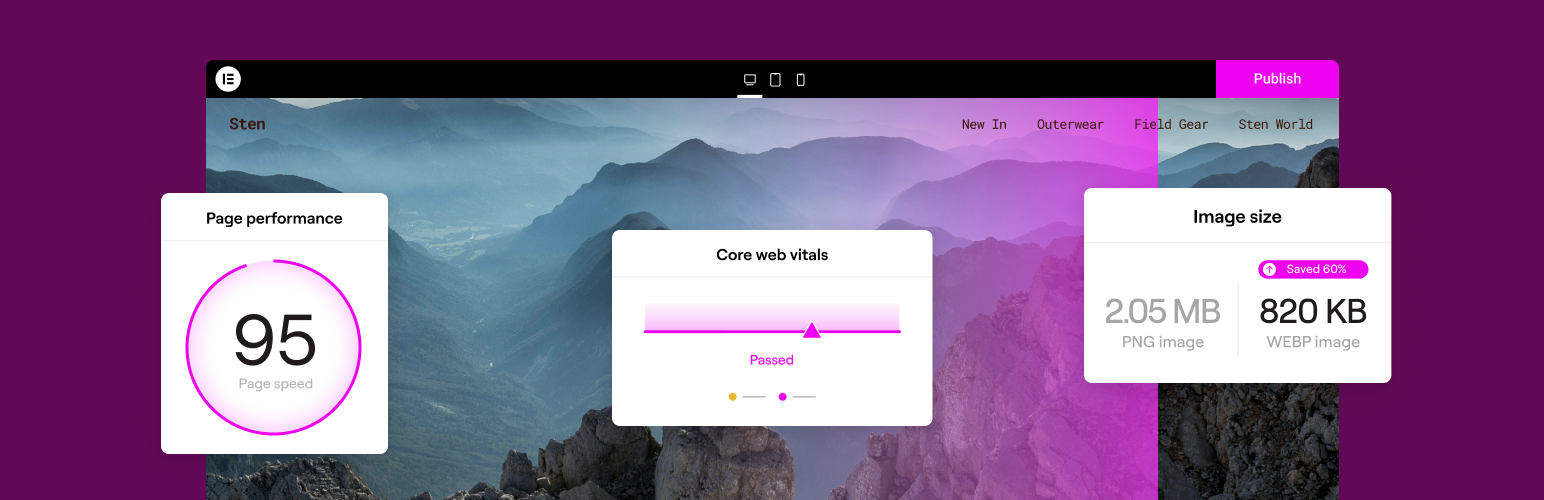
Image Optimizer (now listed on WordPress.org as Image Optimization) is Elementor’s standalone image compression plugin. It does not require the Elementor page builder, but it does need a connection to an Elementor account, because images are processed on Elementor’s servers rather than your own.
Uploads can be optimised automatically, the existing library processed in bulk in the background, or single images handled from the media screen. You choose between lossless and lossy compression, optionally convert to WebP or AVIF, strip EXIF data, and resize anything wider than a set maximum (1920px by default). Originals are backed up and can be restored per image, and you can pick which registered thumbnail sizes are processed to save credits. A dashboard shows credit usage with alerts at 80% and 100%.
Every feature is available on every plan; plans differ only in credits and maximum upload size. The free trial covers up to 200 image files (about 50 uploads with default sizes) with a 10 MB per-file cap. Paid annual plans such as Image Optimizer 30K raise the allowance and the cap to 25 MB, and credits reset yearly. Image optimisation is also included through the shared monthly credits of an Elementor One subscription. Elementor states Image Optimizer Pro purchases are non-refundable.
Converted WebP/AVIF files replace the media file rather than being served by browser negotiation, there is no CDN, lazy loading or custom folder support, and no WP-CLI. The free allowance is effectively a trial, and the WordPress.org rating is low, with many reviews complaining about the account connection and credit limits.
Best for Elementor customers, especially Elementor One subscribers, who want straightforward cloud compression without adding another vendor.
Best for: Elementor users who want simple cloud compression and format conversion bundled with their existing Elementor account or Elementor One plan.
Image Optimizer covers the compression basics well (two levels, WebP/AVIF, resizing, backups) and keeps the workload off your server. Its trial-sized free allowance, account requirement and lack of delivery features make it hard to recommend outside the Elementor ecosystem, where Elementor One credits make it effectively included.

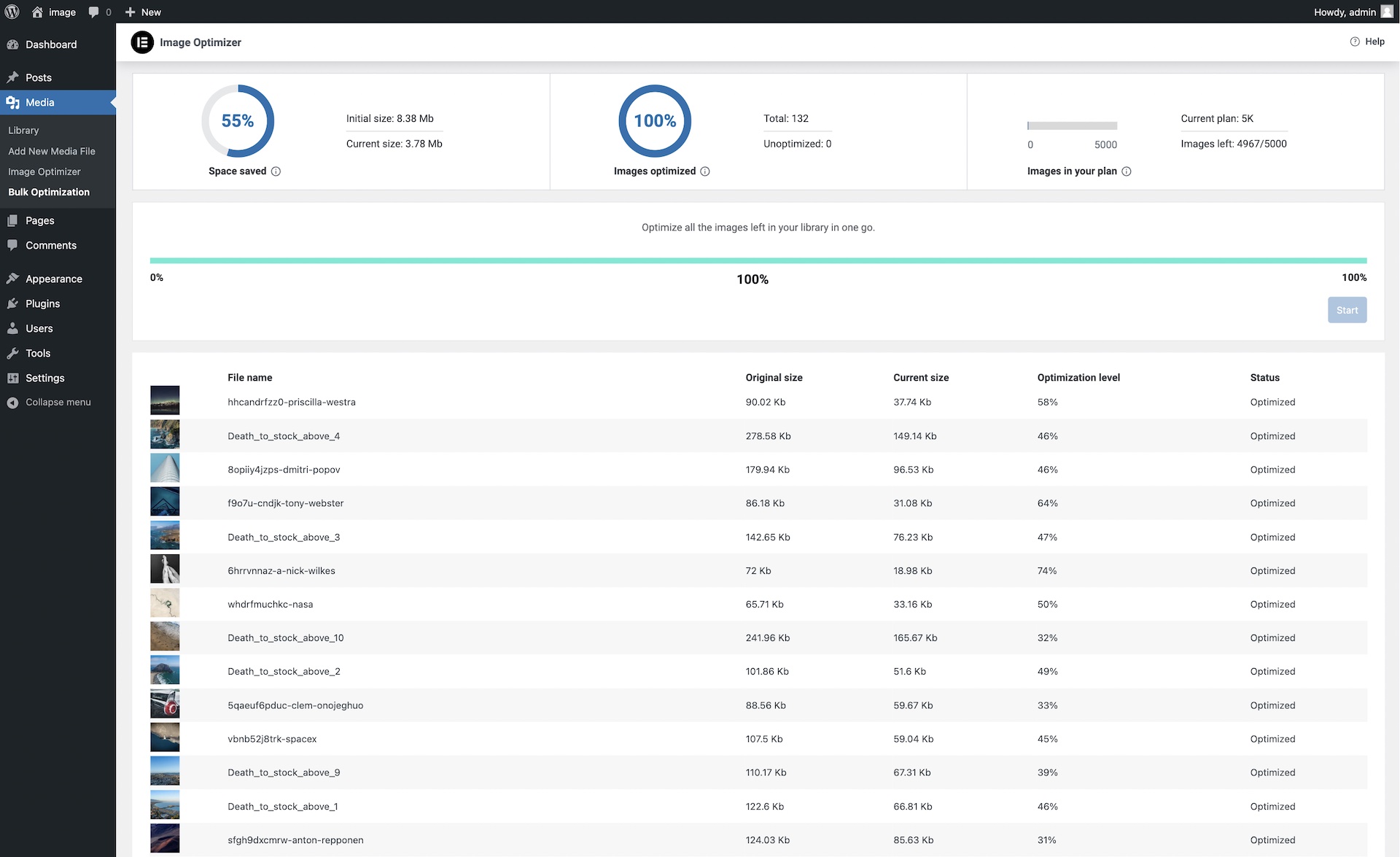
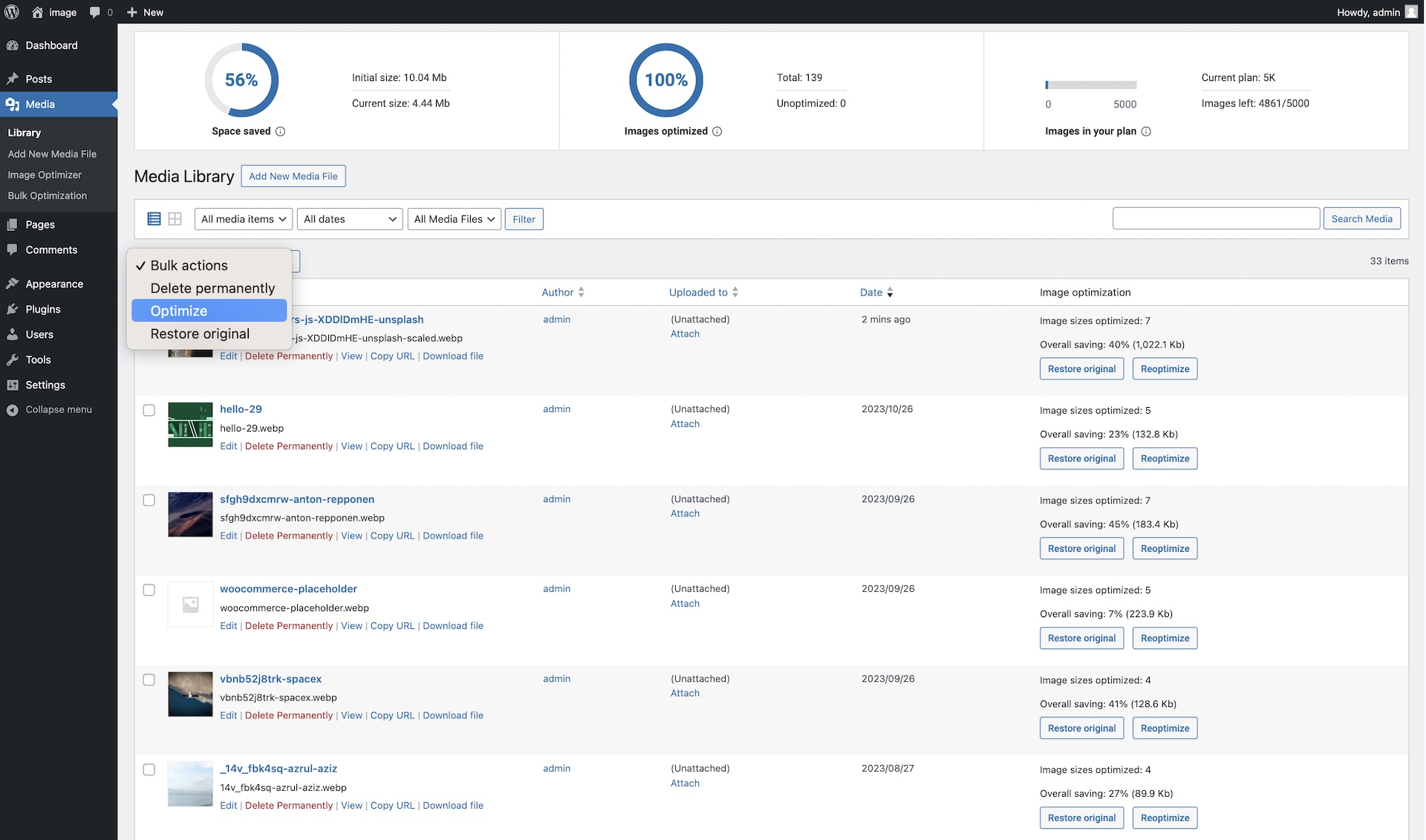
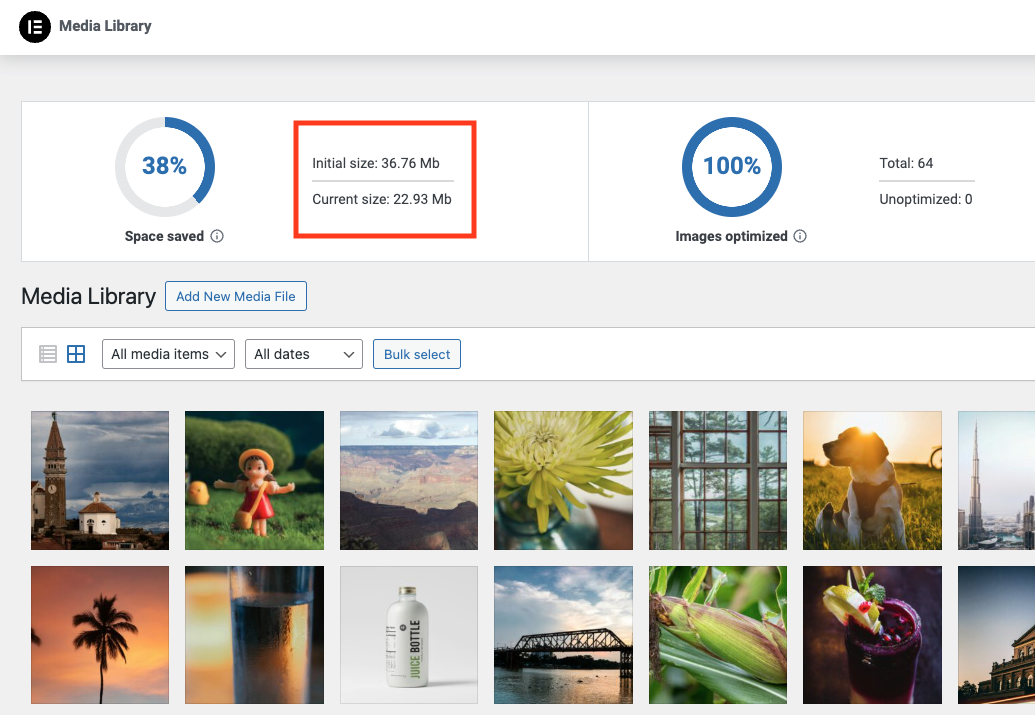
What Image Optimizer by Elementor highlights on its WordPress.org page and its own website, split by version.
13 of 25 features we track in Image Optimization, feature score 59/100
Choose between lossless and one or more lossy compression levels.
Two levels: lossless or lossy.
Optimise every existing image in the media library.
Bulk optimise the whole library in the background.
New uploads are optimised automatically.
Optimise on upload setting.
Backs up originals so you can restore them.
Backs up originals and restores all sizes for selected media.
Scales down oversized uploads to a maximum size.
Resizes images above a set max width (1920px default).
Removes camera and location metadata.
Optional EXIF metadata removal.
Compresses PDF files in the media library.
Service accepts JPG, PNG, GIF and WebP images only.
Creates WebP versions of images.
Converts images to WebP.
Creates AVIF versions of images.
Converts images to AVIF.
Serves WebP/AVIF to supporting browsers via picture tags, rewrites or CDN.
Media file itself is converted; no picture-tag or rewrite-based negotiation found.
Converts photos saved as PNG to smaller JPGs.
No PNG-to-JPG option; conversion targets are WebP and AVIF.
Serves images from a CDN, often with on-the-fly optimisation.
No CDN delivery; optimised files are stored on your server.
Serves the right size for each screen or device.
No per-device resizing service.
Defers off-screen images.
No lazy loading feature.
Also optimises or converts images used in CSS backgrounds.
Only media library attachments are processed.
Optimises on your own server with no external API.
Requires Elementor's cloud service.
Optimisation runs on the vendor's servers, saving your server's CPU.
Images are optimised on Elementor's dedicated servers.
Free version optimises unlimited images, or a large monthly quota.
Free trial of up to 200 image files, about 50 uploads.
No restrictive per-image size limit in the free version.
Free plan caps uploads at 10 MB per image (25 MB on paid).
Choose which thumbnail sizes are optimised.
Choose specific registered thumbnail sizes to optimise.
Optimise theme, plugin or custom folders outside the media library.
Works on media library images only.
Optimises WooCommerce product and gallery-plugin images.
Product images are Media Library attachments, so bulk/auto optimisation covers them.
Works across a WordPress multisite network.
Multisite support is not documented.
Run bulk optimisation from the command line.
No WP-CLI commands of its own in the plugin code.
Shows space saved and optimisation statistics.
Dashboard shows optimisation stats and credits used/remaining.
On WordPress.org
Unlimited
Up to 200 image files (about 50 uploads with default sizes); 10 MB max per image.
Unlimited
Up to 30,000 image files per year, 25 MB max per image; UK-localised price. A 100K plan is also listed.
1 site
First year £144; includes Editor Pro and 25,000 monthly shared credits (10 credits per optimised image).
Prices are list prices from the vendor's site, checked 14 Oct 2026. Many vendors discount the first year.
Free installs from WordPress.org, the vendor's own claim, and our estimate of paid installs.
Active installations reported by WordPress.org.
Sites/users claimed on the vendor's website. source
Our estimate, see method below.
How we estimated this: The vendor figure (1M+) is within WordPress.org's rounding of the free installs, so it says nothing about paid sites. About 1.5M free installs x 3.5% (the usual share of free sites that also run the paid version when a hosted service whose free tier is generous, lower for very large free bases) gives 52K. Likely range: 27K to 110K. This counts sites running the paid version, including sites whose licence has lapsed. Estimates are rough and based on public figures as of 14 Oct 2026.
42,168 downloads last week, 16.4M all time
| Version | 1.7.7 |
|---|---|
| Last updated | 22 Sep 2026 (42 days ago) |
| Tested up to | WordPress 7.0.8 |
| Requires | WordPress 6.7+, PHP 7.4+ |
| Support threads (2 months) | 1 of 1 resolved |
| On WordPress.org since | 8 Jan 2024 |
| Refund policy | Non-refundable (Image Optimizer Pro) (source, 6 Oct 2026) Product page says Image Optimizer Pro is non-refundable and suggests the free trial instead. |
|---|
Image optimizer that compresses images on your own server for free with unlimited WebP, plus paid cloud compression and the Easy IO…

Freemium image optimizer from WPMU DEV with free lossless and lossy compression, lazy load and Directory Smush; Pro adds WebP/AVIF and a…

Credit-based cloud image optimizer with lossy, glossy and lossless modes, free WebP/AVIF, PDF compression and an optional CDN.

Cloud image optimisation service for WordPress that compresses, resizes and converts images on the fly and serves them from a CloudFront CDN.

Converts JPEG, PNG and GIF images to WebP (free) or AVIF (PRO) and serves them via server rewrites, leaving originals untouched.

Cloud image optimizer from WP Media (WP Rocket) with Smart Compression and free WebP/AVIF, billed by monthly data quota.
Yes. Image Optimizer by Elementor has a free version on WordPress.org. Paid plans start at £48/yr.
WordPress.org reports 1M+ active installations of the free version. The vendor claims 1M+ sites in total. We estimate around 53K sites run the paid version.
Yes: included. Two levels: lossless or lossy.
Yes: included. Bulk optimise the whole library in the background.
Yes: included. Backs up originals and restores all sizes for selected media.
Yes: included. Converts images to WebP.
Yes: included. Converts images to AVIF.
No: not included. No CDN delivery; optimised files are stored on your server.
No. It is a standalone plugin, but you must connect it to an Elementor account because images are processed on Elementor's servers.
The trial includes up to 200 image files. WordPress creates several sizes per upload, so that is roughly 50 uploads unless you reduce the sizes processed.
Standalone plans give an annual pool of credits (one per image file) that resets yearly without rollover. In Elementor One, each optimised image uses 10 shared monthly credits.
Yes. Originals are backed up and can be restored for selected media files, and backups can be deleted to save space.
Already optimised images stay compressed on your site; you just cannot optimise new images beyond the free allowance.
Last updated 6 Oct 2026. Spotted something wrong? Suggest an edit.