
hCaptcha for WordPress
Free plugin that adds hCaptcha to WordPress core, WooCommerce and 60+ form, builder and community plugins, with honeypot and IP controls.
84

CAPTCHA-free cloud anti-spam for comments, registrations, WooCommerce and 100+ form plugins, with a firewall for known bots. From $12/year.

CleanTalk Spam Protection (listed on WordPress.org as Anti-Spam by CleanTalk) is a software-as-a-service anti-spam plugin. The plugin is free to download, but it only works with an access key for CleanTalk’s cloud service, which costs from $12 per year for one site after a free trial. In return it filters spam across almost every kind of form a WordPress site has, without showing visitors a CAPTCHA.
Detection combines several checks: a JavaScript test that most bots fail, submit-time analysis, an optional honeypot field, and a lookup of the sender’s IP, email and domain against CleanTalk’s large cloud database of spam activity. A sender is only blocked when several tests fail, which keeps false positives down. The separate SpamFireWall goes further by refusing known spam-bot IPs before WordPress even renders the page, with optional Anti-Flood and Anti-Crawler limits.
Management tools are strong for the price: bulk checkers to find existing spam comments and spam users, personal block and allow lists, role and URL exclusions, email existence checks, and a cloud dashboard with logs and stats for every connected site. Agencies can run many sites from one account, and multisite networks can share a global access key.
The trade-offs are the service dependency and some paywalled extras. Everything is processed on CleanTalk’s servers, the plugin stops filtering if the subscription lapses, and the default log only goes back seven days. Country blocking, stop-words, custom block messages and the 45-day log are in the Extra Package, which costs another 50% of the licence. Login brute-force protection belongs to CleanTalk’s separate Security service rather than this plugin.
CleanTalk is a good fit for site owners and agencies who want broad, invisible spam protection across forms, comments and WooCommerce for a small yearly fee, and who are comfortable relying on a hosted service.
Best for: Site owners and agencies who want invisible spam protection across every form, comment and WooCommerce page for a small annual fee.
CleanTalk offers some of the broadest form coverage in the category at a very low price, and it keeps visitors free of CAPTCHAs. You are tied to its cloud service and a yearly bill, and a few useful controls sit behind the Extra Package, but for most sites it is good value.
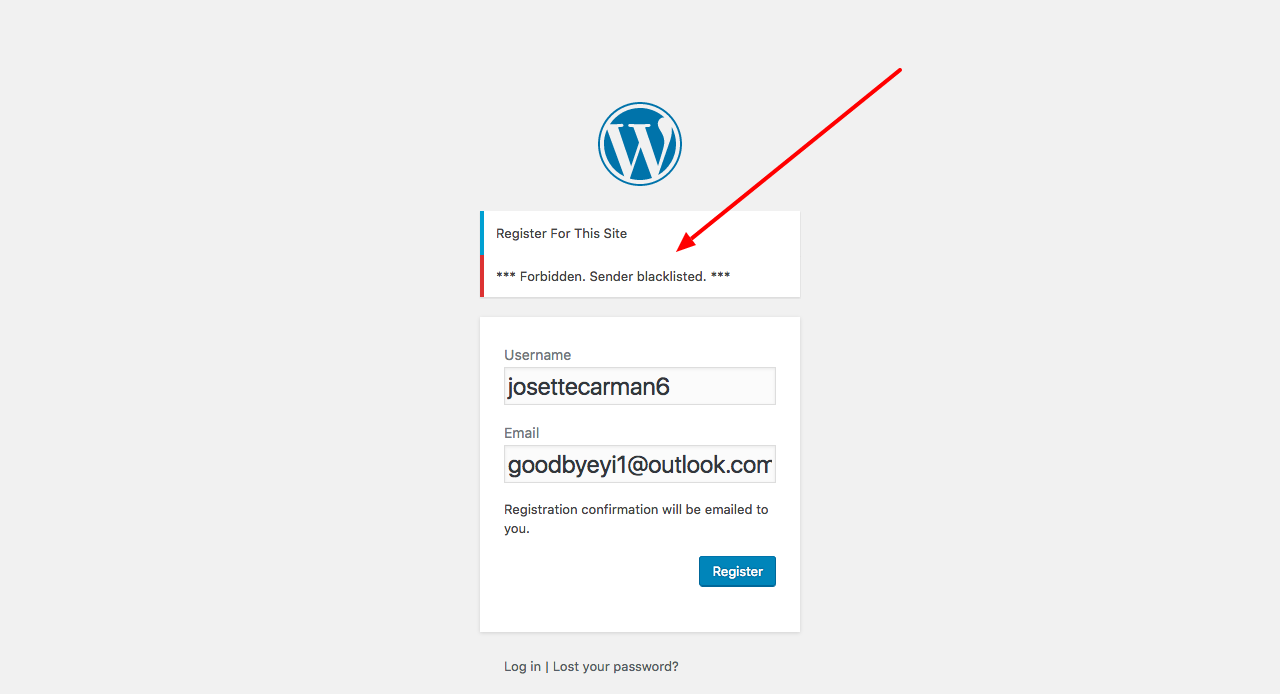
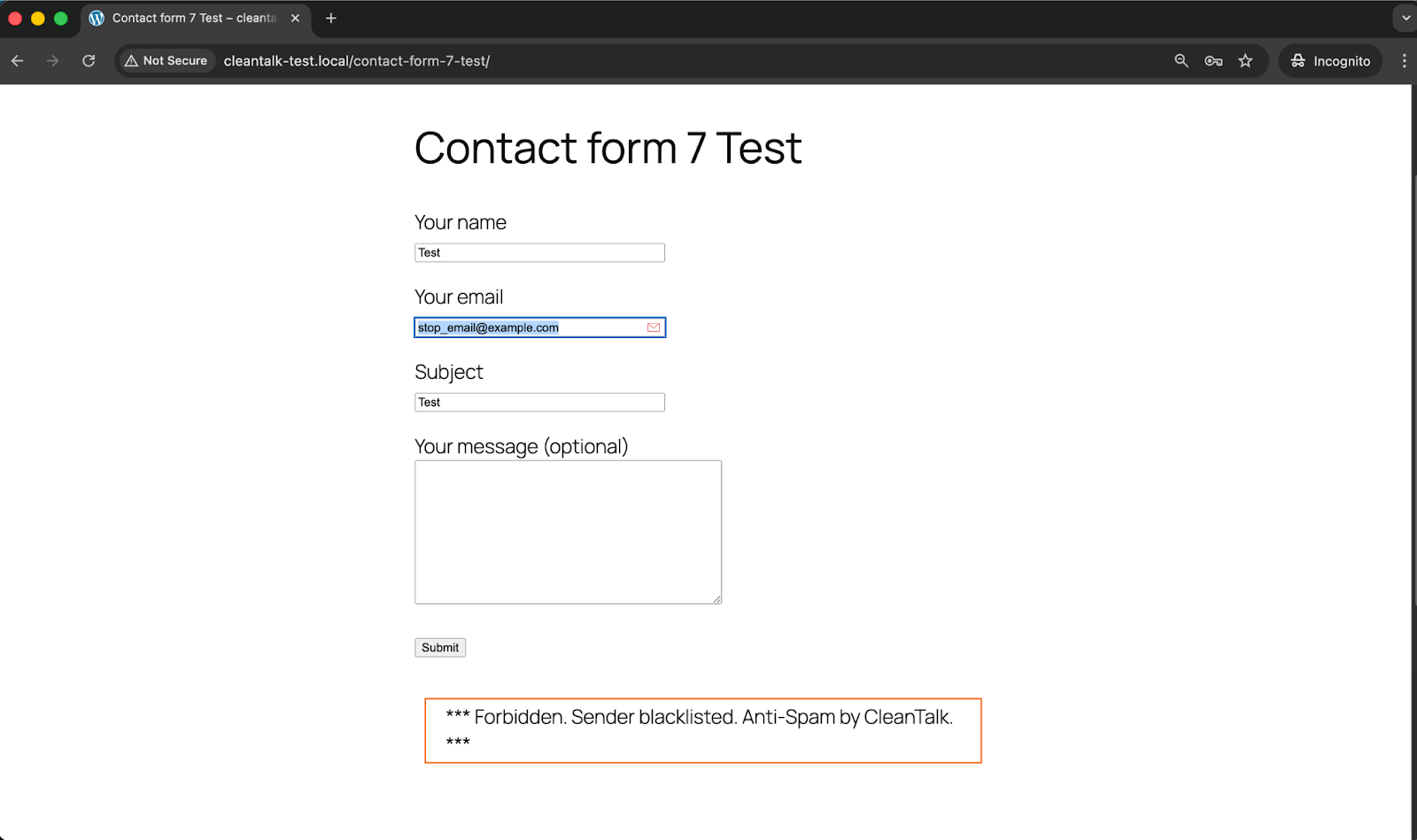
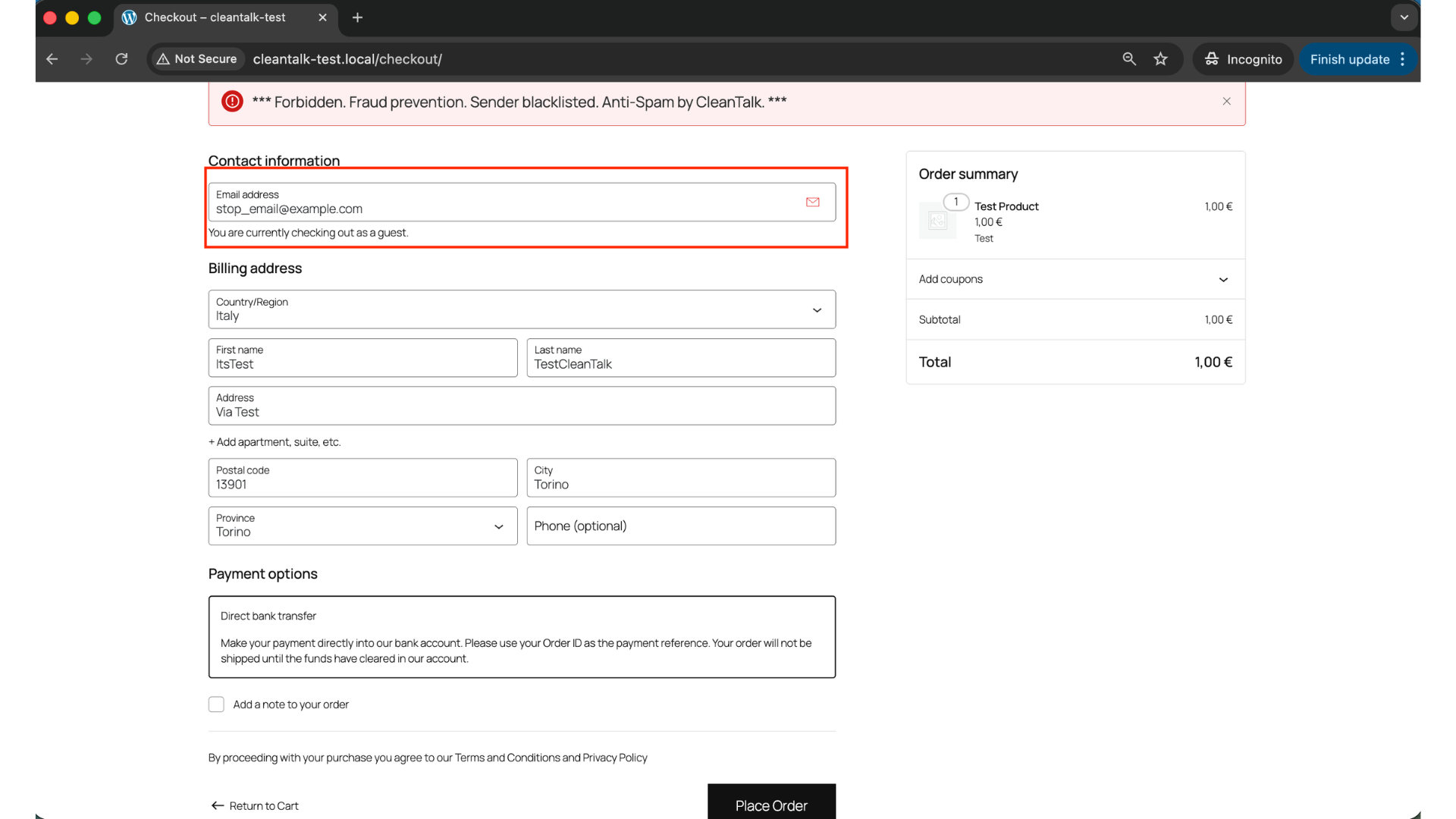
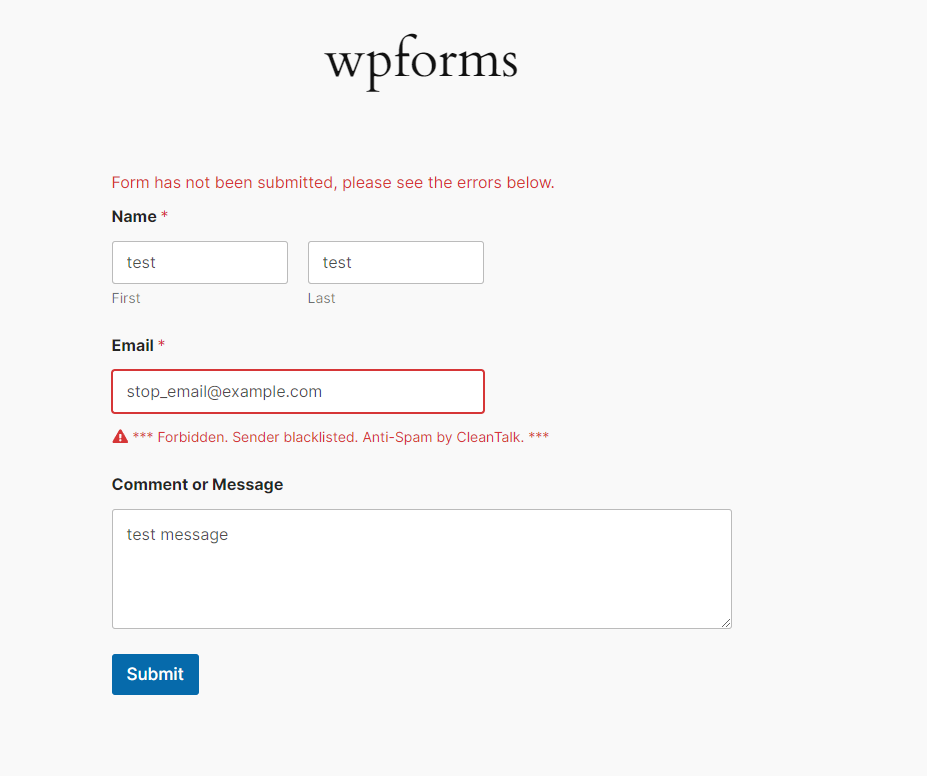
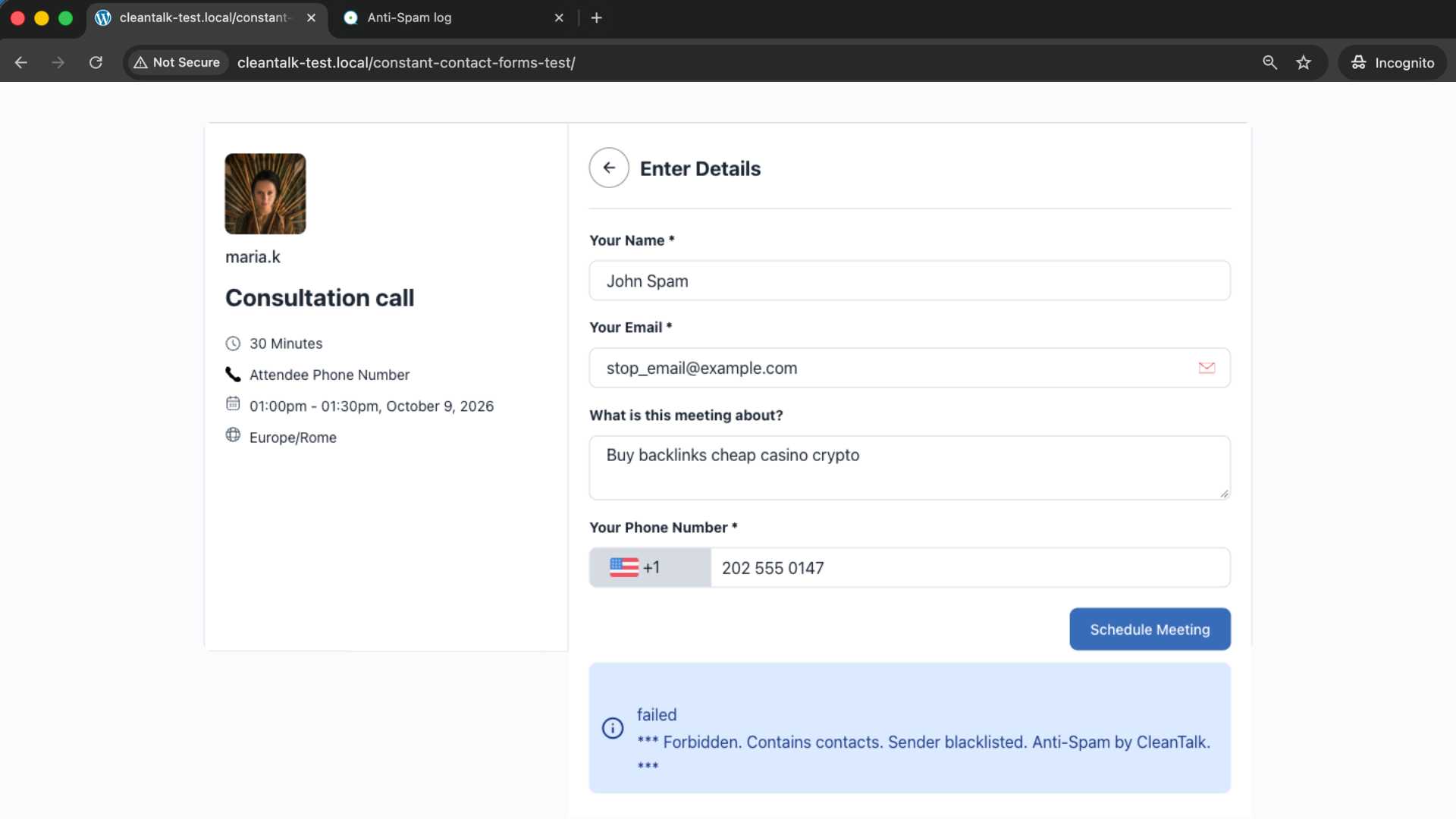
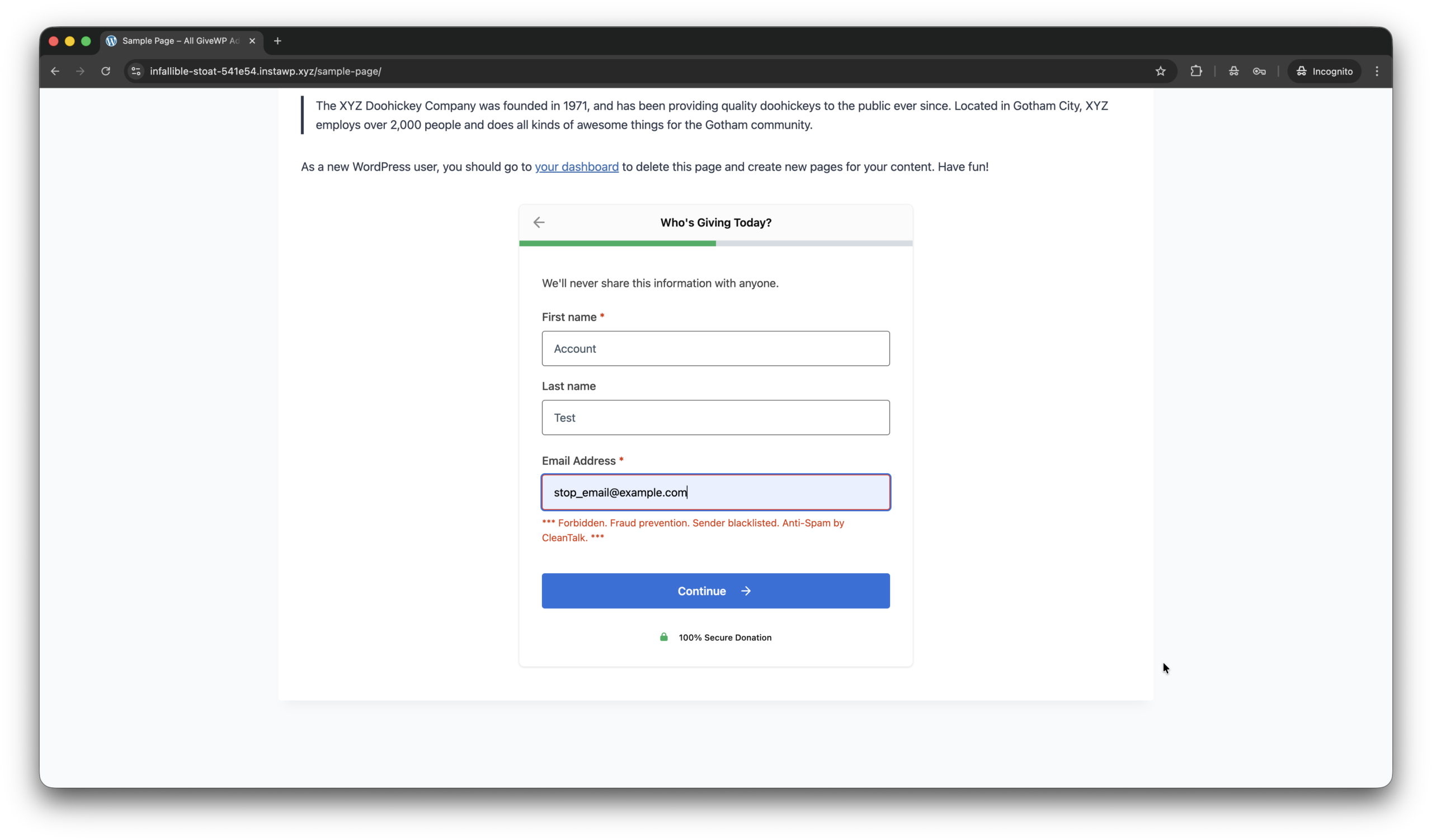
What CleanTalk Spam Protection highlights on its WordPress.org page and its own website, split by version.
40 of 46 features we track in CAPTCHA & Spam, feature score 85/100
Supports Google reCAPTCHA (v2 checkbox, invisible or v3 score-based).
Designed as a CAPTCHA-free alternative; no reCAPTCHA option.
Supports Cloudflare Turnstile, the privacy-friendly CAPTCHA alternative.
No Cloudflare Turnstile option.
Supports hCaptcha challenges.
No hCaptcha option.
Own image, math or puzzle CAPTCHA with no third-party service.
No image or math CAPTCHA; protection is invisible.
Hidden fields and timing checks that catch bots without a visible challenge.
Optional hidden honeypot field for supported forms, alongside JS and timing tests.
Submissions checked against a cloud spam database of known spammers.
IP, email and domain checked against CleanTalk's cloud database of spam activity.
Blocks bots without asking visitors to solve anything.
Background JavaScript, timing and database tests with nothing for visitors to solve.
Protects WordPress comments from spam.
Filters WordPress, Jetpack and wpDiscuz comments; can bulk-check existing comments.
Protects the login and lost-password forms.
Login brute-force defence is in CleanTalk's separate paid Security plugin; SpamFireWall still blocks known bot IPs.
Protects the user registration form.
Blocks spam sign-ups and can scan existing users for spam accounts.
Protects WooCommerce checkout, login and registration forms.
Checks checkout, registration during checkout and reviews; can store blocked orders.
Works with popular form plugins such as Contact Form 7, WPForms or Gravity Forms.
100+ form plugins including CF7, WPForms, Gravity Forms, Fluent Forms, Formidable and Ninja Forms.
Protects forms built in Elementor, Divi or similar builders.
Elementor, Avada and Kadence Blocks forms are on the supported list.
Protects BuddyPress, bbPress, Ultimate Member or similar.
Supports bbPress, Asgaros Forum and BuddyPress (including private messages).
Block or allow specific IPs, emails, words or user roles.
Personal block/allow lists for IPs, subnets, emails and domains, plus role and URL exclusions.
Block submissions by country or language.
Country block list and stop-words come with the Extra Package (+50% of licence).
Log of blocked submissions with counts and reasons.
Cloud dashboard logs every request for 7 days (45 days with Extra Package).
Hide the challenge for logged-in or trusted users.
Logged-in users are skipped unless 'Protect logged in users' is on; roles can be excluded.
Change challenge text, errors, theme or language.
Custom block response messages are an Extra Package feature.
No tracking cookies, data minimisation or a documented GDPR mode.
Documented GDPR compliance, an option to stop setting cookies and field exclusions for personal data.
Core protection runs entirely on your own server.
SaaS: every check runs on CleanTalk's cloud servers.
CAPTCHA scripts are only loaded on pages that have a protected form.
Bot-detection script and SpamFireWall run site-wide by design, not only on form pages.
Works across a WordPress multisite network.
Multisite compatible, with per-site settings or a global access key for the network.
Protects Contact Form 7 forms.
Contact Form 7 submissions are filtered out of the box.
Protects WPForms forms.
Filters WPForms submissions for every form type.
Protects Gravity Forms forms.
Gravity Forms is on the built-in supported forms list.
Protects Elementor Pro form widgets.
Elementor forms are on the built-in supported forms list.
Protects Ninja Forms forms.
Ninja Forms is on the built-in supported forms list.
Protects Formidable Forms forms.
Formidable Forms is on the built-in supported forms list.
Protects Fluent Forms forms.
Fluent Forms is on the built-in supported forms list.
Protects Forminator forms.
Forminator forms are on the built-in supported list, including multi-step forms.
Protects Divi contact form modules.
Plugin code detects and checks Divi contact form module submissions.
Protects EDD checkout, login or registration.
Easy Digital Downloads is on the built-in supported list.
Protects BuddyPress registration and activity.
Checks BuddyPress registrations, plus a dedicated BuddyPress integration class.
Protects bbPress topics and replies.
bbPress is on the supported list; topics, replies and registrations are checked.
Protects Ultimate Member login and registration.
Hooks Ultimate Member's registration submit to check new sign-ups for spam.
Protects MemberPress signup and login.
Validates MemberPress signups via its registration check.
Protects MC4WP newsletter sign-up forms.
MC4WP: Mailchimp for WordPress is on the built-in supported list.
Protects wpDiscuz comment forms.
wpDiscuz comments are on the built-in supported list.
Protect any custom form via shortcode, function or hooks.
Protects custom and external forms via settings, plus a check_message API for custom code.
Blocks known spam bots before pages load.
SpamFireWall blocks known spam bot IPs before they load site pages.
Rejects throwaway or fake email addresses.
Blocks disposable and temporary email addresses and checks emails exist.
Stops bots testing stolen cards at WooCommerce checkout.
Checks checkout and add-payment-method submissions for bots; no dedicated card-testing rules.
Blocks spam or abuse through the REST API or XML-RPC.
Blocks XML-RPC pingbacks and checks some plugin REST routes; no general API lockdown.
Review blocked submissions and approve false positives.
Spam goes to the Spam folder, blocked orders can be stored and restored, and a cloud log lists requests.
Test keys, debug logs or a test mode to check setup safely.
Test with stop_email@example.com for forms and a special test IP for SpamFireWall.
1 site
Free trial first; all anti-spam features and SpamFireWall included.
3 sites
Same features; volume pricing.
5 sites
Same features; volume pricing.
10 sites
Larger packs for 20/30/40 sites also listed ($115/$160/$200).
Unlimited
Monthly unlimited-sites plan; the Extra Package adds 50% of the licence price.
Prices are list prices from the vendor's site, checked 14 Oct 2026. Many vendors discount the first year.
Free installs from WordPress.org, the vendor's own claim, and our estimate of paid installs.
Active installations reported by WordPress.org.
Sites/users claimed on the vendor's website. source
Our estimate, see method below.
How we estimated this: The free connector plugin has about 250K active installs and needs a paid account; assuming 60% are on a paid plan gives 150K. The vendor claims 1.1M+ sites in total. Taking away about 250K free installs leaves 850K, and 80% of that is 680K. Vendor totals are loose, so we only move our figure part of the way toward it, from 150K to 180K. Likely range: 90K to 360K. This counts sites running the paid version, including sites whose licence has lapsed. Estimates are rough and based on public figures as of 14 Oct 2026.
123,528 downloads last week, 25.9M all time
| Version | 6.91 |
|---|---|
| Last updated | 29 Oct 2026 (5 days ago) |
| Tested up to | WordPress 7.1.4 |
| Requires | WordPress 4.7+, PHP 7.2+ |
| Support threads (2 months) | 59 of 61 resolved |
| On WordPress.org since | 18 May 2012 |
 CleanTalk Spam Protection/Simple Cloudflare Turnstile
 CAPTCHA 4WP/CleanTalk Spam Protection
 Advanced Google reCAPTCHA/CleanTalk Spam Protection
 CleanTalk Spam Protection/WP Armour – Honeypot Anti Spam
 CleanTalk Spam Protection/reCAPTCHA for WooCommerce
 Antispam Bee/CleanTalk Spam ProtectionCleanTalk Spam Protection/hCaptcha for WordPress
 Akismet Anti-spam/CleanTalk Spam Protection
Free plugin that adds hCaptcha to WordPress core, WooCommerce and 60+ form, builder and community plugins, with honeypot and IP controls.
WebFactory's free CAPTCHA and login-protection plugin with reCAPTCHA and a built-in math CAPTCHA; WP Captcha PRO adds hCaptcha, Turnstile and a firewall.
Free plugin that adds Cloudflare Turnstile CAPTCHA to WordPress, WooCommerce and 30+ form, membership and community plugins.
Honeypot anti-spam plugin that blocks bots on comments and many form plugins with no CAPTCHA, API key or external calls; Extended adds…
Freemium CAPTCHA plugin: free reCAPTCHA for core WordPress forms; Premium adds hCaptcha, Turnstile, WooCommerce, form plugins and geoblocking.
Automattic's cloud spam filter for WordPress comments and many form plugins; free keys for personal sites, paid plans for commercial use.
No. CleanTalk Spam Protection is a premium plugin. Paid plans start at $12/yr.
WordPress.org reports 200K+ active installations of the free version. The vendor claims 1.1M+ sites in total. We estimate around 180K active installs.
No: not included. Designed as a CAPTCHA-free alternative; no reCAPTCHA option.
No: not included. No Cloudflare Turnstile option.
Yes: included. IP, email and domain checked against CleanTalk's cloud database of spam activity.
Yes: included. Filters WordPress, Jetpack and wpDiscuz comments; can bulk-check existing comments.
Yes: via add-on. Login brute-force defence is in CleanTalk's separate paid Security plugin; SpamFireWall still blocks known bot IPs.
Yes: included. Checks checkout, registration during checkout and reviews; can store blocked orders.
Yes: included. 100+ form plugins including CF7, WPForms, Gravity Forms, Fluent Forms, Formidable and Ninja Forms.
Yes: included. Contact Form 7 submissions are filtered out of the box.
The plugin is free to install, but it relies on CleanTalk's paid cloud service. After a free trial, protection costs from $12/year for one site.
No. It analyses submissions in the background with JavaScript tests, submit timing, a honeypot and its cloud spam database, so visitors do not solve anything.
Yes, but country blocking, stop-words, custom block messages and the 45-day log are part of the Extra Package, which costs 50% of your licence price.
Yes. It checks the checkout form, registrations made during checkout and product reviews, and can store blocked orders for review.
Yes. Each subsite can have its own settings, or you can define a global access key in wp-config.php for the whole network.
Last updated 6 Oct 2026. Spotted something wrong? Suggest an edit.